




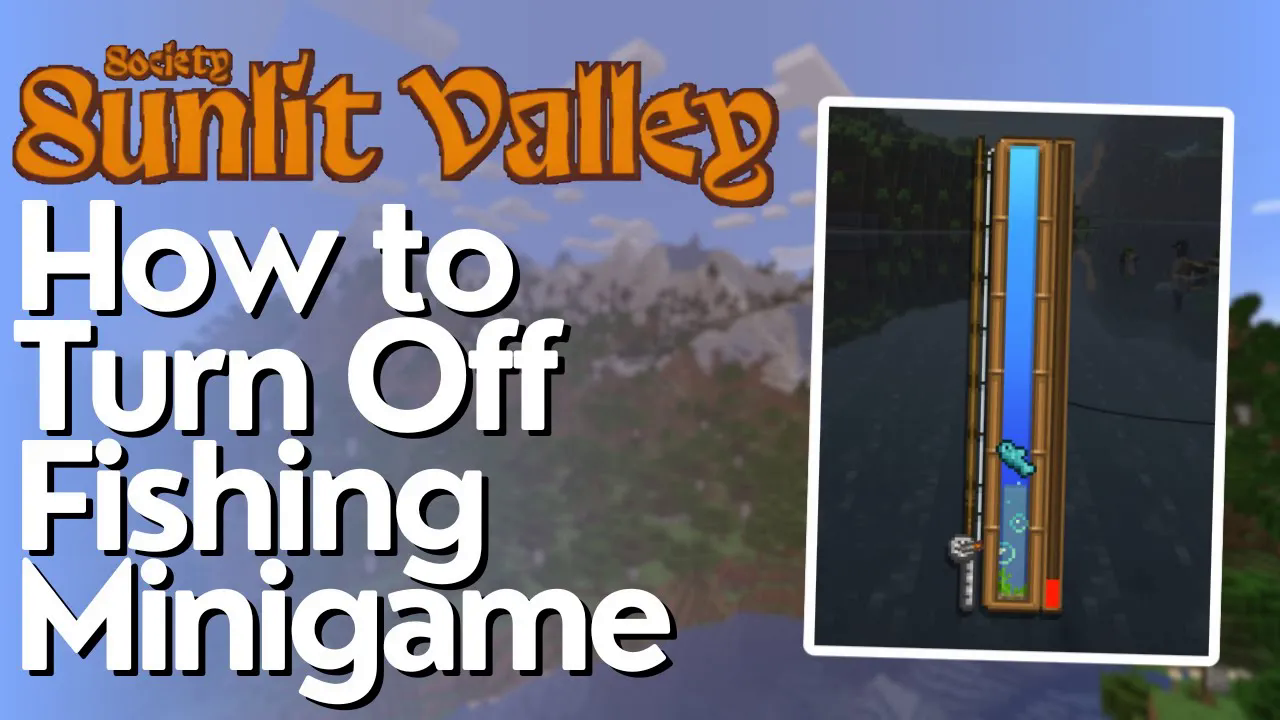
How to Turn off the Fishing Minigame In Society Sunlit Valley
How to Turn Off the Fishing Minigame in Society Sunlit Valley
If you find the fishing minigame in Society Sunlit Valley tedious or just want to skip it entirely, there’s a straightforward way to disable it. Keep in mind that disabling the minigame does come with a trade-off: you won’t be able to obtain treasure chests and other fishing-related rewards. If you’re comfortable with that compromise, follow this step-by-step guide to turn off the fishing minigame.
Prerequisites
Before you begin, close your Minecraft game completely. This guide assumes you’ve installed Society Sunlit Valley through CurseForge, though the process is similar for other installation methods—just navigate to your mod pack folder using your file system instead.
Accessing the Mod Pack Folder
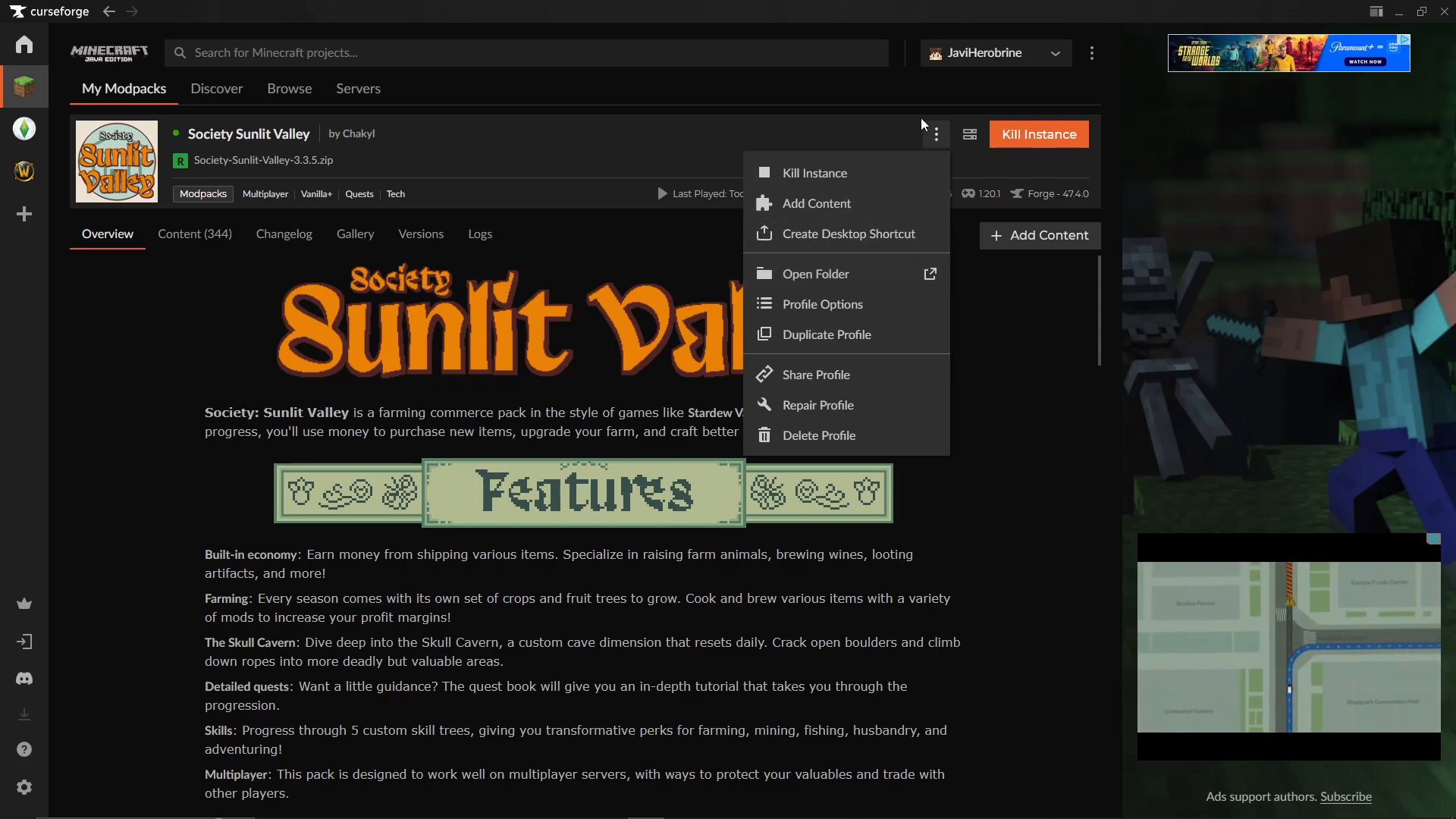
Open CurseForge and locate your mod pack. Click the three-dot menu next to the mod pack name and select “Open Folder.”
Navigating to the Configuration File
Once the folder opens, navigate to the following directory:
Find the cube.js folder
Open the start up scripts folder
Locate the JavaScript configuration file
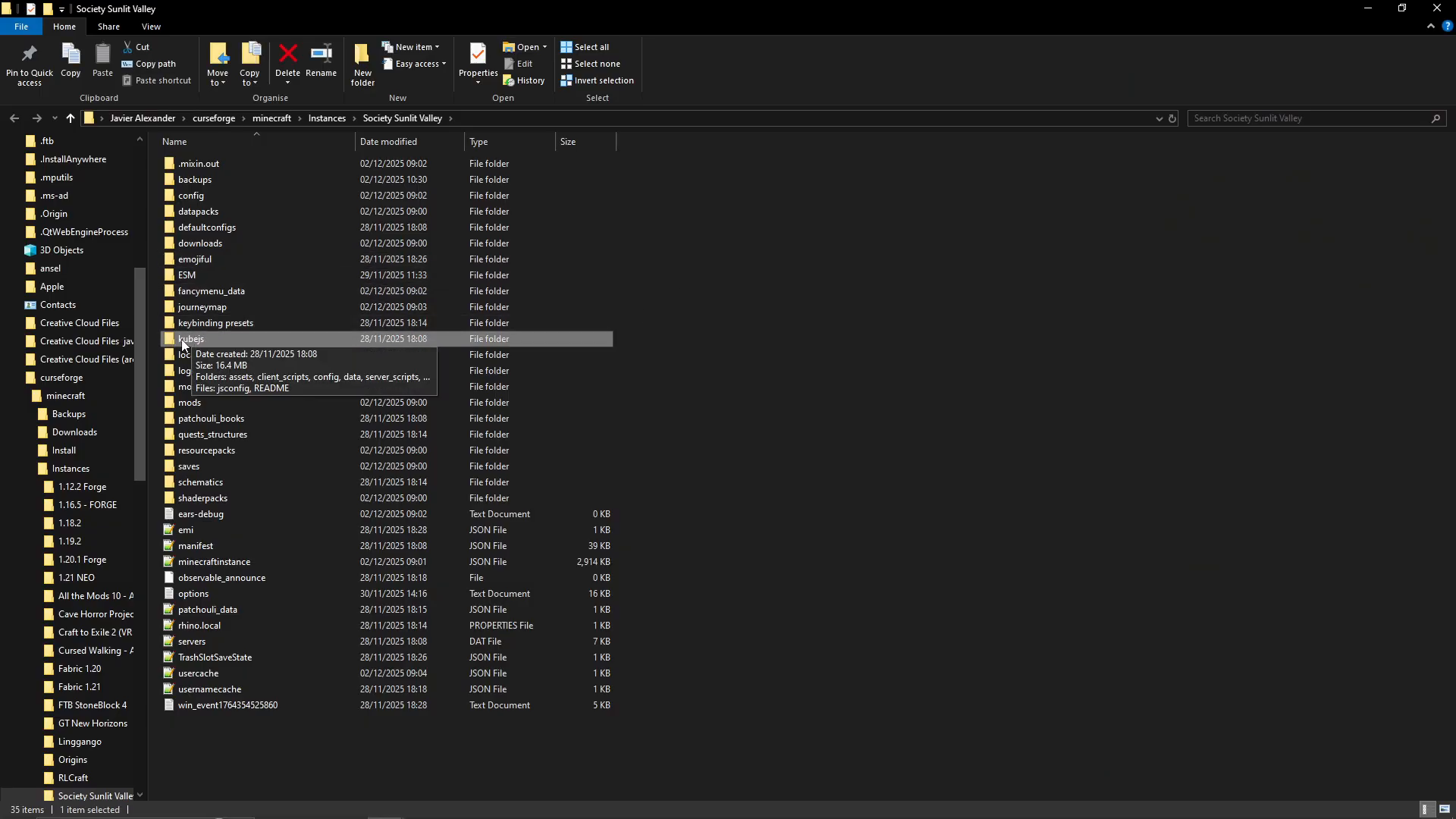
Editing the Configuration
Right-click the configuration file and select “Open with” → “Notepad” (or your preferred text editor).
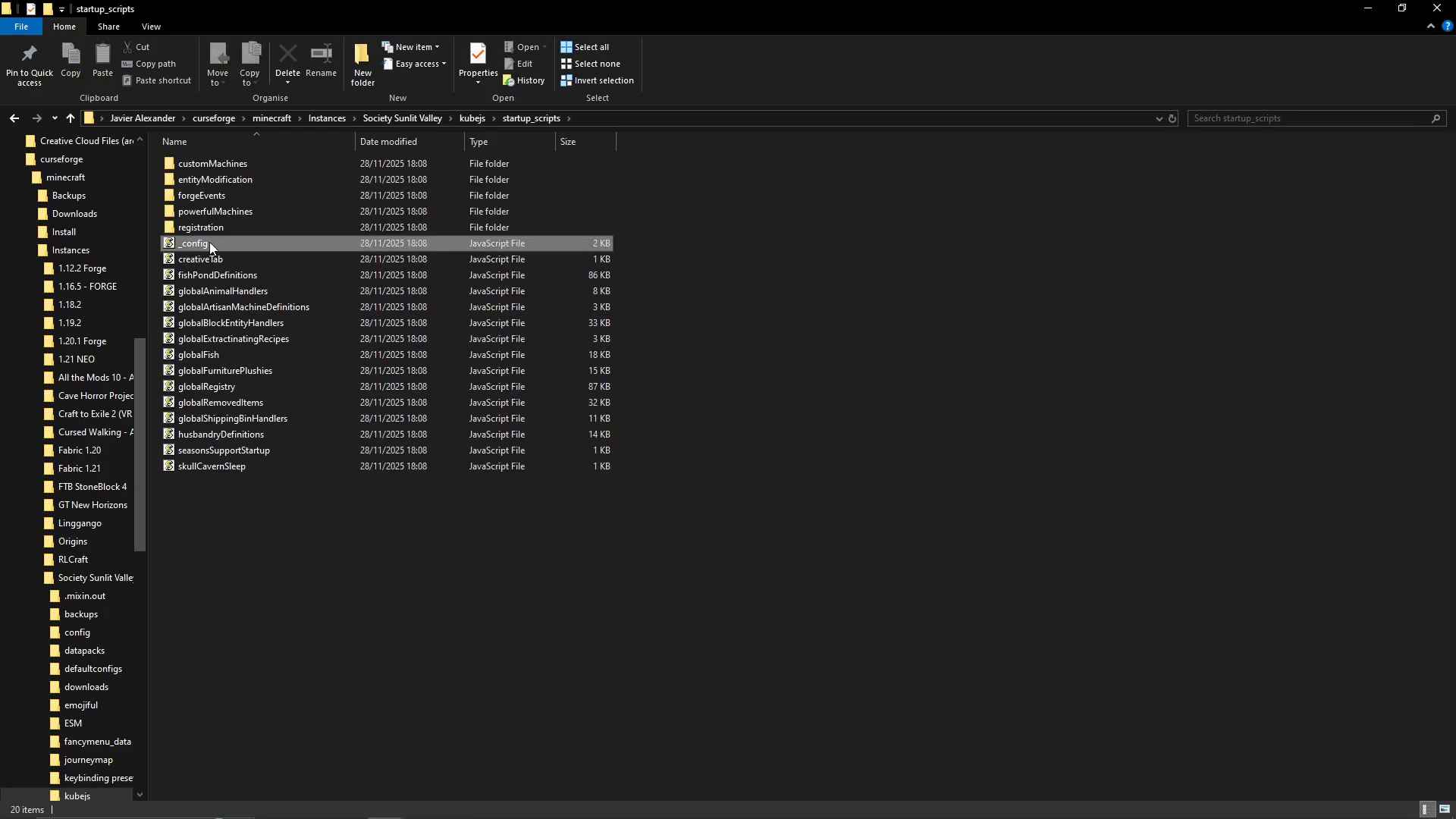
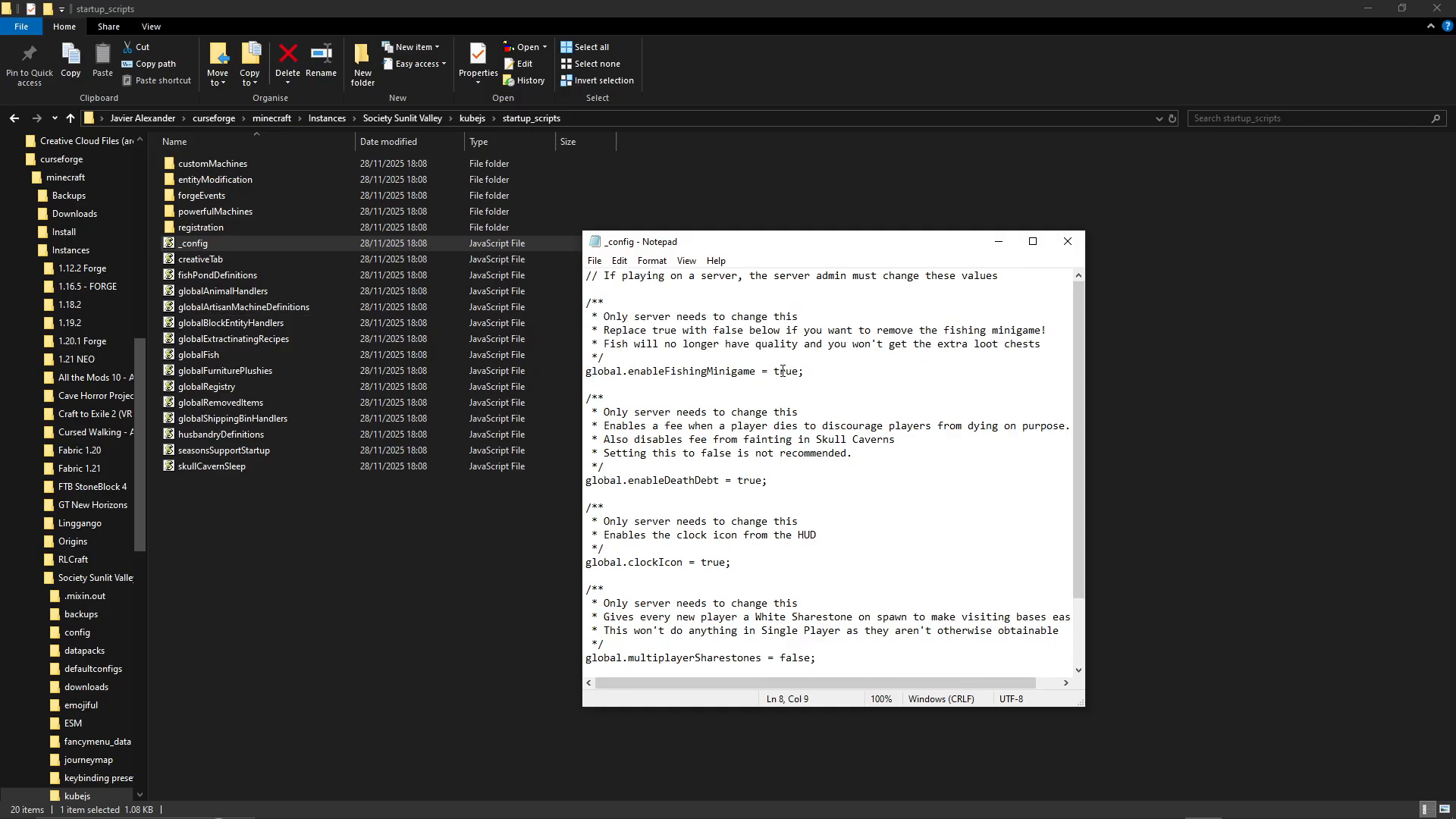
Look for the line that reads:
global not a naval fishing mini game true
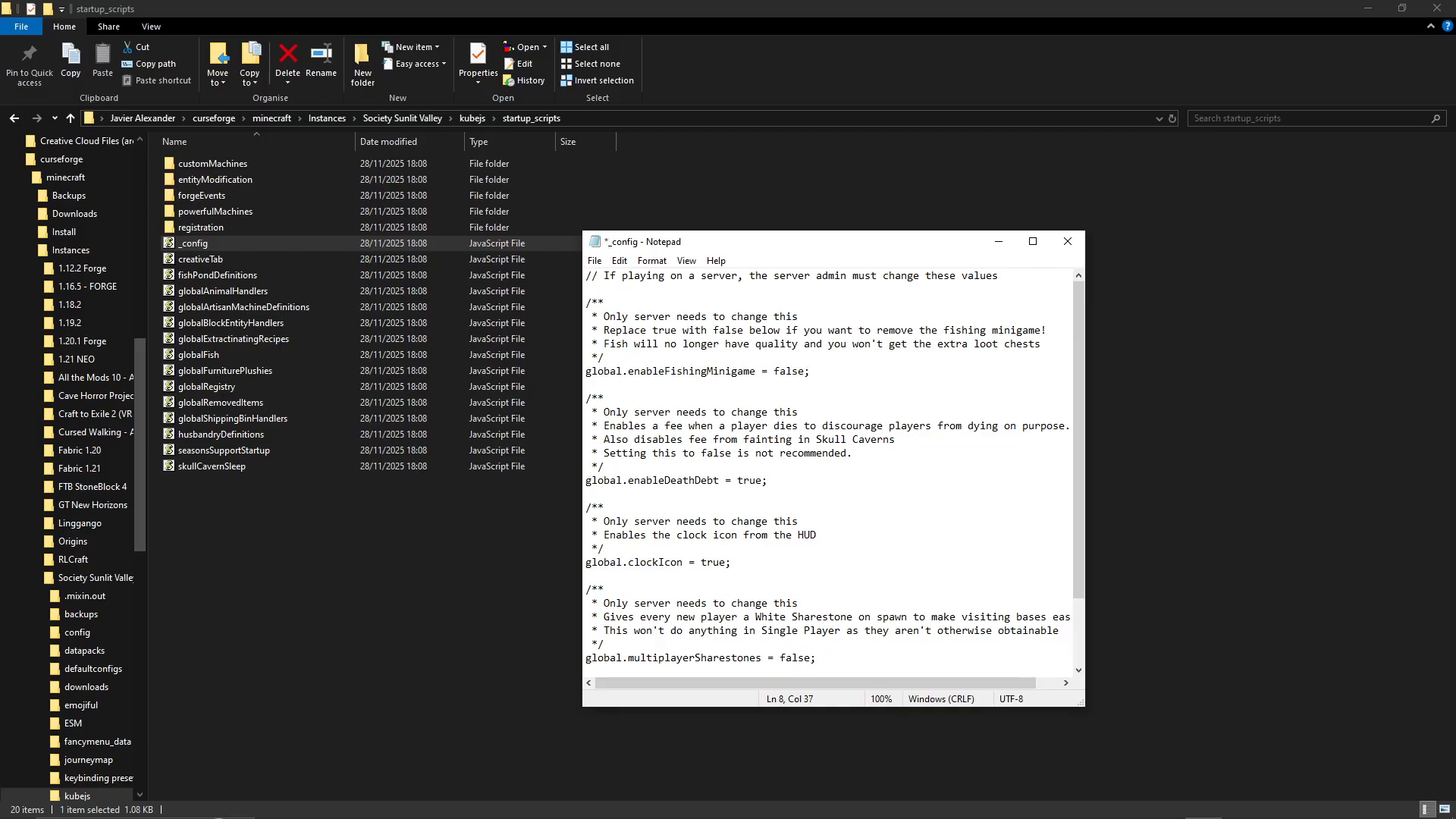
This setting may appear at the top of the file or further down, depending on your mod pack version. Simply change the value from true to false:
Saving Your Changes
After making the change, go to File → Save to save your modifications.
What to Expect
The next time you launch Minecraft and load your Society Sunlit Valley world, the fishing minigame will be disabled. As noted in the configuration file, fish will no longer have quality ratings, and you won’t receive extra loot chests from fishing. This is the intended trade-off for disabling the minigame mechanic.
Summary
Disabling the fishing minigame in Society Sunlit Valley is a simple process that requires editing a single configuration file. While you’ll miss out on treasure chests and fish quality mechanics, you’ll gain the convenience of skipping the minigame entirely. The process takes just a few minutes and requires no additional mods or tools—just a text editor and access to your mod pack folder.
— Want to Support? —
If you would like to help us continue making these guides – please consider joining our patreon here – https://www.patreon.com/c/JaviHeals
Alternatively – we host a group of MC Servers you can join here – https://discord.gg/zD7Gjt6MHF