How to Enable Ratlantis in the Rats MC Mod
How to Enable Ratlantis in the Rats MC Mod
The Ratlantis feature is disabled by default in the Rats mod for Minecraft, but enabling it is straightforward. This guide walks you through both the configuration method and the in-world setup process so you can activate Ratlantis and enjoy this feature in your worlds.
Locating Your Minecraft Configuration Files
The first step is to navigate to where your Minecraft files are hosted. If you’re using CursedForge, open your ModPack and click the three dots menu, then select “Open Folder.”
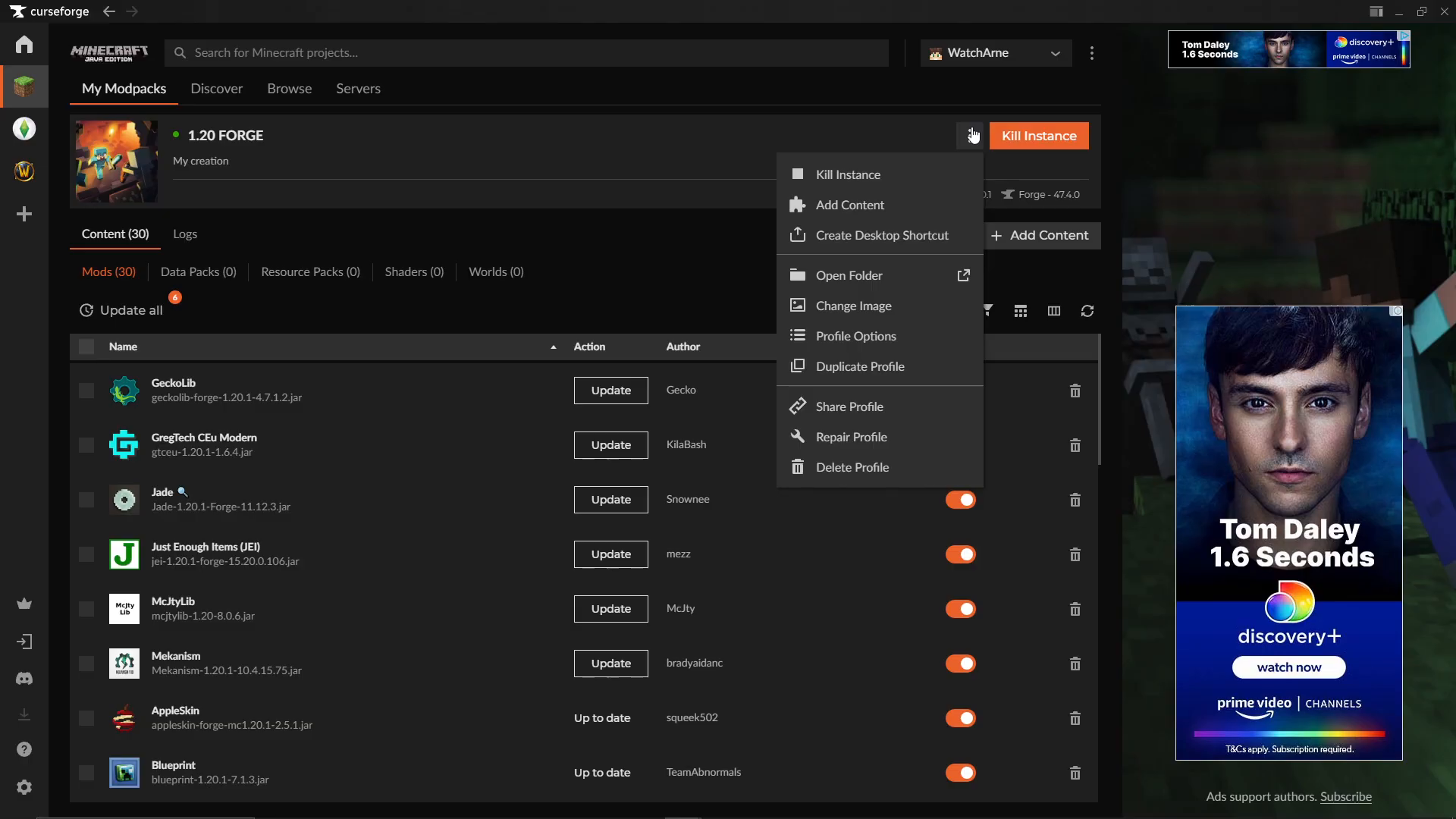
If you’re not using CursedForge, simply navigate to the folder where your Minecraft installation or ModPack is stored on your computer.
Accessing the Config Folder
Once you have your Minecraft directory open, locate the config folder. You should see a file path similar to: .minecraft/instances/1.24/config
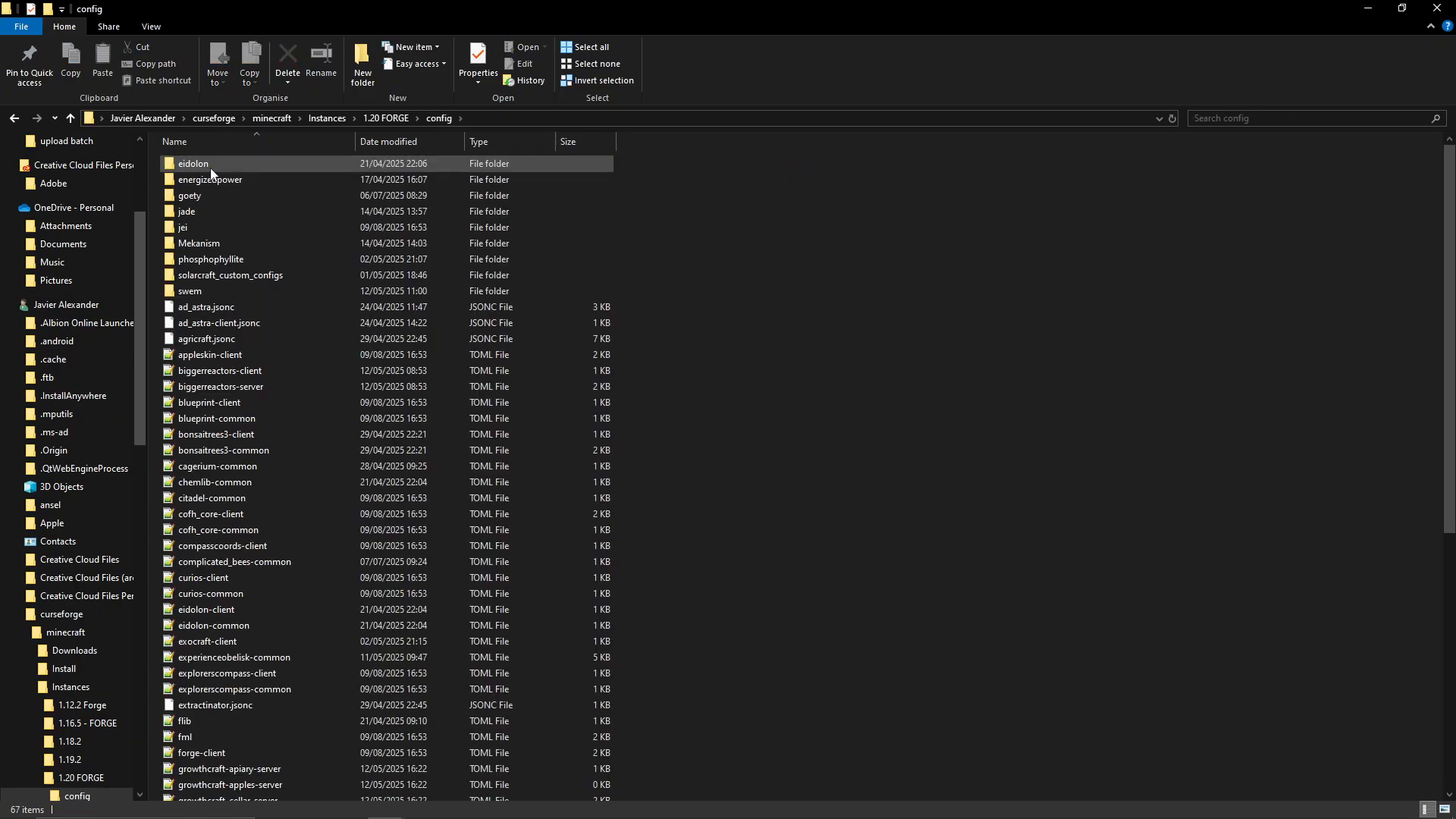
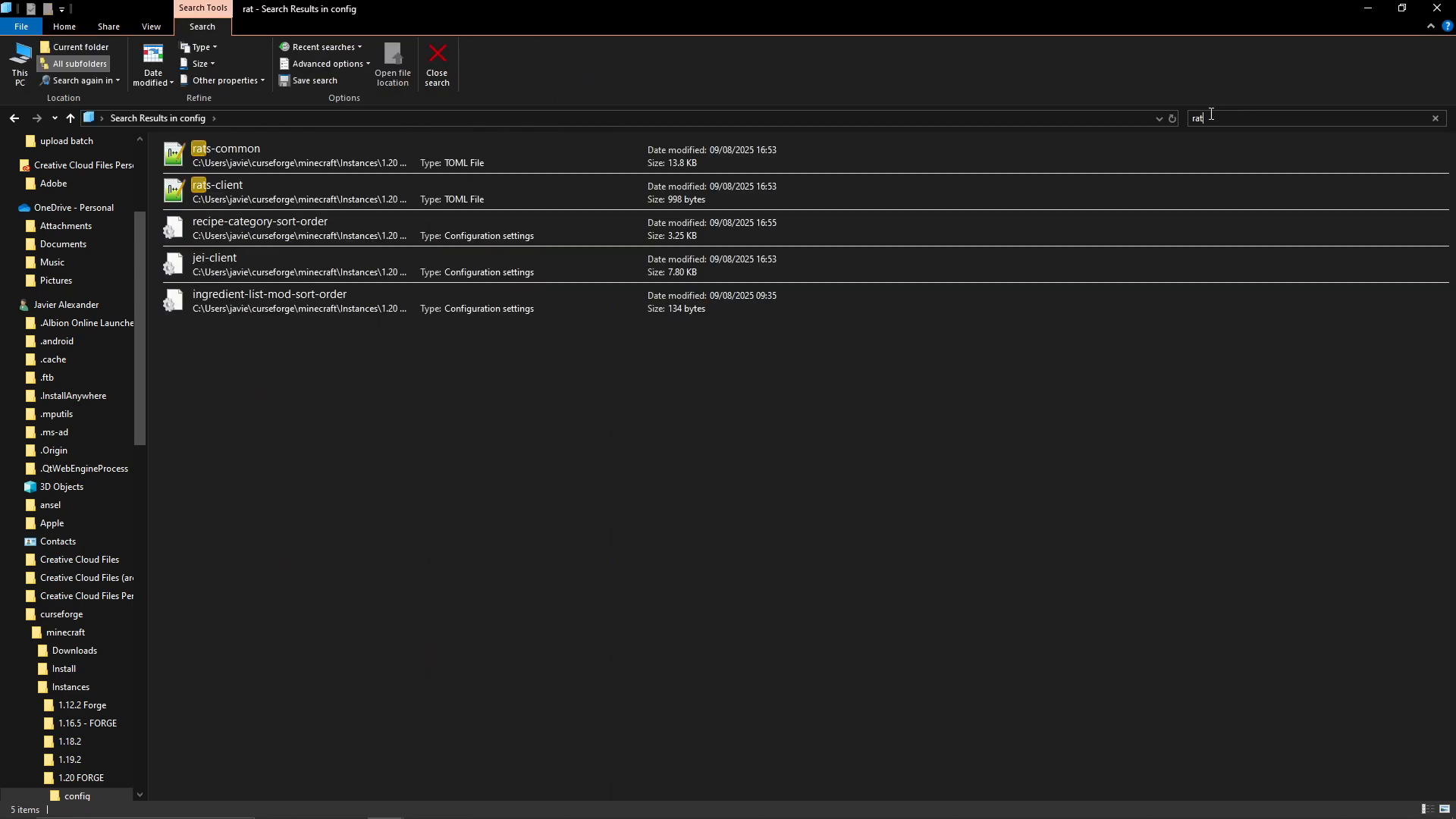
Inside the config folder, use the search bar to find the Rats configuration file by searching for “rat”.
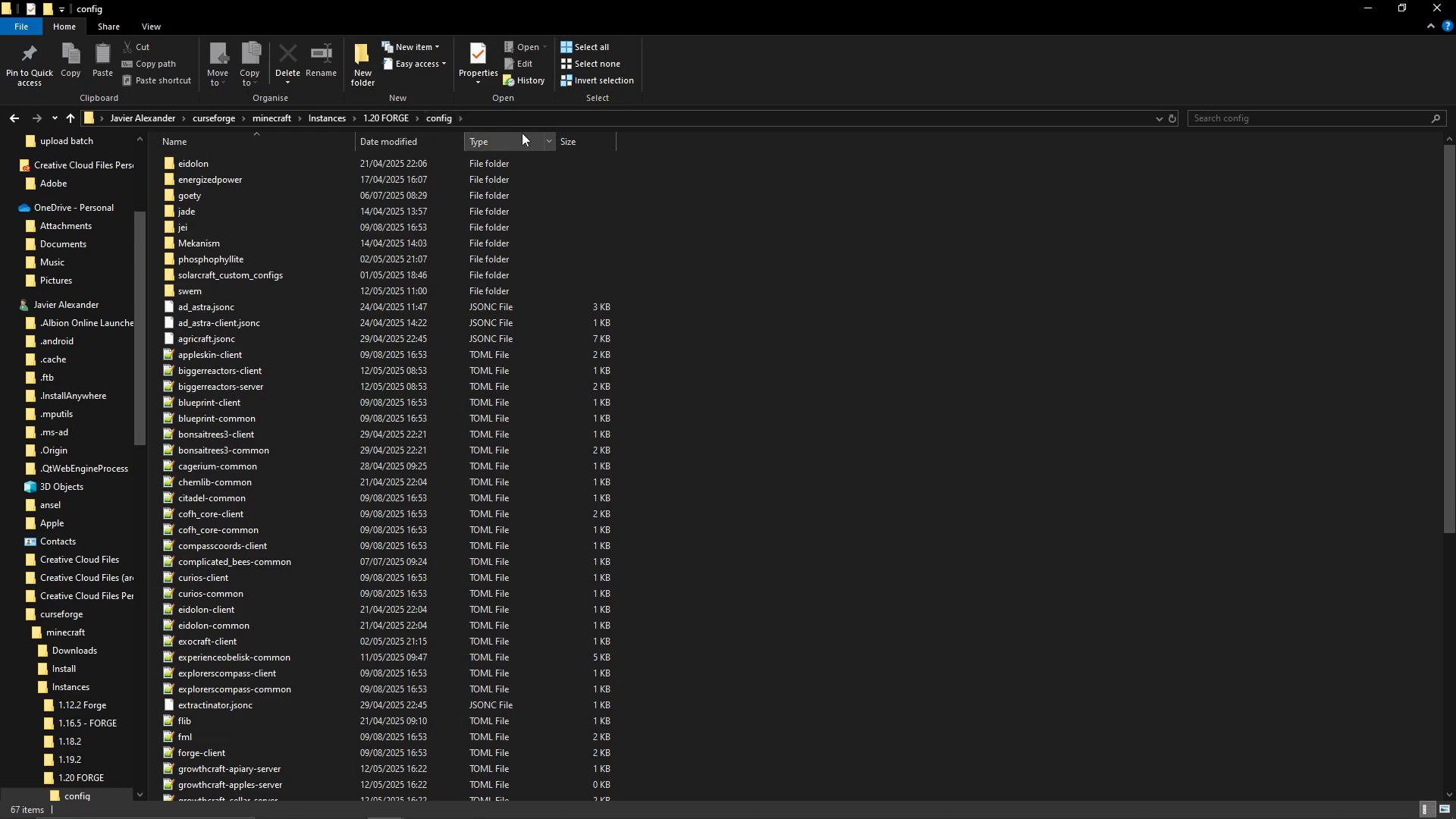
Editing the Rats Configuration File
Look for the file named rats-common. Right-click this file and open it with Notepad++, Notepad, or any similar text editor you have available.
At the very top of the configuration file, you’ll see a line that reads:
ratlantis=true
The description states: “If true, the Ratlantis data pack will automatically be enabled when creating a new world.”
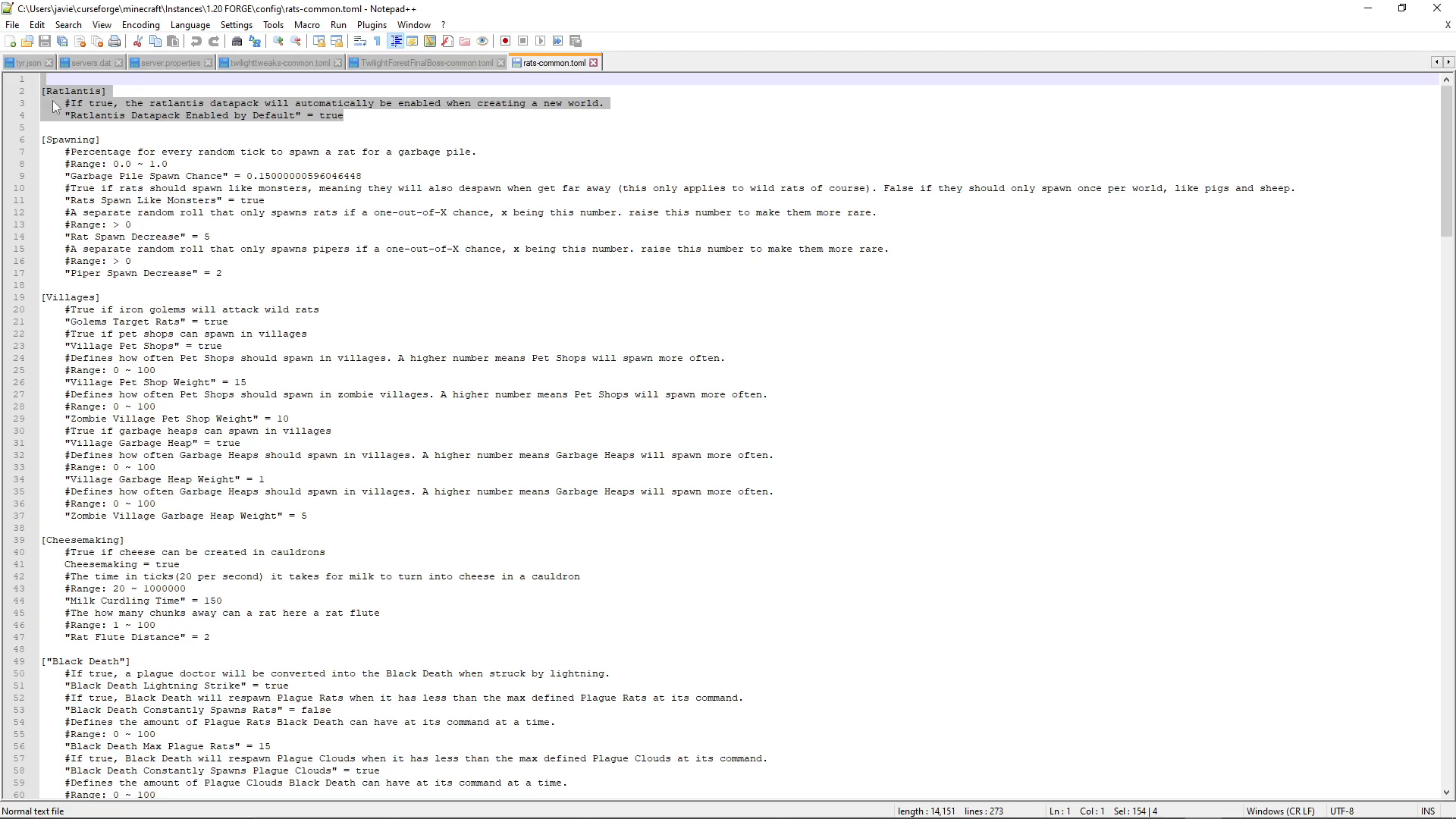
Ensure this value is set to true. This setting guarantees that every time you create a new world, Ratlantis will be automatically enabled.
Creating a New World with Ratlantis
If you’ve already created a world before enabling Ratlantis in the config, unfortunately you cannot retroactively enable it for that existing world. However, you can enable it for any new worlds you create going forward.
To verify Ratlantis is enabled in your new world, follow these steps:
Checking Ratlantis Status During World Creation
Go to Single Player and click “Create New World.”
Navigate to “More” → “Game World” → “Data Packs.”
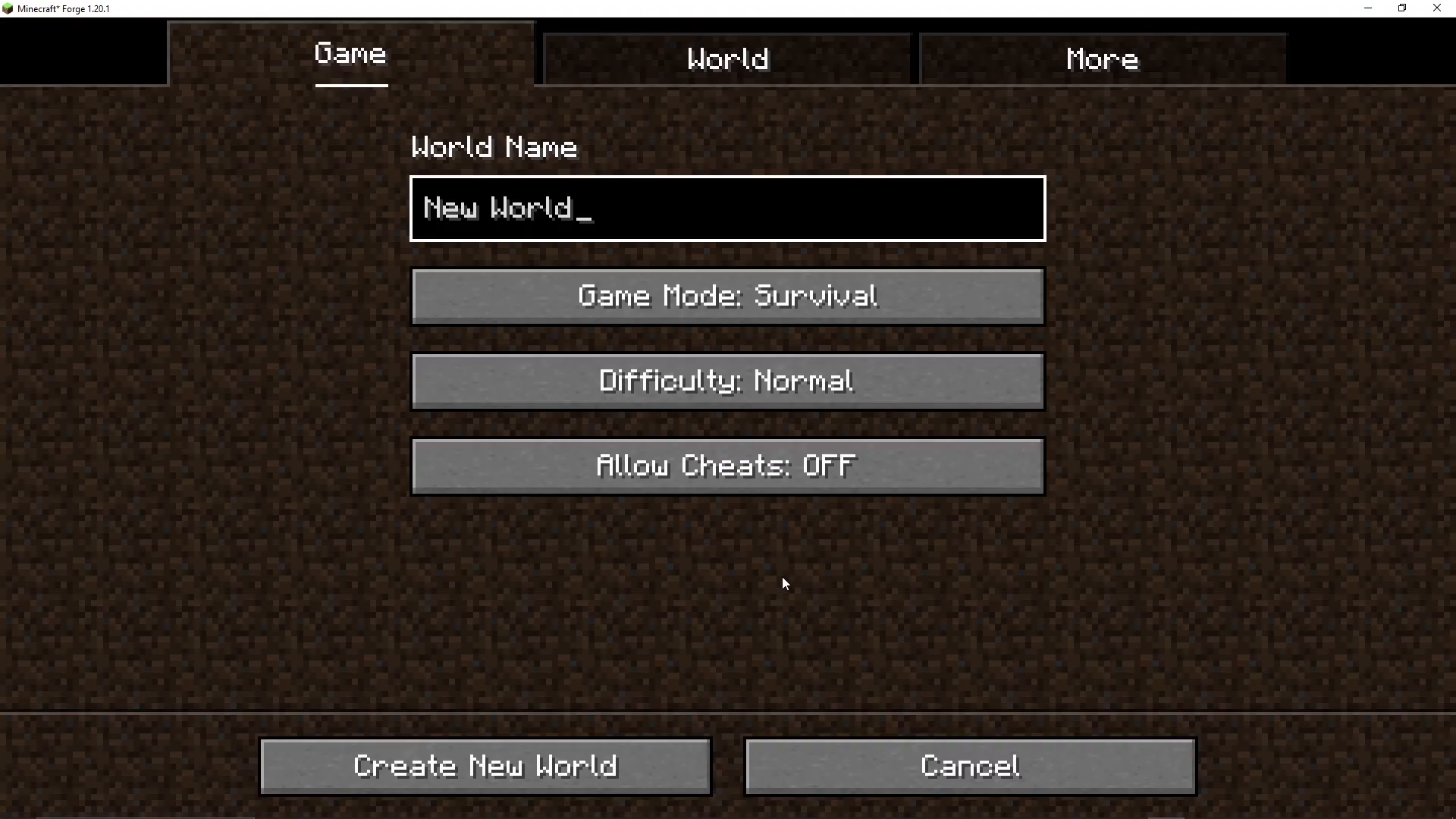
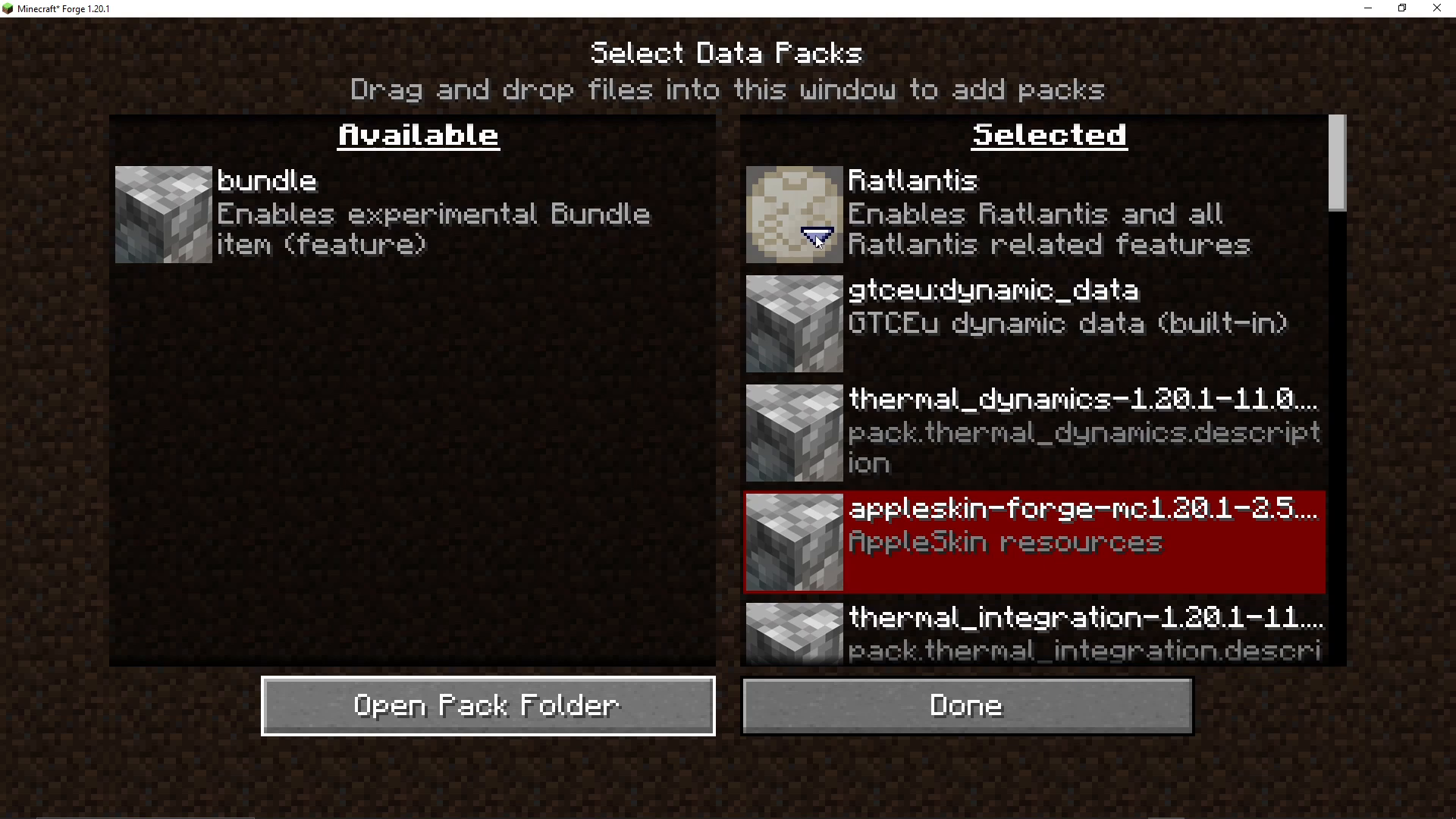
In the Data Packs menu, you’ll see available data packs listed. Look for “Ratlantis” in the list. While some data packs can be toggled on and off, Ratlantis will appear here to confirm whether it’s enabled for your world.
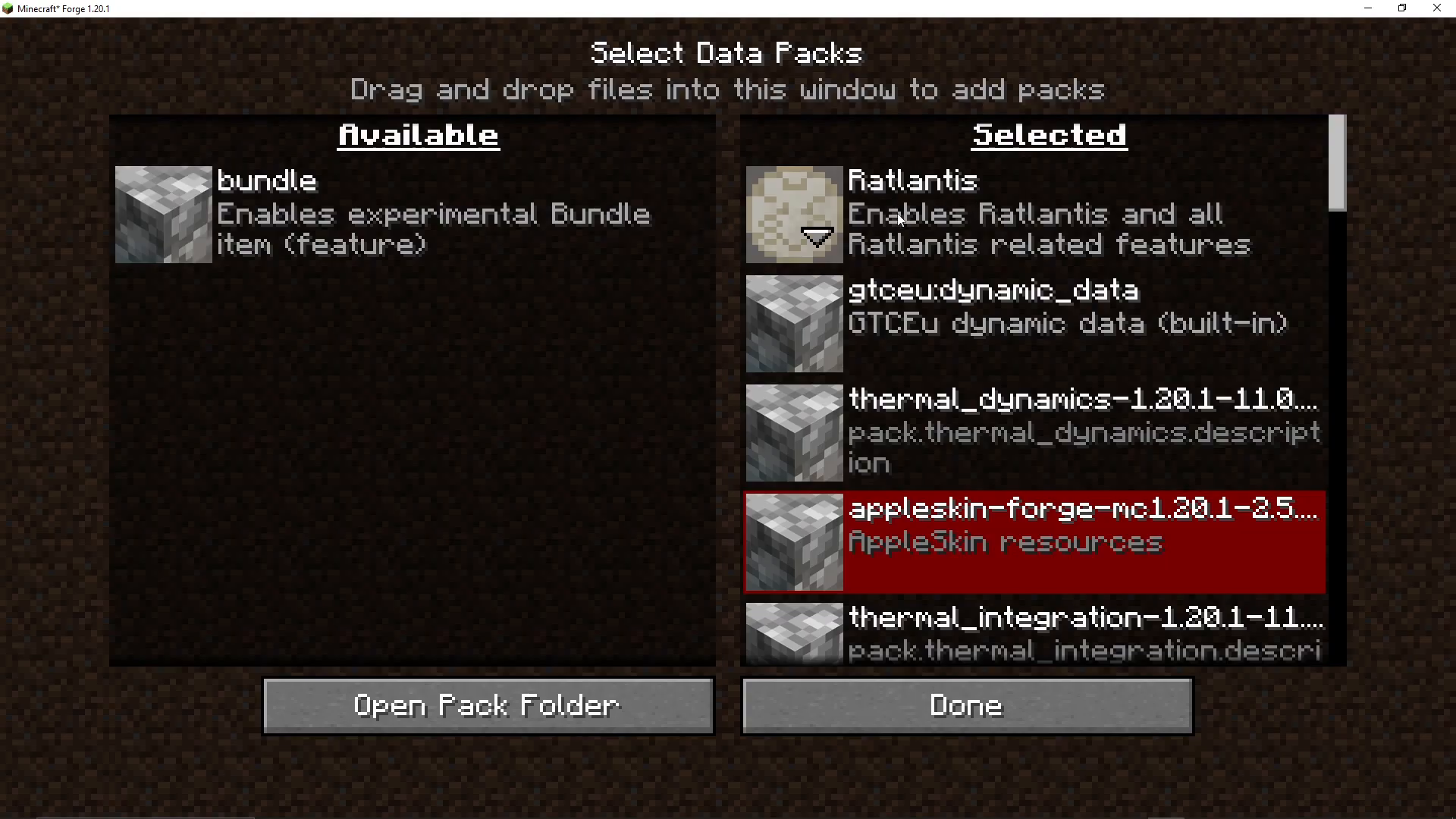
This interface allows you to verify that Ratlantis is properly configured for the world you’re about to create.
Summary
Enabling Ratlantis in the Rats mod is simple: either edit the rats-common configuration file and set ratlantis=true, or verify it’s enabled when creating a new world through the Data Packs menu. Remember that this setting only applies to newly created worlds—existing worlds cannot have Ratlantis enabled retroactively. With Ratlantis enabled, you’ll have access to this feature in all your future Minecraft adventures with the Rats mod.
Want to Support?
If you would like to help us continue making these guides – please consider joining our patreon here – https://www.patreon.com/c/JaviHeals
Alternatively – we host a group of MC Servers you can join here – https://discord.gg/zD7Gjt6MHF