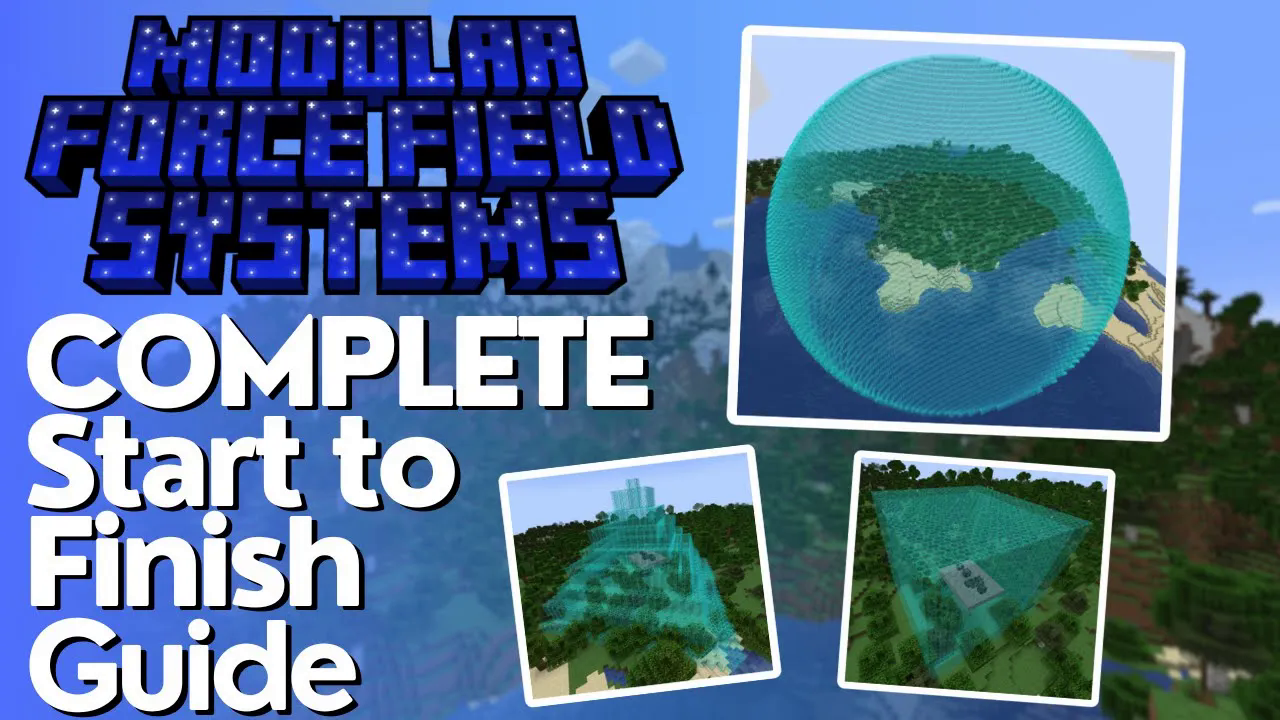
Modular Force Field Systems MFFS Mod Tutorial
Modular Force Field Systems (MFFS) Mod: The Ultimate Minecraft Tutorial
Modular Force Field Systems (MFFS) is one of the most powerful defense and energy management mods available for modded Minecraft. Whether you want to protect your base with giant force fields, set up automated intruder deterrents, or manage energy across a complex machine network, MFFS has you covered. This guide walks you through every key machine and module in the mod, step by step — from your very first steel ingot to a full 64-block force field cube.
Getting Started: Crafting the Basic Materials
Before you can build anything in MFFS, you need steel ingots. Steel ingots are made by smelting steel compound, which is crafted by surrounding iron with coal or charcoal in a crafting grid. Keep in mind that your specific modpack may have altered this recipe, so double-check your in-game recipe viewer if the standard recipe doesn’t work.
Most MFFS machines and upgrades are also built using focused matrixes, which are straightforward to craft. You surround them with different items to produce different upgrade modules — more on those shortly.
The Coercion Driver: Accepting Energy Into Your Network
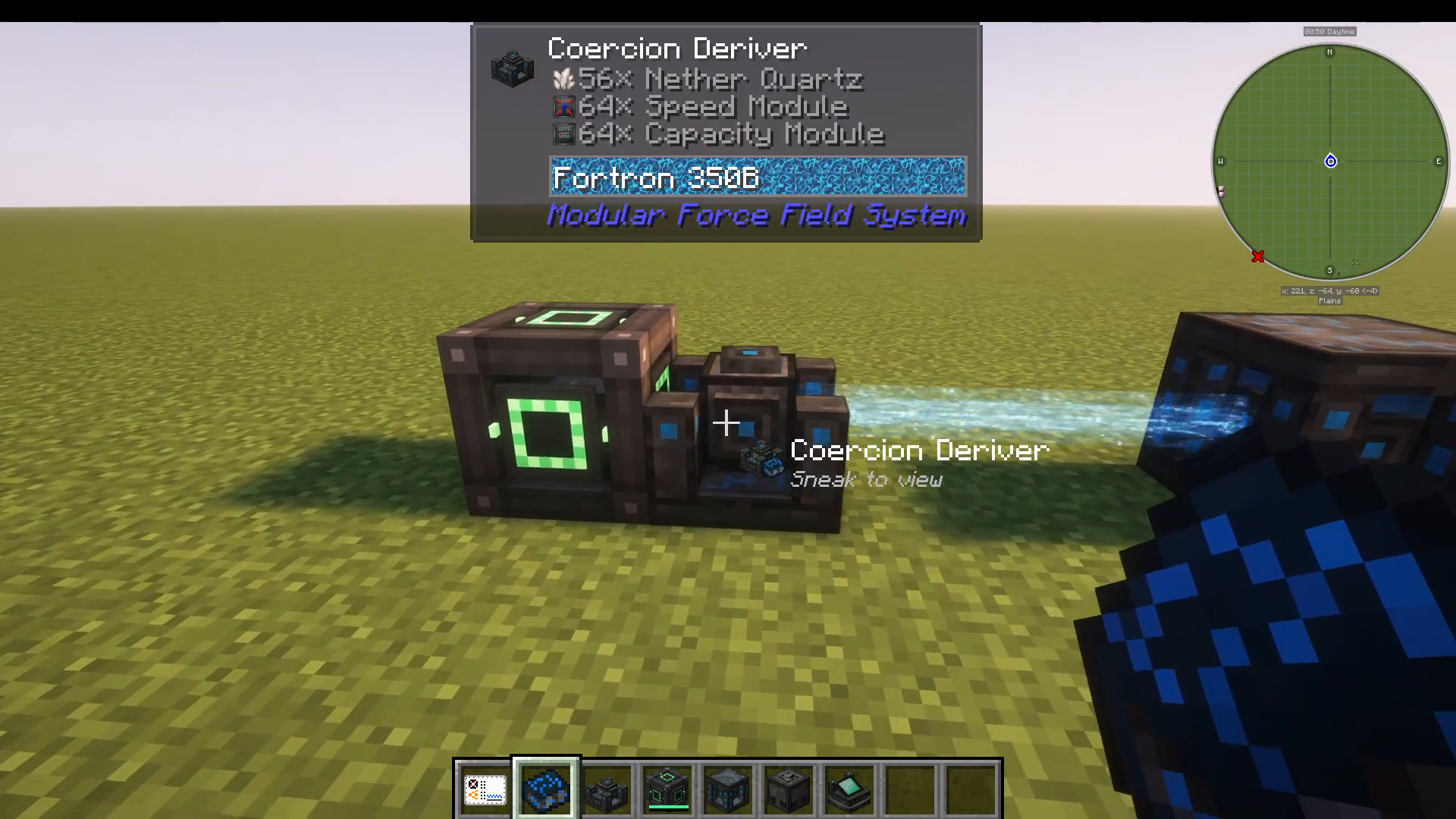
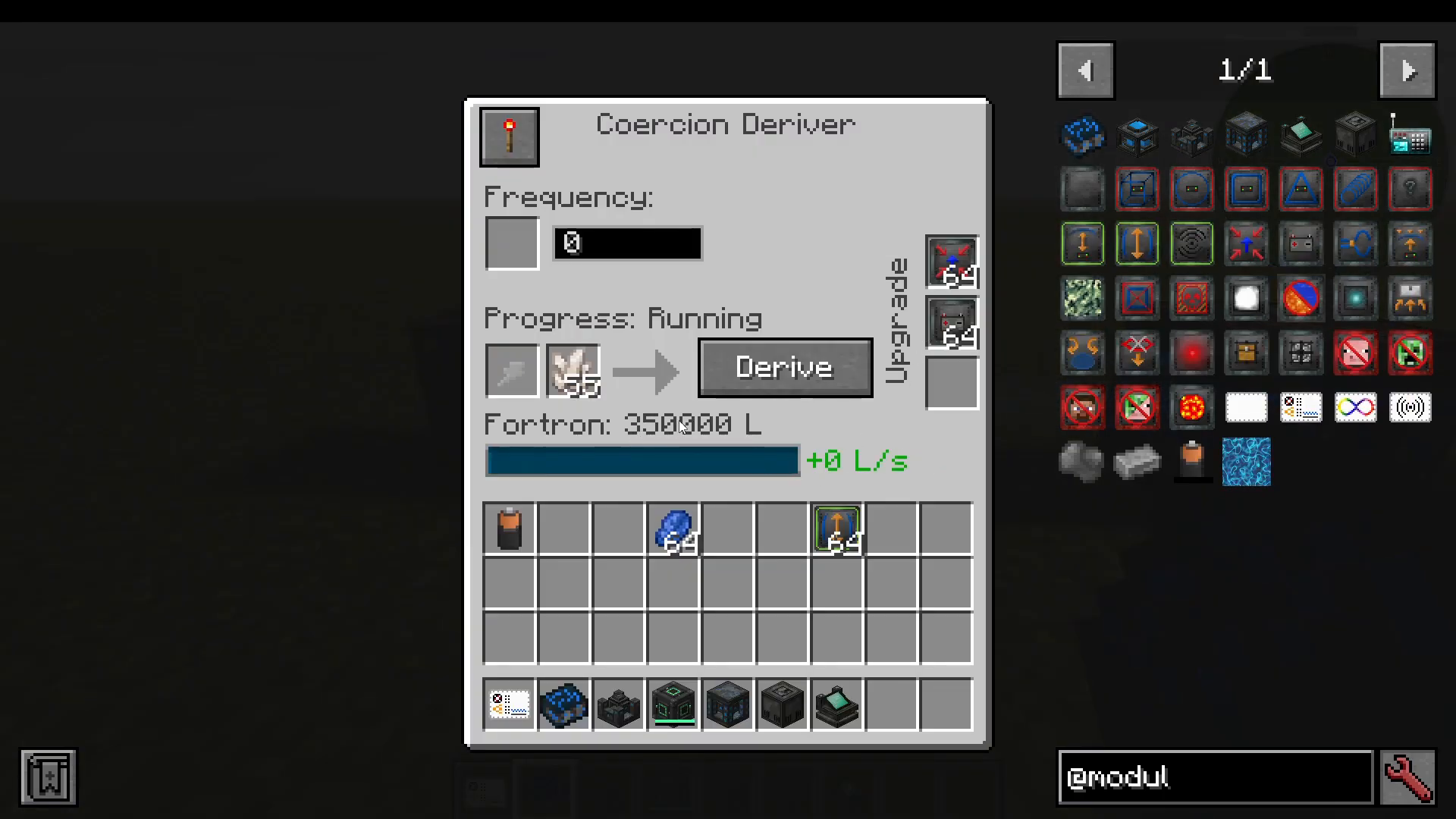
The first machine you should build is the Coercion Driver. Its job is to pull energy from an external power source and feed it into your MFFS network. It is compatible with energy from other mods — for example, placing a Mekanism energy cube next to it will cause it to automatically begin accepting energy.
Configuring the Coercion Driver
Inside the Coercion Driver’s GUI, there are several important settings to understand:
Redstone Control: You can toggle whether the machine requires a redstone signal to operate. Set it to require a signal, or set it to run freely without one — the choice depends on your automation setup.
Frequency: This is the core networking feature of MFFS. All machines on the same frequency number share power. For example, all machines on frequency 0 will receive power from a Coercion Driver also set to 0. Change the driver to frequency 100 and those machines will immediately lose power until the frequency is matched again.
Integrate vs. Derive: Integrate pulls all energy out of the Coercion Driver (for example, draining a battery placed inside it). Derive pushes energy outward to the network, leaving any inserted items like batteries untouched.
Upgrade Slots
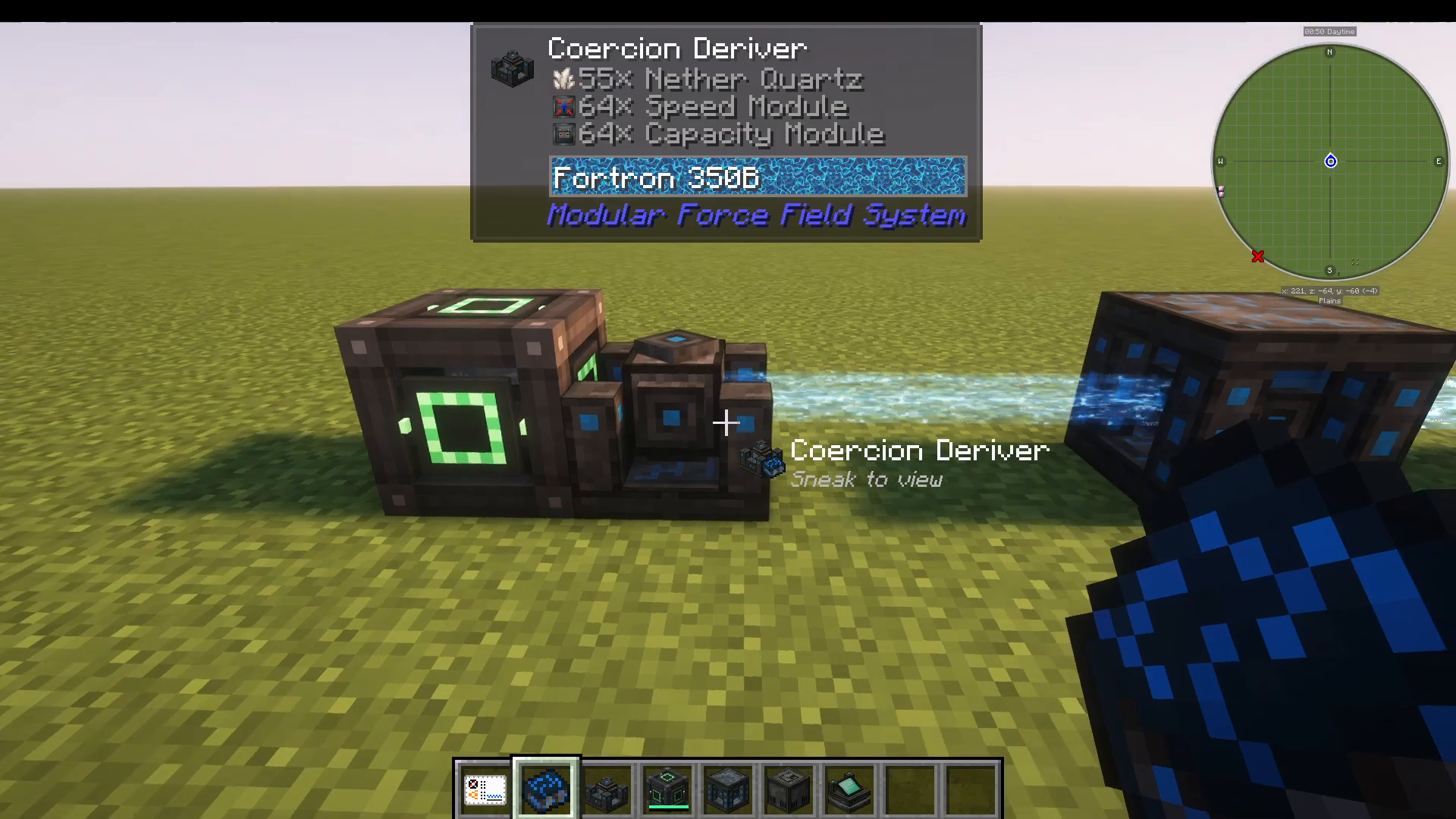
The Coercion Driver has upgrade slots on both its left and right sides, accepting up to two different upgrade types at a time. The two available upgrades are:
Speed Module: Increases how quickly the driver pushes energy out.
Capacity Module: Increases the internal energy storage of the driver. With one capacity module installed, internal storage rises to 350,000 — compared to just 30,000 without it. You can stack multiple capacity modules, and even add multiple stacks to dramatically multiply the storage capacity.
You can also slot in nether quartz or lapis lazuli to push out even greater amounts of energy, though this is generally not required for most builds.
The Fortron Capacitor: Your Main Energy Bank
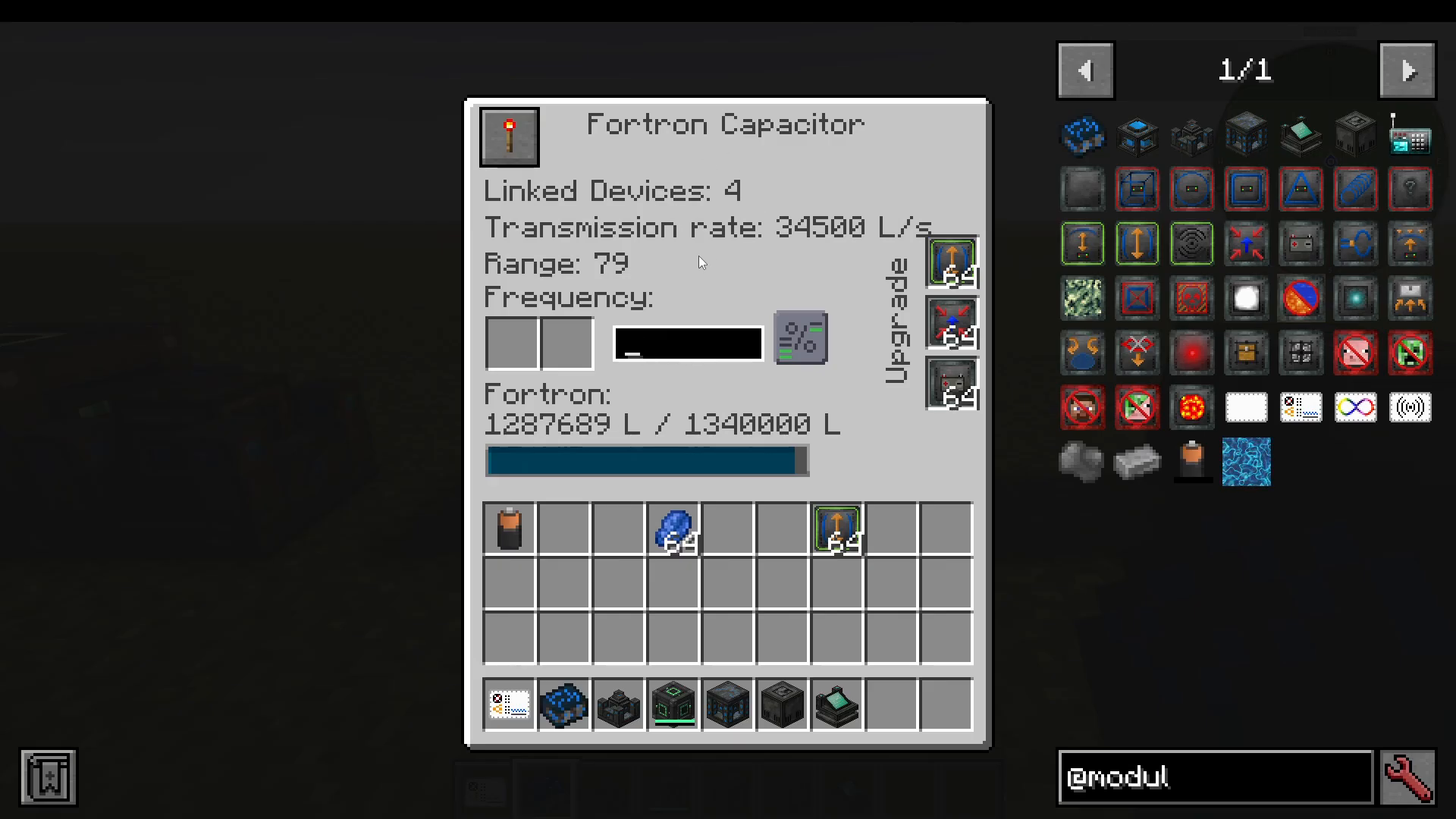
Think of the Fortron Capacitor as the central battery bank for your entire MFFS setup. Once it is on the same frequency as your Coercion Driver, it will automatically receive energy and distribute it to all other MFFS machines within range on that same frequency. The number of linked devices is displayed inside its GUI and updates automatically as machines are added or removed from the frequency.
Range and Upgrades
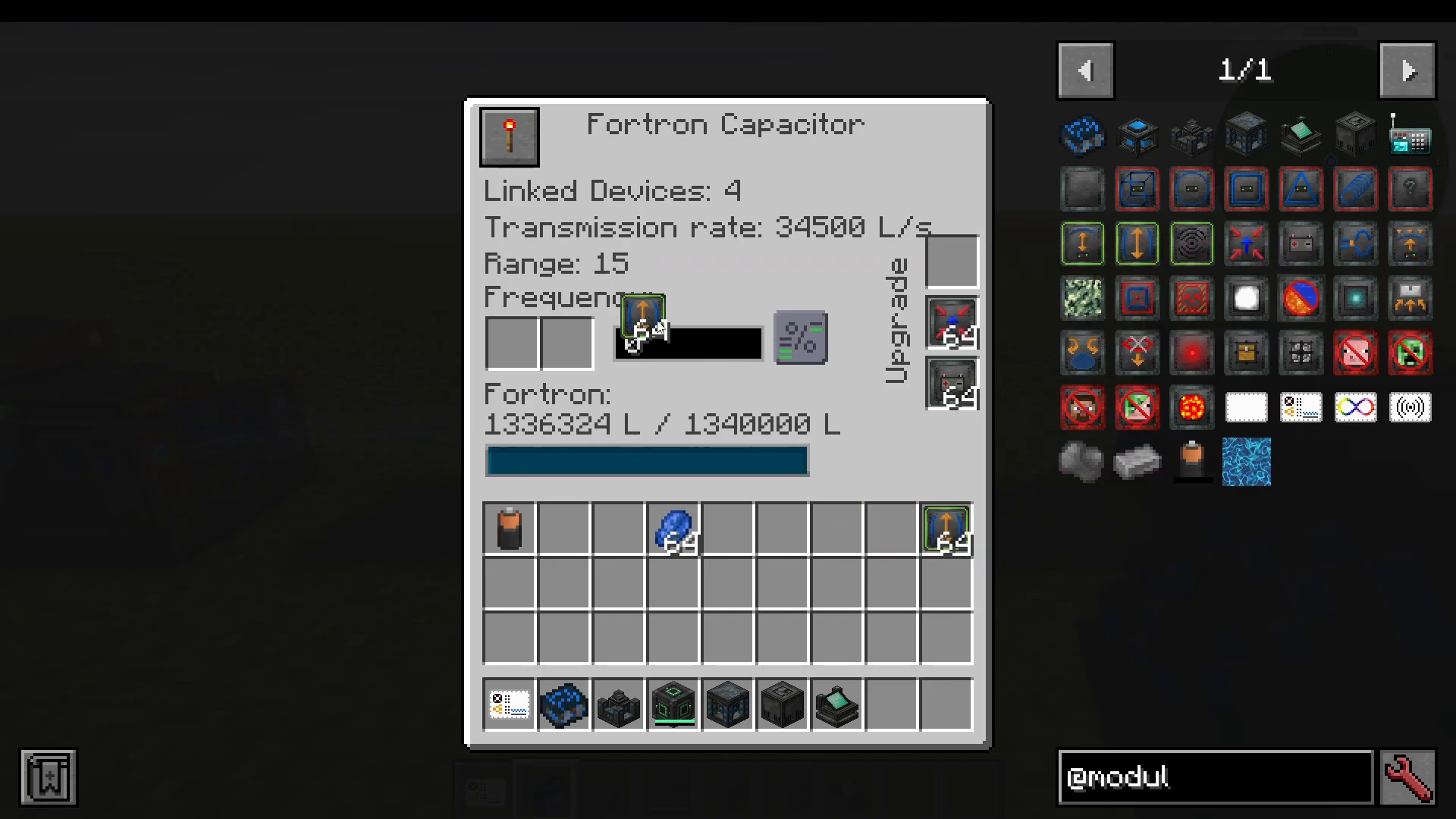
By default, the Fortron Capacitor has a power distribution range of 15 blocks. Installing Scale Modules significantly increases this range — a full stack of Scale Modules extends the range to 79 blocks, meaning any MFFS machine within a 79-block radius on the same frequency will be powered automatically.
Like the Coercion Driver, it also supports Speed Modules (faster energy output/input) and Capacity Modules (more internal storage). The distribution mode buttons inside the GUI control how energy is balanced across machines, such as equalizing energy between all connected machines or isolating energy to a single machine.
The Interdiction Matrix: Your Base Defense System
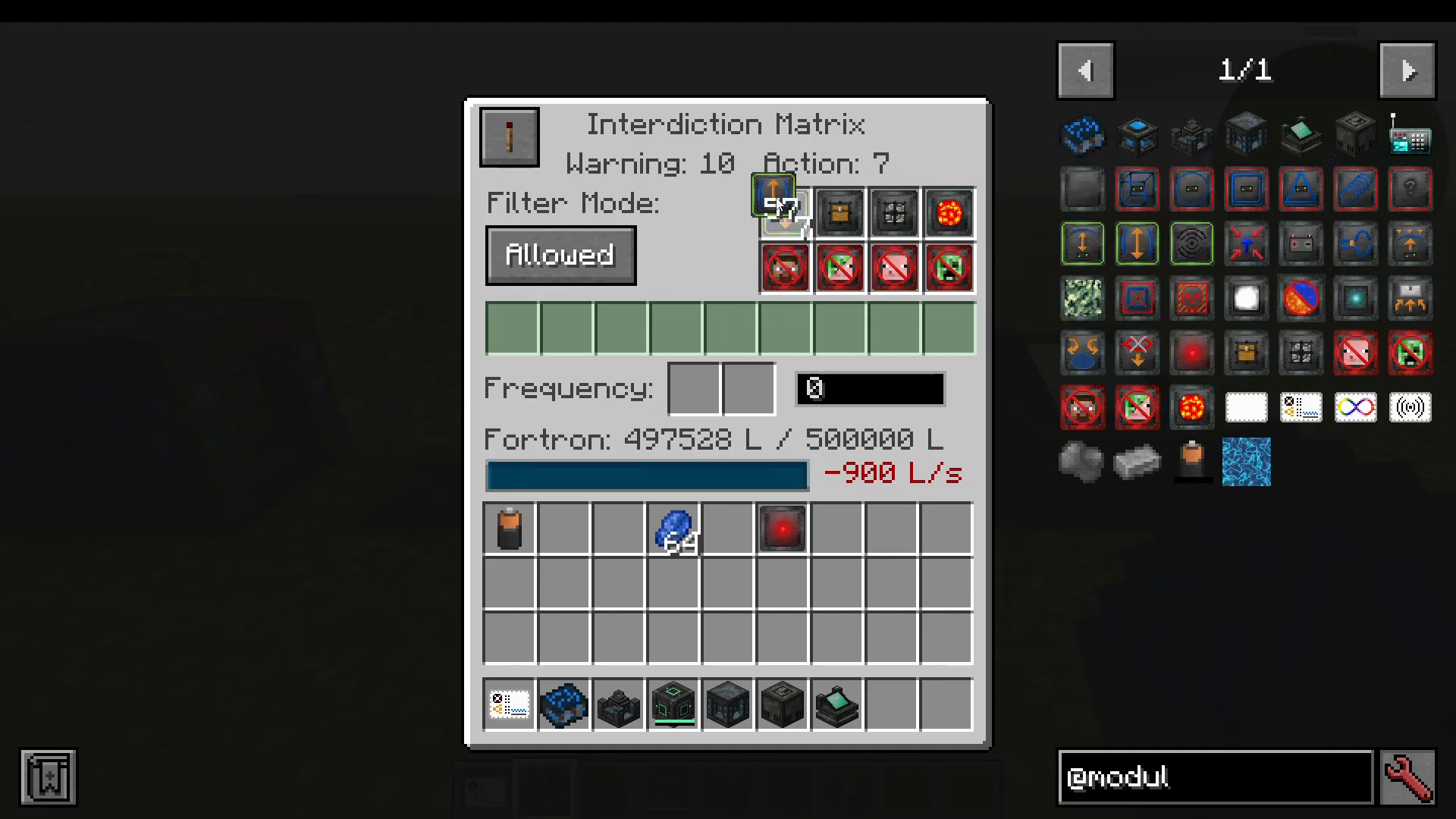
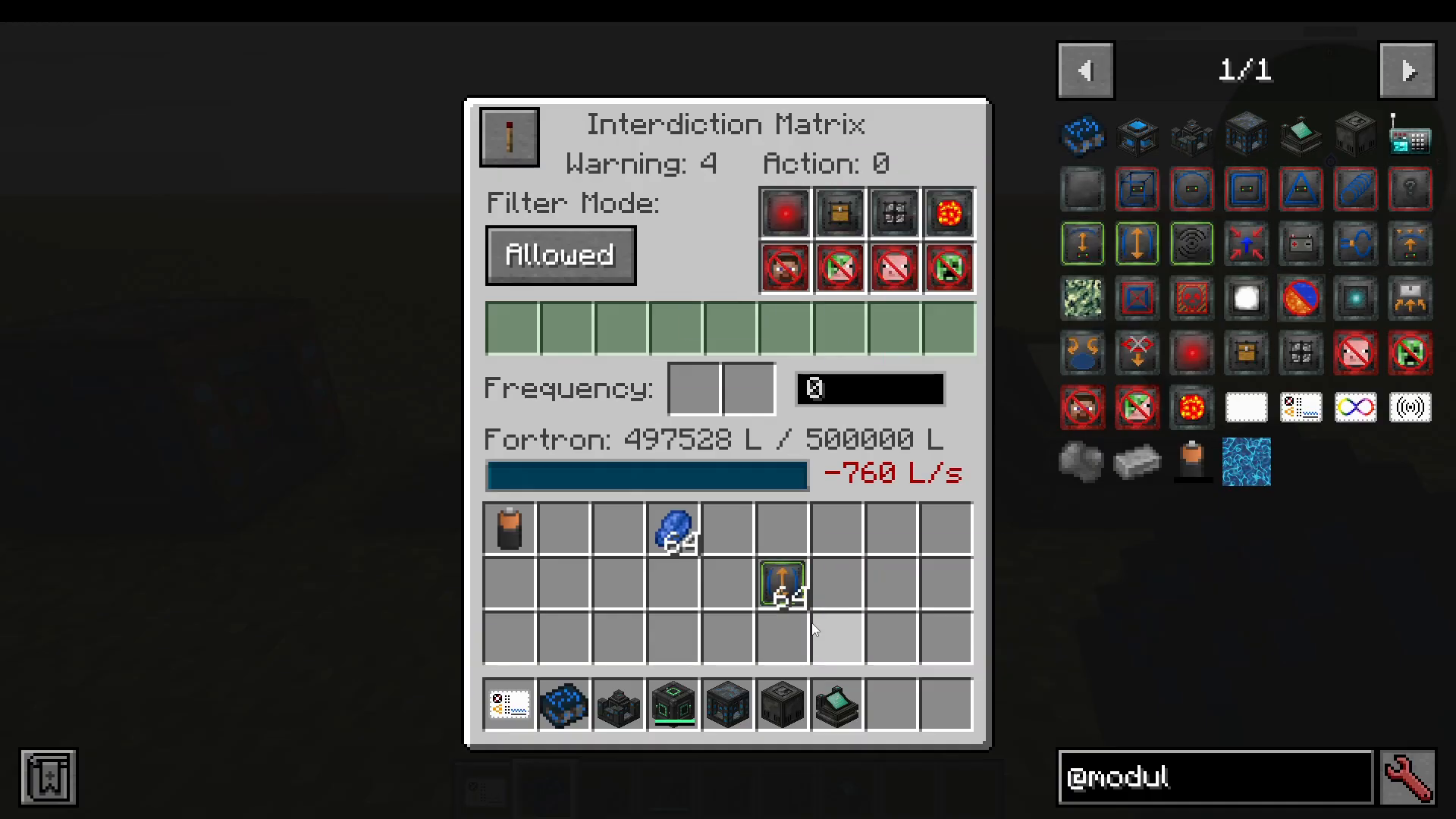
The Interdiction Matrix is MFFS’s primary defense machine. It operates using two configurable zones: a warning radius and an action radius. When a player enters the warning radius, they receive an alert. If they then enter the smaller action radius, the machine executes whatever action modules are installed.
By default, the warning radius is 4 blocks. Adding Scale Modules increases both radii — for example, with enough Scale Modules the warning radius can reach 67 blocks, with the action radius triggering at 64 blocks.
Available Action Modules
There are eight modules you can install in the Interdiction Matrix, each providing a different defensive behavior within the action radius:
Warn Module: Sends a warning message to intruders.
Block Access Module: Prevents intruders from right-clicking on blocks.
Block Alter Mode Module: Prevents intruders from placing or breaking blocks.
Confiscation Module: Confiscates items from intruders.
Anti-Personal Module: Kills all players within the action range.
Anti-Spawn Module: Prevents entities from spawning in the action region.
Anti-Friendly Module: Kills all friendly mobs within the action range.
Anti-Hostile Module: Kills all hostile mobs within the action range.
Important: You must have at least one Scale Module installed in the Interdiction Matrix to activate the action radius at all.
The Biometric Identifier: Managing Player Permissions
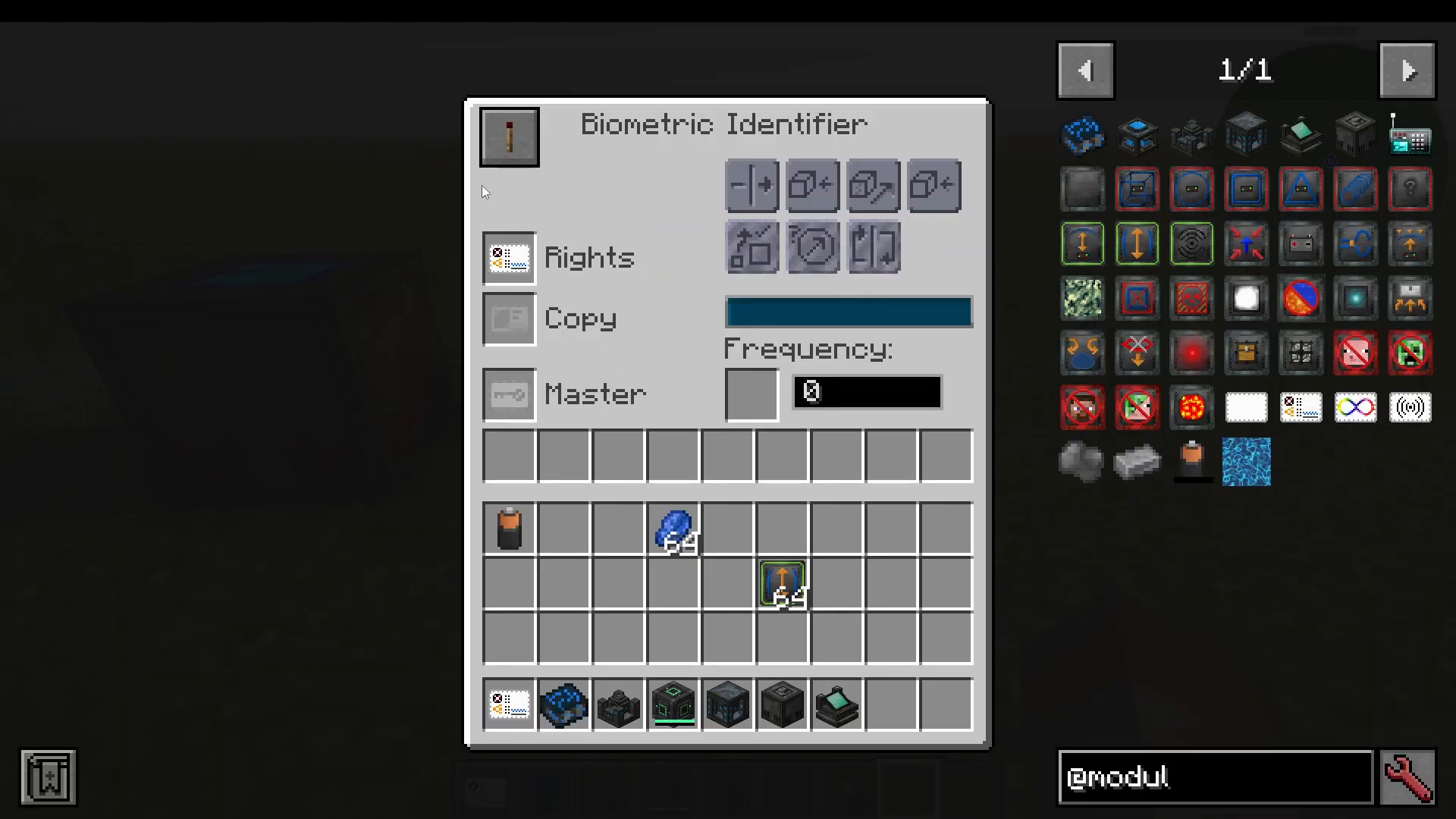
To allow specific players to bypass your Interdiction Matrix and force fields, you use the Biometric Identifier together with identification cards.
Setting Up Identification Cards
Craft a Blank Card using steel and paper.
Place it in the correct slot and craft an Identification Card.
The card owner shift-right-clicks with the identification card to bind their identity to it.
For other players you want to allow into your base, give them an identification card, have them shift-right-click it to set their identity, then return the card to you.
Insert the card into the Biometric Identifier to grant them configurable permissions — such as allowing them to walk through force fields, interact with machines, open GUIs, and more.
Special Cards
Master Card: Designates the owner of the Biometric Identifier with full permissions.
Infinite Power Card: A creative-only item that can be placed inside a Fortron Capacitor to provide infinite energy.
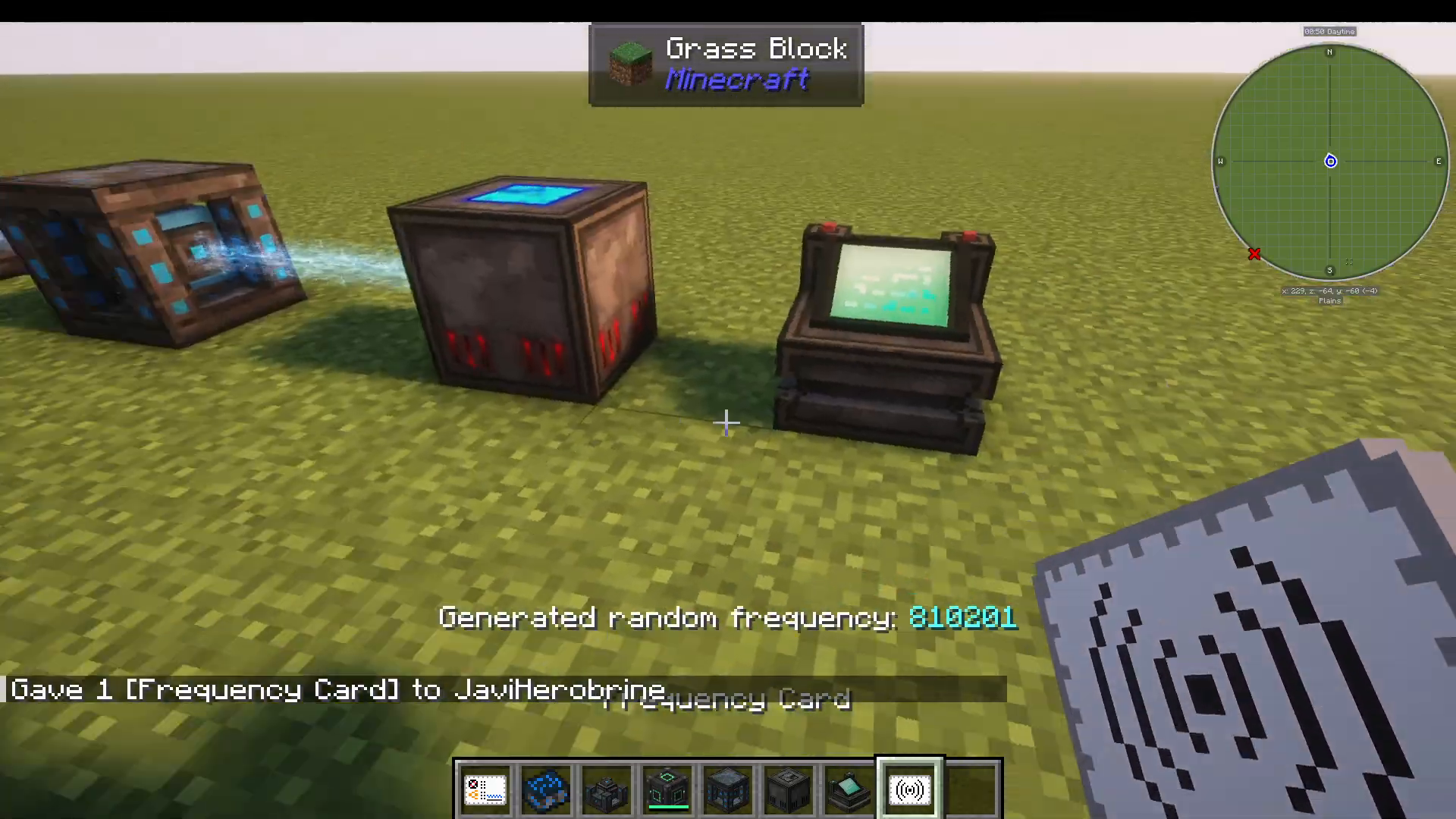
Frequency Card: Simplifies frequency management. Sneak-right-click to generate a random frequency, then right-click on any machine to set it to that same frequency instantly.
The Remote Controller
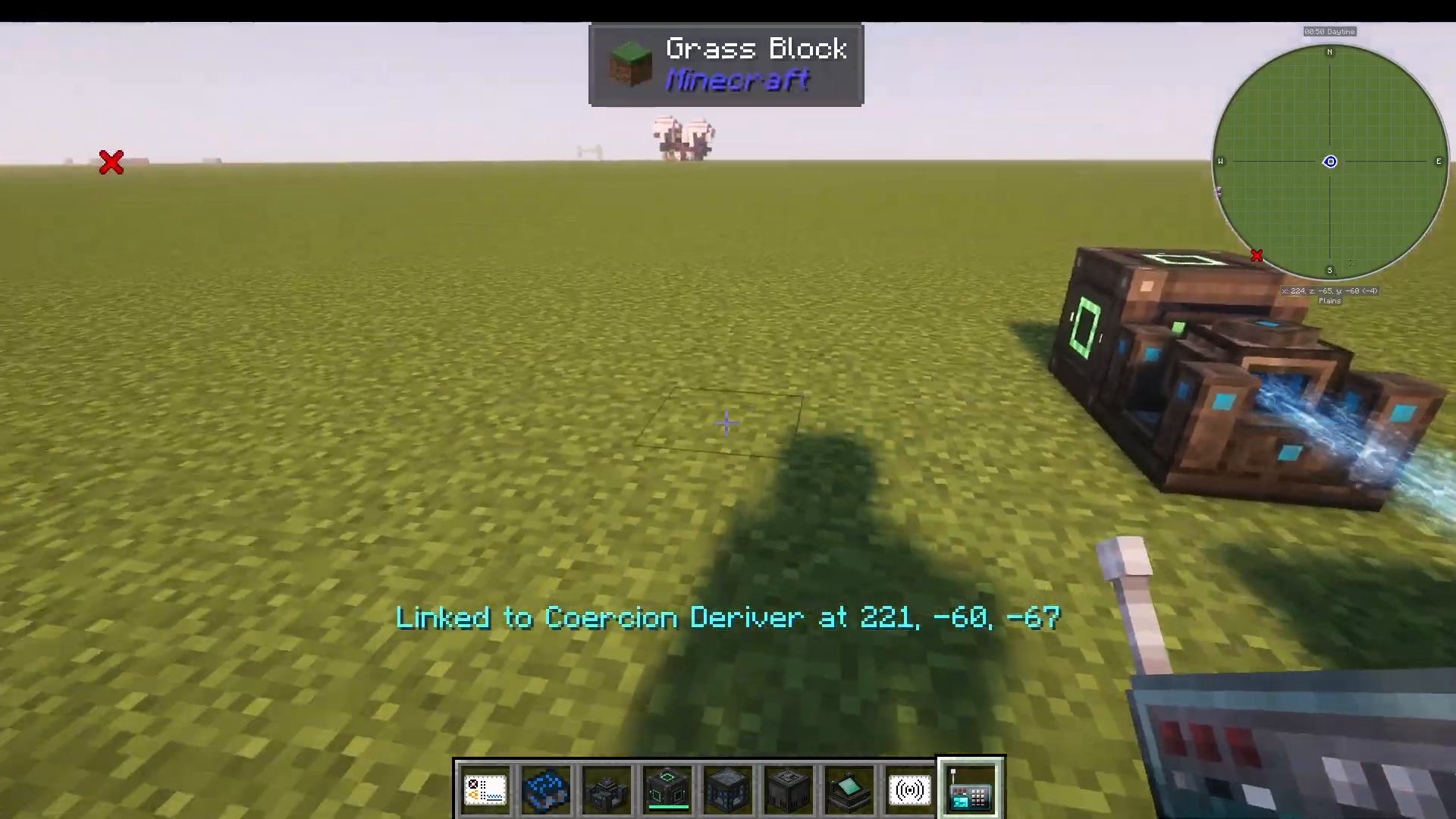
The Remote Controller is a handy utility item that lets you open the GUI of any MFFS machine from a distance. Simply shift-right-click on a machine to link it to the remote controller, then right-click to open that machine’s interface remotely. This is especially useful for managing machines that are embedded in structures or hard to reach.
The Force Field Projector: Building Your Force Field
The Force Field Projector is the centerpiece of the entire mod — the machine that actually generates your force field. To get started, make sure it is set to the correct frequency to receive power from your Fortron Capacitor.
Choosing a Shape
The projector supports five built-in shapes plus a custom mode:
Cube
Sphere
Tube
Pyramid
Cylinder
Custom Mode
Place your chosen shape module into the red central slot of the projector to activate that shape.
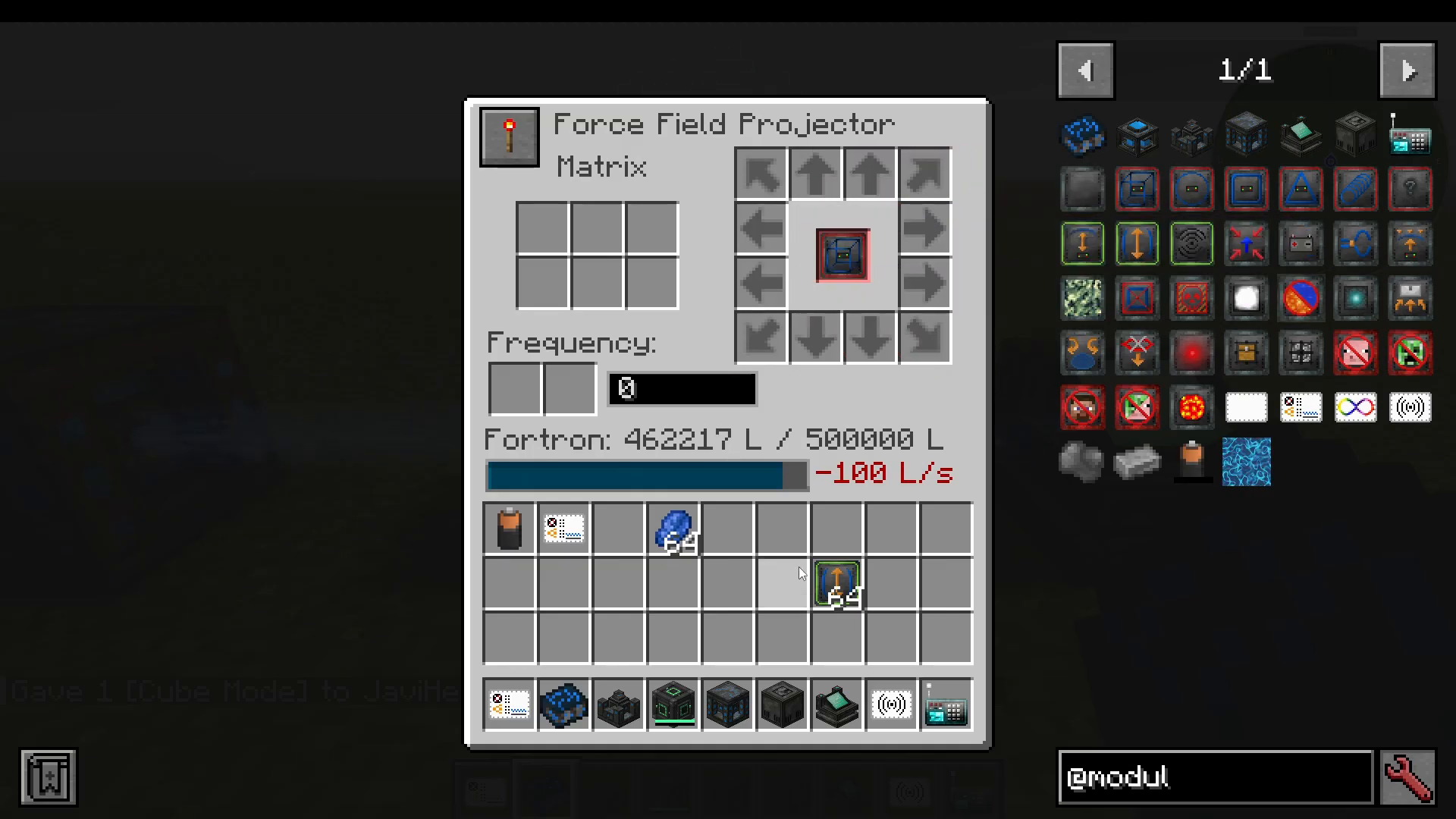
Scaling the Force Field with Scale Modules
Once a shape is selected, you control the size and direction of the force field using Scale Modules placed in the directional slots. For example, placing one Scale Module in the right-directional slot extends the field one block to the right. Place 10 modules in that slot and the field extends 10 blocks in that direction. By placing modules in multiple directional slots, you can build a fully enclosed cube or other 3D shape around your base.
Force fields can grow very large — a full stack of 64 Scale Modules in each direction produces an enormous field, though it requires a substantial amount of power and takes time to fully construct.
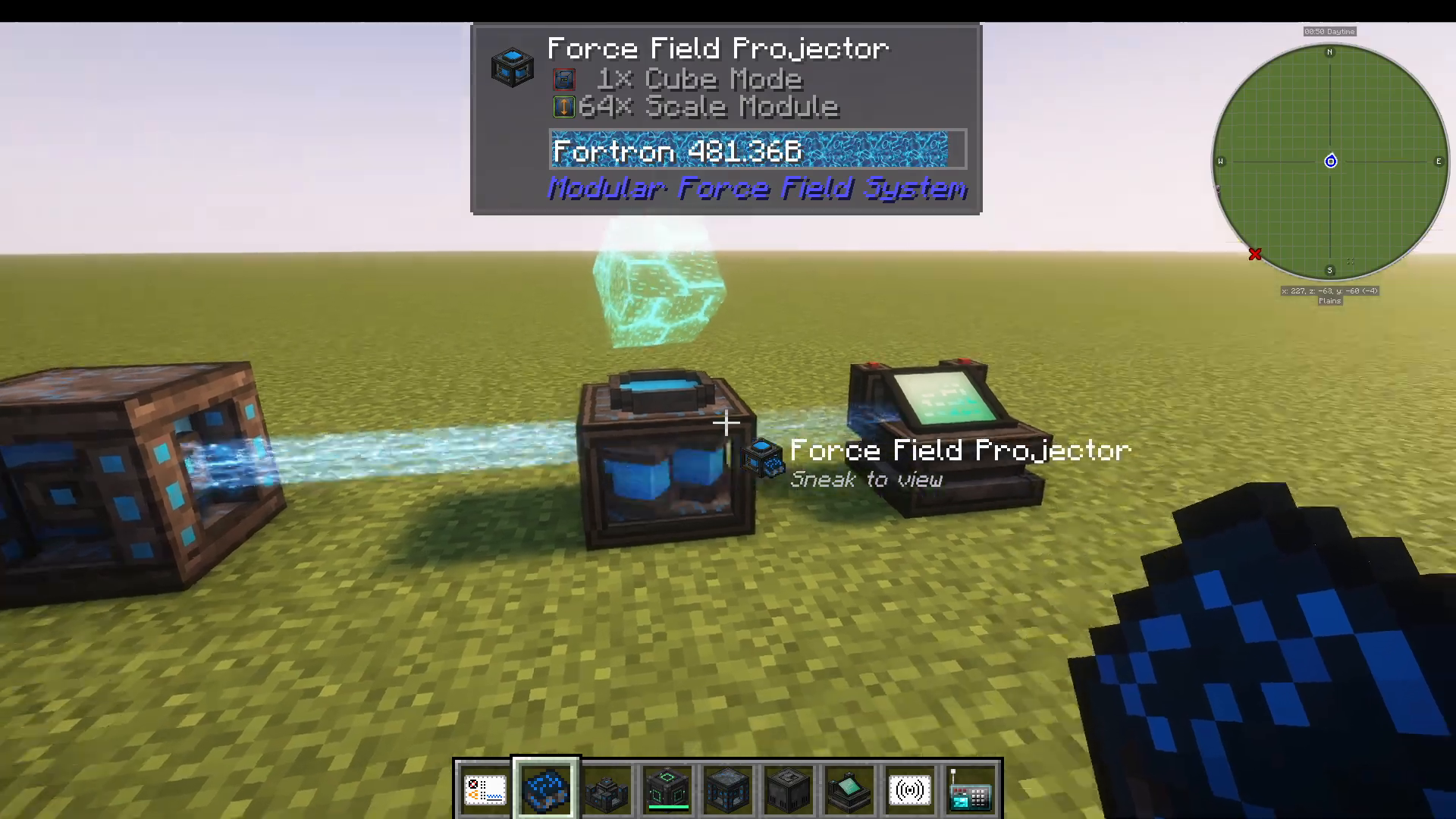
Additional Force Field Modules
Beyond shape and scale, you can slot up to six additional behavior modules into the projector to customize how the force field operates:
Translation: Displaces the entire force field away from the projector’s origin point.
Rotation: Rotates the force field by a specific angle.
Field Fusion: Joins overlapping force fields of the same frequency into one seamless field, eliminating visual clipping where fields meet.
Dome: Removes the bottom half of the force field, useful for ground-level bases.
Camouflage: Applies a custom visual model to the force field.
Disintegration: Automatically destroys any blocks that are in the path of the expanding force field, allowing it to build without obstruction.
Collect: Works alongside the Disintegration module to collect and keep the destroyed blocks as items rather than losing them.
Shock: Damages entities that touch the force field.
Glow: Makes the force field emit light.
Sponge: Removes any fluid from inside the force field area.
Stabilization: Crystallizes the force field into solid blocks. Place a chest next to the projector containing the block type you want to use.
Inverter: Inverts the field, turning the negative space into the positive space and vice versa.
Silence: Removes the sound produced by the force field.
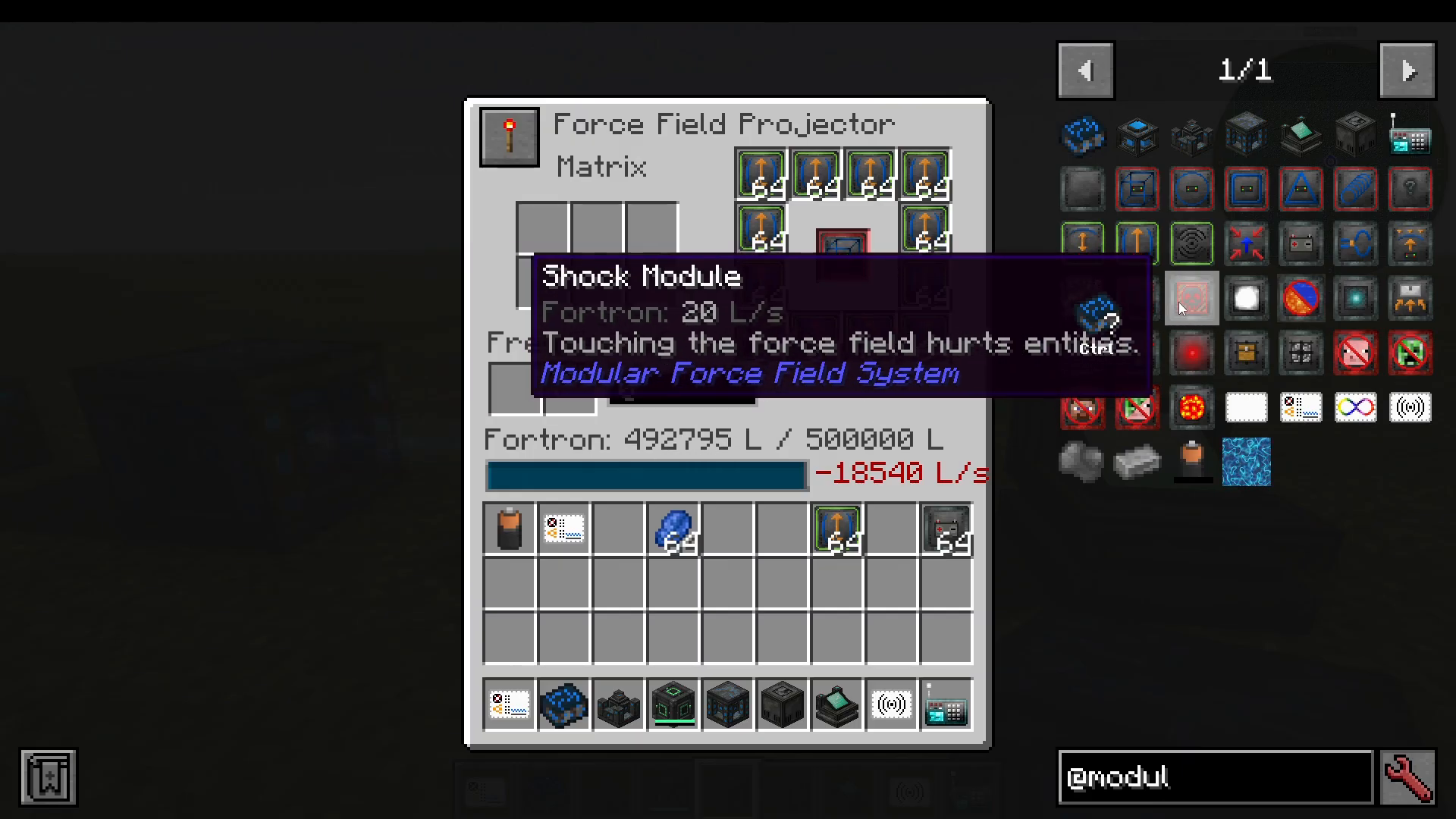
Summary: How It All Fits Together
Here is the complete MFFS energy and defense workflow at a glance:
Craft steel ingots from steel compound and build your machines.
Place a Coercion Driver next to an external power source (such as a Mekanism energy cube) to pull energy into your MFFS network.
Set the Coercion Driver and all your MFFS machines to the same frequency (e.g., frequency 0).
The Fortron Capacitor acts as the central battery bank, distributing power to all machines within its range on that frequency. Expand the range using Scale Modules.
Set up the Interdiction Matrix with action modules and Scale Modules to protect your base perimeter.
Use the Biometric Identifier and identification cards to whitelist trusted players.
Place and configure the Force Field Projector with a shape module, directional Scale Modules, and any additional behavior modules to build the force field itself.
Modular Force Field Systems is a deeply configurable mod with a lot of moving parts, but once you understand how frequency-based energy networking ties everything together, the rest falls into place naturally. Start small with a basic Coercion Driver and Fortron Capacitor setup, get comfortable with the frequency system, then scale up to full multi-directional force fields and automated base defenses. Good luck, and happy building!
“`