How To Make Nitor In Thaumcraft 6
How To Make Nitor In Thaumcraft 6
Nitor is one of the very first things you will ever craft in your Crucible in Thaumcraft 6. It glows, it floats, and it is a great introduction to the world of Alchemy. In this guide, we will walk you through exactly what you need, how to find the right aspects, and how to craft Nitor step by step — including how to change its colour afterwards.
What You Need Before You Start
Before attempting to make Nitor, you must already have a working Crucible set up. If you have not built one yet, check out the Thaumcraft 6 playlist for a full walkthrough on getting started. Once your Crucible is ready, you can move on to gathering your ingredients.
Finding the Nitor Recipe in the Thaumonomicon
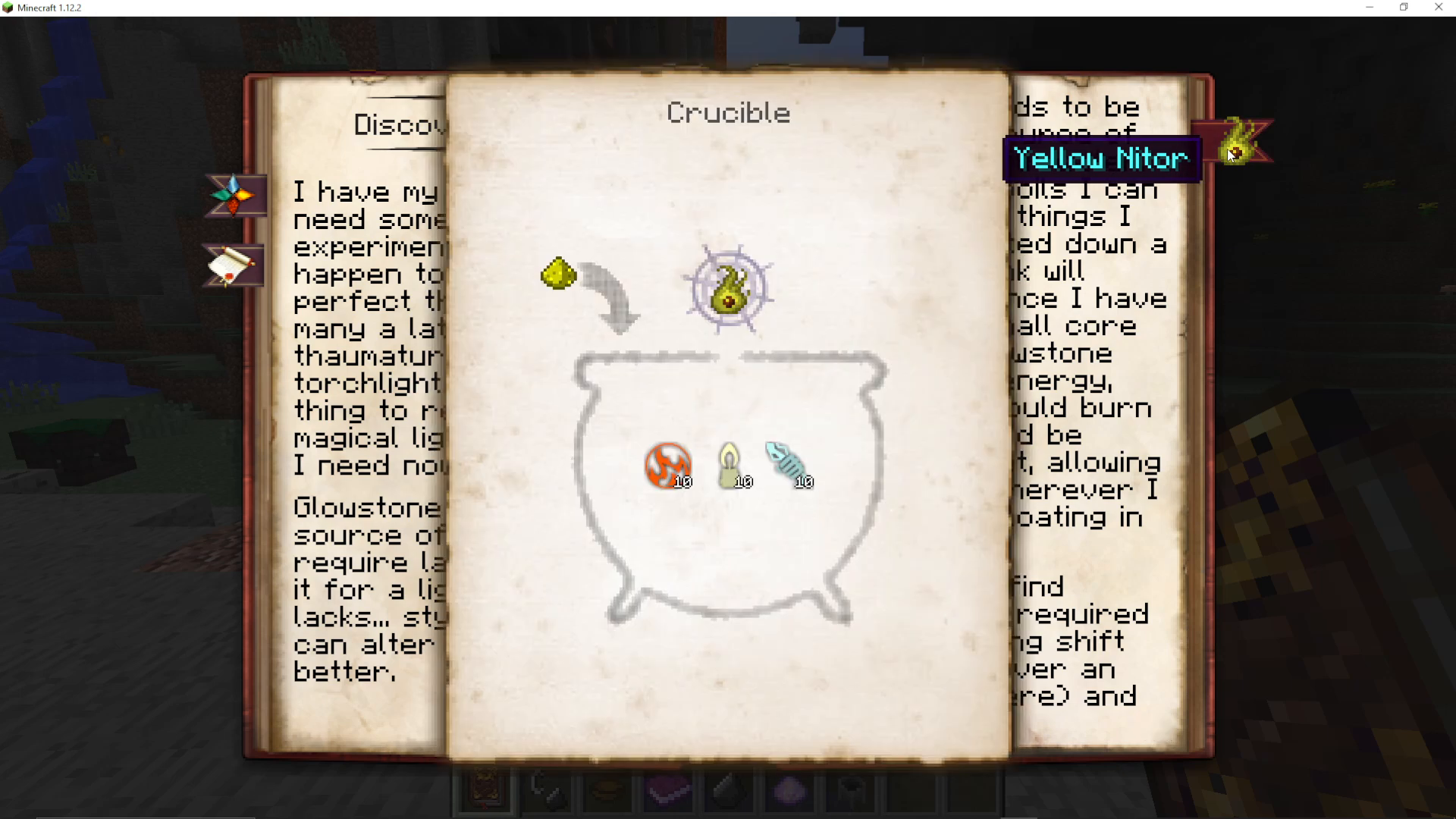
Open your Thaumonomicon and navigate to the Discovering Alchemy section. On the right-hand side, locate the bookmark for Nitor. The recipe requires the following aspects:
10 Ignis
10 Lux
10 Potentia
The Glowstone shown in the recipe acts as the Catalyst — it triggers the reaction once all other aspects are present in the Crucible.
Choosing Your Ingredients
Getting 10 Lux
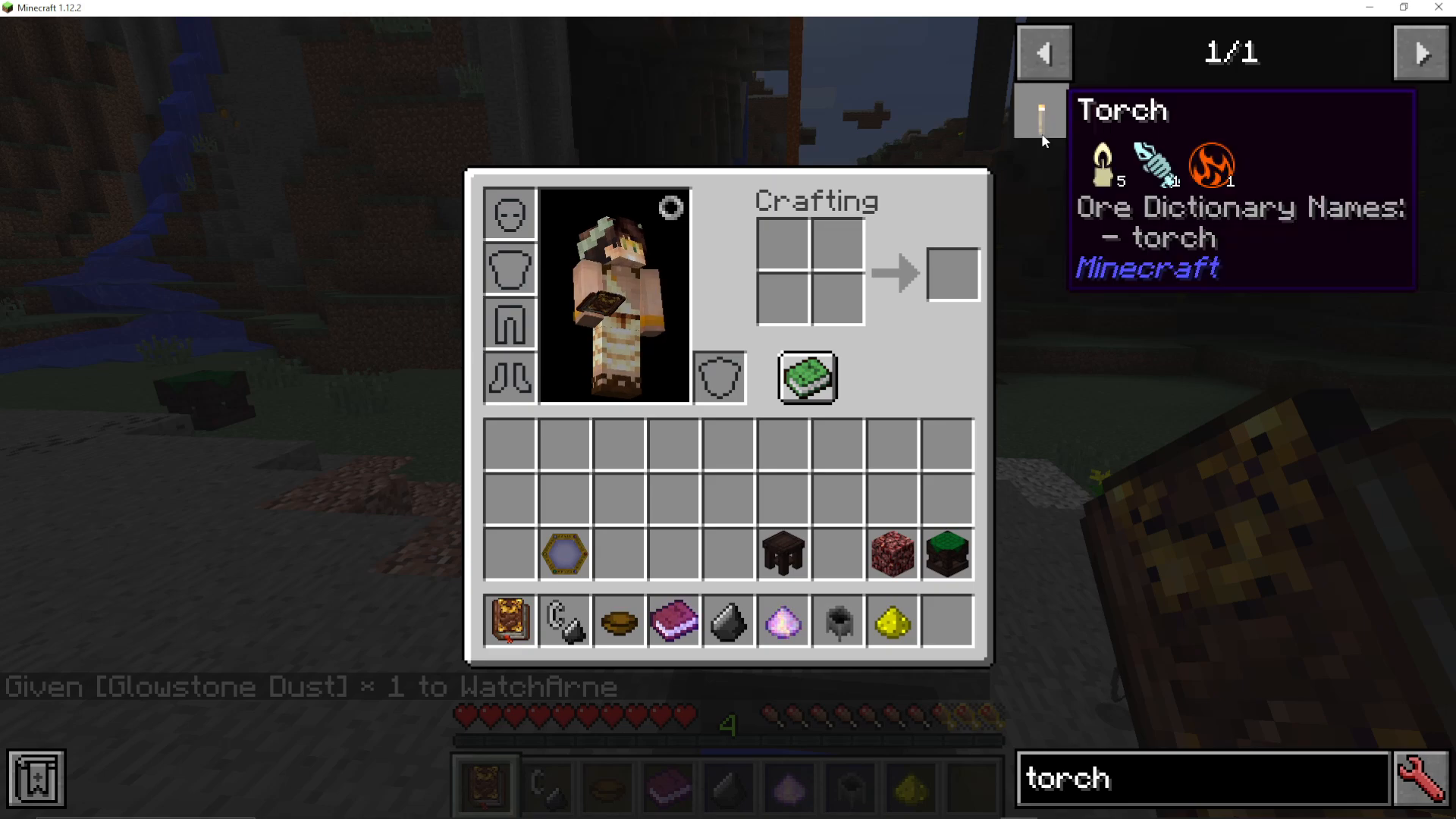
Torches are a convenient early-game source of Lux. Each Torch contains 5 Lux, along with some Potentia and Ignis. This means you will need exactly 2 Torches to reach the required 10 Lux.
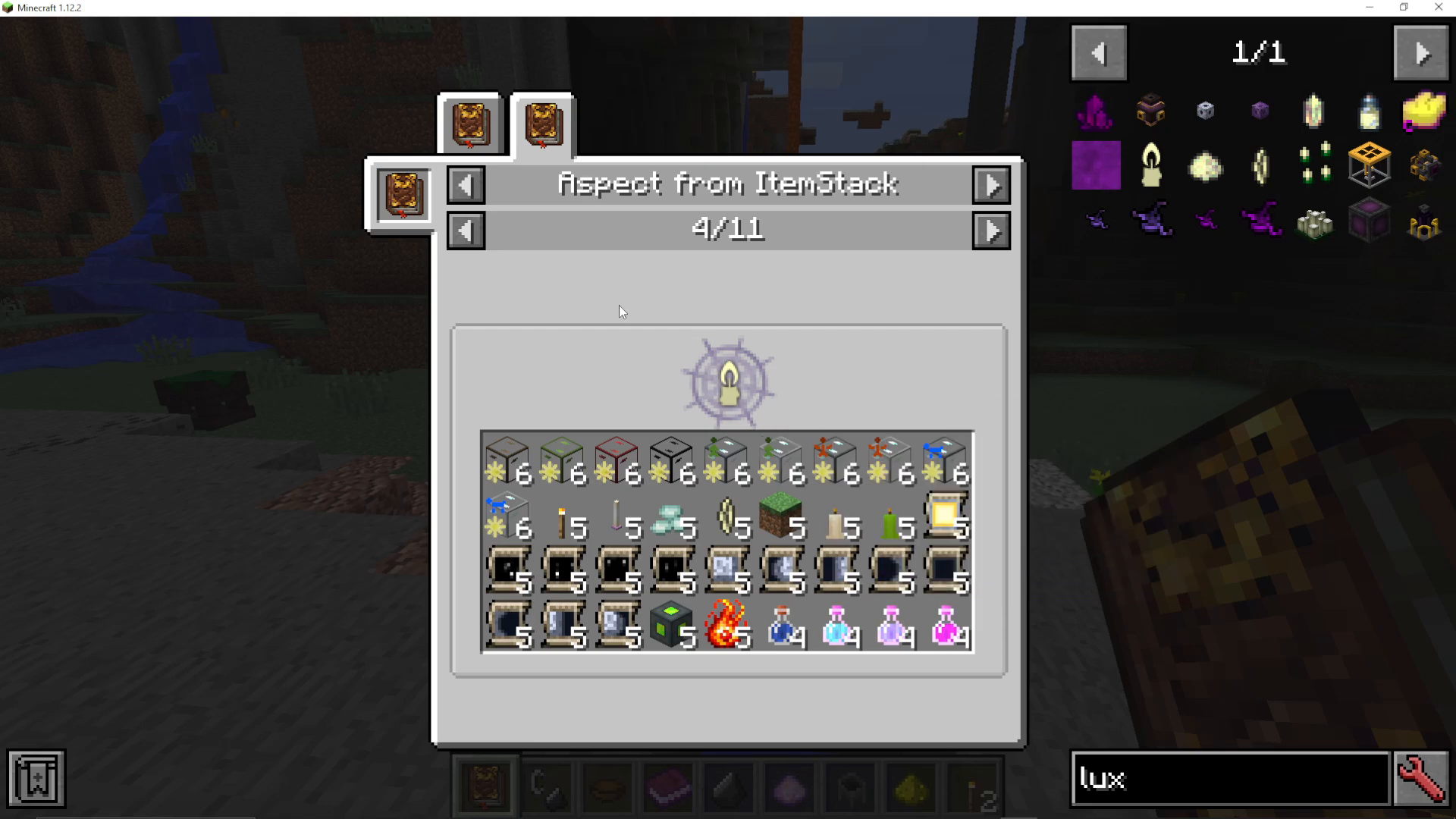
If you are unsure which items contain Lux, you can search for it directly in JEI (Just Enough Items). Simply type Lux into the JEI search bar, then press R on your keyboard to view the aspect recipe — Air + Ignis = Lux. The Aspect from Item Stack tab in JEI will also show you every item that contains Lux and exactly how much each one holds.
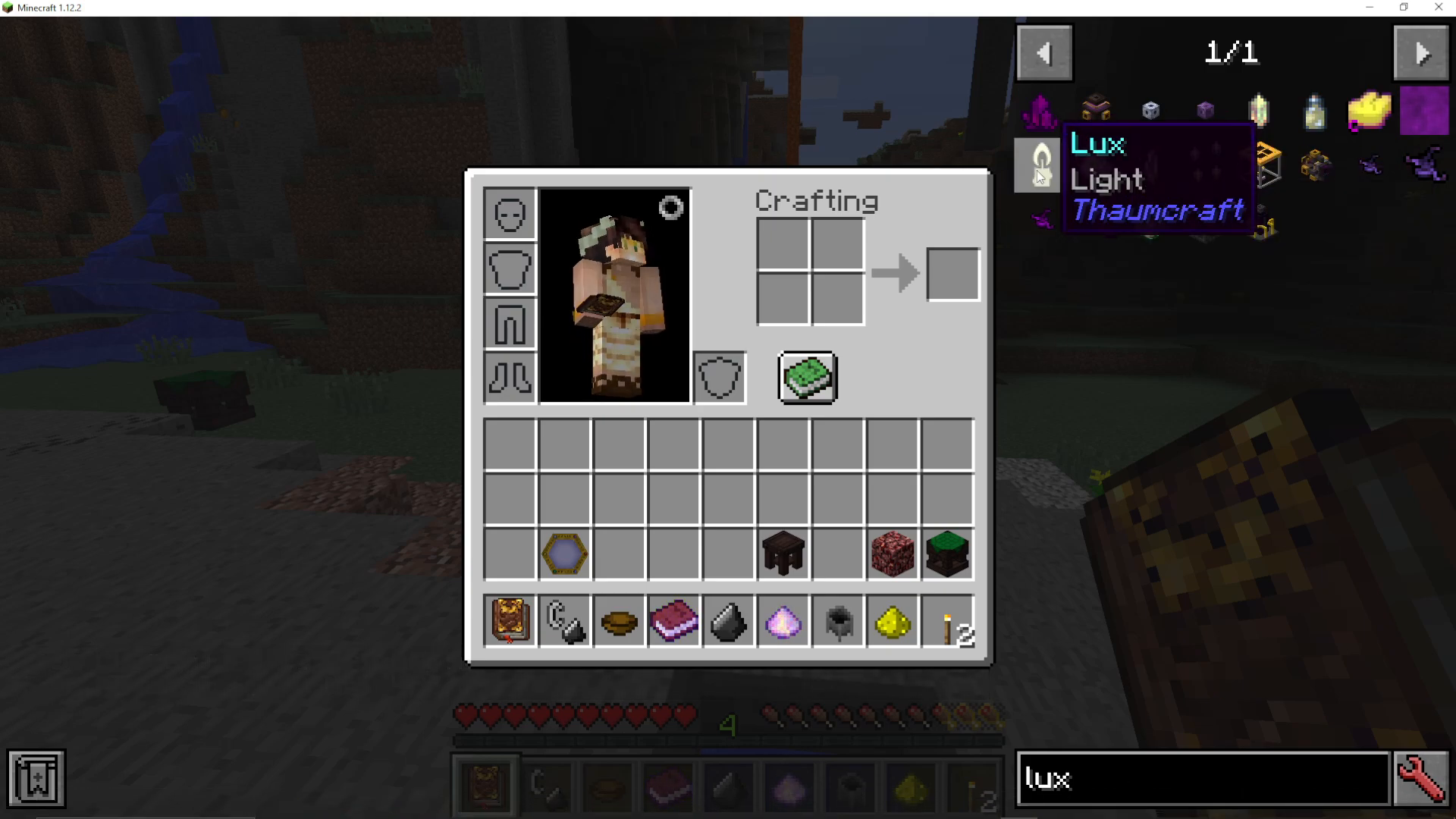
This tab is part of the Thaumic JEI add-on — it is highly recommended that you install this add-on if you are playing Thaumcraft, as it makes identifying aspects in items significantly easier.
As a useful reference, here are some notable sources of Lux you may come across:
Torch — 5 Lux
Glowstone — 30 Lux (excellent source)
Vibrant Capacitor Bank — 180 Lux
Getting 10 Ignis and 10 Potentia
Coal is the perfect ingredient here. A single piece of Coal provides exactly 10 Potentia and 10 Ignis — precisely the amounts needed. This makes Coal an ideal choice to avoid any leftover aspects in the Crucible.
Why Precise Amounts Matter
Always aim to add exact amounts of each aspect to your Crucible. Any excess aspects left over after the reaction will seep into the atmosphere, which can cause unwanted and potentially harmful effects. Keeping your totals precise protects your surroundings and conserves resources.
Crafting the Nitor
With your ingredients ready, follow these steps at your Crucible:
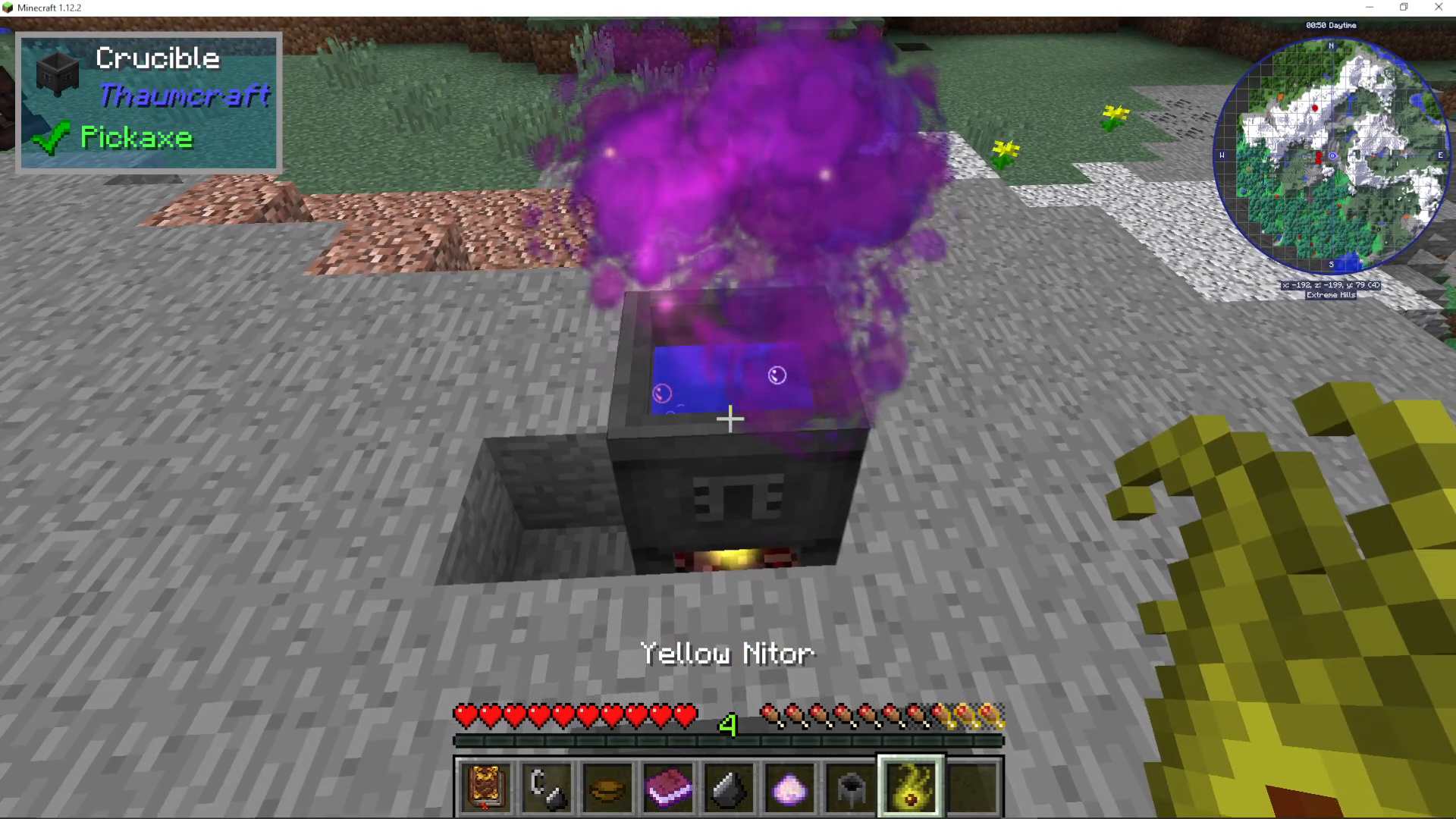
Throw in 1 piece of Coal (provides 10 Ignis + 10 Potentia).
Throw in 2 Torches (provides 10 Lux).
Finally, throw in your Glowstone Dust as the Catalyst.
Once the Glowstone Dust is added, your Yellow Nitor will fly out of the Crucible — your first successful Alchemy craft in Thaumcraft 6!
Changing the Colour of Nitor
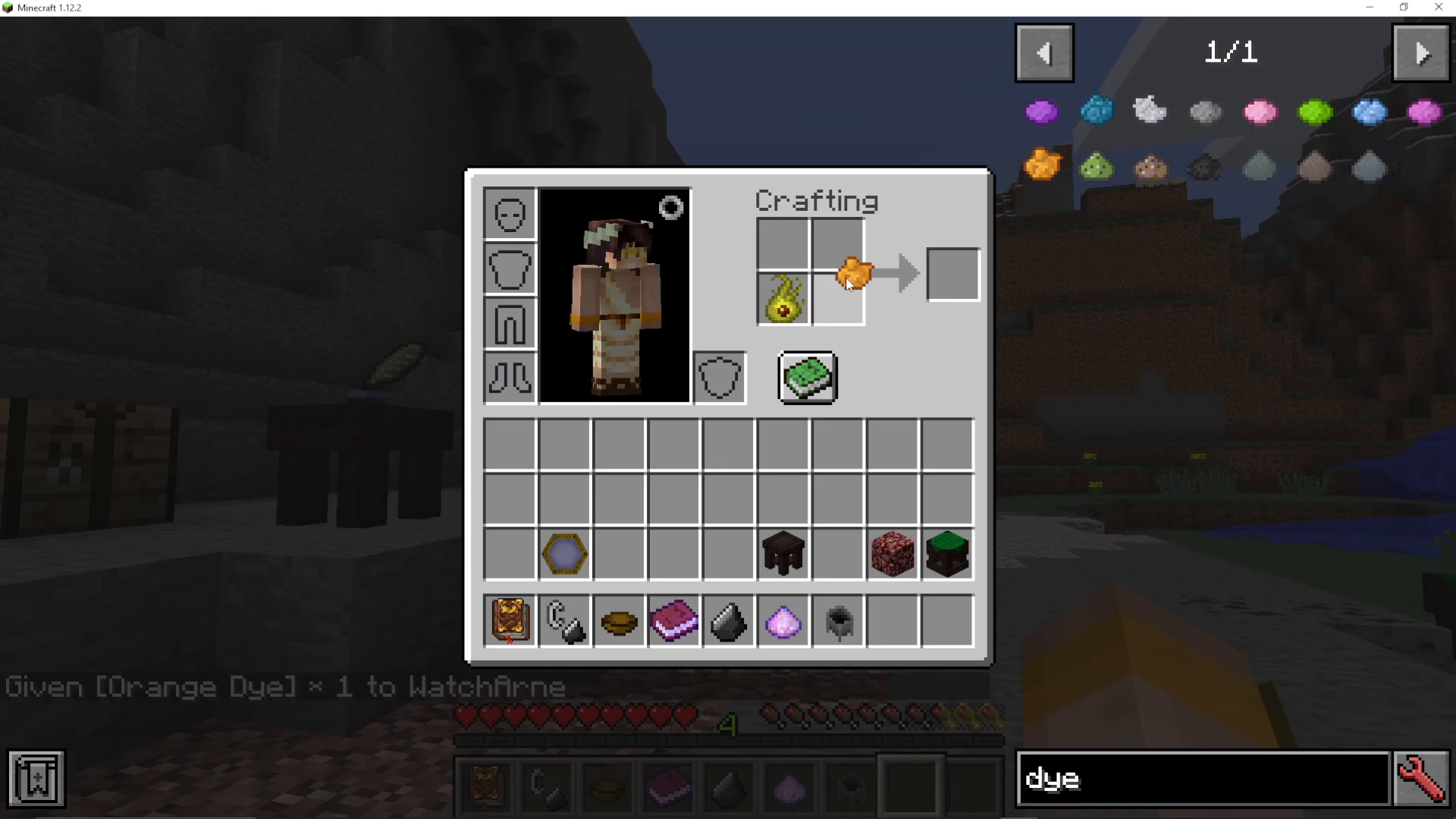
By default, Nitor comes out yellow — but you can change its colour with dye. Simply combine your Nitor with a dye of your choice either in your crafting table or directly in your inventory crafting slots. For example:
Orange Dye → Orange Nitor
Purple Dye → Purple Nitor
The same principle applies to any other dye colour available in the game.
Summary
To craft Nitor in Thaumcraft 6, you need 10 Ignis, 10 Lux, and 10 Potentia in your Crucible, triggered by a Glowstone Dust Catalyst. The easiest ingredient combination to achieve this is 1 Coal + 2 Torches + Glowstone Dust. Always match your aspect totals exactly to avoid atmospheric flux. Once crafted, you can customise the colour of your Nitor using any dye in your crafting grid.
Want to Support?
If you would like to help us continue making these guides – please consider joining our Patreon here – https://www.patreon.com/c/JaviHeals
Alternatively – we host a group of MC Servers you can join here – https://discord.gg/zD7Gjt6MHF