







How To Add Augments In Thermal Expansion
How To Add Augments In Thermal Expansion
Augments are one of the most powerful ways to customize and improve your Thermal Expansion machines. In this guide, we’ll walk you through the process of adding augments to your machines, what they do, and how to choose the right ones for your setup.
Introduction to Augments
Augments allow you to enhance your Thermal Expansion machines with various upgrades that improve their performance. Each machine has designated augment slots where you can add modifications to suit your specific needs. In this example, we’re using a Pulverizer to demonstrate the process.
Accessing the Augmentation Tab
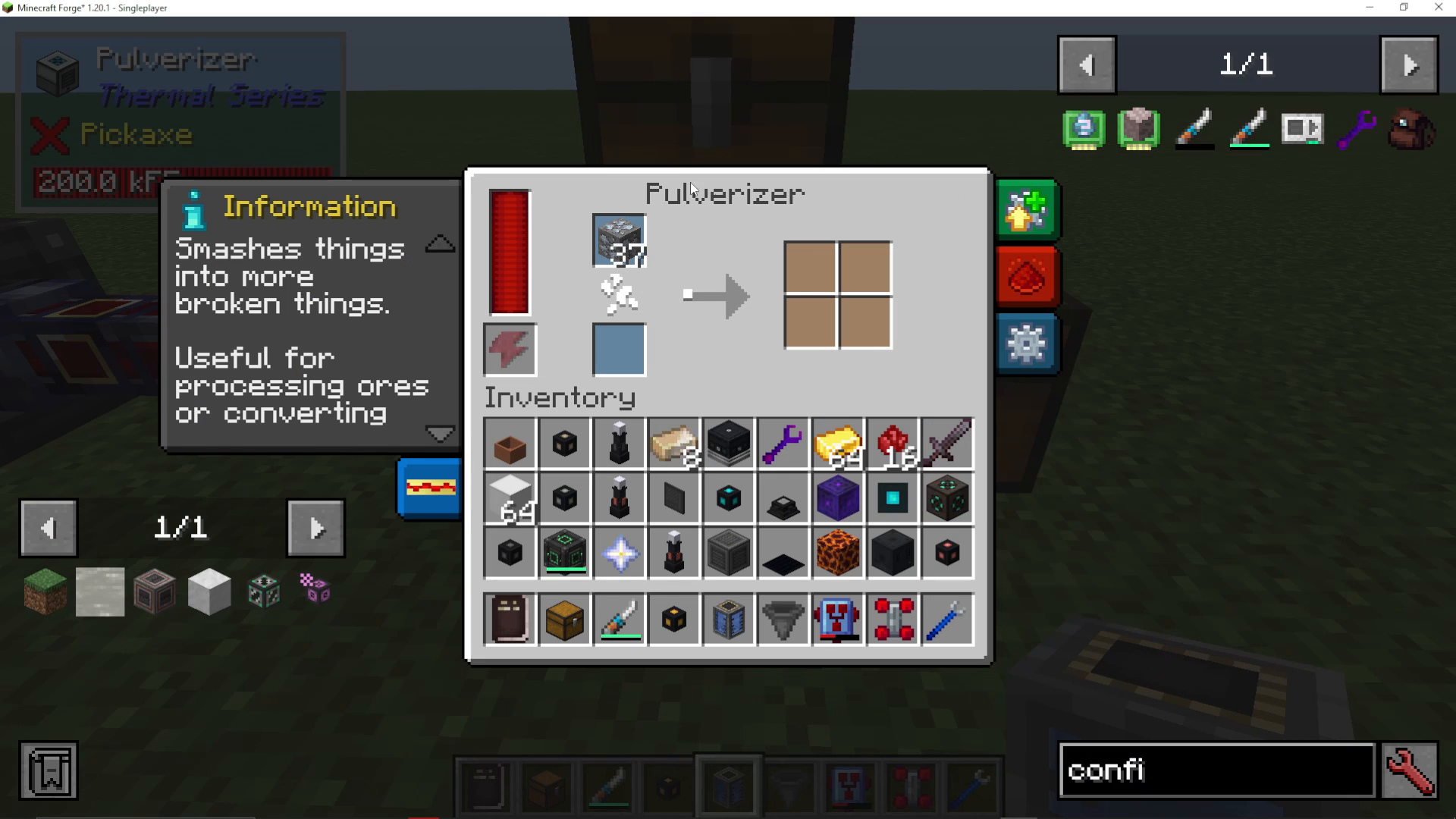
To begin adding augments to your machine, approach it and open its interface. You’ll notice a green tab labeled “Augmentation” at the top of the machine’s GUI. Click on this tab to access the augment slots available for your machine.
Understanding Machine Performance Without Augments
When you first open a machine without any augments installed, you’ll see it operates at a baseline speed. This speed is relatively slow compared to what you can achieve with augments. To see the difference, you can remove all currently installed augments and observe how much slower the machine becomes.
Adding Your First Augment: Flux Linkage Amplifier
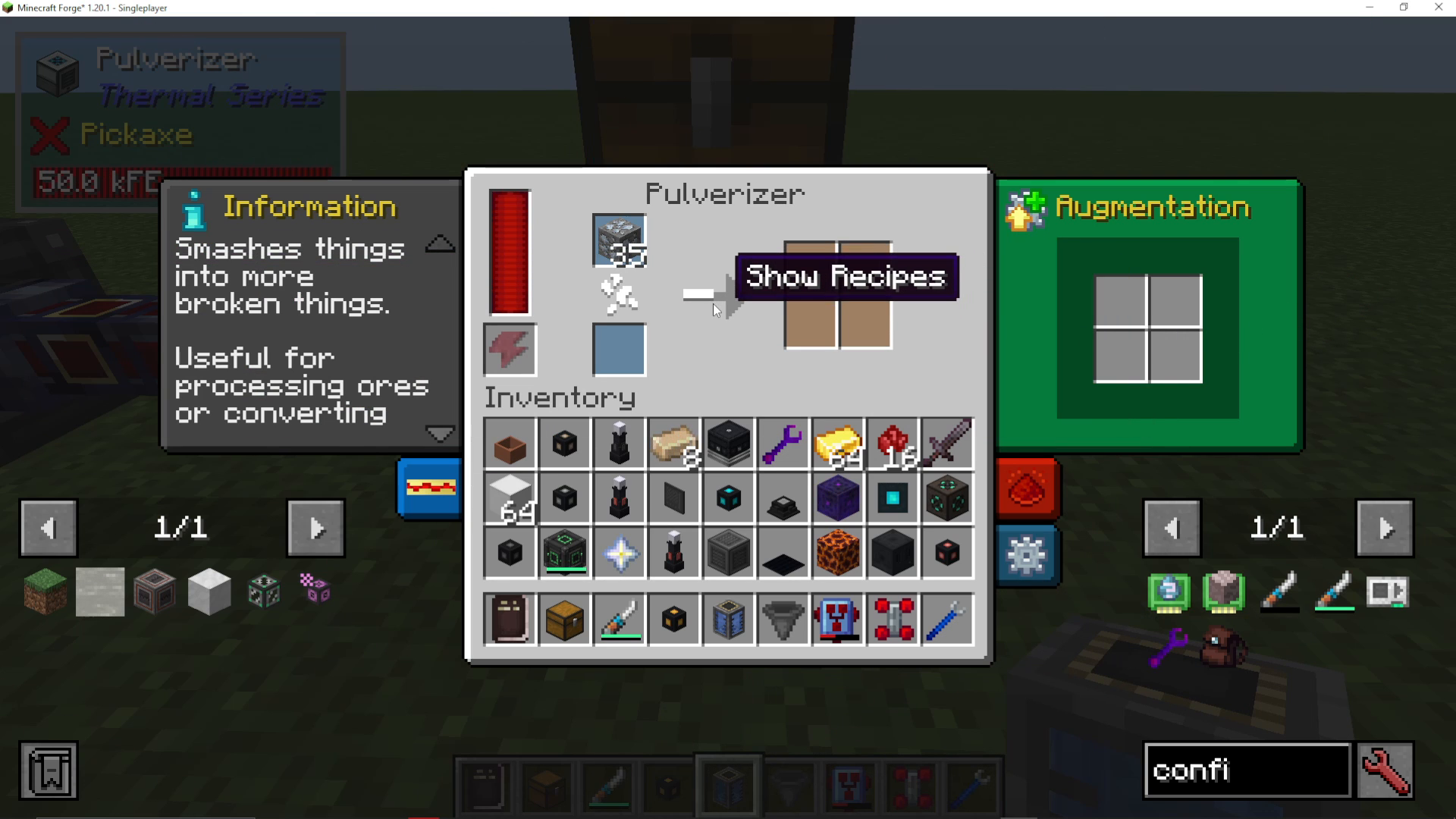
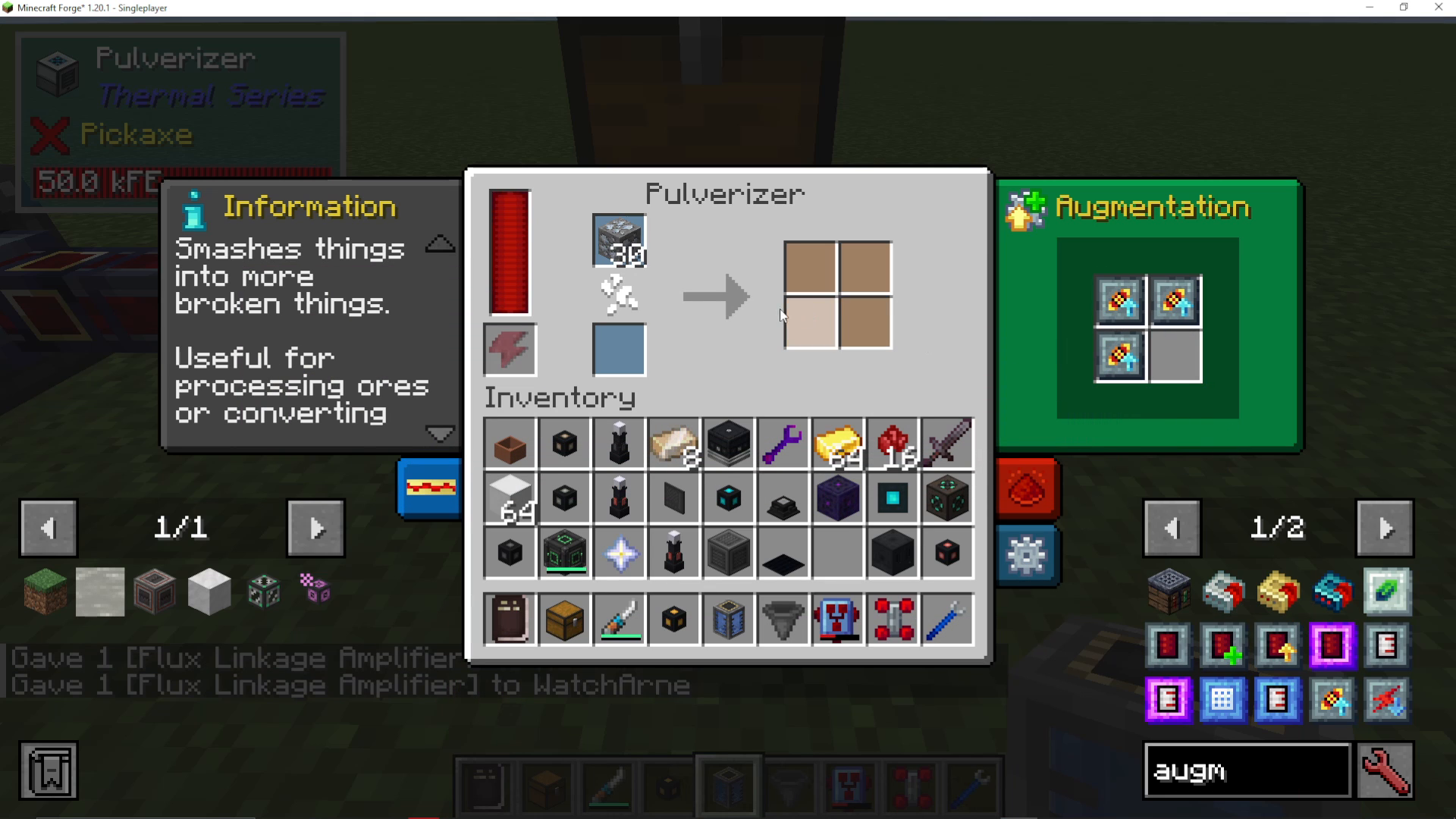
One of the most commonly used augments is the Flux Linkage Amplifier. This augment increases your machine’s process speed significantly. However, there’s a trade-off: while the machine works faster, it will consume more RF (Redstone Flux) energy per operation.
To install this augment, simply place it into one of the available augment slots. You’ll immediately notice the machine’s processing speed increase in real-time as the augment takes effect.
Stacking Multiple Augments
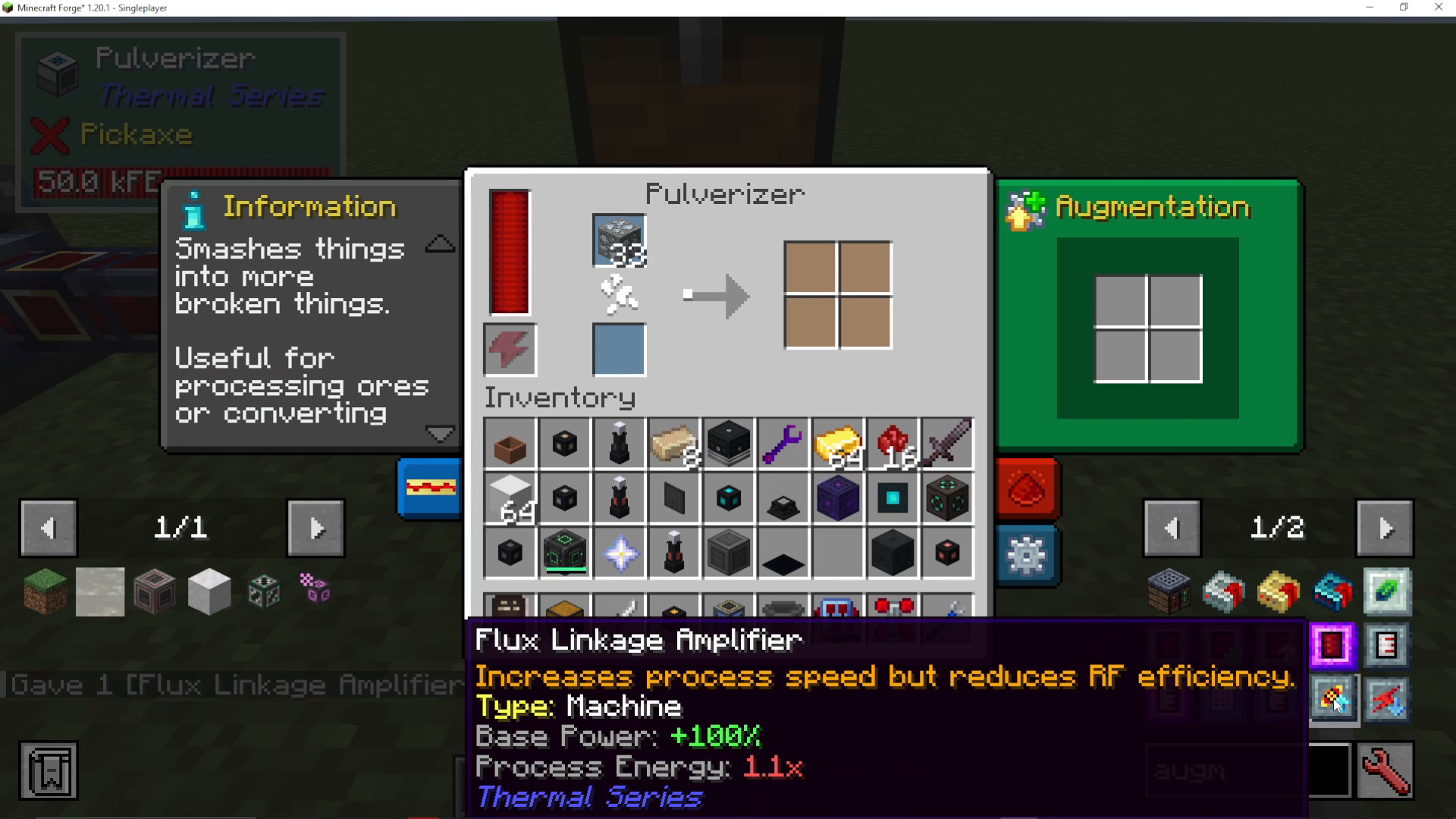
You aren’t limited to just one augment per machine. You can actually add multiple Flux Linkage Amplifiers to achieve even greater speed improvements. Each additional augment continues to boost performance, stacking the speed increases together. As you add more augments, you’ll see the processing speed increase substantially.
Using Integral Components
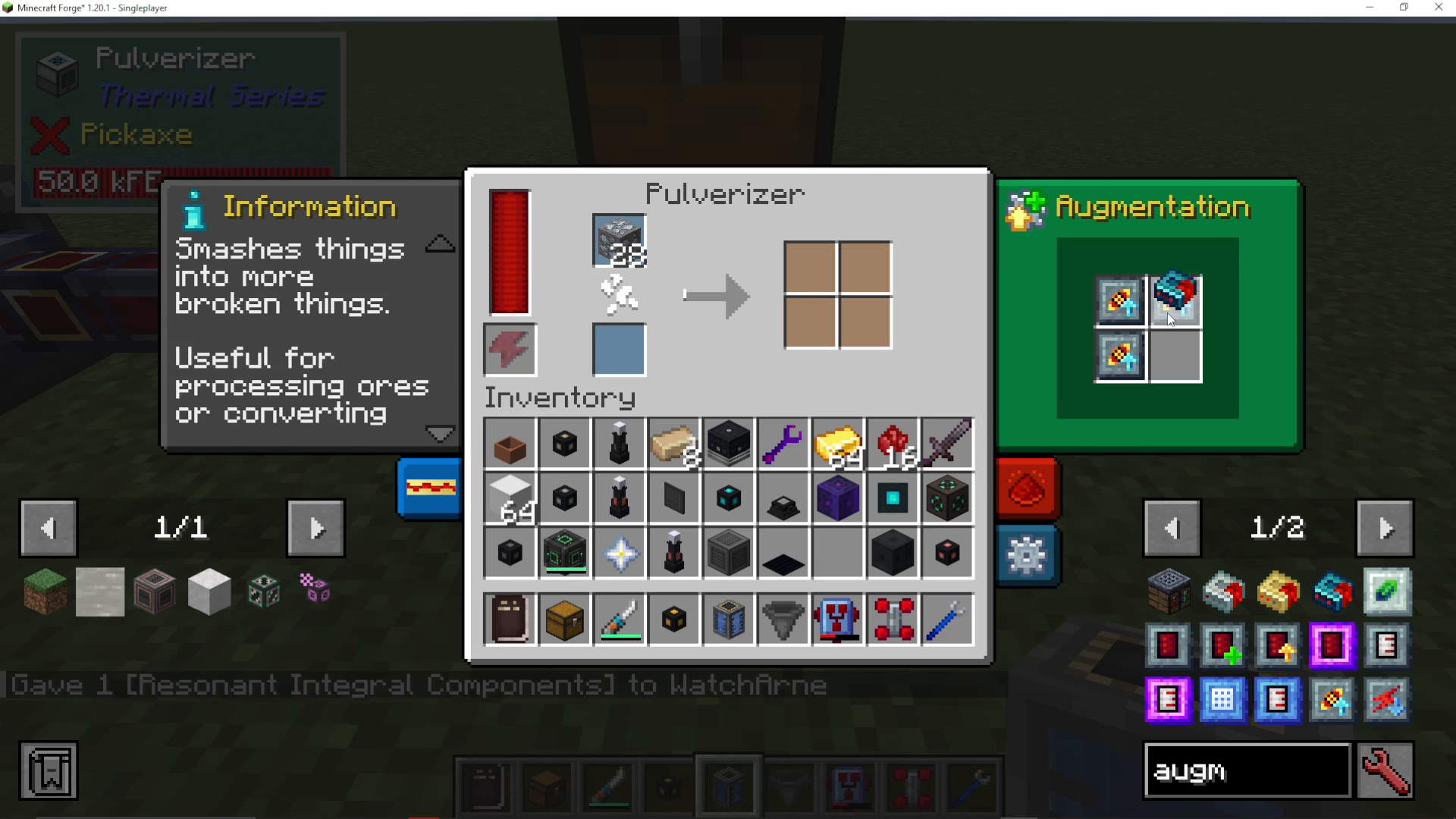
Another powerful augment type is Integral Components. Rather than focusing on a single attribute like speed, Integral Components improve your machine’s base attributes across the board. When you install Integral Components, you’ll notice a dramatic improvement in overall machine performance, including significantly increased processing speed.
Understanding Augment Compatibility
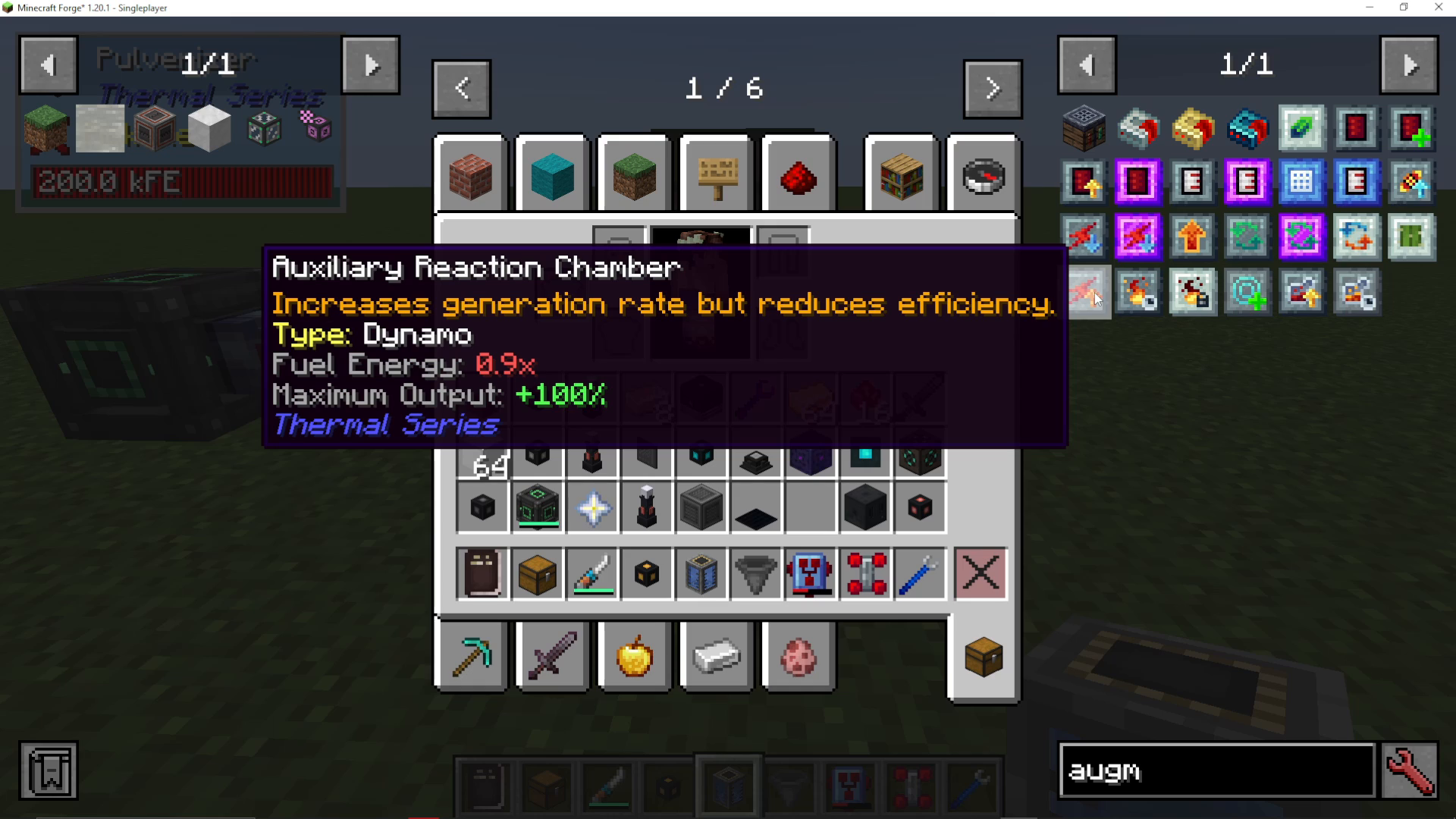
It’s important to note that not all augments work with every machine. Each augment has a specific type designation that determines which machines it can be installed in. For example, the Auxiliary Reaction Chamber augment is designed to increase generation rate and is meant specifically for Dynamos. This augment will not function if you try to install it in a Pulverizer or other non-dynamo machine.
Always check the augment’s type specification in the tooltip to ensure compatibility with your target machine before attempting installation. You’ll see labels like “Dynamo” which indicate the machine category the augment is designed for.
Summary
Adding augments to your Thermal Expansion machines is straightforward: access the green Augmentation tab on any machine, and place compatible augments into the available slots. Different augments provide different benefits—some boost speed at the cost of energy efficiency, while others improve overall machine attributes. Always verify augment compatibility before installation to ensure they’ll actually function in your chosen machine.
— Want to Support? —
If you would like to help us continue making these guides – please consider joining our patreon here – https://www.patreon.com/c/JaviHeals
Alternatively – we host a group of MC Servers you can join here – https://discord.gg/zD7Gjt6MHF



