







Fusion Crafting Tutorial – Draconic Evolution
Fusion Crafting Tutorial – Draconic Evolution
Fusion crafting is the core crafting system in the Draconic Evolution mod, and it’s how you’ll create all of the mod’s most powerful items. This comprehensive guide walks you through setting up your fusion crafting system, powering it with various energy sources, and progressively crafting items from basic tiers all the way up to the chaotic tier. Whether you’re playing standalone or in a modpack, this tutorial covers everything you need to know to master fusion crafting.
Understanding Fusion Crafting Basics
Fusion crafting is the primary crafting method in Draconic Evolution and is used to create virtually all items in the mod. Draconic Evolution is an end-game mod, so expect recipes to be expensive and progression to require significant preparation. When playing in a modpack, you’ll typically have other mods’ energy systems set up before you reach Draconic Evolution, so you have flexibility in how you power your fusion crafting setup.
Power Sources for Fusion Crafting
Using External Mod Energy
The easiest way to power fusion crafting in a modpack is to use energy from other mods. You can connect cables from mods like Mekanism directly to the Draconium Fusion Crafting Injectors, and they will work without any additional setup. This is the recommended approach when playing modpacks since you’ll already have established power infrastructure from other mods.
Using Draconic Evolution’s Generator
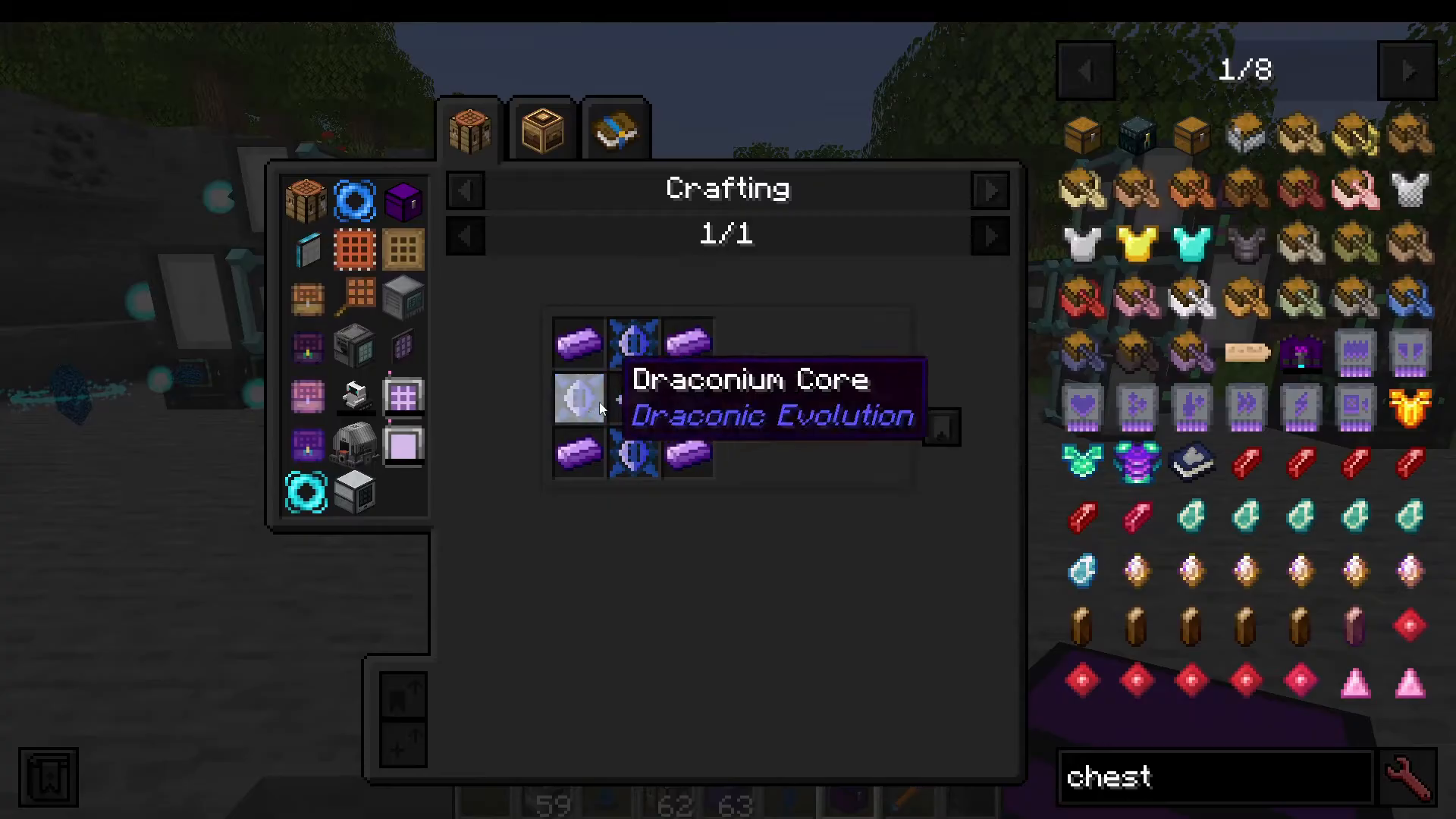
If you’re playing Draconic Evolution standalone or prefer to use only Draconic energy, you’ll need to craft a generator. The generator is relatively simple to make and uses iron ingots and a Draconium Core.
Draconium Core Recipe: Draconium ingots, gold, and diamond
Draconium ingots are crafted from draconium dust or smelted from draconium ore. While draconium ore spawns in every dimension, the End dimension contains massive quantities of it, making it the ideal location for mining. You’ll want to gather a substantial amount since you’ll need it throughout your Draconic Evolution progression.
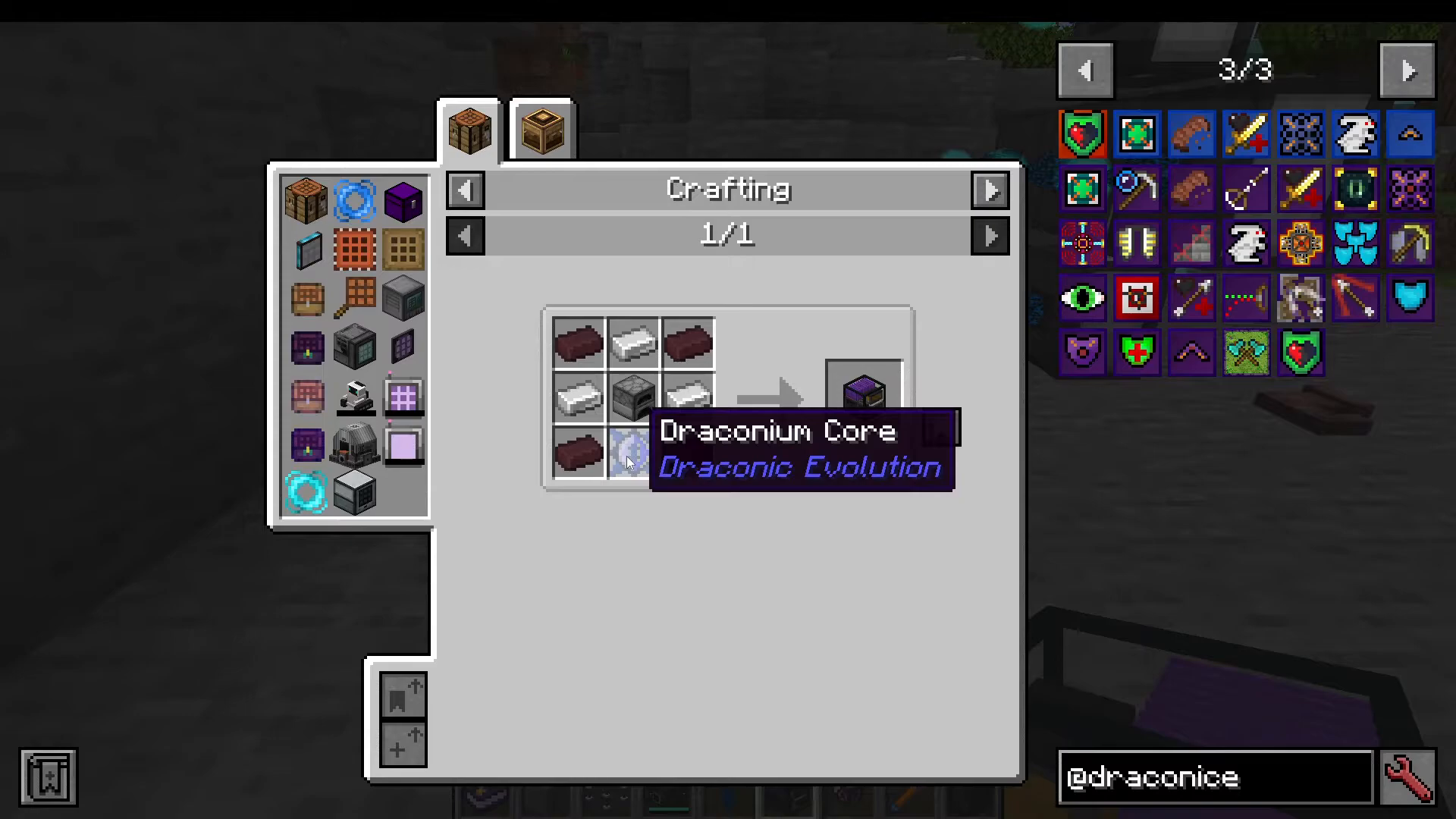
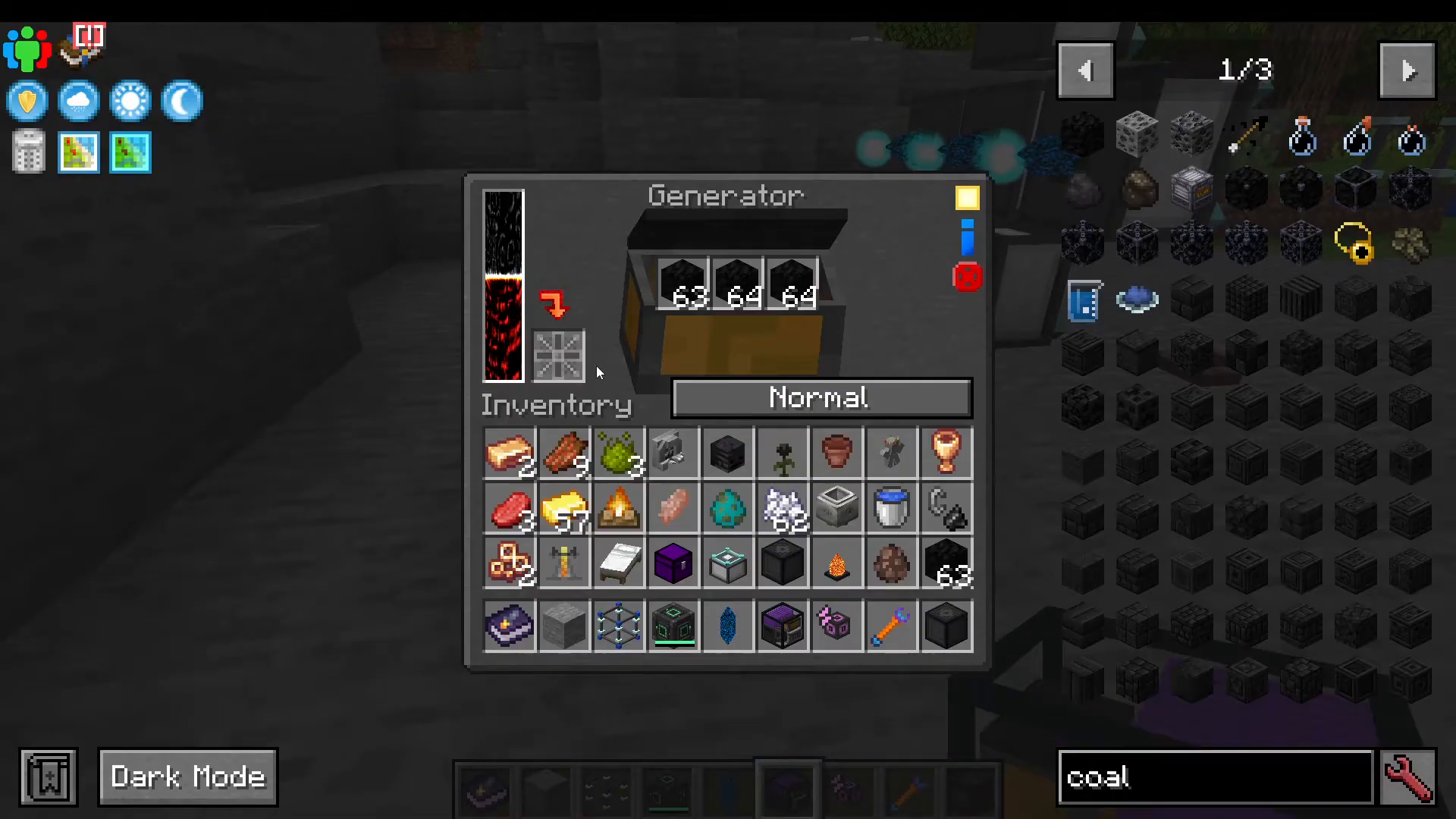
The generator has several operational modes you can toggle:
Normal Mode: Standard operation
Performance Mode: Increased output
Overdrive Mode: Maximum speed, consumes fuel rapidly
Eco Mode: Energy-efficient operation
You can fuel the generator with coal or blocks of coal. The generator also features a light and dark theme toggle, redstone control options, and an item charging slot.
Setting Up Your Fusion Crafting Core
The first component you need is a Fusion Crafting Core. This requires a Draconium Core in its recipe, following the same crafting pattern as the generator.
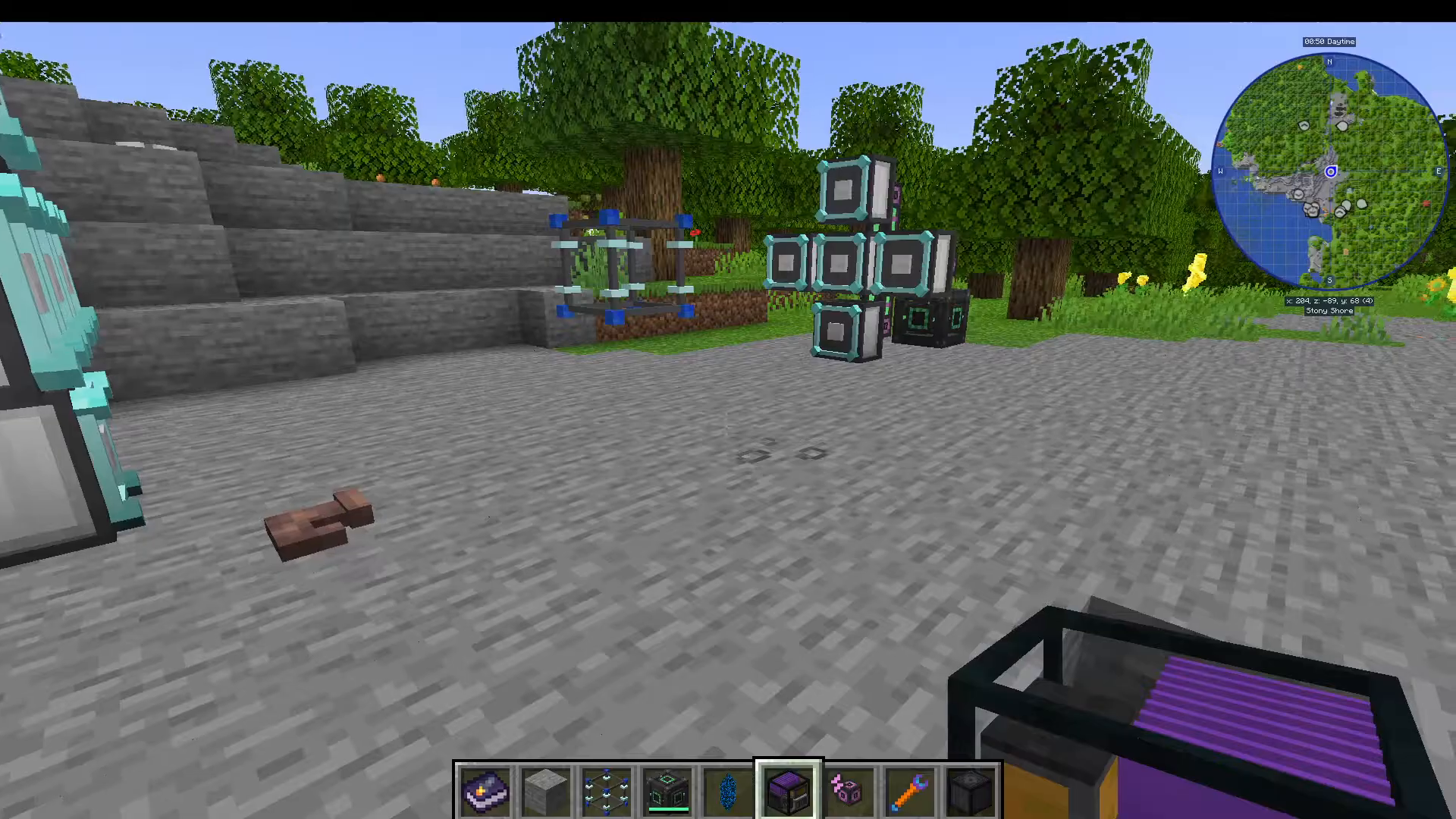
Place your Fusion Crafting Core one block up from the floor (using a temporary block like stone underneath) for easier item management and aesthetics.
Installing Fusion Crafting Injectors
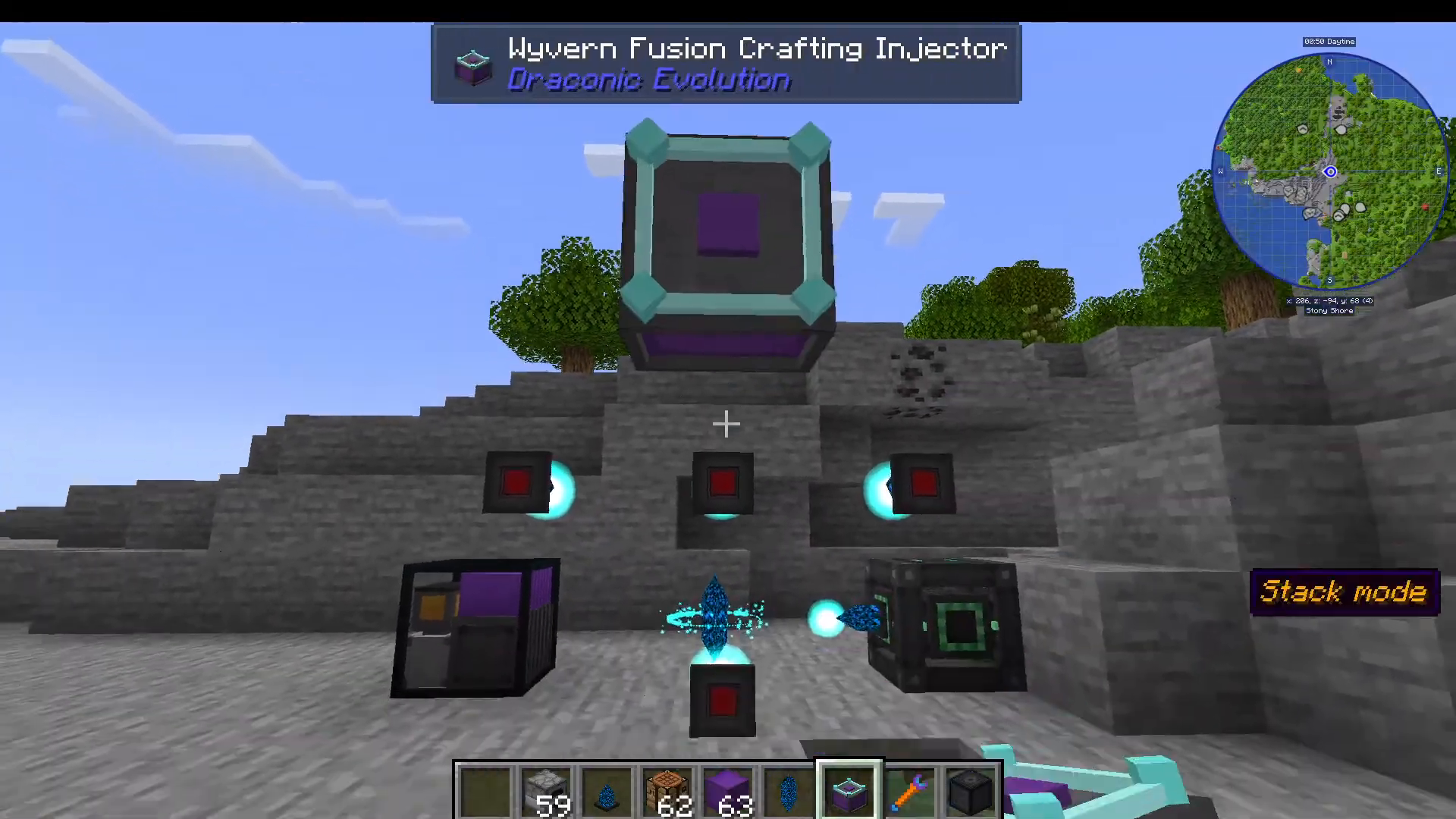
Around the Fusion Crafting Core, you’ll need to place Draconium Fusion Crafting Injectors. The placement follows strict spacing rules: you must leave at least one block of gap between the core and the injectors, and you can place them as close as three blocks away (one gap in the middle).
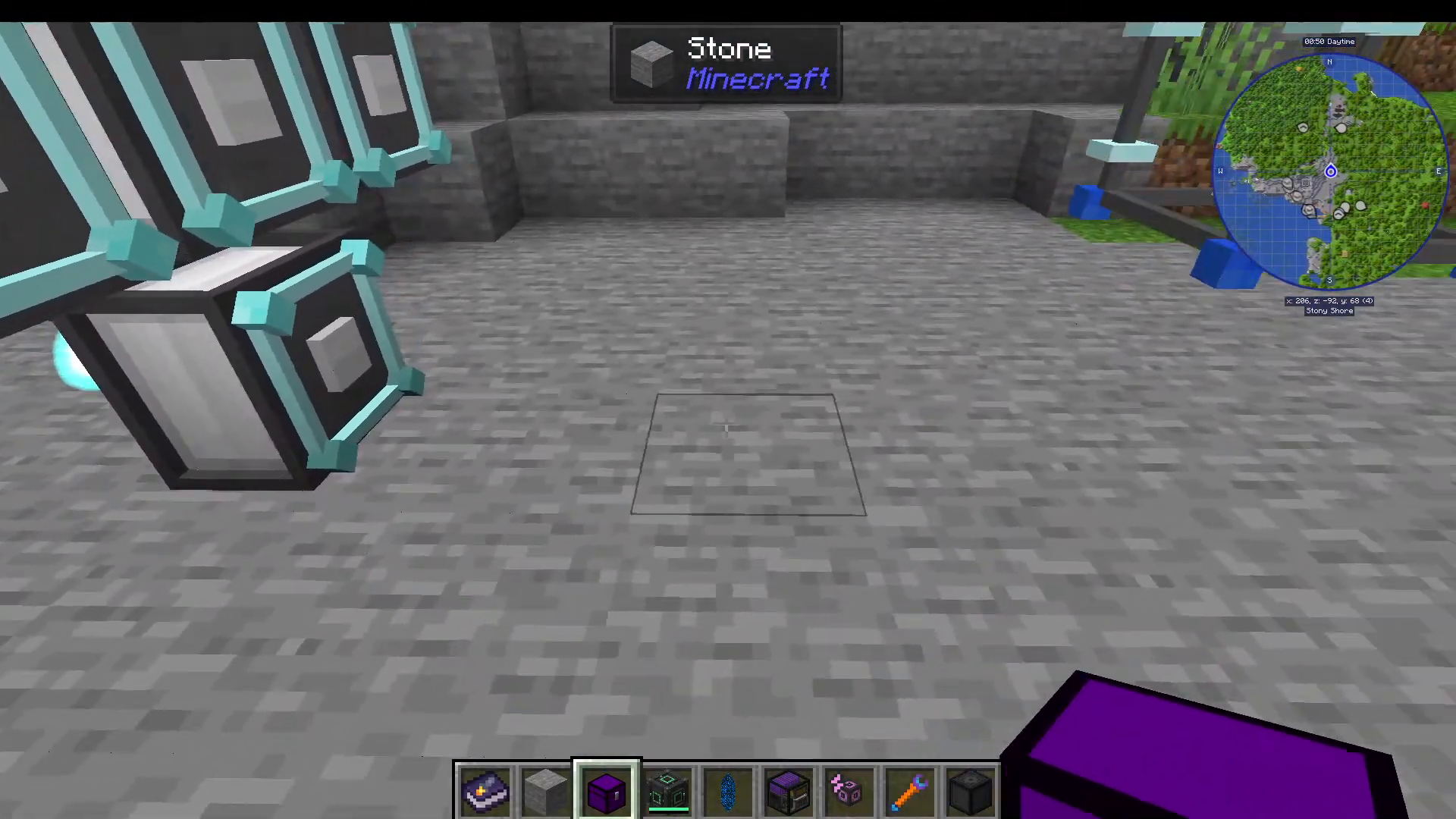
Set up injectors on both sides of the core in a symmetrical pattern. For most recipes, you’ll need five to ten injectors depending on the recipe complexity.
Powering Your Injectors
Using External Mod Energy
The simplest approach is to connect cables from other mods (like Mekanism) directly to the Draconium Fusion Crafting Injectors. This bypasses all the Draconic Evolution energy infrastructure.
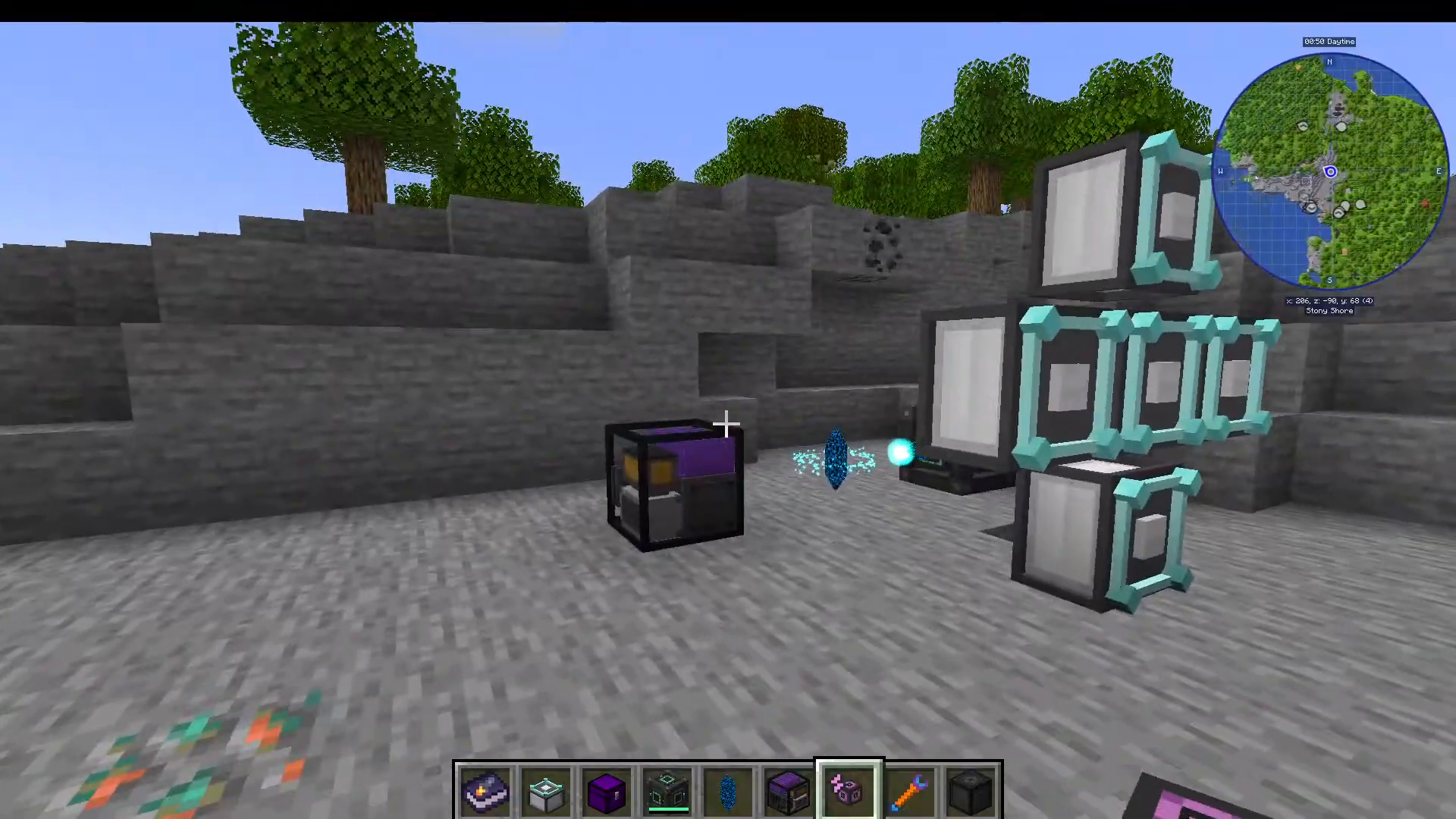
Using Draconic Evolution’s Energy Network
If you prefer to use Draconic Evolution’s native energy system, you’ll need to set up an energy network using crystals and relays.
Basic Energy Relay Crystals: These are crafted with an Energy Controller and Draconium Cores, yielding four crystals per recipe. Each crystal can be placed in a crafting table to produce IO Crystals (two IO Crystals per relay crystal).
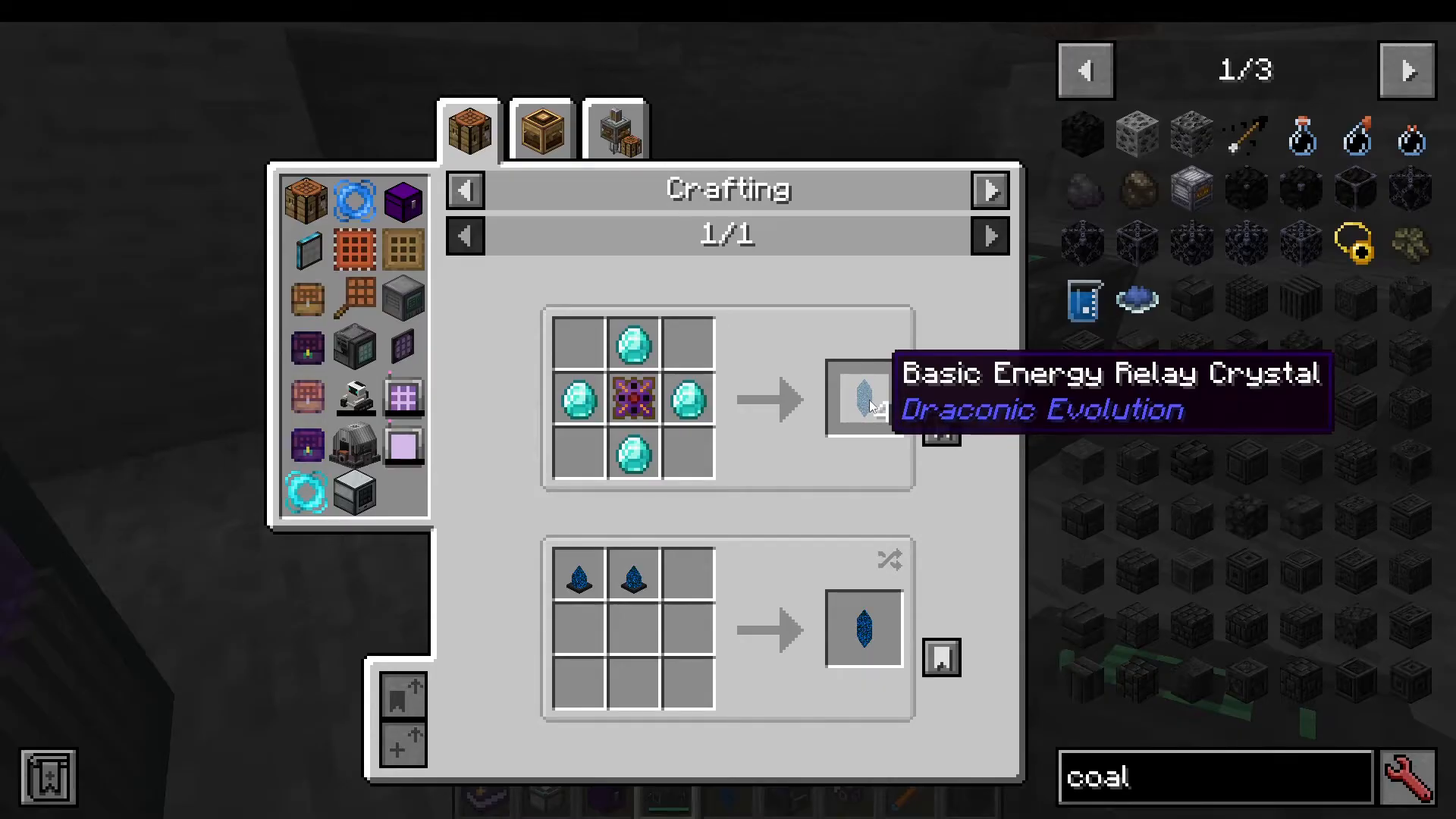
IO Crystals vs. Relay Crystals:
IO Crystals: Attached directly to machines to send or receive energy. Each can link to two other devices.
Relay Crystals: Act as intermediaries in the energy network. Each relay can link to eight devices.
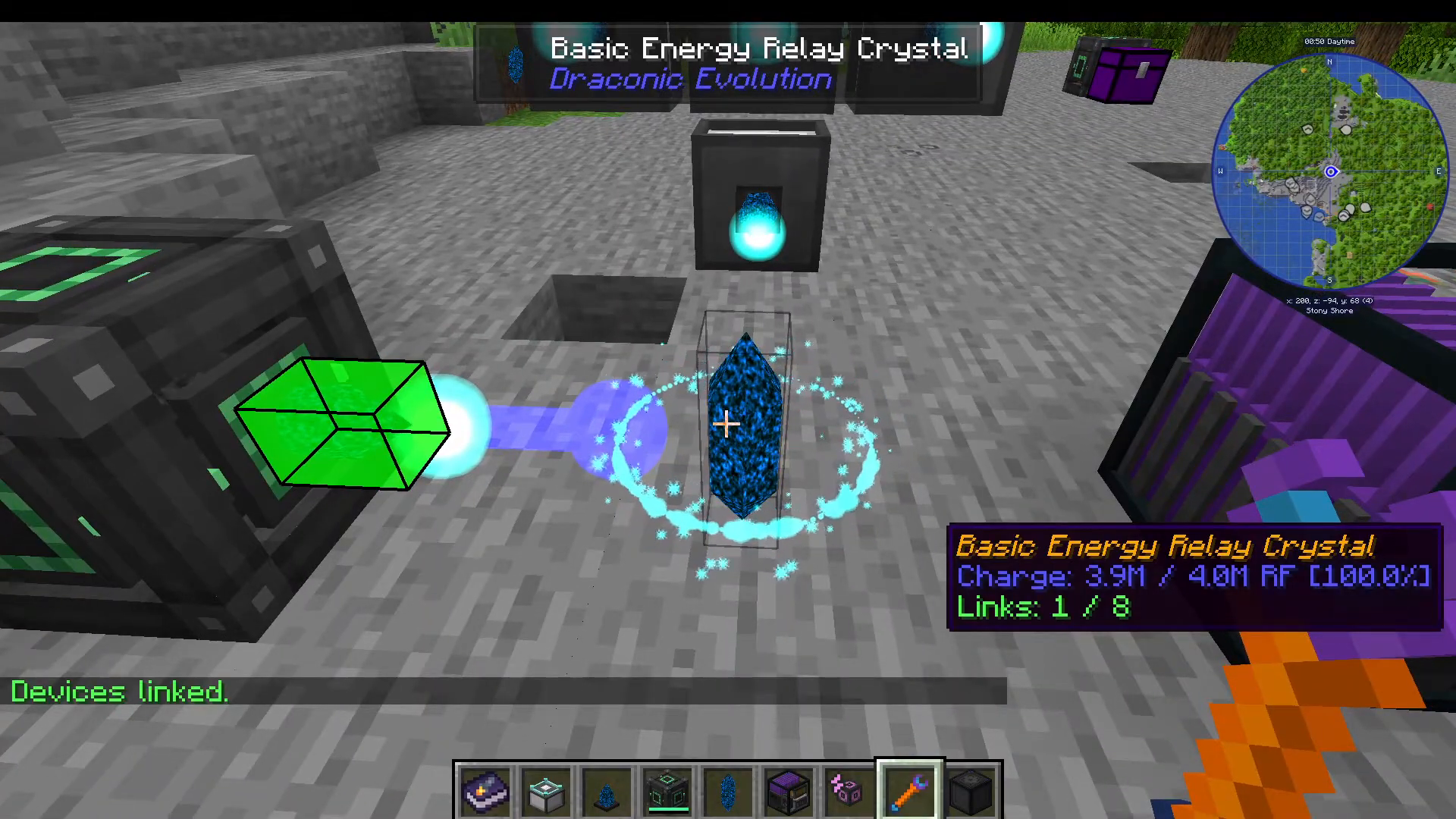
To establish energy links, craft a Crystal Binder and use it to connect your energy sources. Shift right-click an IO crystal on your energy source (generator or external mod cable input), then right-click without shifting on each relay or injector IO crystal to establish the link.
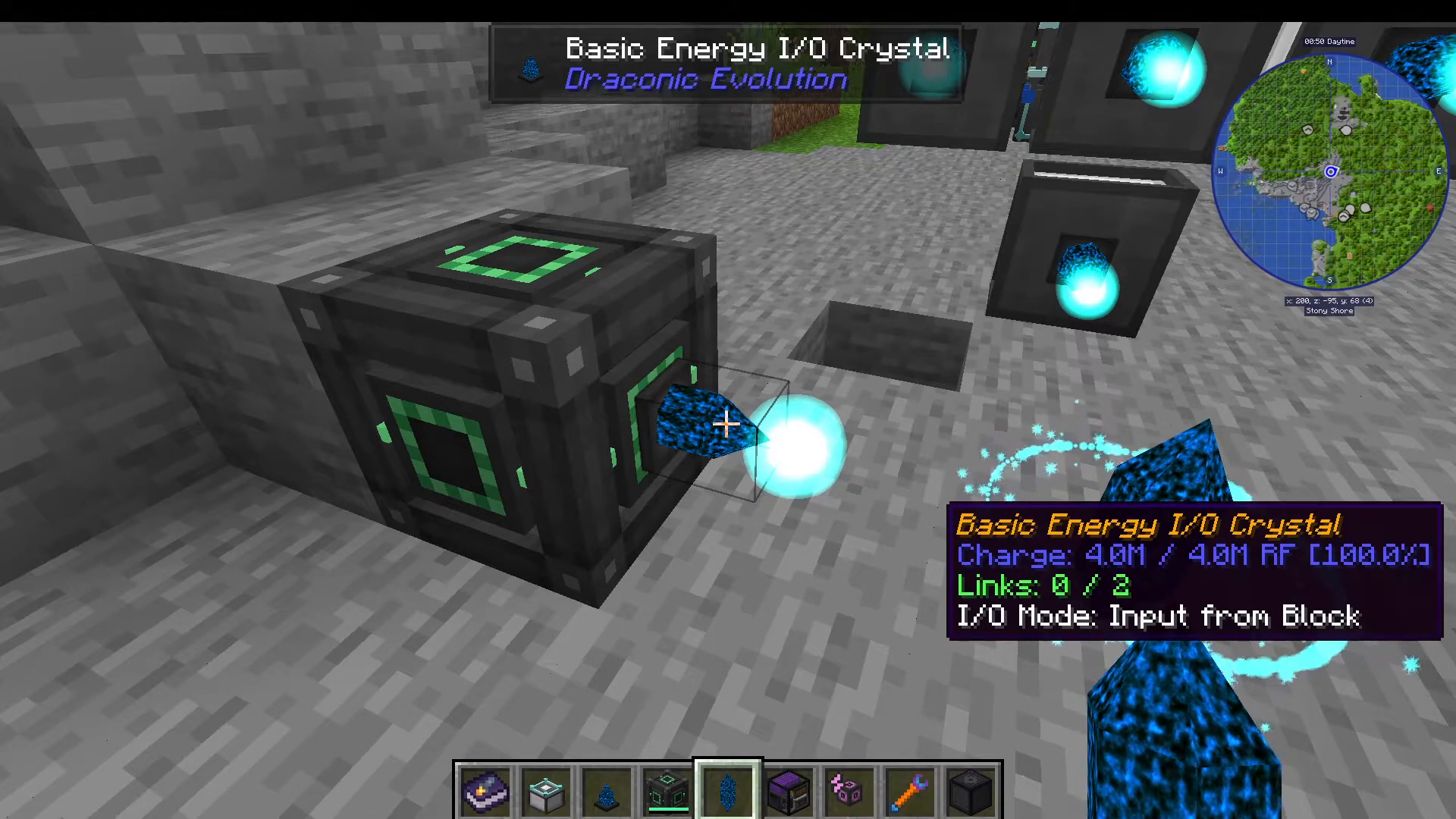
You’ll see the link status display as “Links: X out of Y” on the IO crystal tooltip. If you need more connection points, upgrade to relay crystals which can handle eight connections each.
Crafting Your First Item
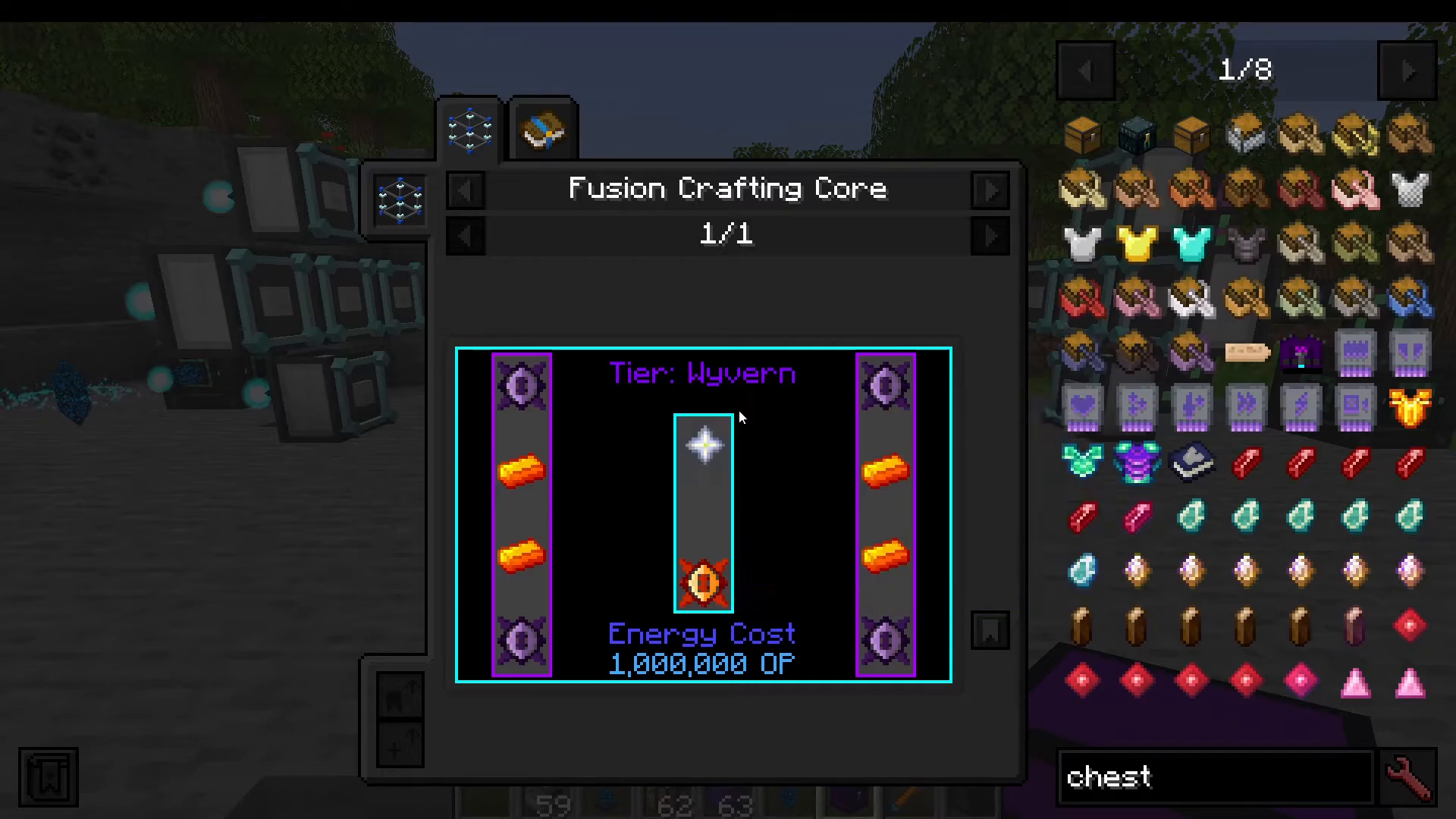
For this example, we’ll craft a Draconium Chest. First, check the recipe in the Fusion Crafting Core UI to see the energy cost (called “Operational Potential” but measured in RF) and required items.
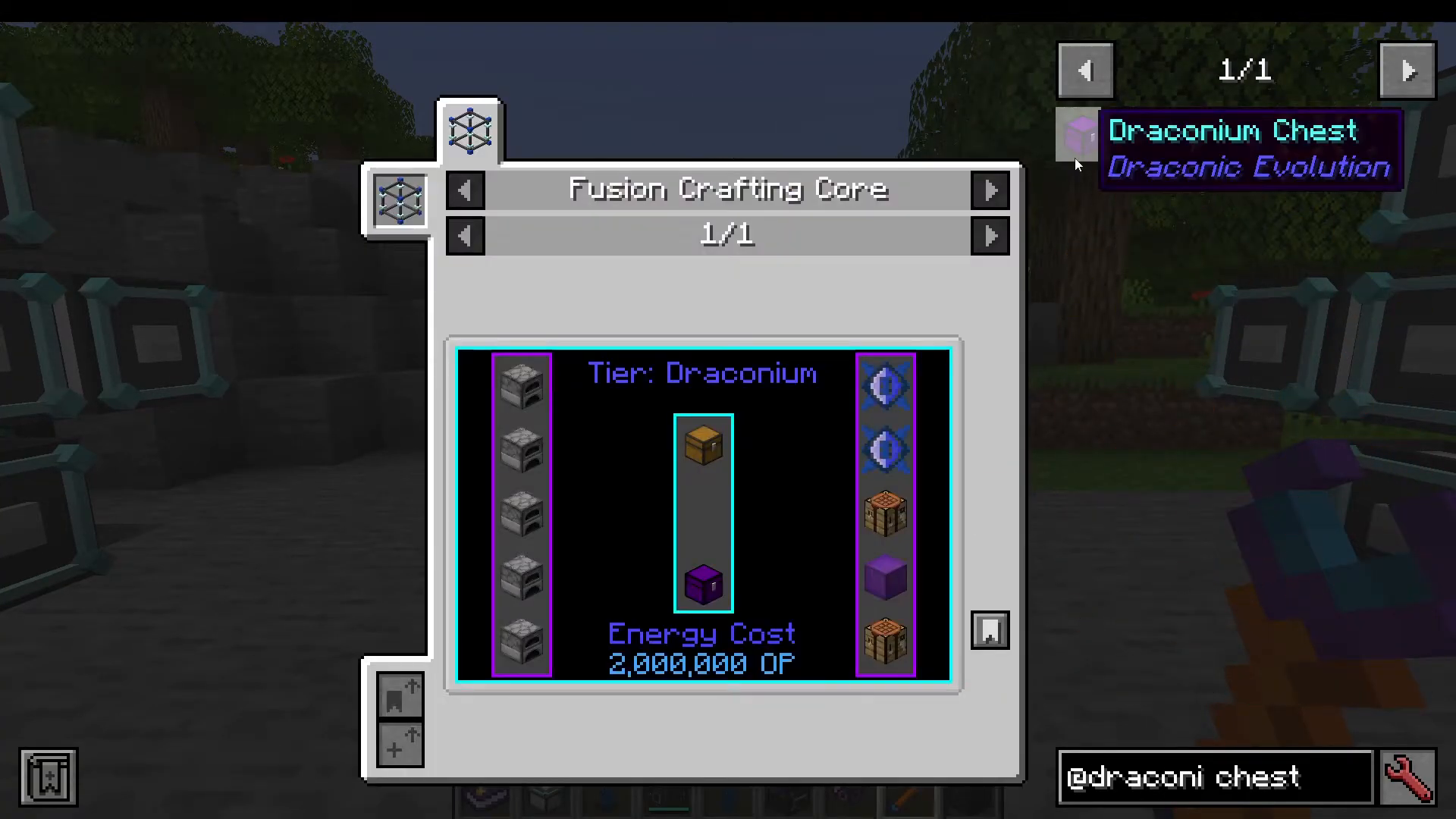
The Draconium Chest requires:
5 Furnaces
2 Draconium Calls
2 Crafting Tables
1 Draconium Block
Important: Single Item Mode vs. Stack Mode
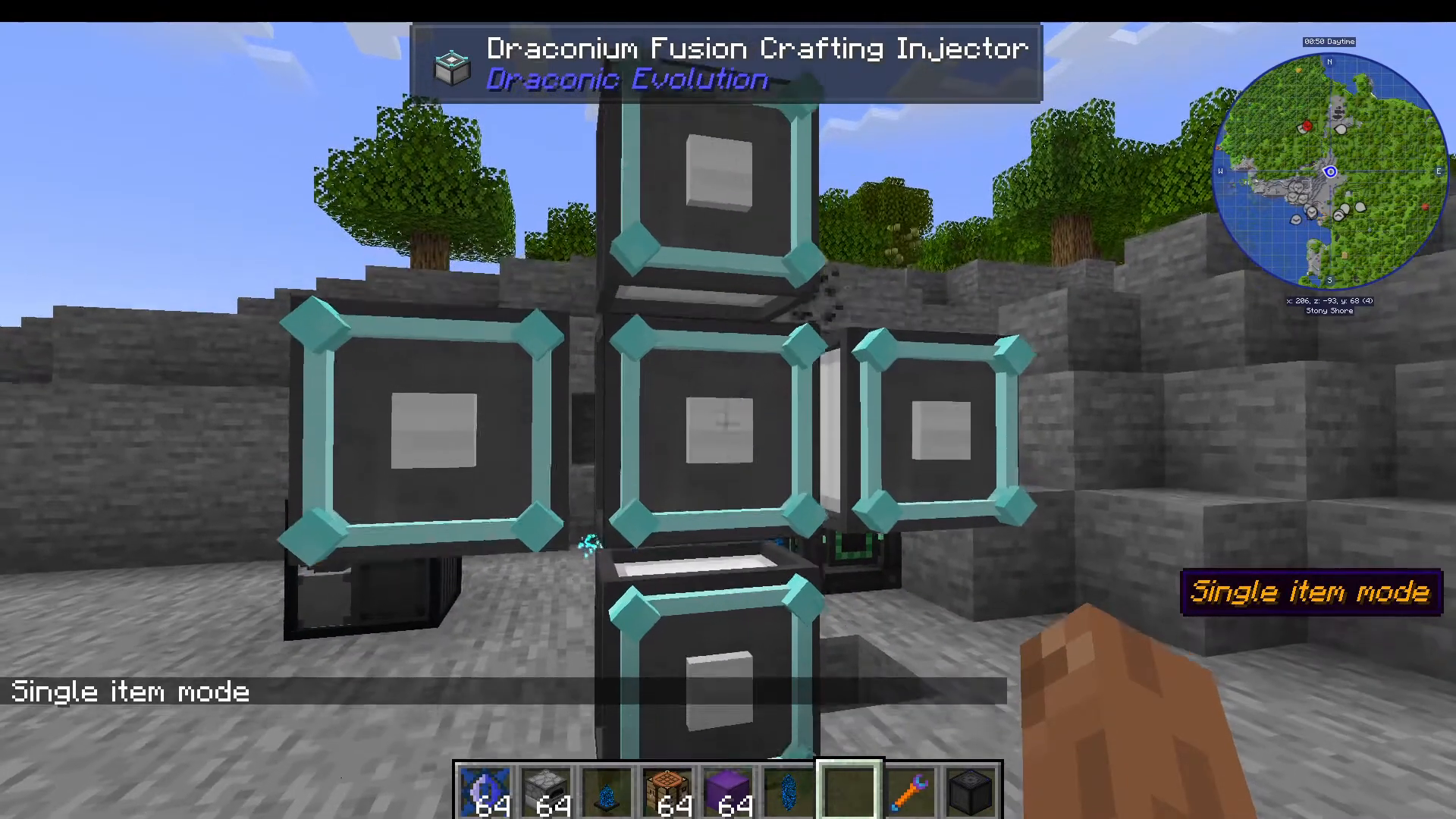
By default, Draconium Fusion Crafting Injectors are in Stack Mode. This means right-clicking will insert entire stacks. For precise recipe execution, switch to Single Item Mode by shift right-clicking each injector.
Loading Items and Starting the Craft
With your injectors in Single Item Mode:
Right-click furnaces into the left-side injectors (5 times)
Right-click Draconium Calls into the left-side injectors (2 times)
Right-click Crafting Tables into the right-side injectors (2 times)
Right-click Draconium Block into the right-side injectors (1 time)
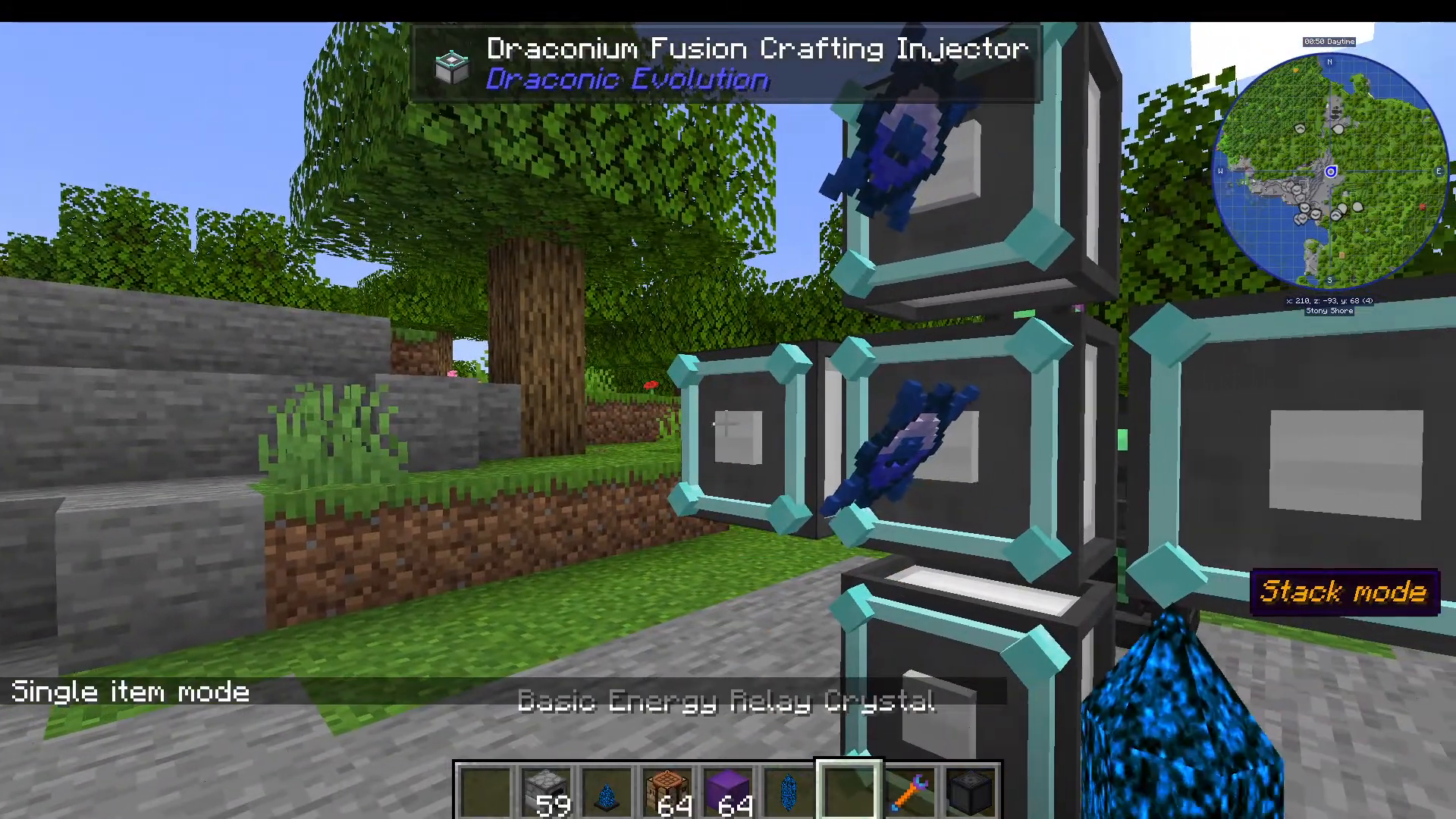
Once all items are loaded, open the Fusion Crafting Core UI and place your desired item (the Draconium Chest) in the top slot. The UI will confirm “Recipe Ready” and you can click the Craft button.
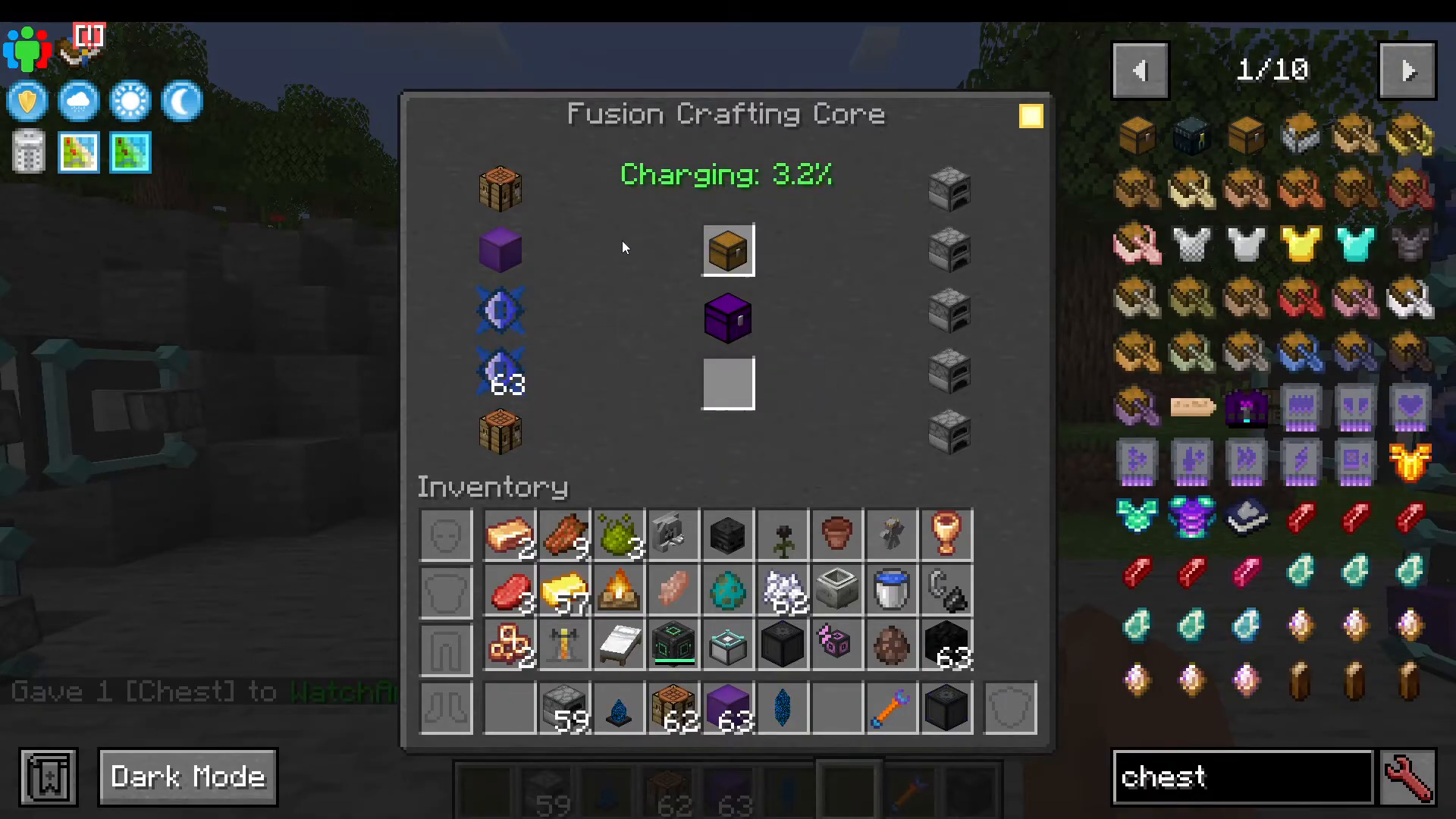
The Crafting Animation
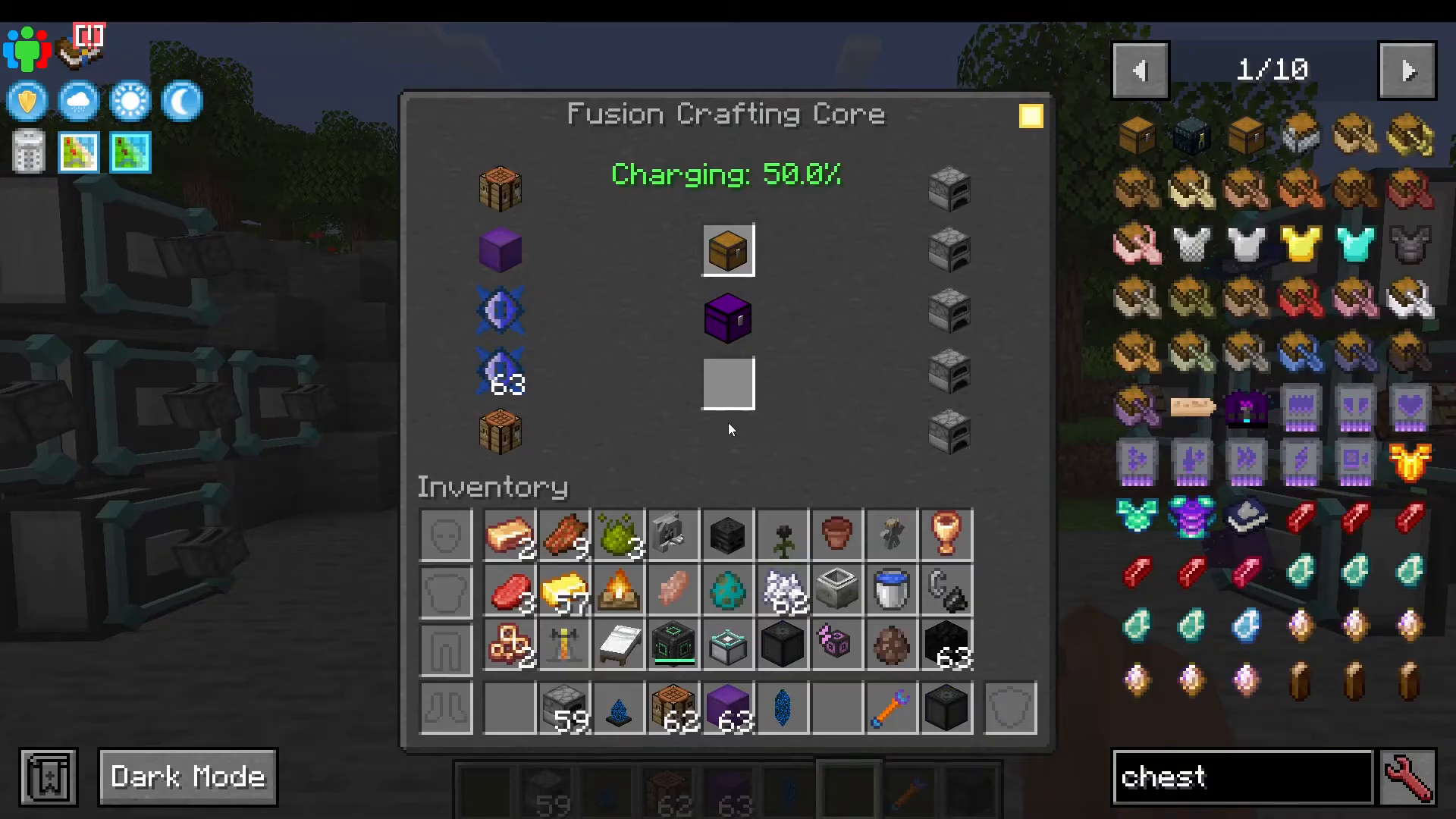
During crafting, you’ll see a charging percentage display and visual effects around the Fusion Crafting Core. The crafting percentage will increase gradually, then accelerate as it approaches completion. At around 50% completion, you’ll start to see lightning effects and particle trails. When it reaches 100%, items will be injected into the core and the crafting percentage bar will begin filling. Once complete, right-click the core to extract your finished item.
IO Crystal Mode Settings
An easy mistake to make is leaving your IO crystals in the wrong mode. By default, they’re set to “Output to Block”, which is what you want for energy input to machines. If an IO crystal is set to “Input from Block”, it won’t work for power delivery.
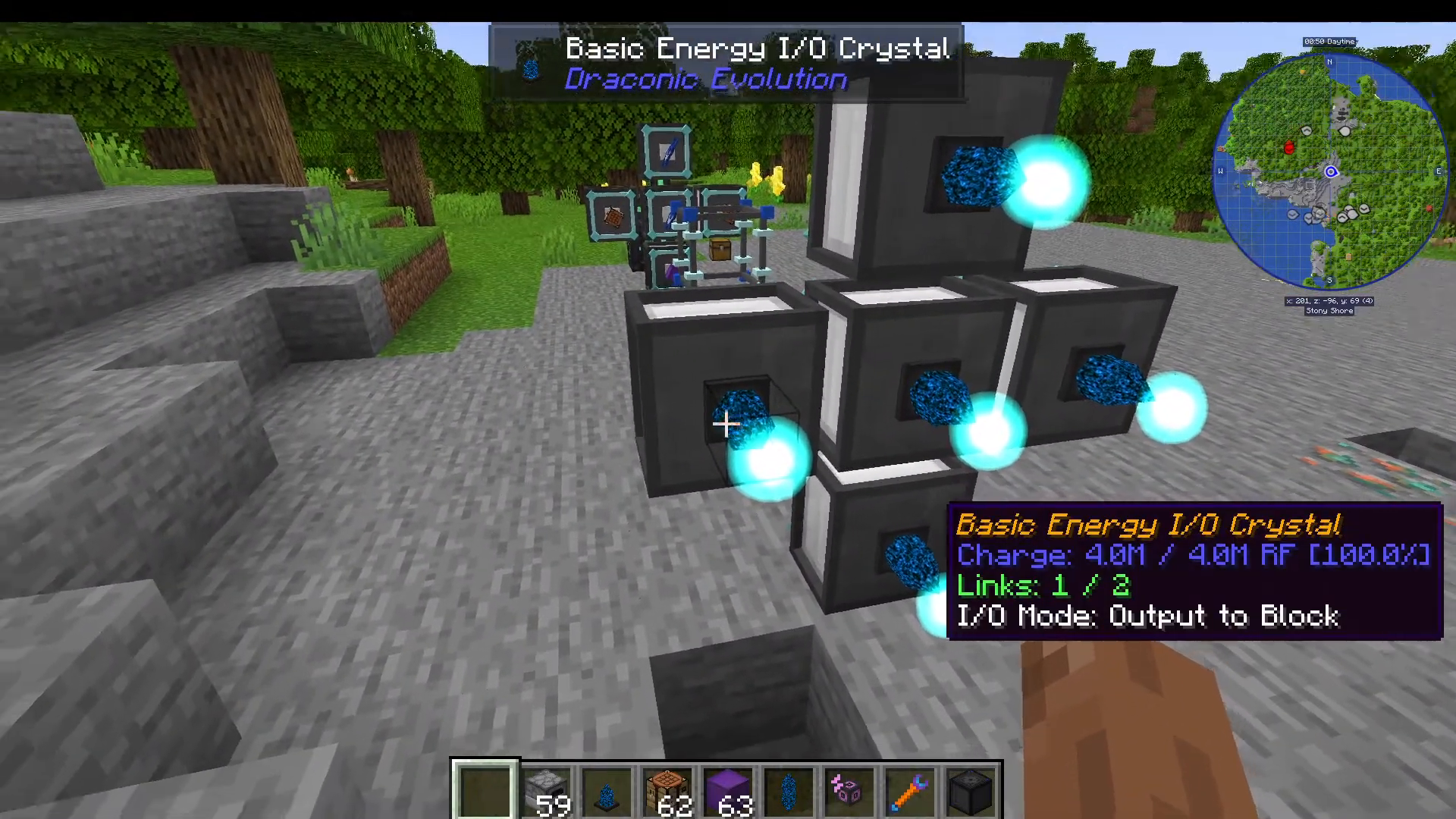
Always verify your IO crystals are set to “Output to Block” by shift right-clicking them if power isn’t flowing as expected.
The Draconium Chest
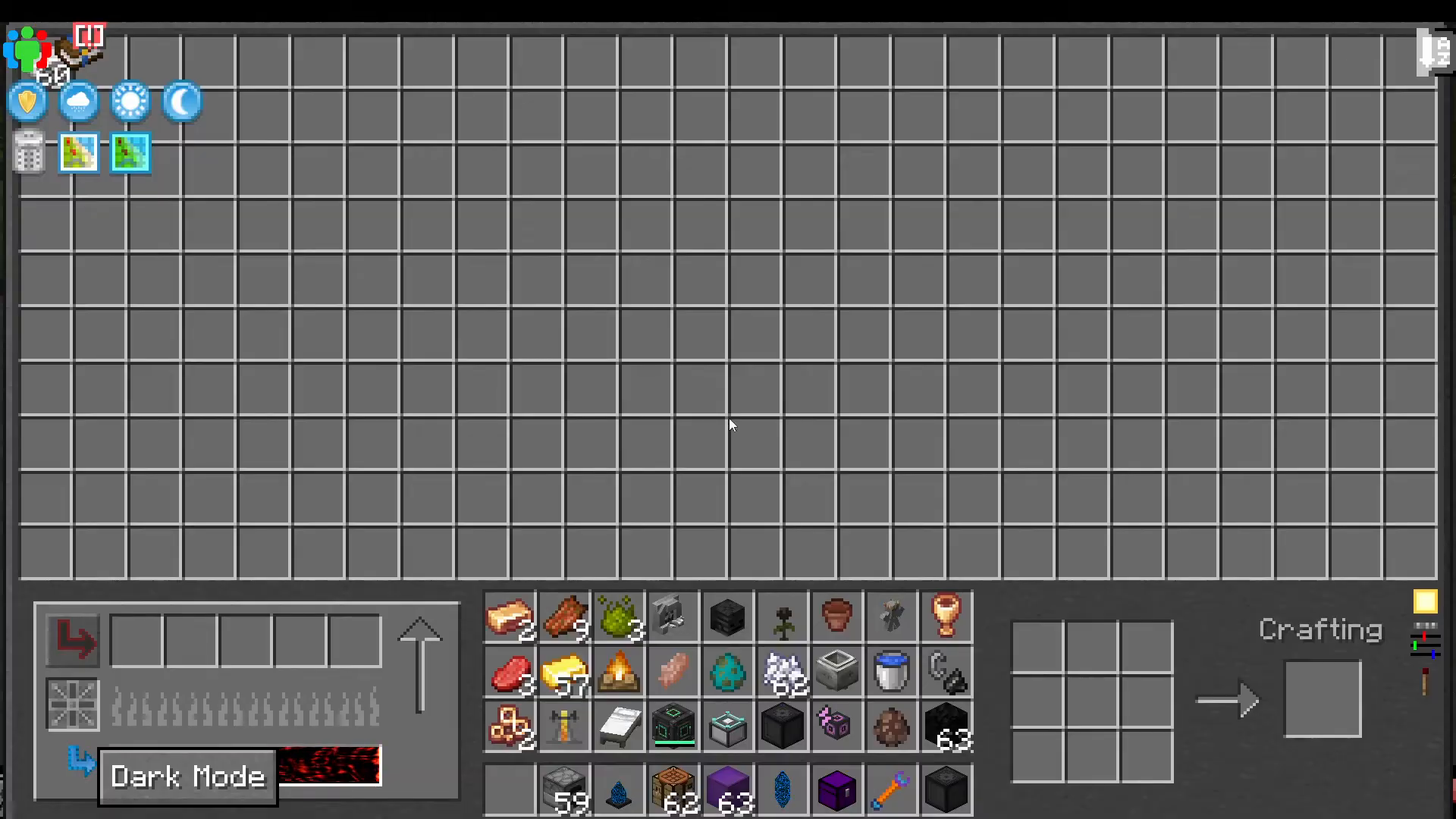
Once crafted, the Draconium Chest is an impressive storage solution with advanced features:
Massive inventory capacity
Customizable chest color
Built-in smelting capability (requires adjacent energy via IO crystal)
Light and dark mode themes
Integrated crafting bench
Progression Through Crafting Tiers
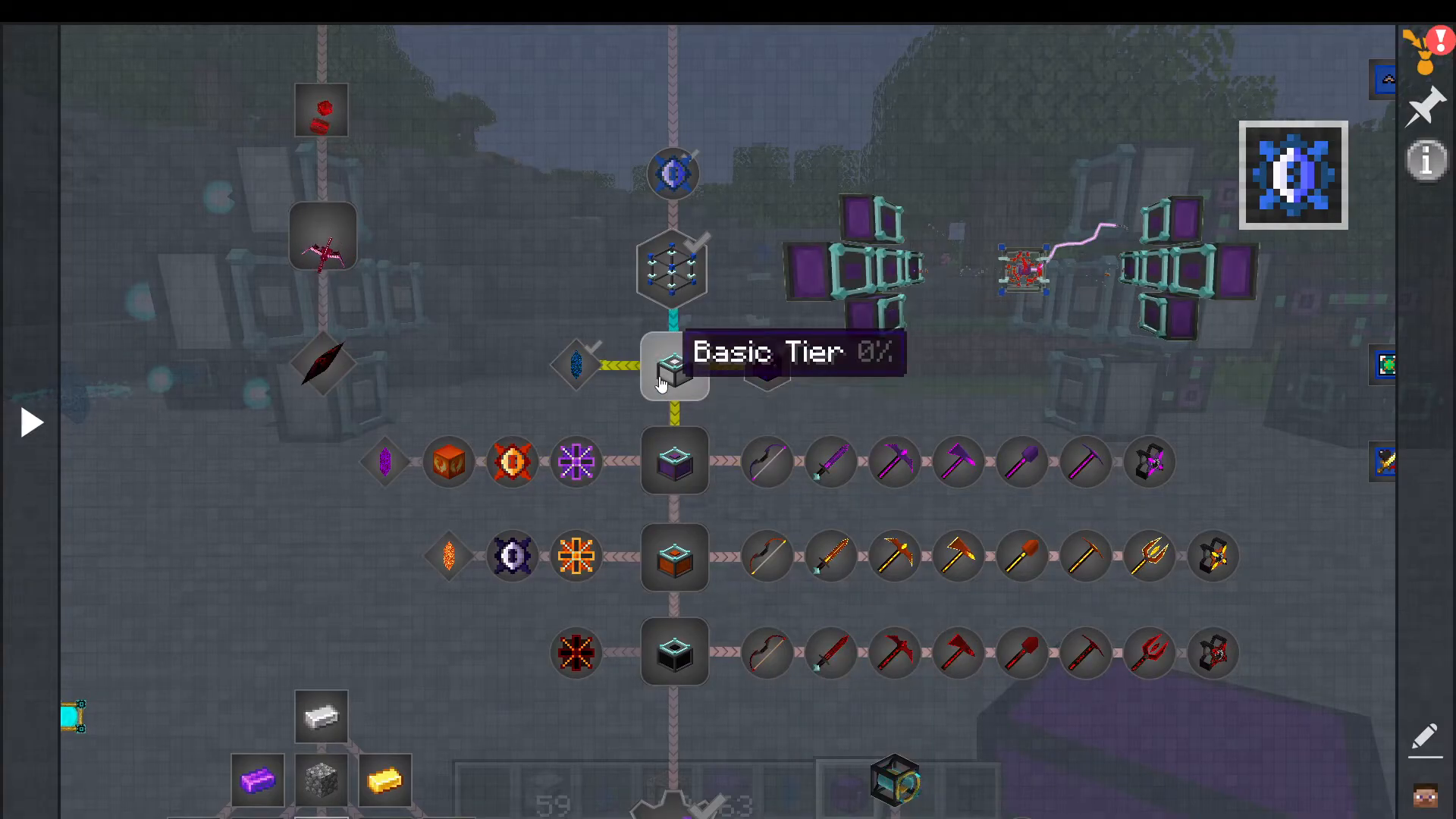
Draconic Evolution features multiple crafting tiers that unlock progressively more powerful items. Each tier requires specific tier injectors to craft its items.
Tier System Overview
Basic Tier: Starting crafting tier using basic Draconium Fusion Crafting Injectors
Wyvern Tier: Mid-game tier unlocking Wyvern-tier gear and items
Draconic Tier: Advanced tier for powerful Draconic-tier equipment
Chaotic Tier: End-game tier for the most powerful items
Upgrading to Wyvern Tier
To progress beyond basic tier items, you need to craft Wyvern Tier Fusion Crafting Injectors. You’ll need ten of these injectors to replace your basic ones. This requires Wyvern Cores, which are made from:
4 Draconium Cores
1 Nether Star
Once you have Wyvern tier injectors installed, you can craft Wyvern-tier items like the Wyvern Bow and other gear. You can transfer your existing IO crystals from basic injectors to Wyvern injectors by shift-clicking them on.
Progressing to Draconic Tier
The next major progression step requires Draconic Tier Injectors. To craft these, you need:
Draconic Core: Requires Wyvern Cores and a Nether Star
Awakened Draconium: Created by crafting an Awakened Draconium Block in the Fusion Crafting Core (requires 4 Draconium Blocks and many Draconium Cores), then breaking it into 9 Awakened Draconium Ingots
Dragon Heart: Dropped when you defeat the Ender Dragon. You can respawn the dragon repeatedly using vanilla Minecraft end crystal mechanics to farm multiple dragon hearts as needed.
Reaching Chaotic Tier
The final tier requires Chaotic Tier Injectors and Chaotic Cores. These are made with:
Large Chaos Fragments
Dragon Eggs
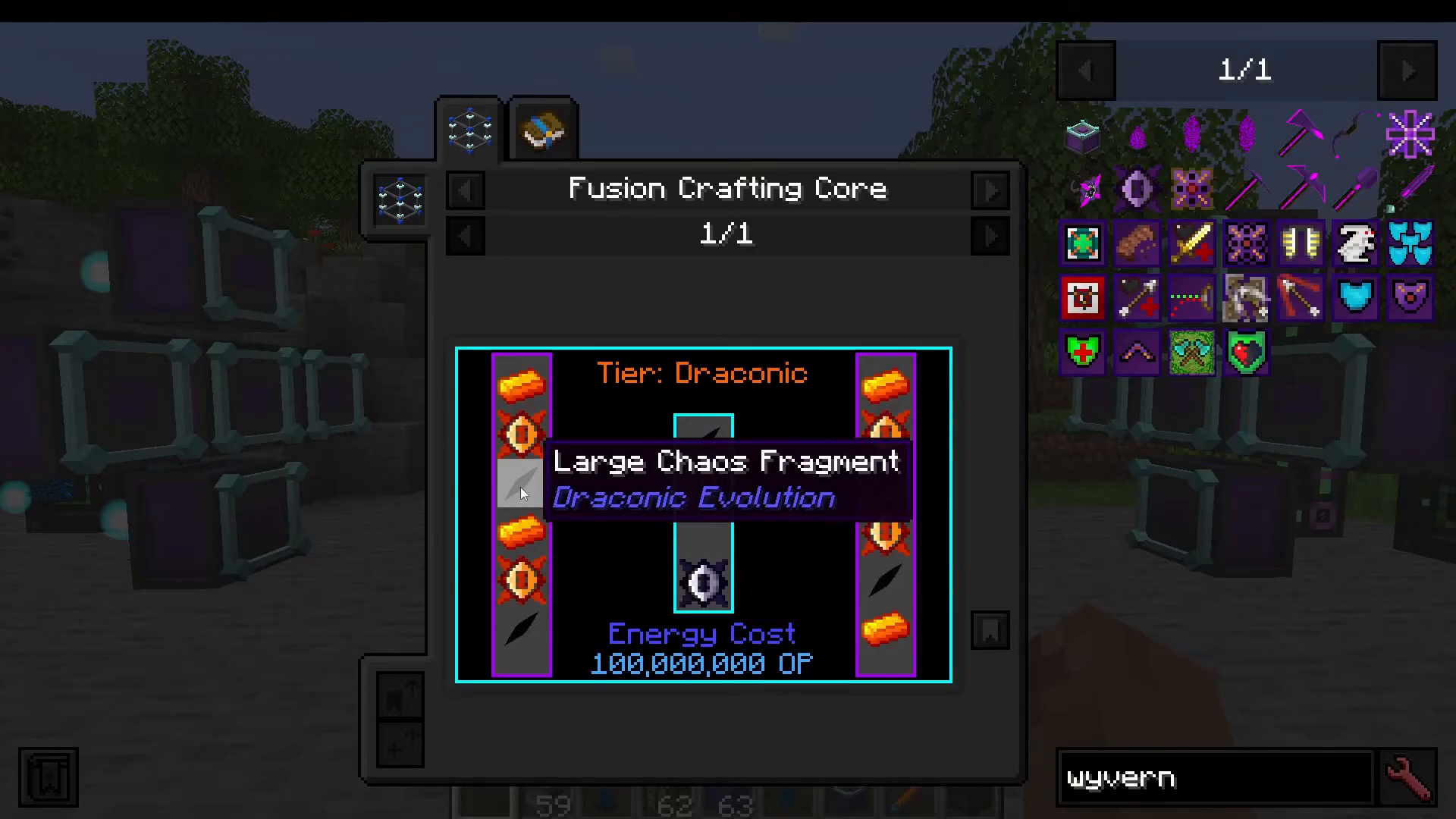
At this tier, you’ll be crafting items that require defeating the Chaos Guardian and gathering chaos fragments, representing the absolute pinnacle of Draconic Evolution progression.
Summary
Fusion crafting is the heart of Draconic Evolution progression. Start by setting up a basic Fusion Crafting Core with injectors, power them with either external mod energy or Draconic Energy Crystals, and begin crafting. As you progress through the four tiers—Basic, Wyvern, Draconic, and Chaotic—you’ll unlock increasingly powerful items and equipment. Remember to set injectors to Single Item Mode for precise recipes, verify IO crystal modes are correct, and always check recipe requirements before starting a craft. With patience and planning, you’ll master the fusion crafting system and unlock everything Draconic Evolution has to offer.
Want to Support?
If you would like to help us continue making these guides – please consider joining our patreon here – https://www.patreon.com/c/JaviHeals
Alternatively – we host a group of MC Servers you can join here – https://discord.gg/zD7Gjt6MHF



