







Draconic Evolution Reactor Guide (8M RF Tick)
Draconic Evolution Reactor Guide (8M RF Tick)
Once you’ve defeated the Chaos Guardian and obtained the necessary fragments, you may want to set up a Draconic Evolution reactor. This powerful energy generation system can be simple or complex to maintain stability, but with the right knowledge, you can safely operate it to produce up to 8 million RF per tick. This guide will walk you through the setup, safety considerations, and optimization techniques.
Critical Safety Warning
Before you begin, understand that a Draconic Evolution reactor meltdown will destroy and vaporize absolutely everything in approximately a 300-block radius. There is no containment block that can stop this catastrophic failure—unlike Industrial Craft reactors, nothing will contain the damage.
Top tip: Place your reactor in a separate dimension. Use the Nether, End, a Compact Machine, or any other dimension far from your base. Make backups before testing. A meltdown will completely destroy the surrounding landscape.
Required Components
To build a functional Draconic Evolution reactor, you will need the following items (all crafted via Infusion Crafting):
1x Draconic Reactor Core
4x Reactor Stabilizers
2x Flux Gates
1x Reactor Energy Injector
A few levers (for redstone control)
Reactor Layout and Setup
Positioning the Core and Stabilizers
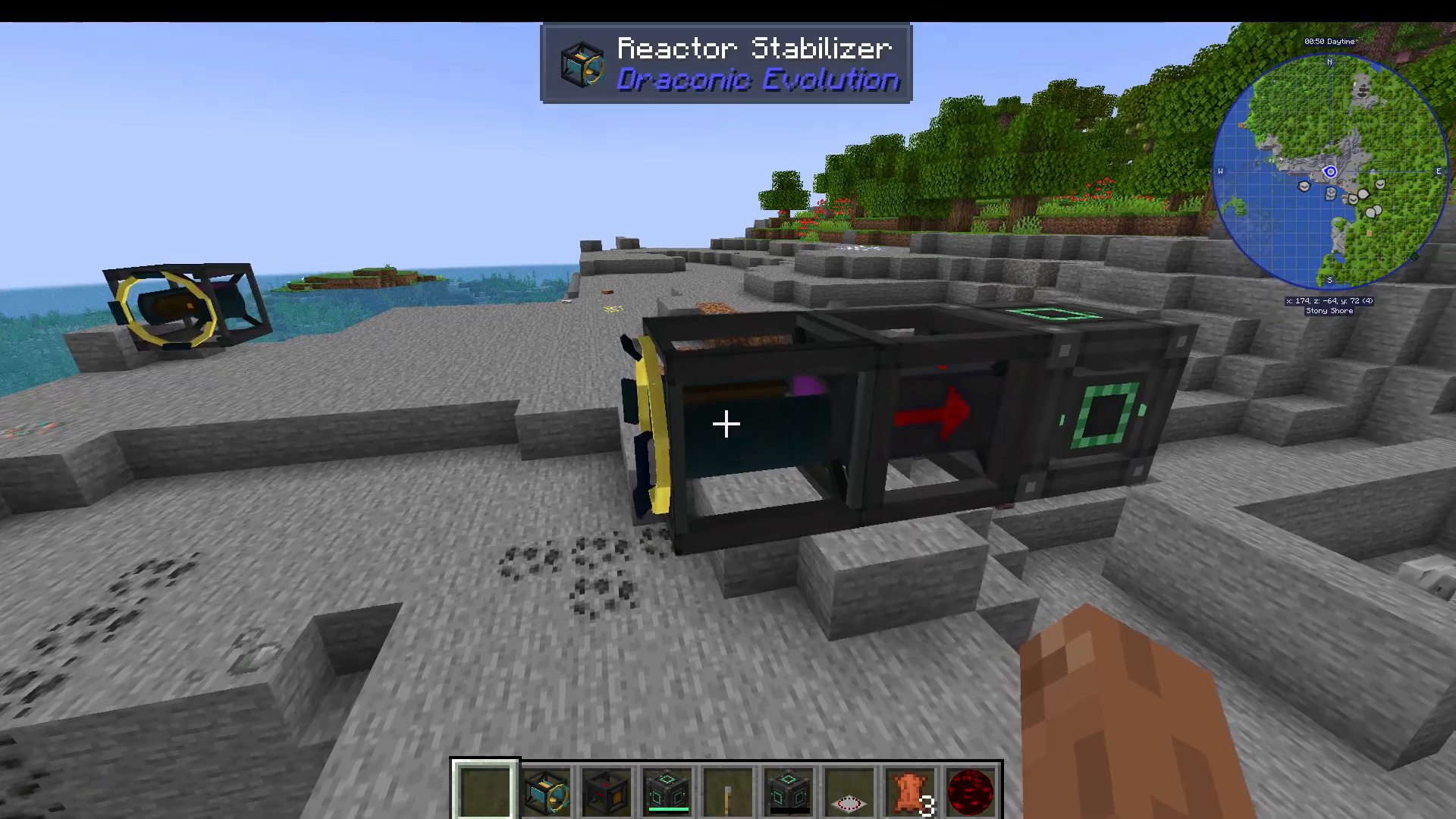
Place the Draconic Reactor Core in the center of your setup. The stabilizers should be positioned 5 to 8 blocks away from the core. A distance of 8 blocks is recommended because the core expands as the reactor operates, and additional spacing gives you more flexibility for stabilization.
Verify your setup is correct by clicking on a reactor stabilizer. A valid configuration will display status information. If the setup is invalid, it will show “Invalid Setup.”
Placing the Injector and Flux Gates
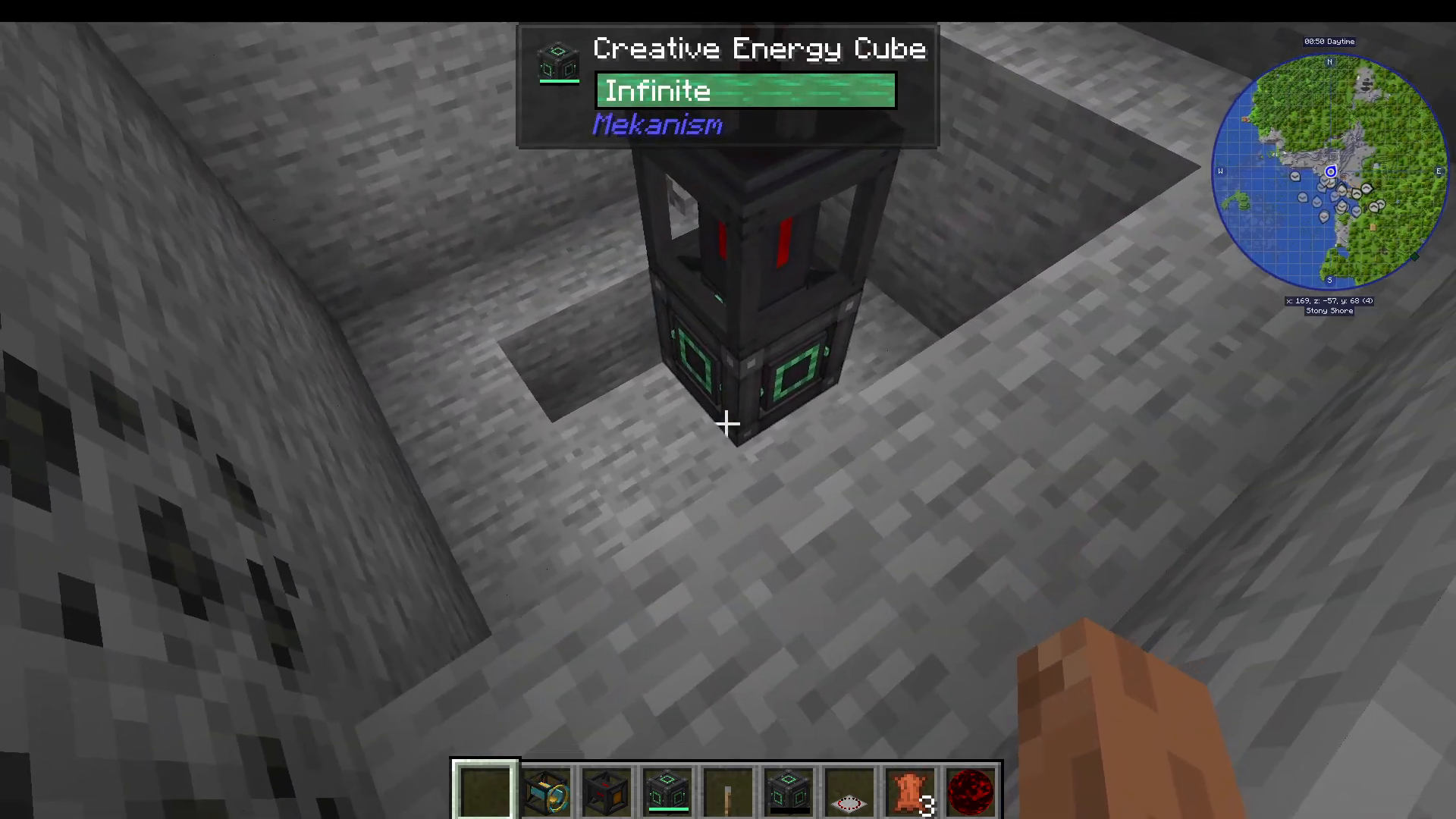
The Reactor Energy Injector must be placed on a different axis from the core—for example, below or above it. You can also position injectors on multiple sides (left, right, up, down) as long as they align on the X, Y, or Z axis.
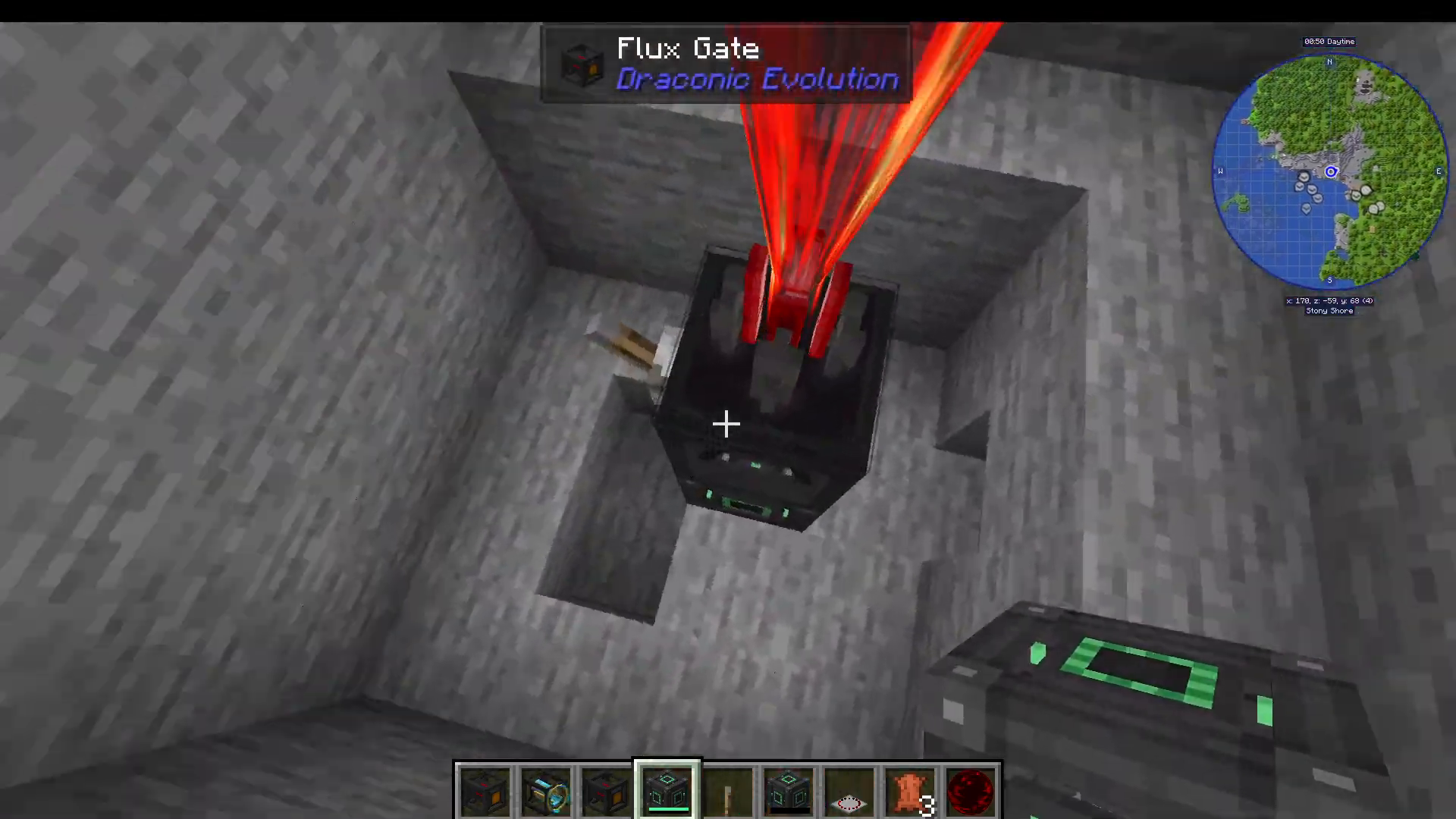
Below (or adjacent to) the injector, place a Flux Gate. This gate controls energy flow into the reactor. Position an additional Flux Gate on one of the stabilizers to extract energy from the reactor.
Flux Gate Orientation
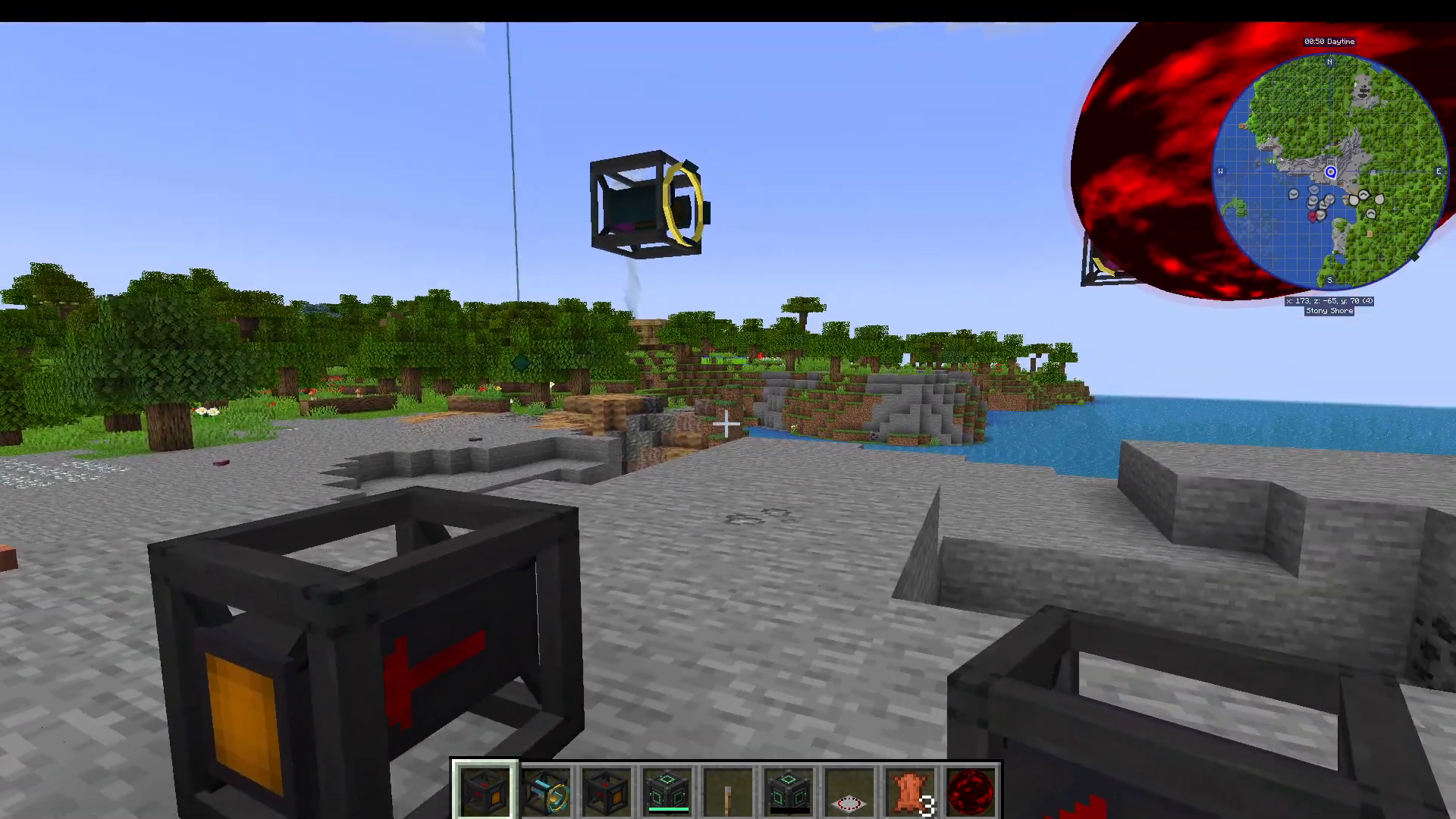
Flux Gates have directional coloring: purple/blue indicates the input side, and orange indicates the output side. The direction the gate faces depends on which side you’re facing when you place it. If you need to change the orientation, place it from a different angle. Currently, there is no UI option to rotate flux gates after placement.
Understanding Reactor Statistics
Core Temperature
The reactor needs approximately 2,000 degrees to start, but it will heat up rapidly once it reaches 8,000 degrees. Monitor this value carefully during operation.
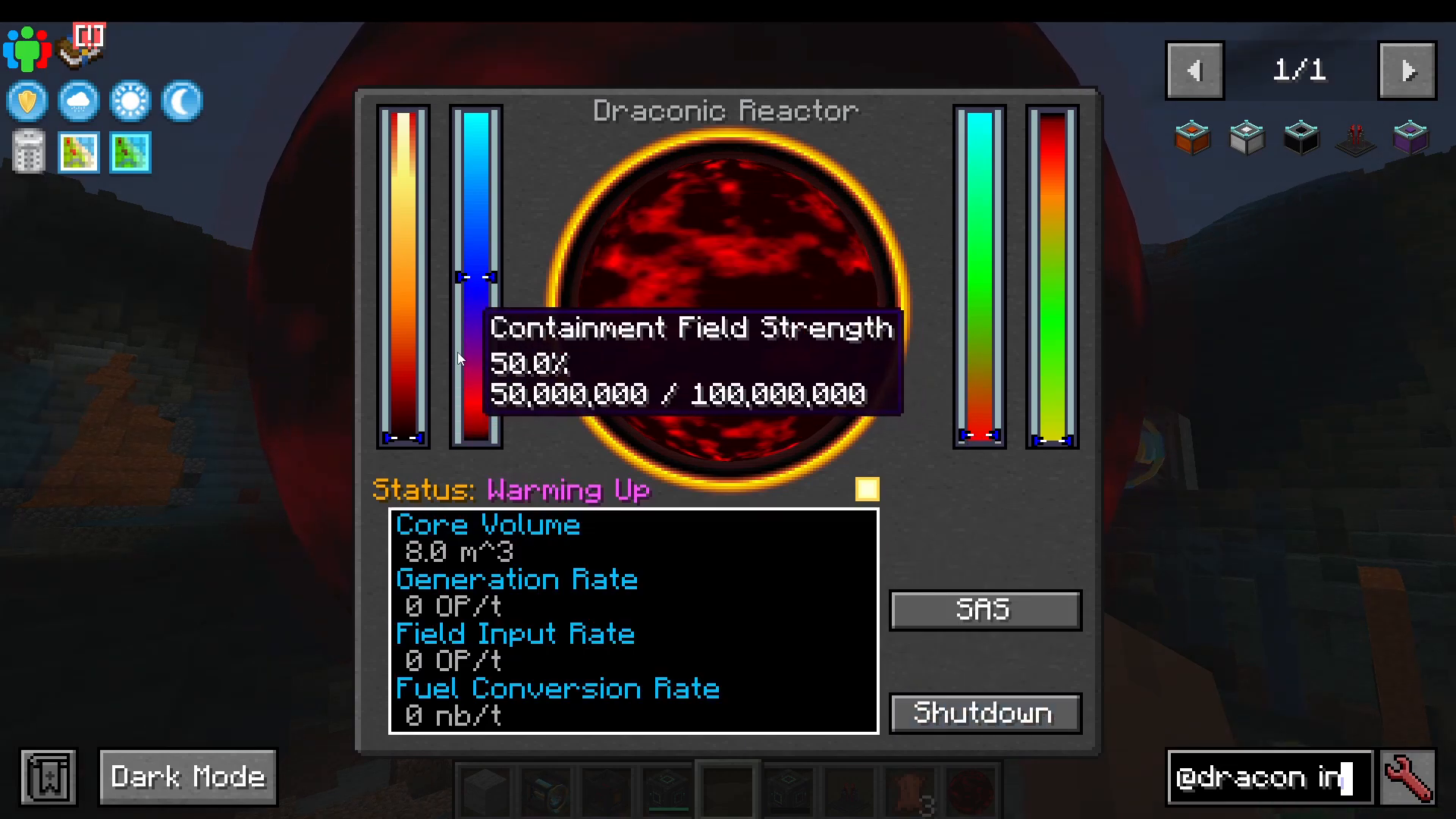
Containment Field Strength
This represents the structural integrity of your reactor’s containment field. If it reaches zero while the reactor is active, a meltdown will occur.
The containment field operates on a risk-vs-reward principle: a higher containment field strength is safer but less efficient. A lower containment field provides more power generation but leaves less margin for error.
Energy Saturation
Energy saturation represents how much energy is stored in the reactor core. The reactor works by injecting energy to saturate the core, which converts that energy into more energy.
Key principle: The higher the saturation, the lower the generation rate. When you extract energy from the reactor, saturation decreases, prompting the reactor to generate more energy to compensate. This inverse relationship means:
Lower saturation = Higher generation rate (reactor working harder)
Higher saturation = Lower generation rate (reactor coasting)
Fuel Conversion Rate
This indicates how much Awakened Draconium fuel is being consumed per tick. A perfectly stabilized reactor consumes minimal fuel. As the reactor remains balanced at a constant power output, temperature rises, more power generates, and that excess energy goes into saturation, lowering the generation rate and fuel consumption.
The longer a reactor stays balanced, the longer it lasts before requiring refueling.
Fueling the Reactor
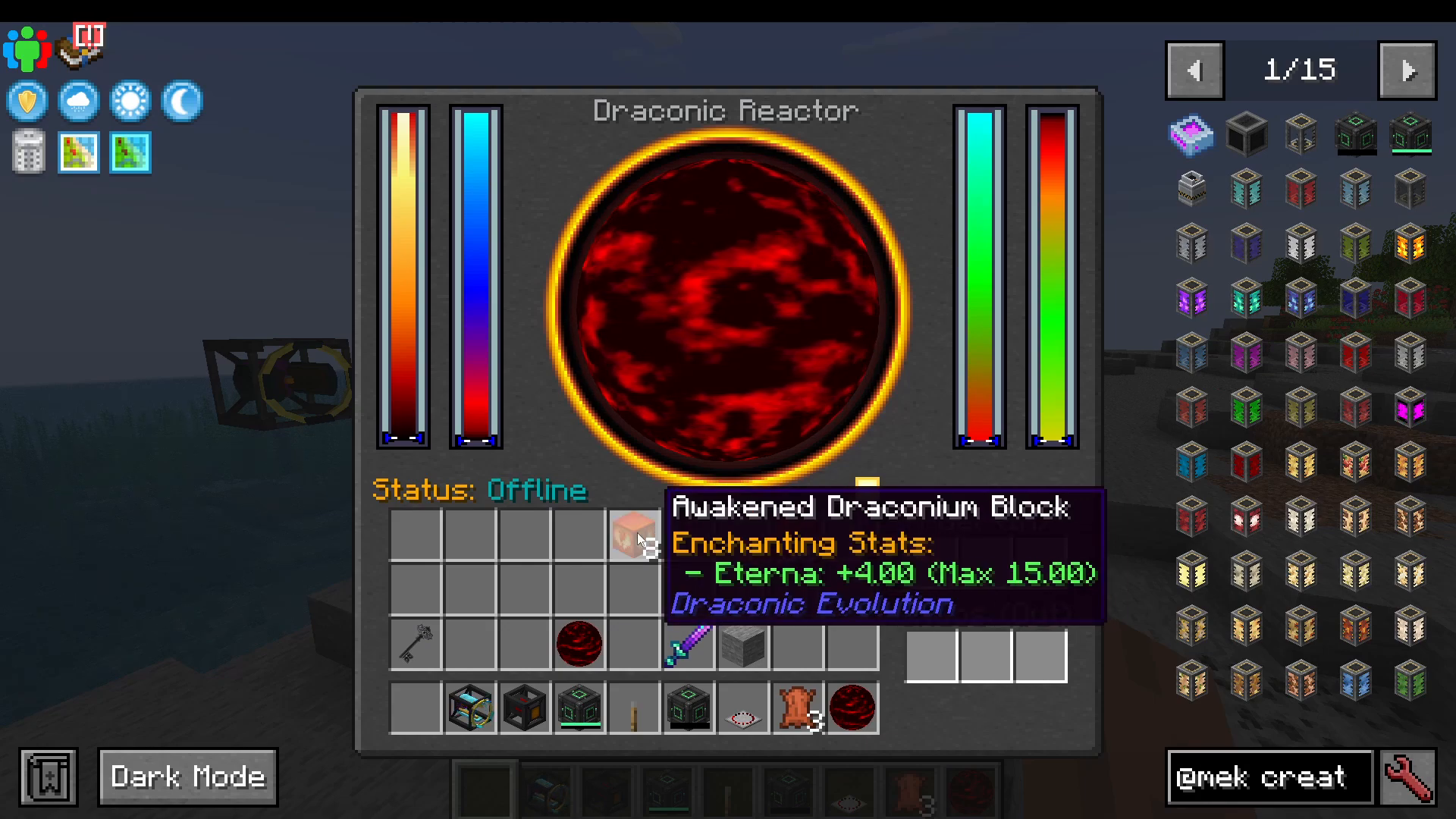
Draconic Evolution reactors use Awakened Draconium as fuel. The reactor can hold up to eight blocks of Awakened Draconium at a time. Insert the fuel, and a “Charge” button will appear—but do not press it yet. First, ensure all other settings are configured correctly.
Configuring Flux Gates with Redstone Control
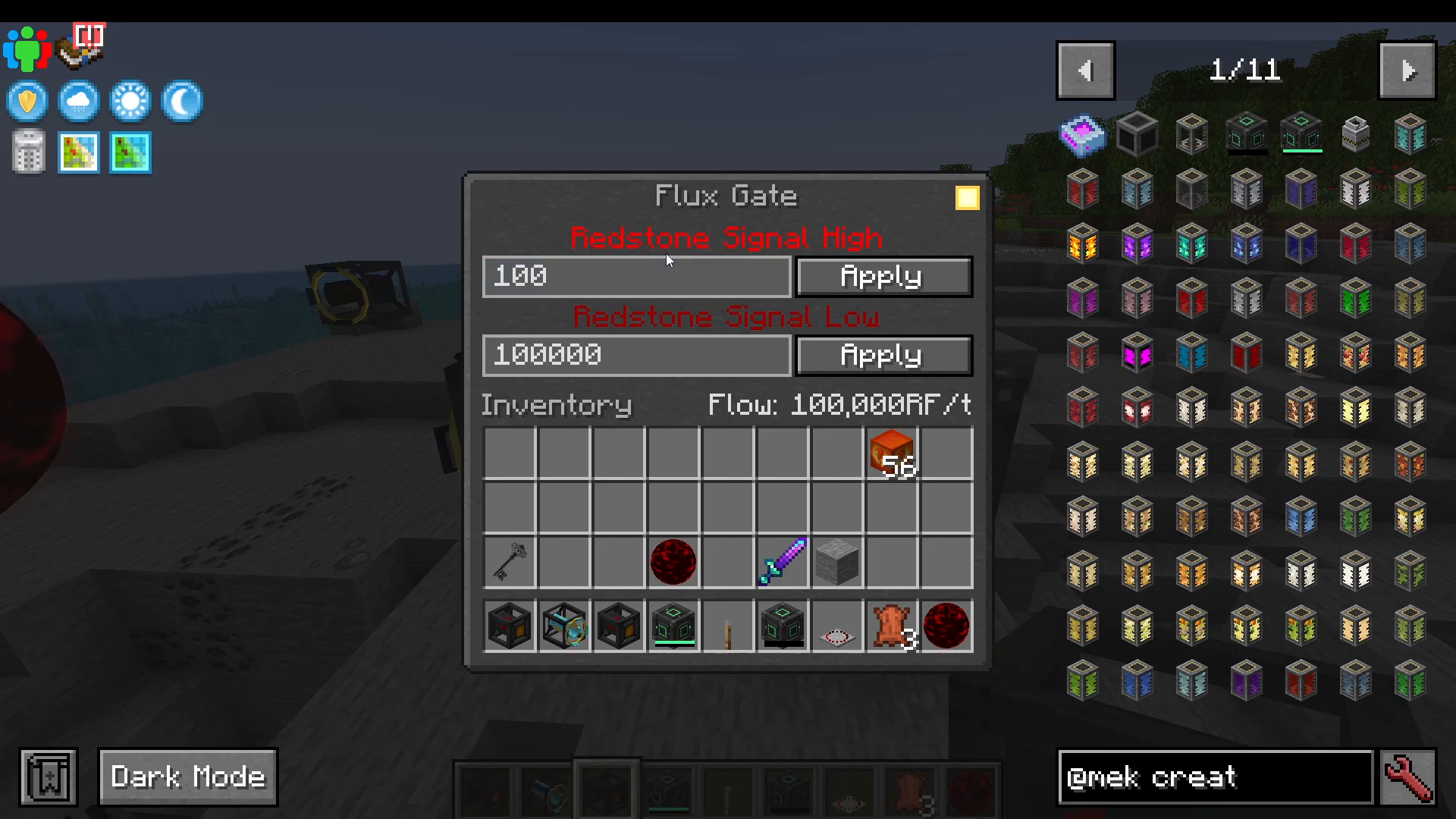
Flux Gates support redstone control, allowing precise energy flow regulation. When you click on a flux gate, you can set two flow rates:
Low/No Redstone Signal: Flow rate when redstone is off
High Redstone Signal: Flow rate when redstone is on
You can control redstone signals using levers or potentiometers. This enables advanced automation setups. For example:
Lever OFF = 100,000 RF/tick flow
Lever ON = 0 RF/tick flow (no energy transfer)
Charging the Reactor
Once you press the “Charge” button, additional options appear:
Shutdown Button: Manually stops the reactor immediately
Semi-Automated Shutdown: Automatically initiates shutdown if core temperature drops below 2,500 degrees AND saturation reaches 99%. This prevents overheating and saturation-induced meltdowns.
The reactor charges in three stages, driven by energy injection from your flux gate:
Energy fills the containment field strength (target: 50%)
Energy fills the saturation (target: 50%)
Remaining energy heats the core (target: 2,000 degrees)
Safe Startup Procedure
Initial Configuration
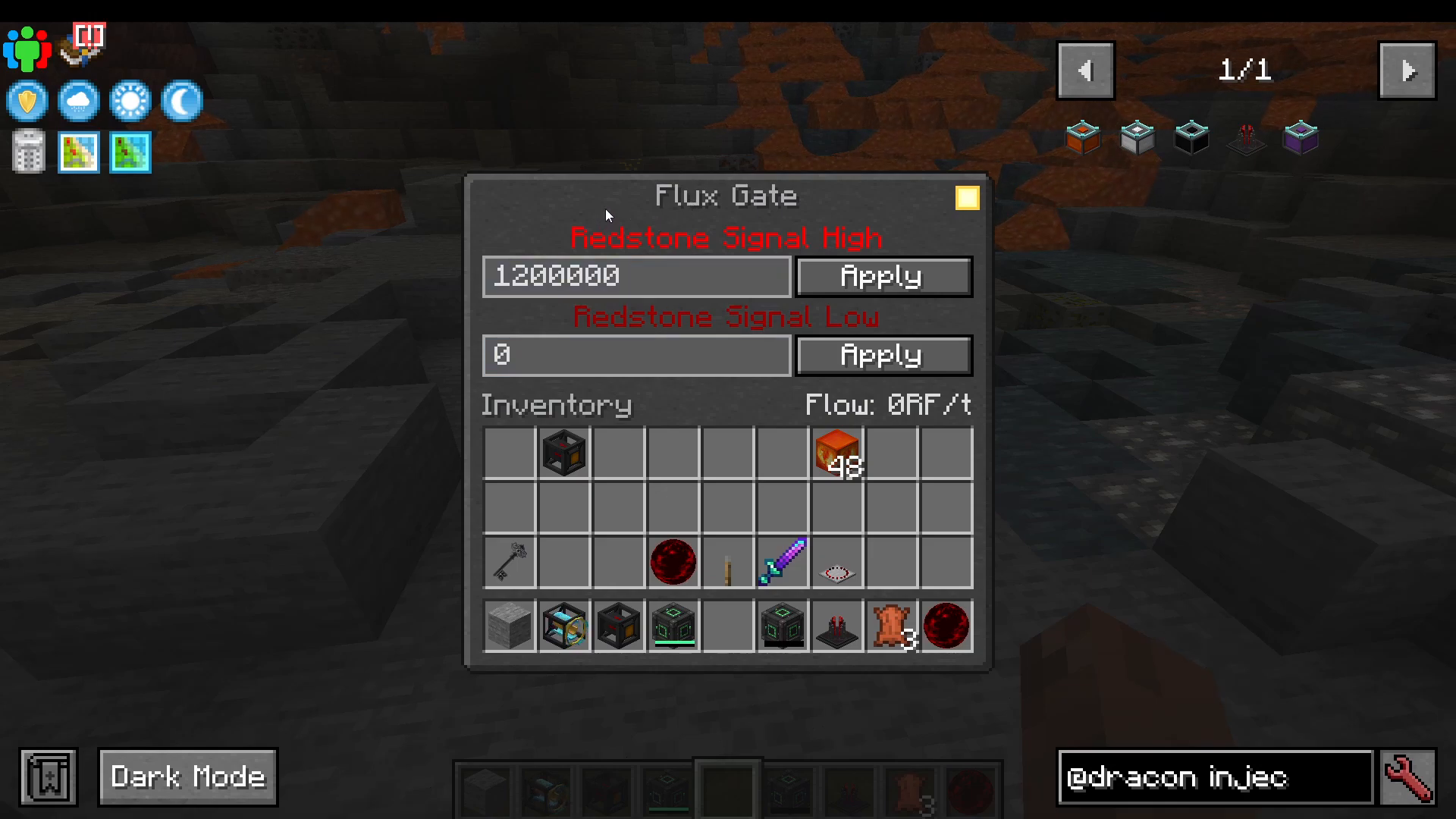
For a stable 8 million RF/tick reactor, configure your flux gates as follows:
Input Flux Gate: High redstone signal = 1.2 million RF/tick, Low signal = 0 RF/tick
Output Flux Gate: High redstone signal = 2.5 million RF/tick, Low signal = 0 RF/tick
Charging Phase
With the input lever OFF (0 RF/tick) and output lever OFF (0 RF/tick):
Insert eight blocks of Awakened Draconium
Turn the input lever ON (1.2 million RF/tick injection)
Press “Charge”
The containment field strength will quickly reach 50%. Energy saturation will gradually build to 50%, and core temperature will rise to 2,000 degrees. This charging phase may take approximately one minute. You can increase the input rate to speed up charging, but remember to reduce it back to 1.2 million before activation.
Stabilization Phase
Once the reactor reaches the target values (50% containment, 50% saturation, 2,000 degrees), press “Activate” while keeping input at 1.2 million RF/tick and output at 0 RF/tick.
The saturation will spike toward 100%, but do not panic. The containment field will rise accordingly. Around 97-99% saturation, the rate of increase slows dramatically. The reactor will stabilize without reaching 100%, and the core temperature will slowly decrease. This is normal and indicates a stable state.
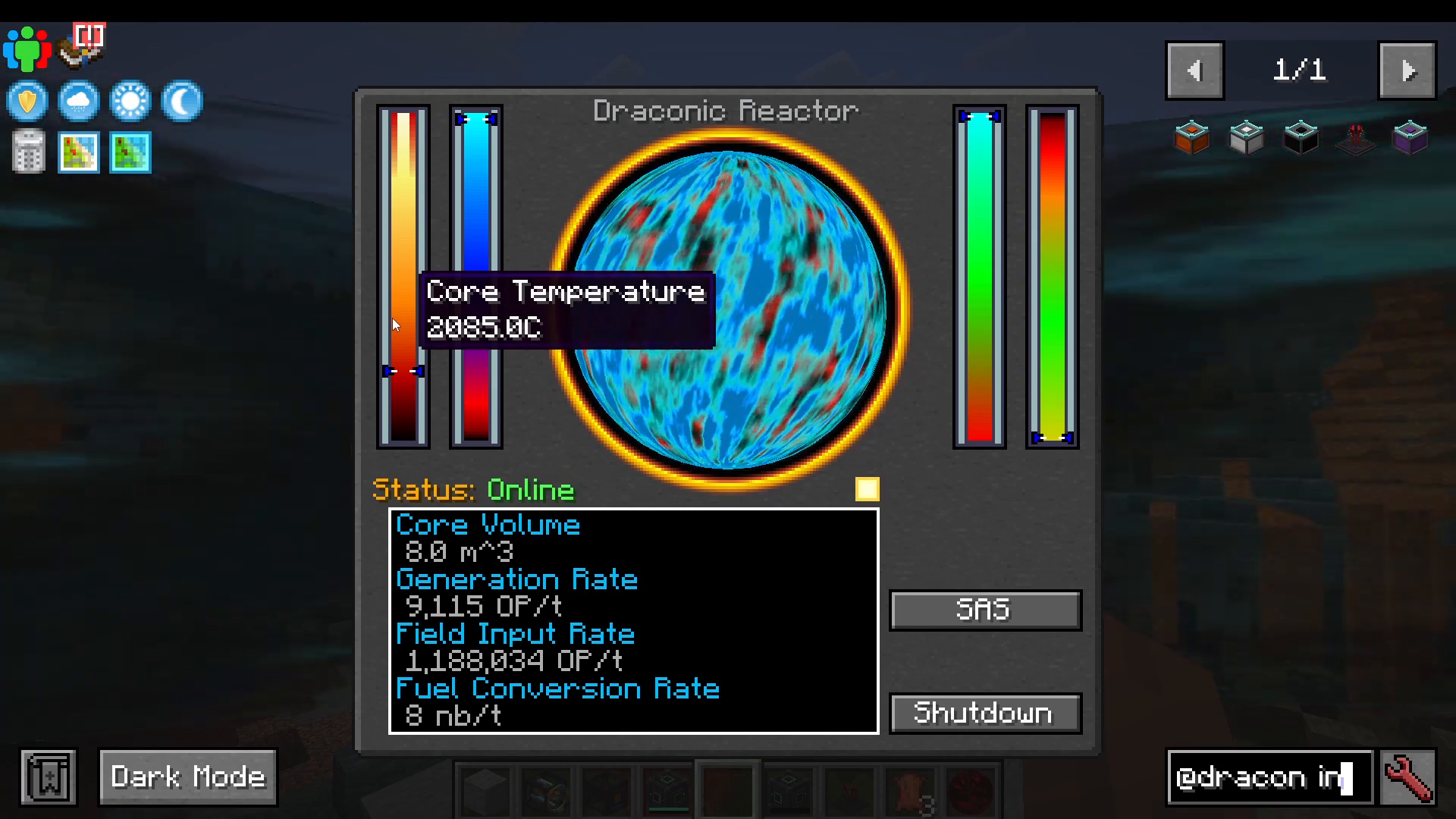
Power Generation Phase
Once stabilized, enable the output flux gate (flip the lever to set 2.5 million RF/tick output). The containment field will rapidly drop and stabilize around 53-55%. Energy saturation will also decrease as you extract power. The core temperature will rise slightly but remain stable.
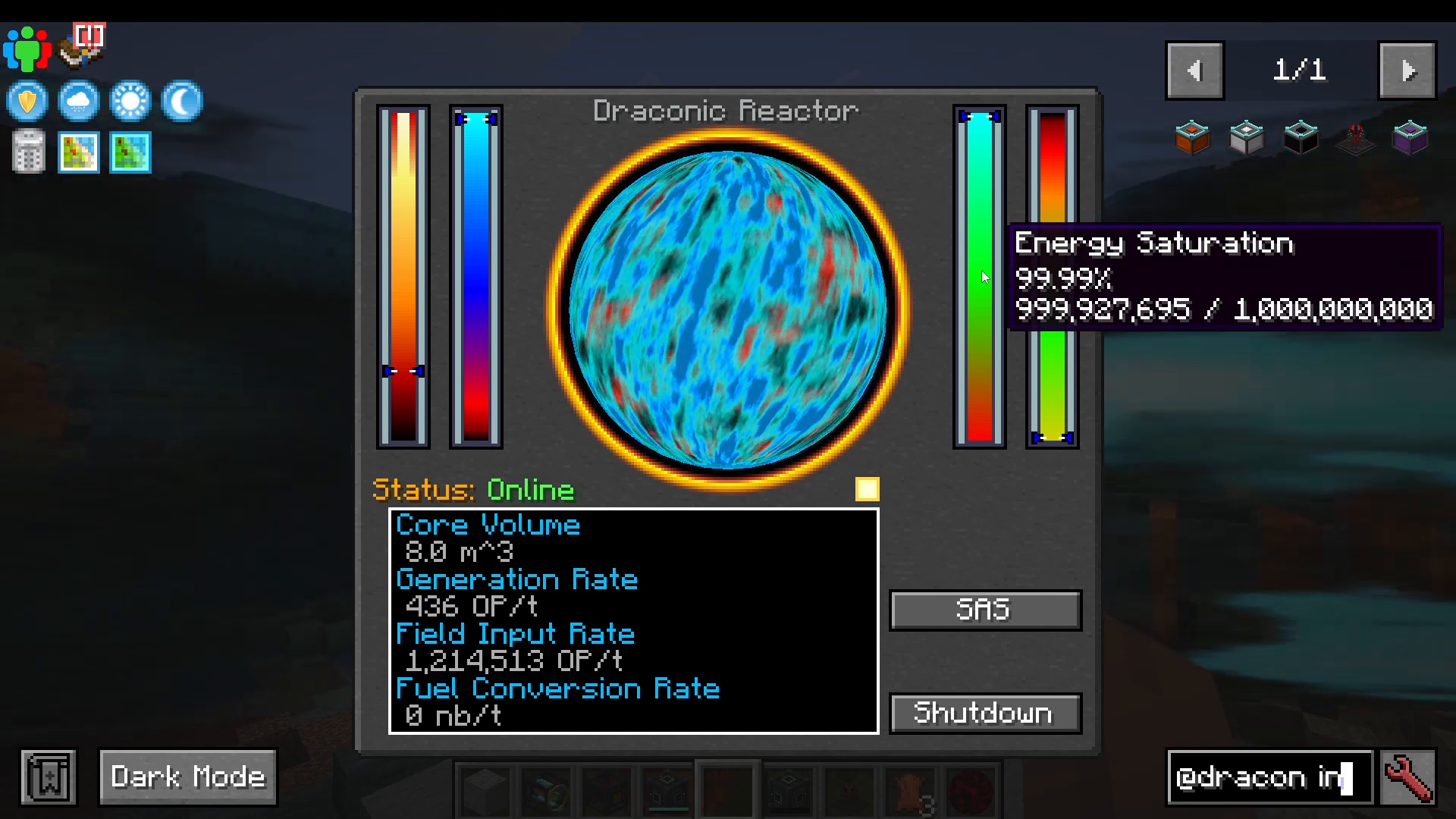
Scaling to 8 Million RF/Tick
Once your reactor stabilizes at 2.5 million RF/tick output, you can incrementally increase both input and output rates. Adjust in small increments and wait for stabilization after each change. Follow this pattern:
Increase input rate by 100,000-200,000 RF/tick
Observe containment field strength, saturation, and core temperature
Wait for values to stabilize (no rapid changes)
Increase output rate proportionally
Repeat until reaching 8 million RF/tick output
Monitor these values continuously:
Containment field strength should remain between 50-70%
Energy saturation should stay between 50-90%
Core temperature should rise slowly and stabilize
Do not rush. Slow, incremental increases ensure safety. If any value spikes unexpectedly, immediately reduce input/output rates.
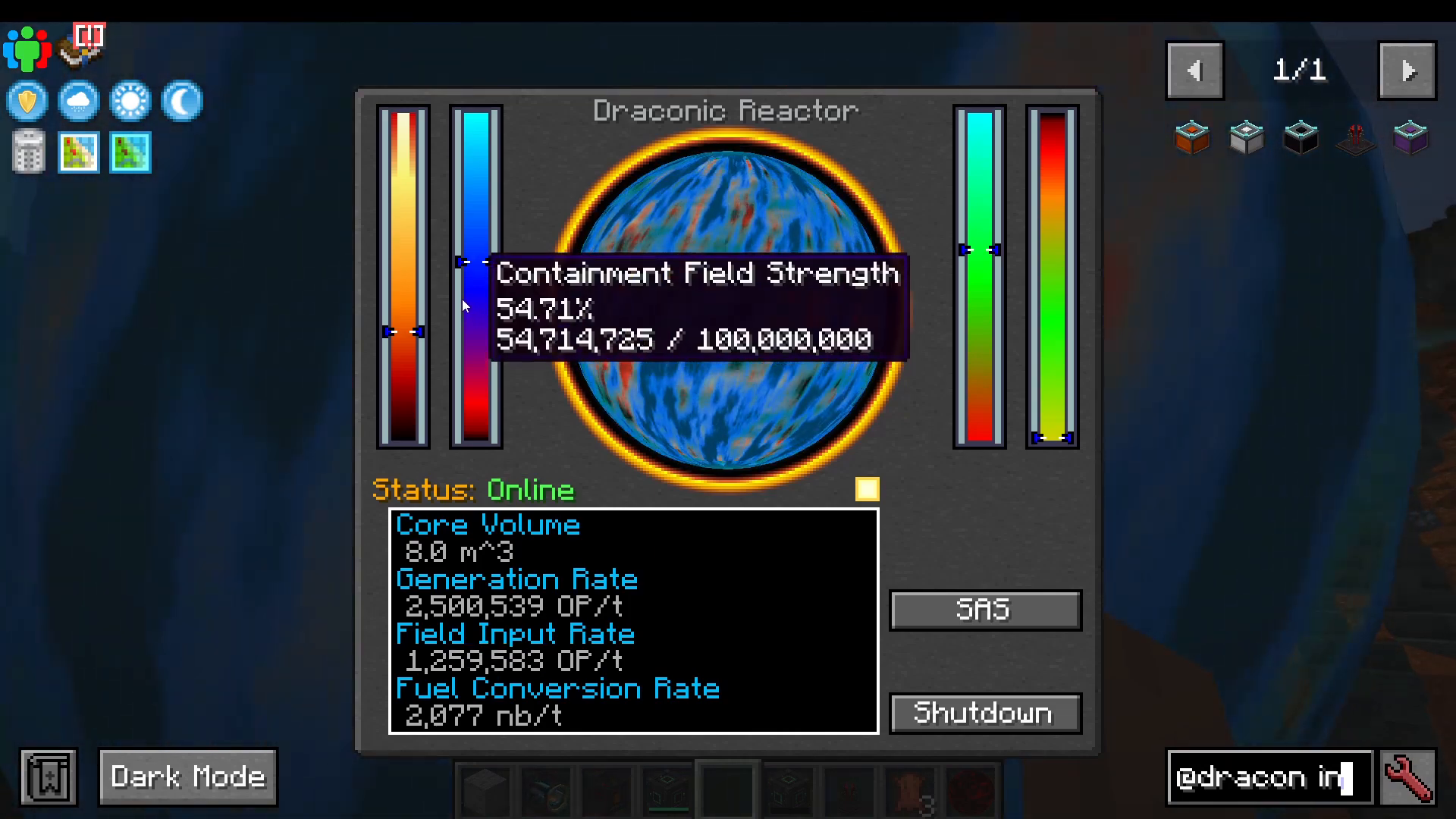
What Happens During a Meltdown
If the containment field reaches zero while the reactor is active, a meltdown begins. The UI will display “Explosion Imminent” and “Emergency Shield Reserve is now active, but it won’t last long.” The reactor will provide an estimated time until detonation (typically 100+ seconds depending on containment strength).
Once detonation occurs, a massive explosion tears through the landscape, leaving a crater approximately 300 blocks in radius. Terrain, structures, and forests are completely obliterated. The ocean is gouged out, and all leaves on trees at the blast perimeter are burned away.
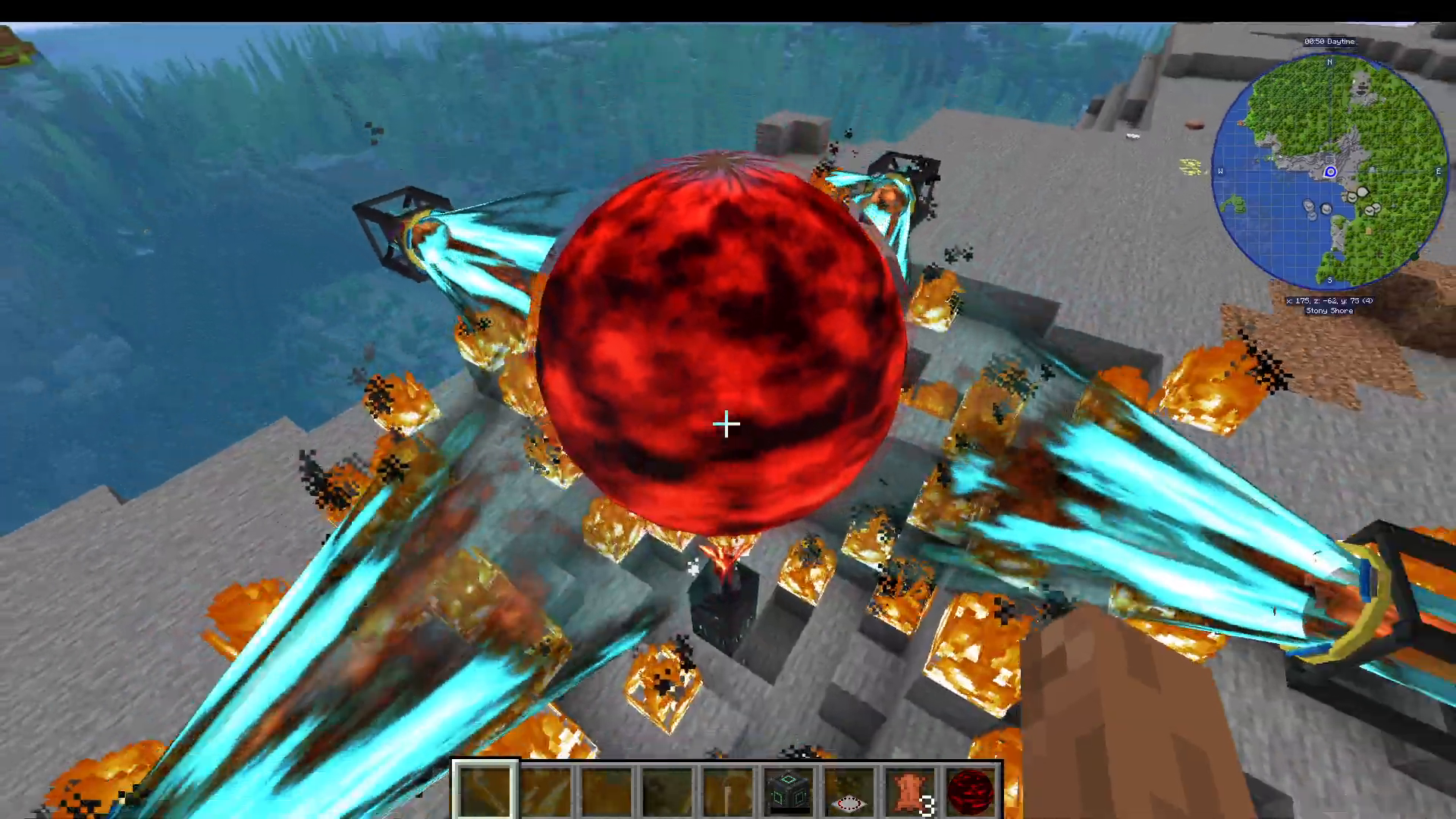
This is why a separate dimension is mandatory. Never attempt this in your main base.
Refueling and Long-Term Operation
A perfectly optimized reactor with correct saturation and generation rates burns fuel very slowly. However, you will eventually need to refuel by inserting another eight blocks of Awakened Draconium. Before refueling:
Reduce input and output flux rates to zero
Press “Shutdown” to safely stop the reactor
Insert new Awakened Draconium blocks
Follow the startup procedure again
Summary
A Draconic Evolution reactor is one of Minecraft’s most powerful power generation systems, capable of producing 8 million RF per tick with proper configuration. Key takeaways:
Always place the reactor in a separate dimension
Use four stabilizers positioned 8 blocks from the core
Configure flux gates with redstone control (input: 1.2M, output: 2.5M starting values)
Charge to 50% containment, 50% saturation, and 2,000 degrees before activation
Stabilize before extracting power
Increase rates incrementally and monitor all statistics
A meltdown will destroy everything in a 300+ block radius—preparation is essential
With patience and careful monitoring, you can operate a stable, efficient Draconic Evolution reactor that provides enormous amounts of power for all your modded Minecraft needs.
Want to Support?
If you would like to help us continue making these guides – please consider joining our patreon here – https://www.patreon.com/c/JaviHeals
Alternatively – we host a group of MC Servers you can join here – https://discord.gg/zD7Gjt6MHF