







Crusher Full Tutorial – Immersive Engineering
Crusher Full Tutorial – Immersive Engineering
The Crusher is one of the most useful multiblock machines in Immersive Engineering. In this guide, we’ll walk you through exactly how to build the Crusher from scratch and how to operate it effectively to maximize your ore processing. Whether you’re new to Immersive Engineering or looking to optimize your setup, this tutorial covers everything you need to know.
Building the Crusher
Materials You’ll Need
To construct the Crusher, you’ll need a substantial amount of scaffolding and engineering blocks. Specifically, you’ll need:
Steel scaffolding (the bulk of the structure)
Light engineering blocks
Redstone engineering blocks
Steel fences
An Engineer’s Hammer (for activation)
Level 1 – The Base
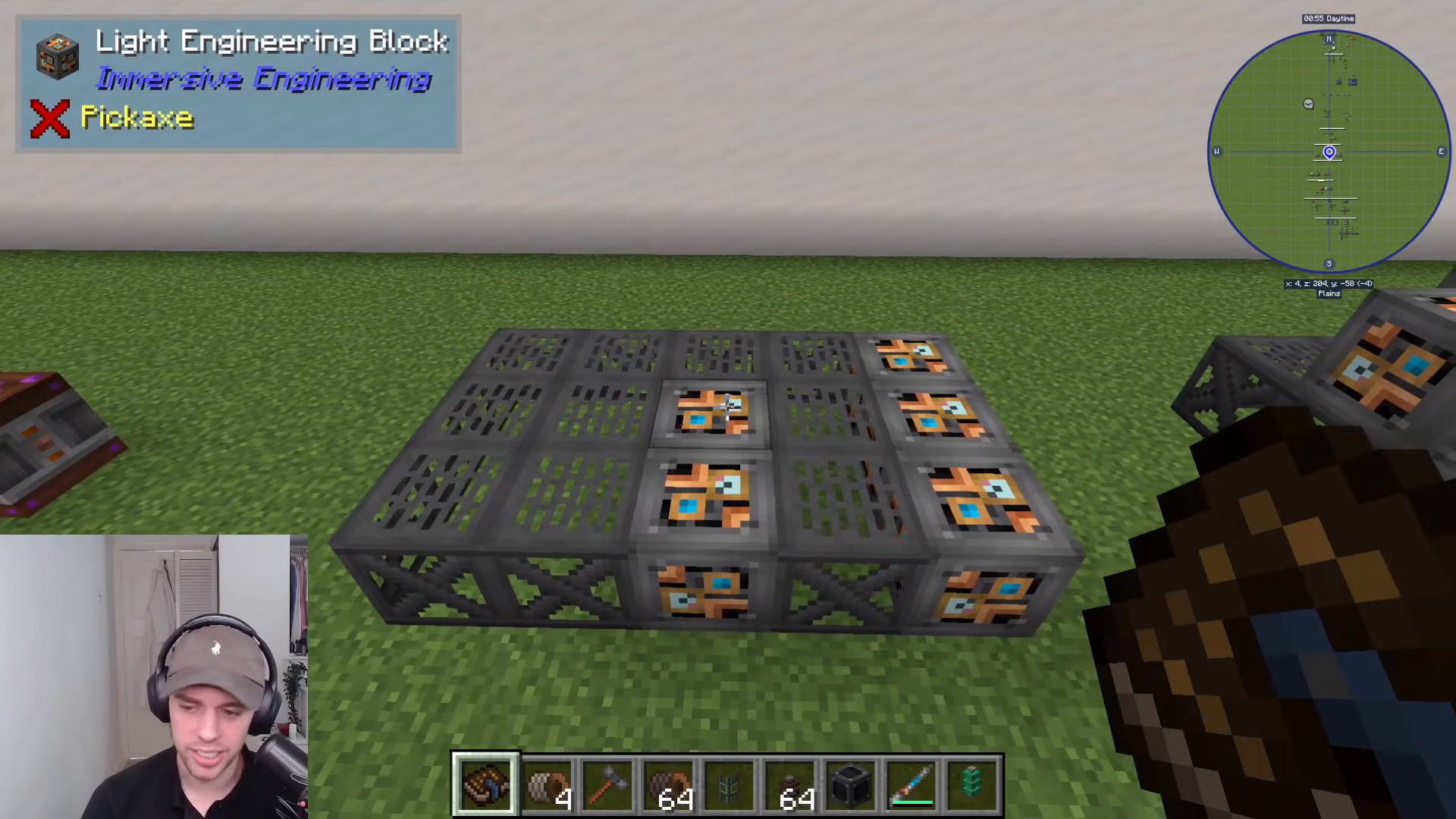
Start by constructing the bottom level of your Crusher. This level is primarily composed of steel scaffolding with light engineering blocks placed strategically throughout. Take your time to get this level correct, as it forms the foundation for the entire multiblock structure.
Level 2 – The Middle Section
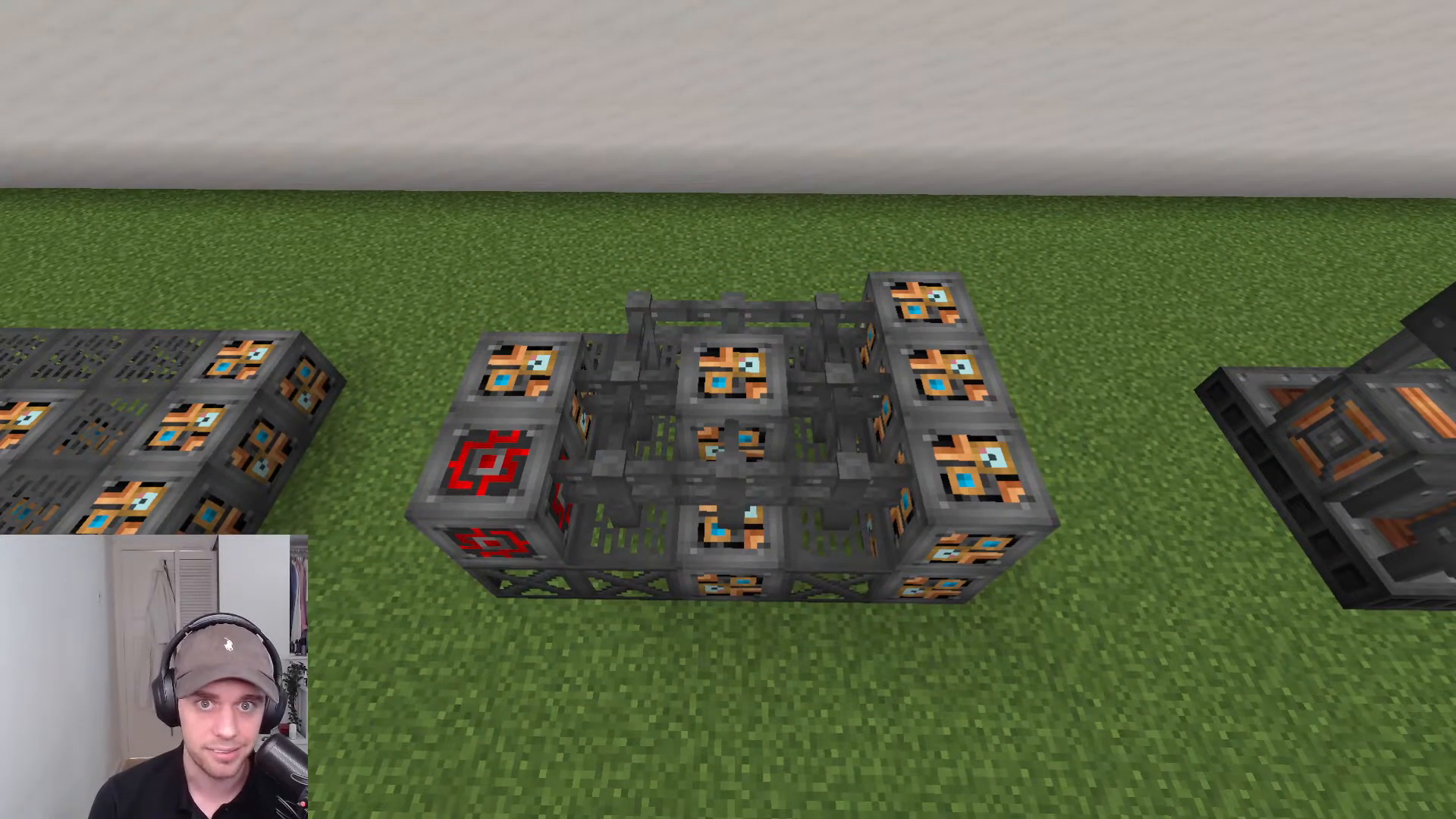
For the second level, the construction becomes more specific. Place a redstone engineering block in the left-hand corner. In the middle, add another light engineering block. Behind the middle block on the left side, place an additional light engineering block, and add three more on top of this section.
Once the core blocks are in place, surround the entire middle section with steel fences to complete the frame of the machine.
Activation
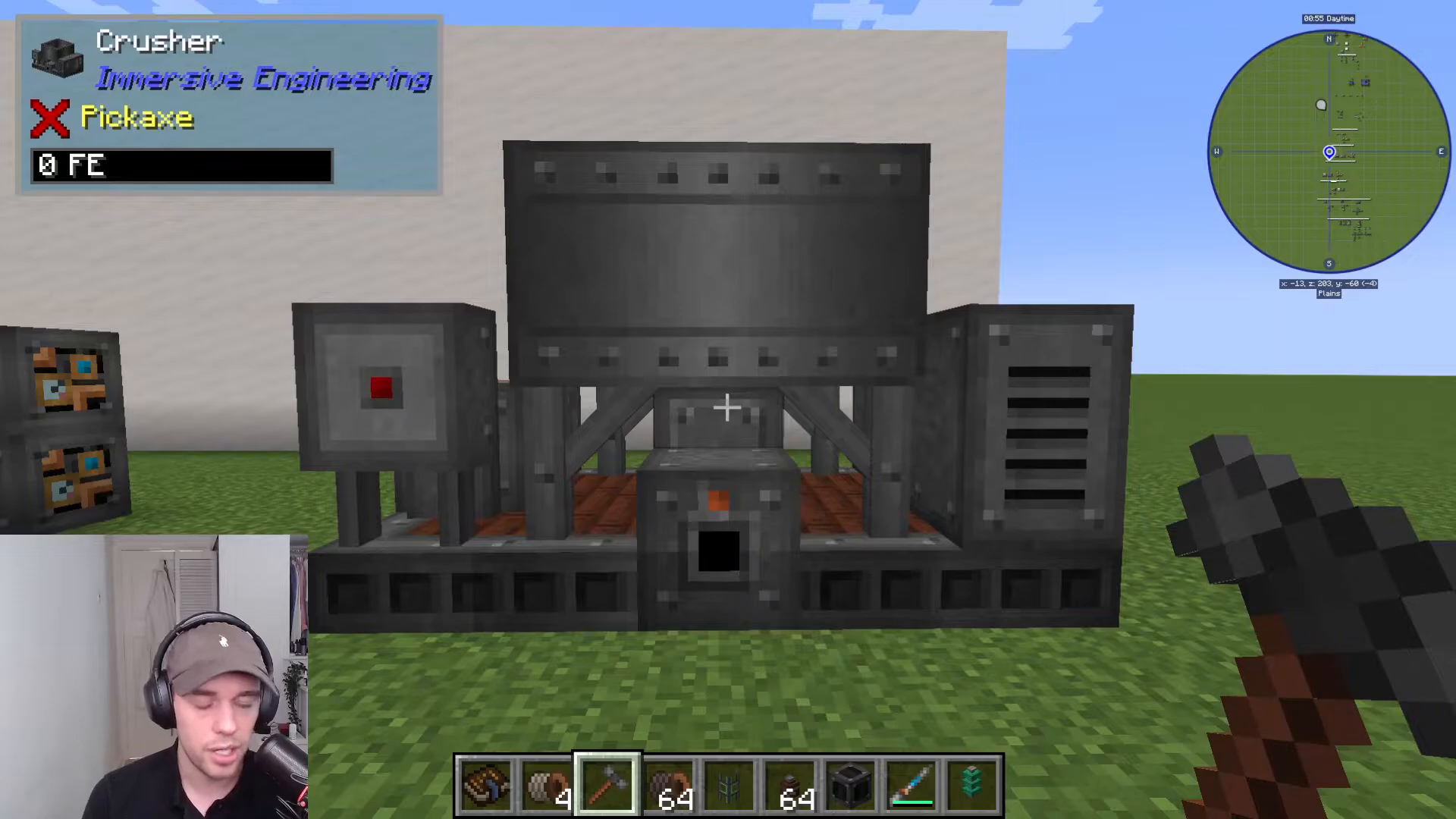
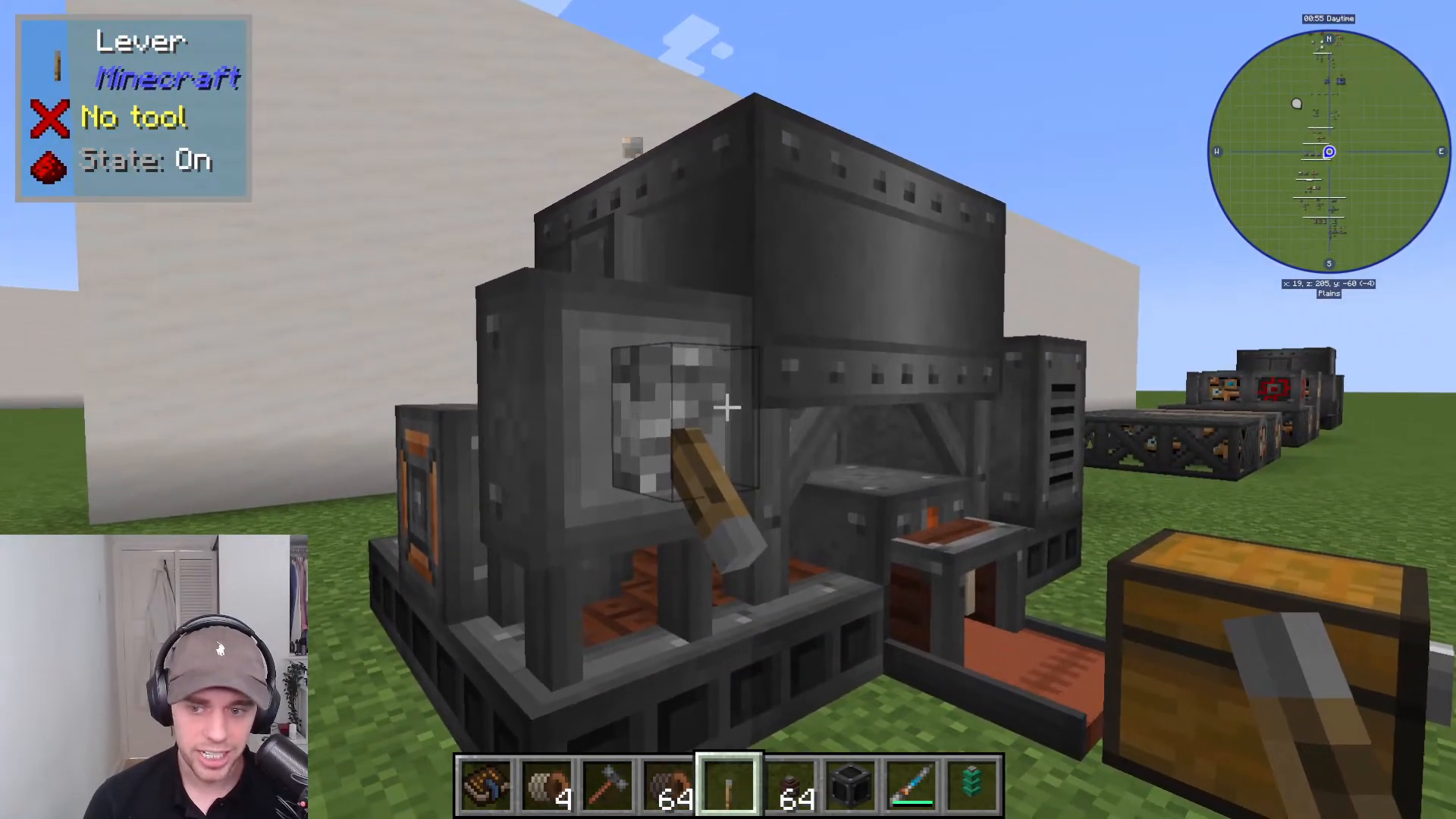
To complete the Crusher multiblock and activate it, right-click on the middle fence at the front with your Engineer’s Hammer. The machine will immediately form and become operational.
Operating the Crusher
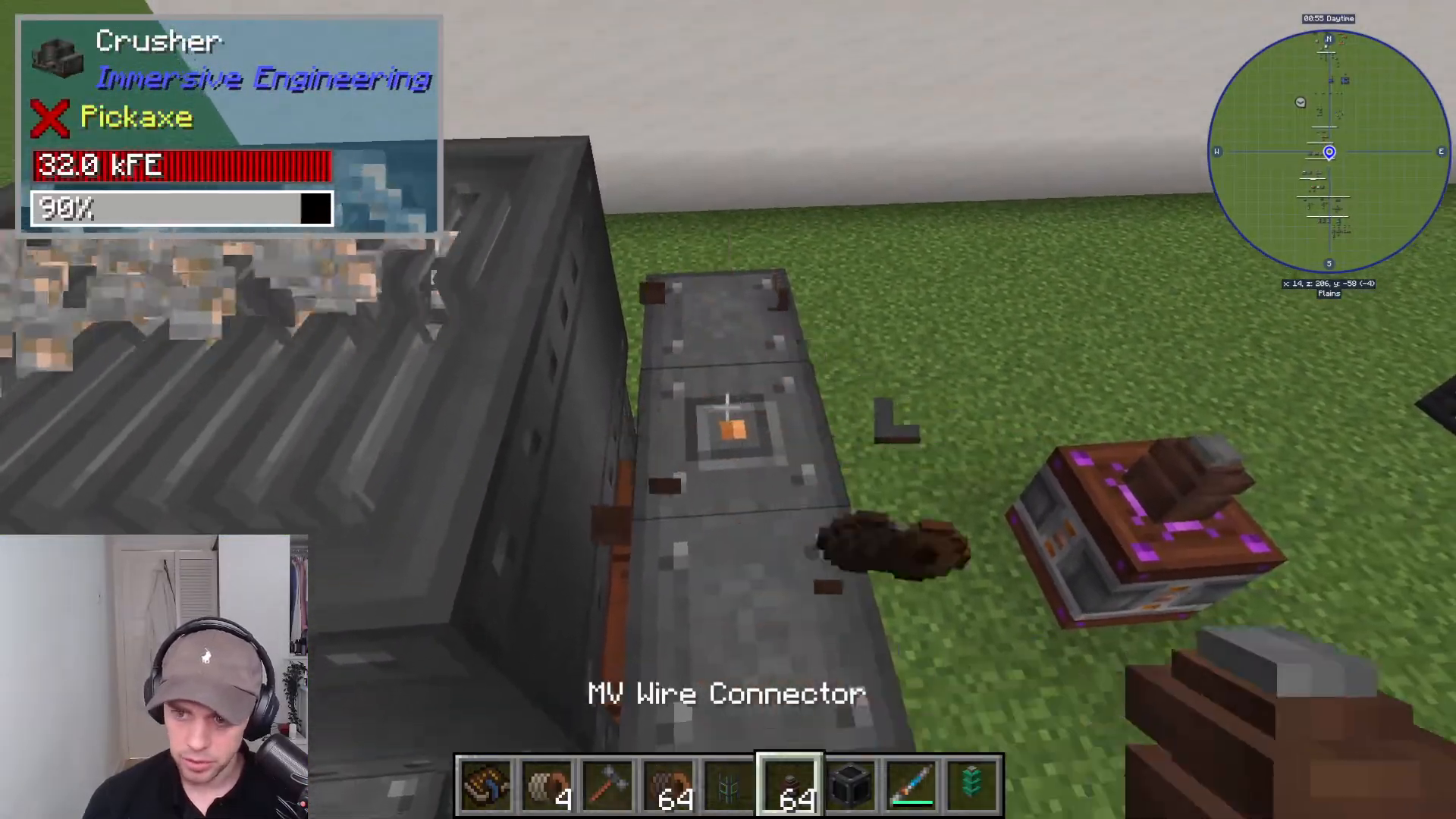
Power Input
Power enters the Crusher through a small orange dot located on the side of the machine. Connect this input to your power source—whether that’s a diesel generator, water wheel, or other Immersive Engineering power generation method.
Redstone Control
On the front-left side of the Crusher, you can place a lever to add redstone control to the machine. This allows you to start and stop the Crusher whenever you need. No other sides of the machine have interactive elements.
Output and Ore Processing
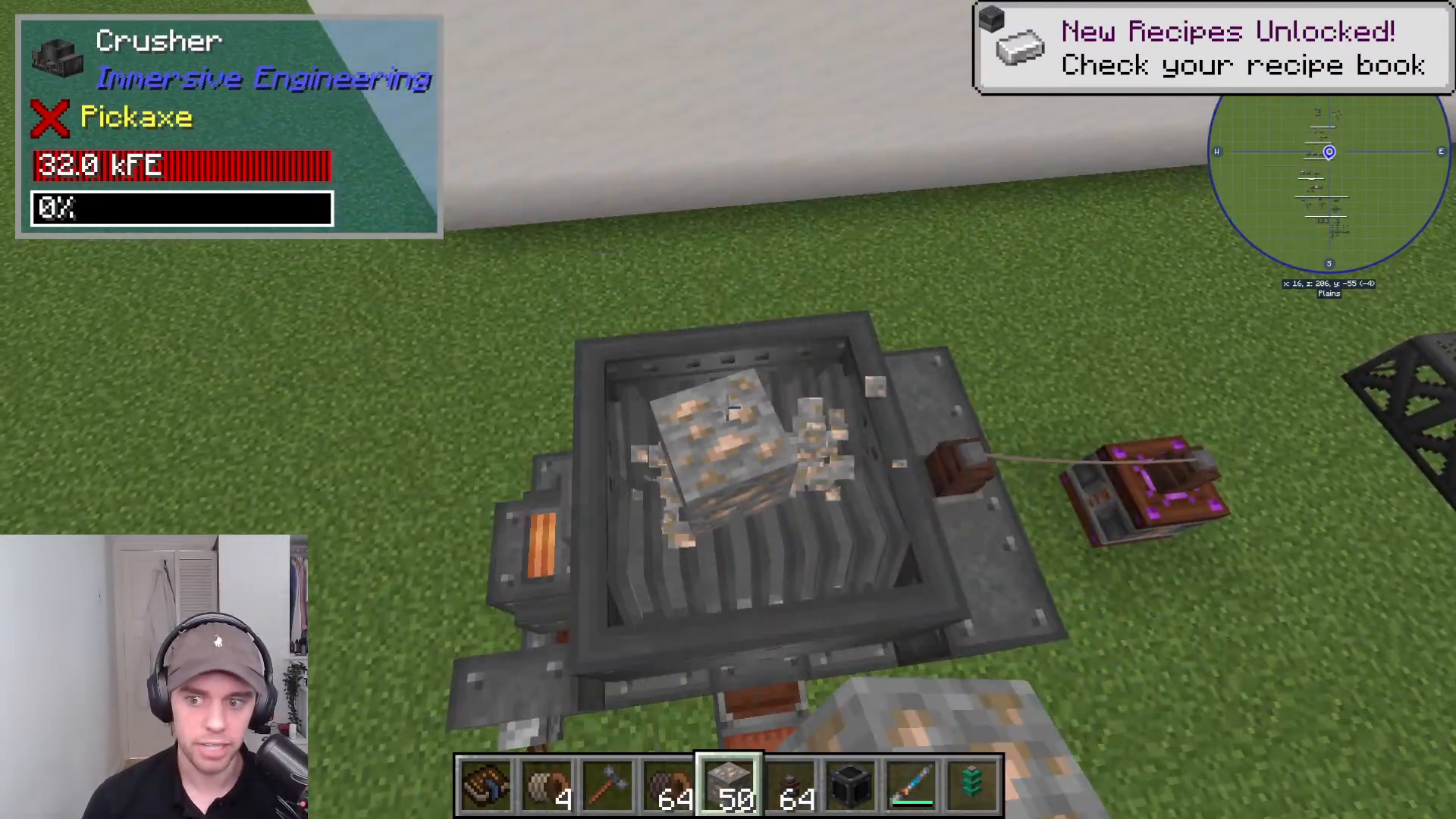
Items exit the Crusher from the front of the machine. The Crusher’s primary function is to double your ores—a crucial feature for efficient resource gathering in Immersive Engineering. When you crush iron ore, for example, it converts into iron grits and produces nickel as a byproduct.
Using the Crusher
To process ore, simply drop it into the top of the machine. Once you activate the lever, the Crusher will immediately begin processing. You’ll see the ore being visually crushed and converted in real-time. The machine works quickly and efficiently, making it one of the most satisfying multiblocks to watch in action.
Summary
The Crusher is an excellent multiblock machine that doubles your ore output, making it an essential component of any serious Immersive Engineering setup. With its straightforward construction and simple operation, you’ll be processing ore efficiently in no time. The combination of visual feedback and practical ore doubling makes the Crusher one of the most rewarding machines to build in Immersive Engineering.
For more comprehensive guides on all Immersive Engineering multiblocks and features, be sure to check out the complete playlist covering everything you need to know about this mod.
— Want to Support? —
If you would like to help us continue making these guides – please consider joining our patreon here – https://www.patreon.com/c/JaviHeals Alternatively – we host a group of MC Servers you can join here – https://discord.gg/zD7Gjt6MHF



