








How To Use The Compression Dynamo Thermal Expansion
How To Use The Compression Dynamo in Thermal Expansion
The Compression Dynamo is a powerful block in Thermal Expansion that converts combustible liquids into Redstone Flux (RF) energy. Whether you’re just starting your Thermal Expansion journey or looking to optimize your power generation, this guide will walk you through everything you need to know about setting up and using the Compression Dynamo effectively.
What Is The Compression Dynamo?
The Compression Dynamo works by compressing liquid fuels and converting them into energy. The main combustible liquids you can use include Creosote Oil, Tree Oil, and Refined Fuel. Each fuel type produces different amounts of energy, so choosing the right fuel source depends on your available resources and energy needs.
Fuel Types and Energy Output
The Compression Dynamo supports three primary fuel types, each with distinct energy output values:
Refined Fuel – Produces 1.5 million RF
Creosote Oil – Produces 20,000 RF
Tree Oil – Produces 100,000 RF
Tree Oil Production
To produce Tree Oil, you’ll need to use a Fractioning Still. Place resin into the Fractioning Still, and it will output rosin along with Tree Oil that you can pump into your Compression Dynamo.
Creating Resin
To make resin, place wood into an Arboreal Extractor. You can even position this machine next to a tree, and it will automatically extract resin directly from the tree itself.
Using Creosote Oil (Easiest Method)
If you’re unsure where to start, Creosote Oil is the most straightforward fuel option. Here’s how to generate it:
Setting Up a Pyrolyzer
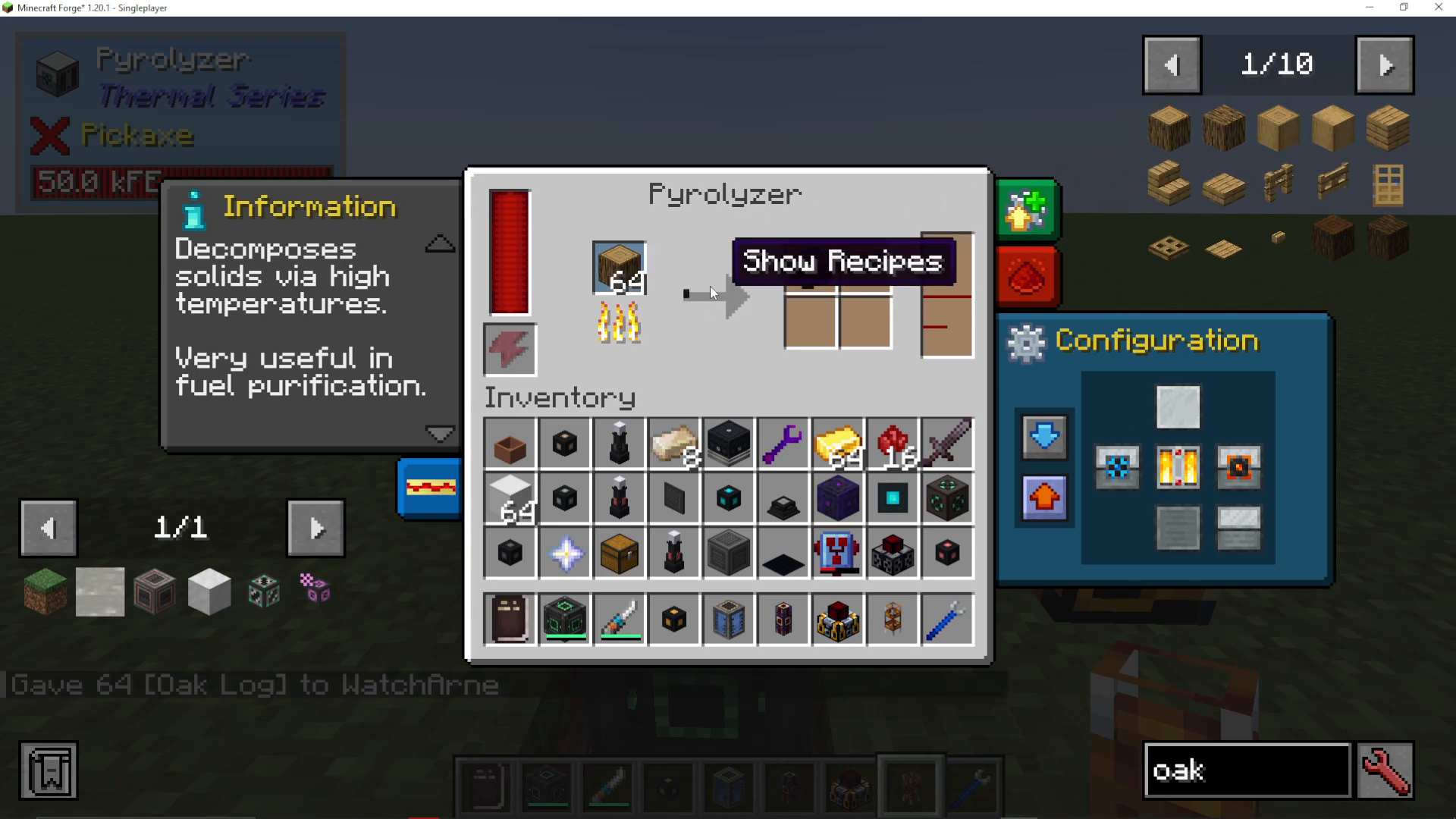
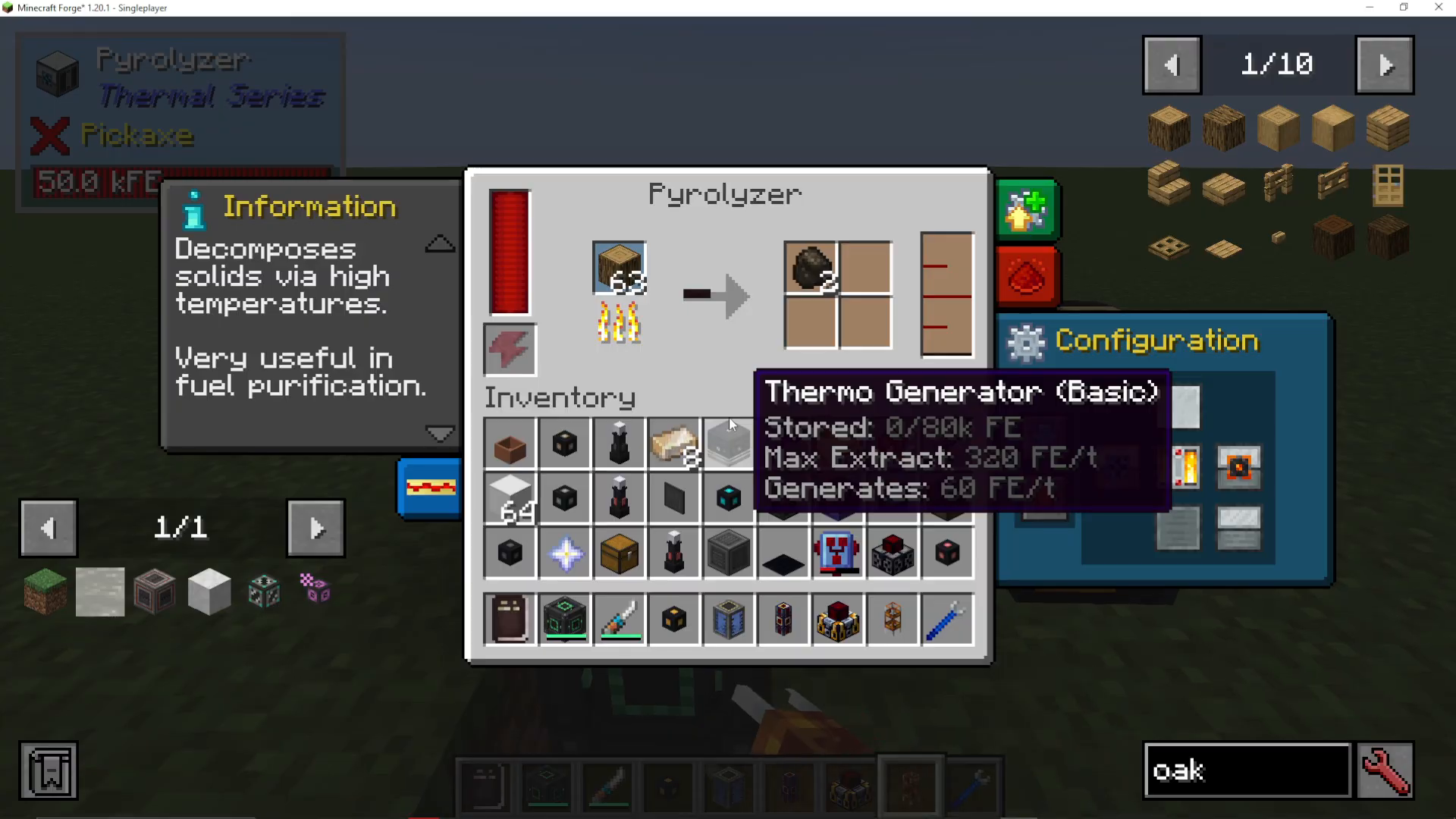
Place oak logs (or any wood) into a Pyrolyzer. The machine will burn the logs, converting them into charcoal while simultaneously outputting Creosote Oil as a byproduct.
Connecting Your Compression Dynamo
Using Fluid Ducts
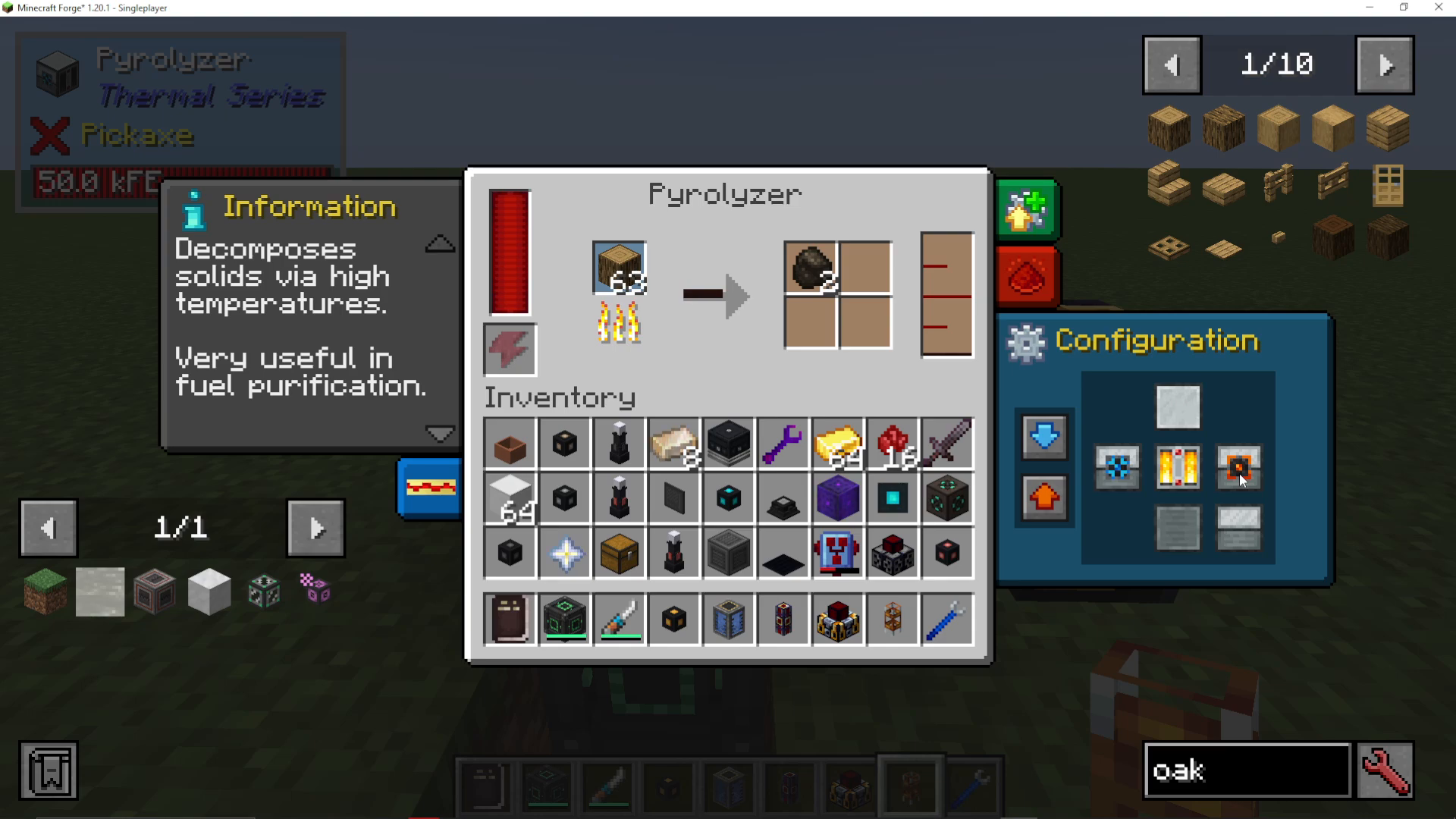
To transfer the fuel from your production machine (like a Pyrolyzer) to the Compression Dynamo, use a Fluid Duct. Connect the duct to the side of your Pyrolyzer and set that side to orange, which designates it as an output.
Enabling Auto-Output
Once your Fluid Duct is in place, you can enable auto-output on the output side. This will automatically transfer the Creosote Oil from your production machine into the Compression Dynamo without any manual intervention.
Watching It Work
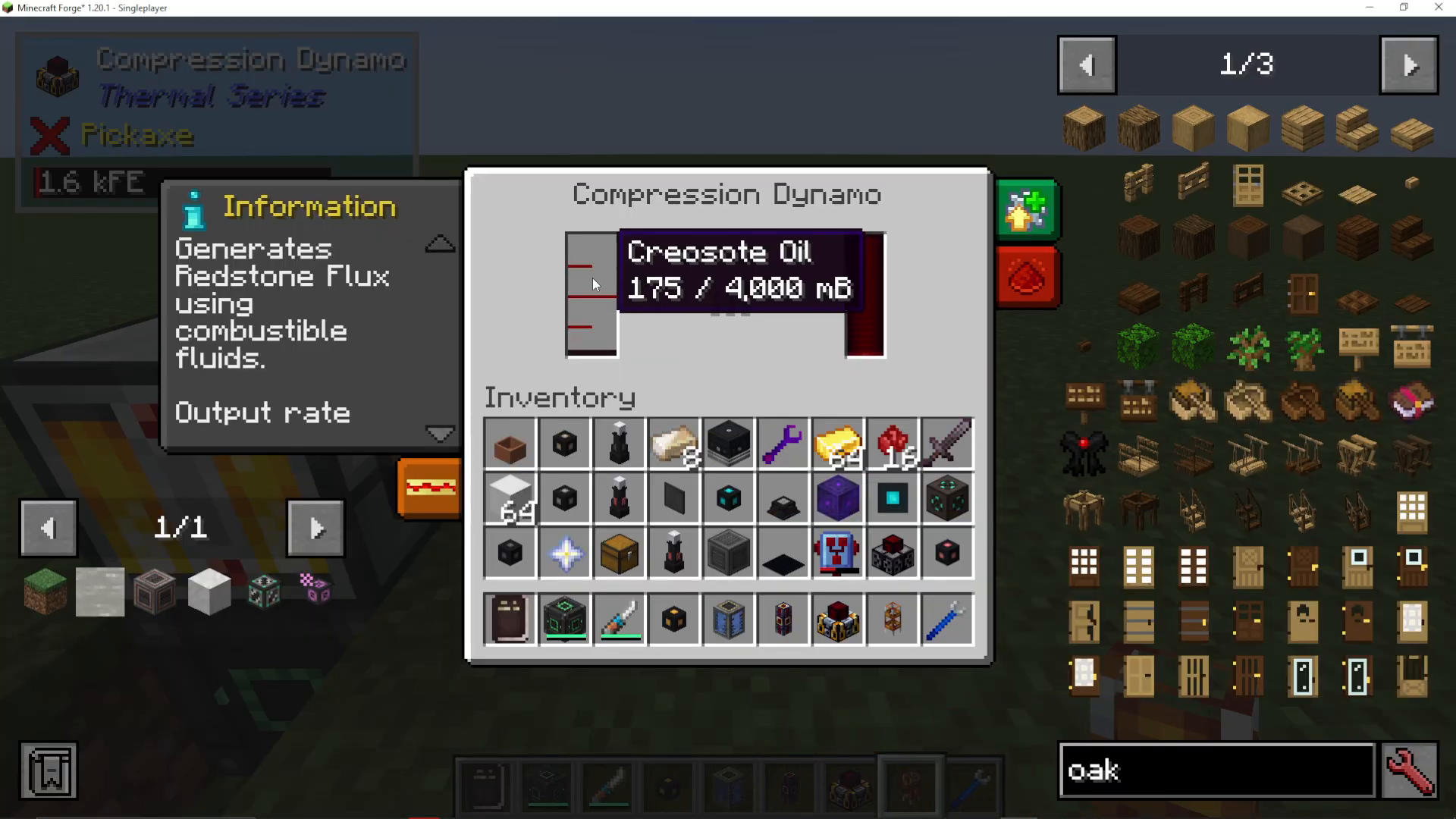
You’ll see the Creosote Oil level decrease in the Pyrolyzer as it flows into the Compression Dynamo. Simultaneously, the dynamo converts this liquid fuel into Redstone Flux energy or Forge Energy that you can use to power your machines.
Rotating Your Compression Dynamo
By default, the Compression Dynamo outputs energy from the red protrusion on its surface. If you need the energy output to face a different direction, you can use a Wrench (Preset Hammer) to rotate the dynamo.
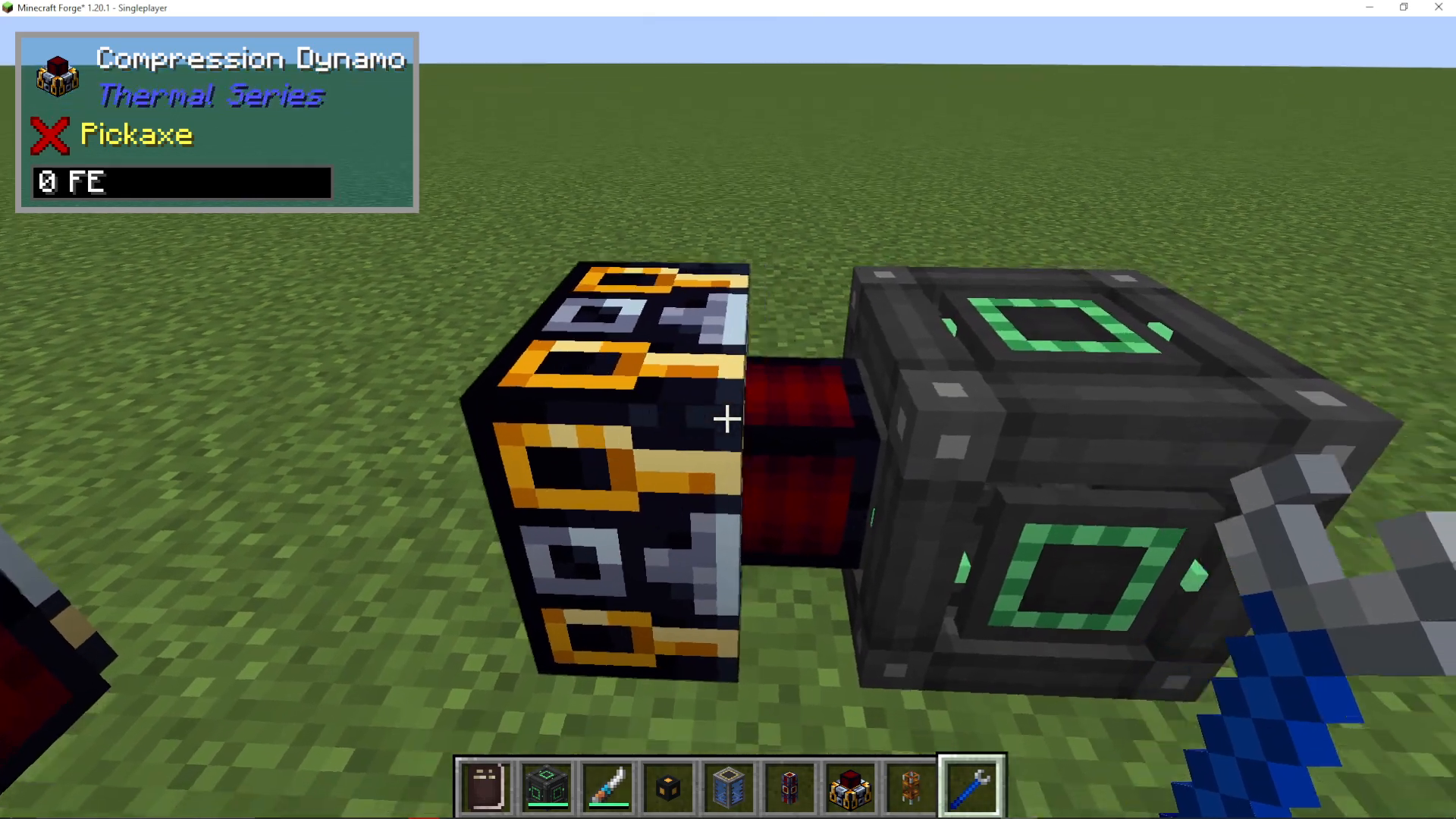
Output Options
Once rotated, you can:
Attach a Flux Duct to transfer energy to other machines
Place an Energy Cell directly adjacent to the output for storage
Connect any RF-powered machine to receive power directly
Summary
Using the Compression Dynamo is straightforward once you understand the basic workflow. Choose your preferred fuel (Creosote Oil is easiest for beginners), set up a production machine like a Pyrolyzer, connect it to your dynamo with Fluid Ducts, and enable auto-output. The dynamo will automatically convert your liquid fuel into usable RF energy. Remember to use a Wrench to rotate the dynamo if needed to direct energy output toward your energy storage or machines. This setup provides a reliable and efficient power generation method for your Thermal Expansion builds.
Want to Support?
If you would like to help us continue making these guides – please consider joining our patreon here – https://www.patreon.com/c/JaviHeals
Alternatively – we host a group of MC Servers you can join here – https://discord.gg/zD7Gjt6MHF



