







How To Use The Batbox In IC2
How To Use The Batbox In IC2
The BatBox is one of the most fundamental machines in Industrial Craft 2 (IC2), serving as the primary method for storing and managing electrical power in your modded Minecraft world. This guide will walk you through everything you need to know about setting up and using the BatBox effectively, from power input and output to redstone integration and item charging.
What Is The BatBox?
The BatBox is a simple yet essential energy storage machine in IC2. It’s designed to store electrical power and distribute it safely throughout your base. One of its key advantages is that it only outputs low voltage power, meaning you never need to worry about machines exploding or receiving dangerously high voltages.
This safety feature also means you can use tin cables with the BatBox without any concerns about voltage overload.
Understanding Power Input Sides
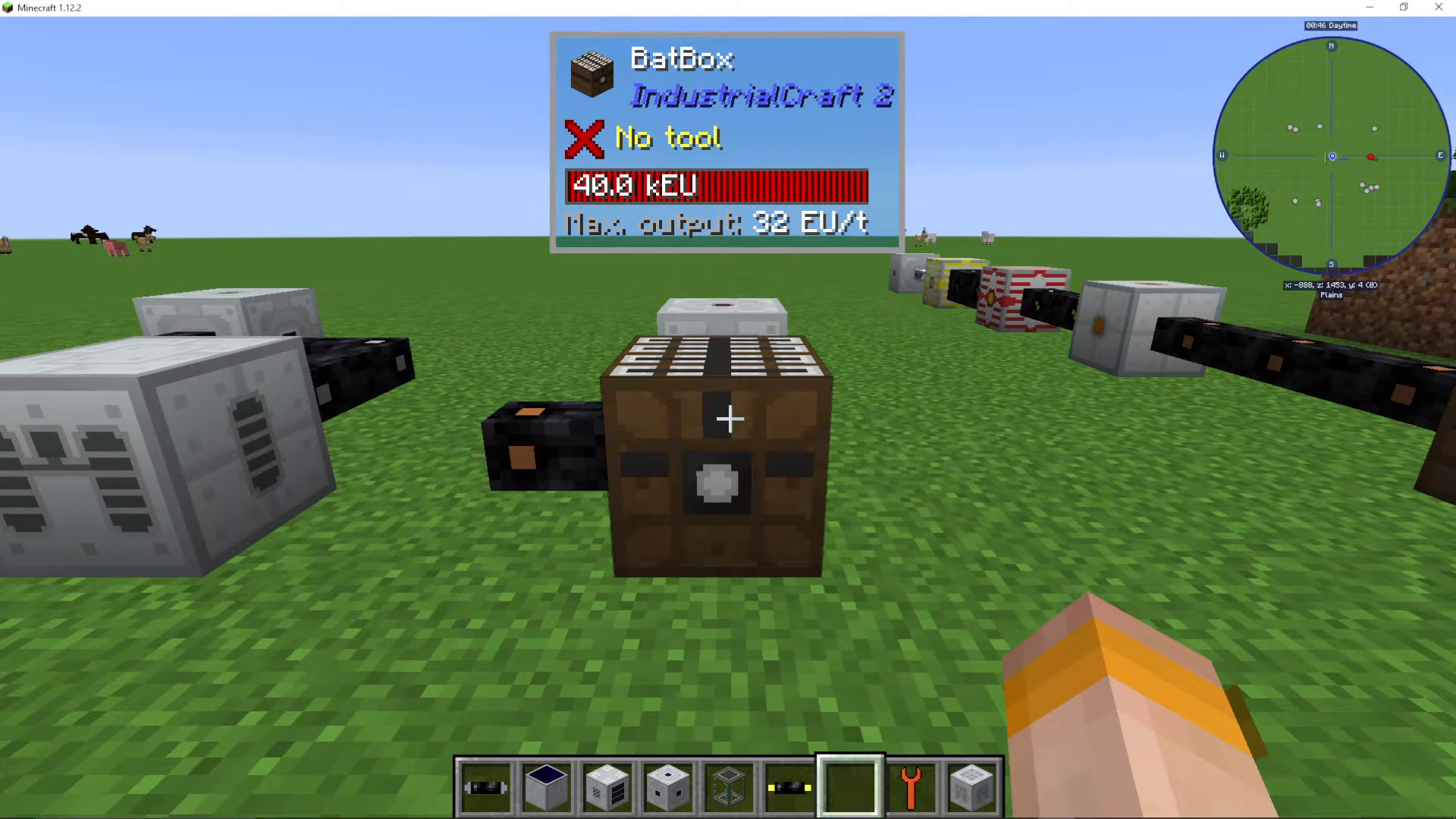
When inputting power to the BatBox, you have multiple options for which side of the machine to use. You can input energy from the front, back, left side, and right side of the BatBox.
However, there is one side you cannot use for input: the side with the white dot on it. This side is reserved exclusively as your output side, where energy is distributed from the BatBox to connected machines and cables.
Power Output And Performance
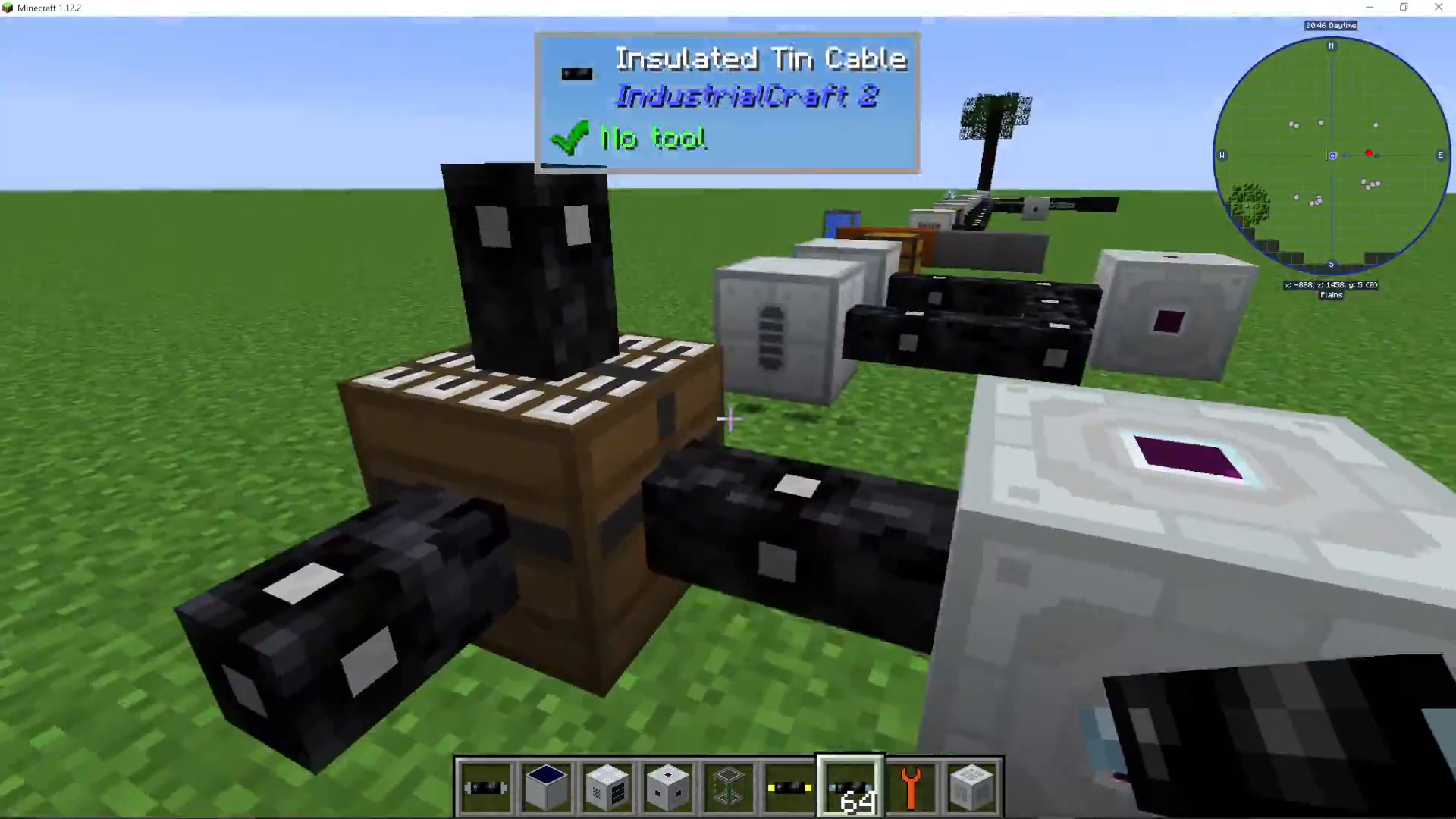
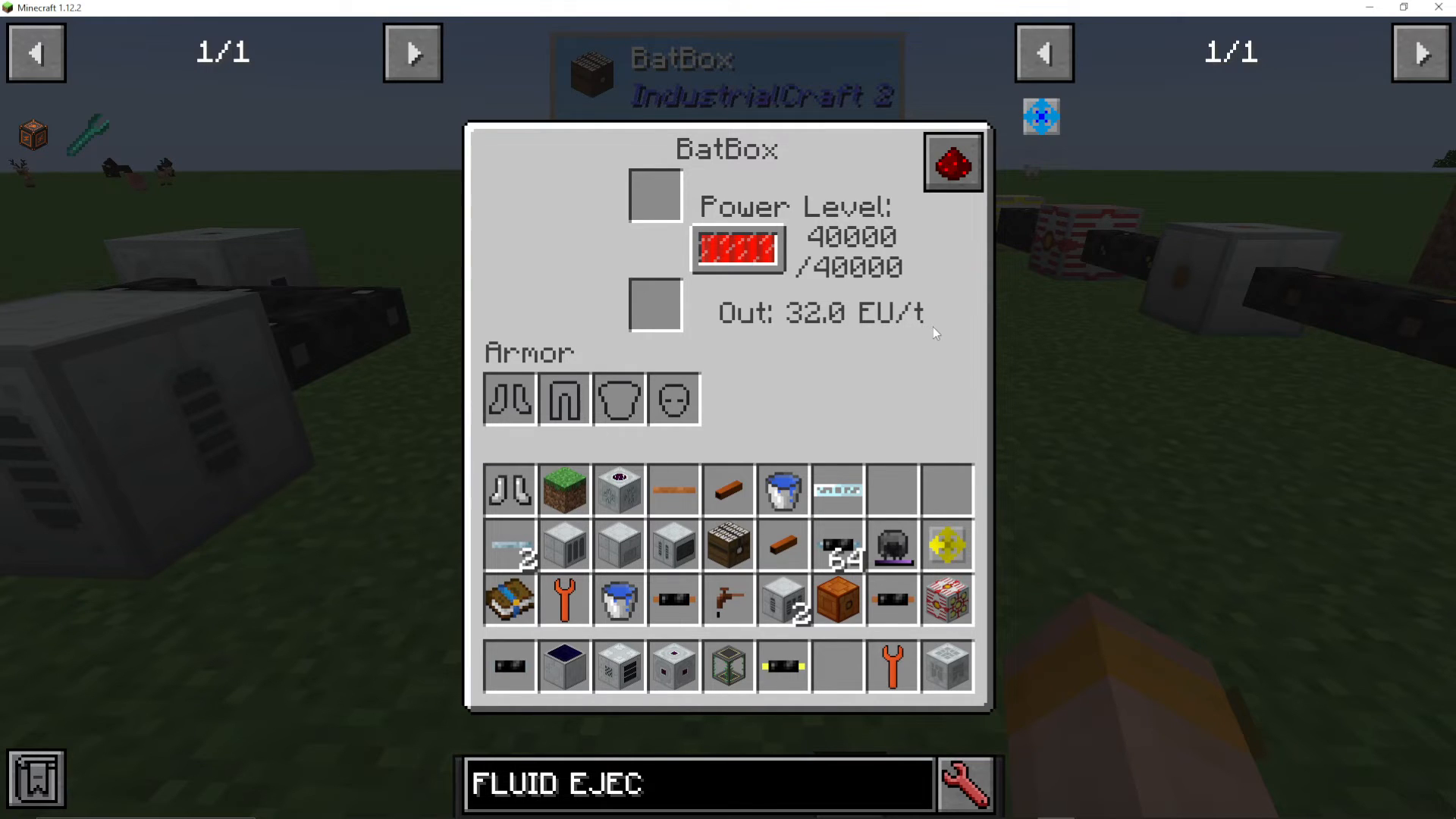
The BatBox has a fixed output rate of 32 EU per tick. This is the amount of energy that will be distributed from the output side to any connected machines or cables.
Since the BatBox only outputs low voltage power, it’s safe to connect it directly to machines without additional protective measures.
Accessing The BatBox Interface
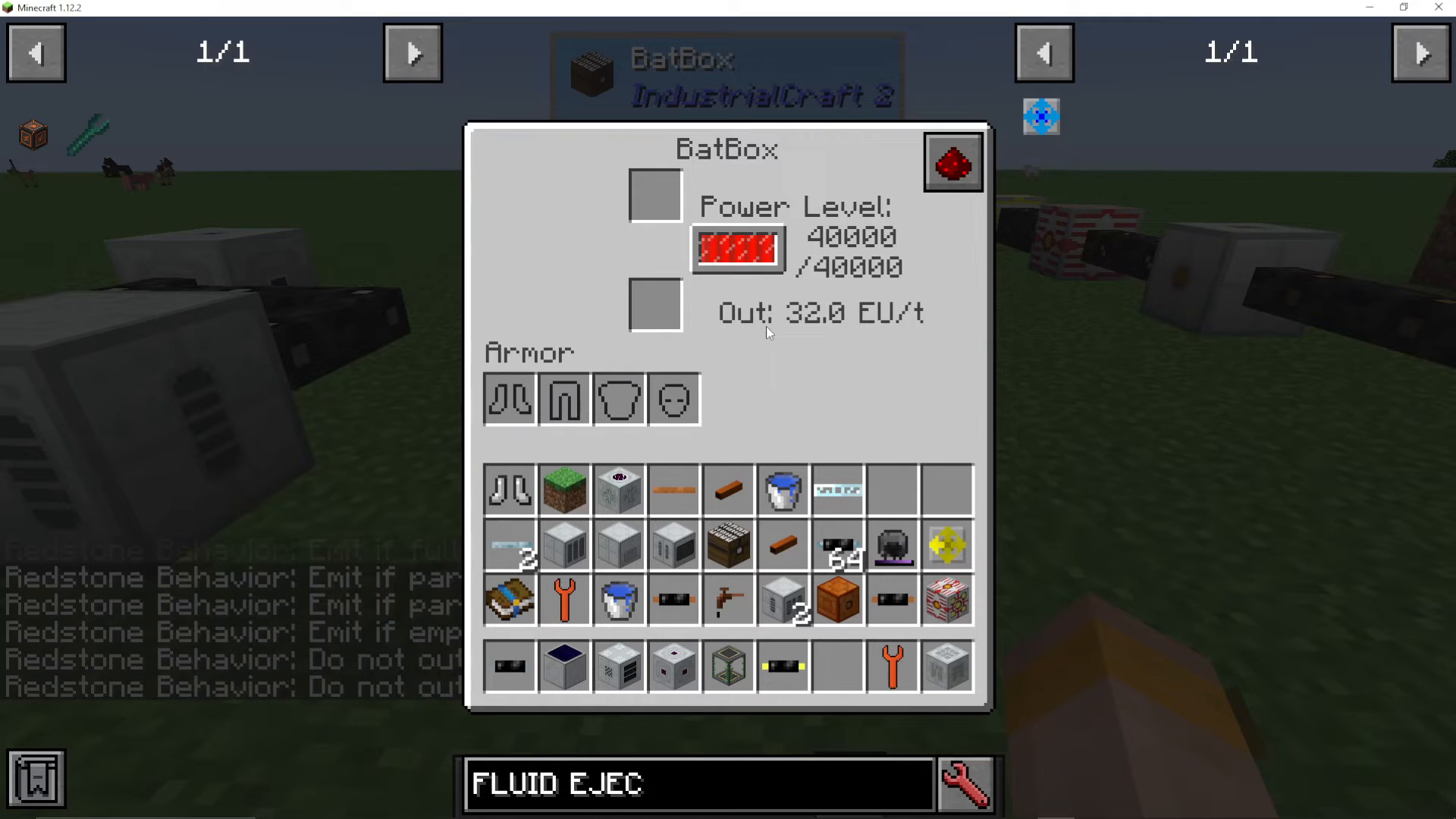
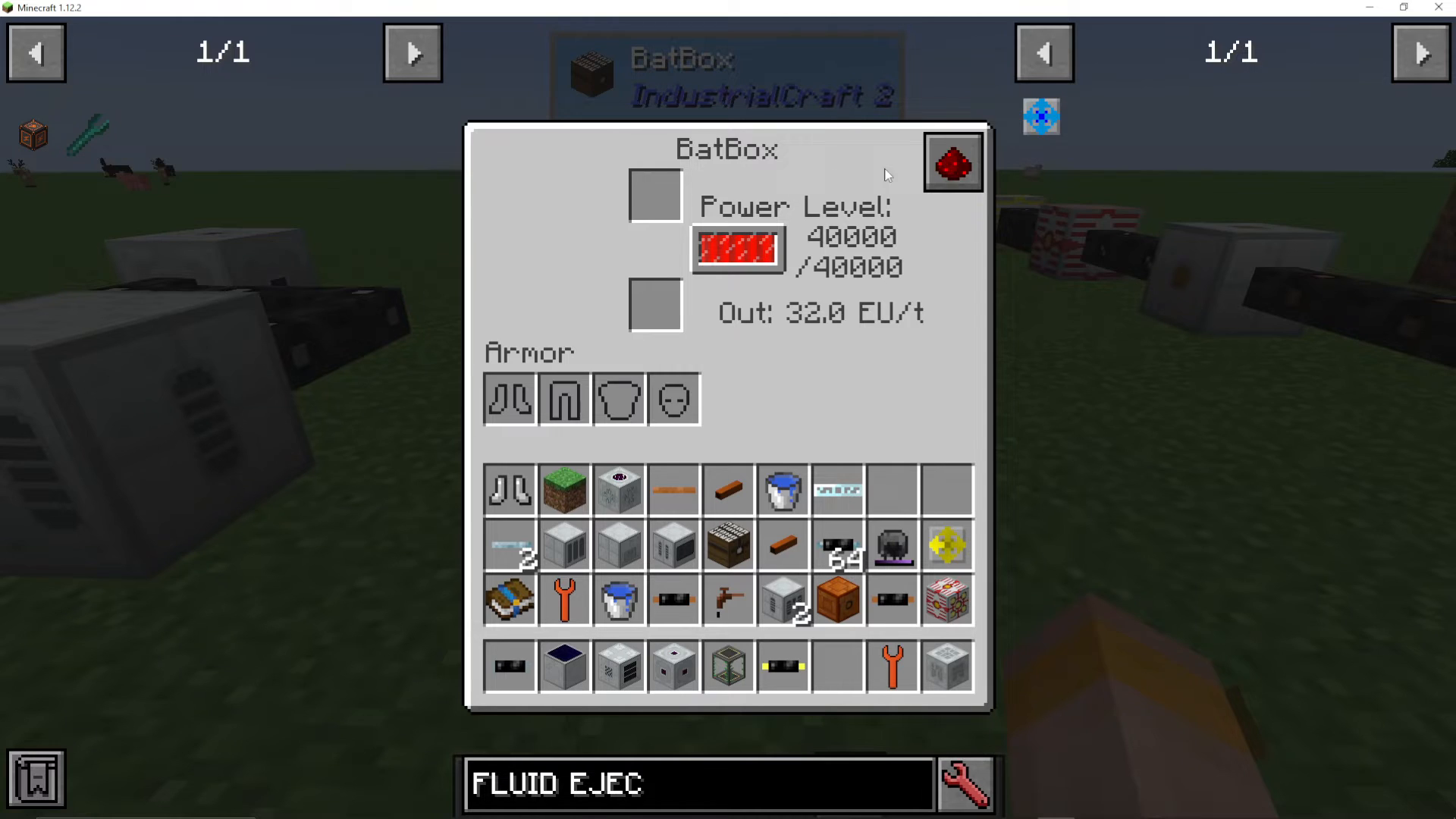
Right-clicking on the BatBox will open its interface, giving you access to several important features and settings. Here you can monitor the current power level stored in the machine and view real-time information about its output.
Redstone Control Options
The BatBox interface provides redstone integration options that allow you to control when the machine emits signals. Your available options include:
Emit if full
Emit if partially full
Emit when empty
These settings work based on the redstone signal the BatBox is receiving, giving you fine control over when the machine activates connected redstone devices.
Charging Items With The BatBox
The BatBox interface includes dedicated slots where you can place items and tools that require charging. If you have armor pieces or tools that need to be powered, you can insert them into these arm slots, and the BatBox will charge them automatically using its stored energy.
Summary
The BatBox is a straightforward but powerful tool for managing energy in Industrial Craft 2. Remember these key points: use any of four sides for power input (avoid the white dot side), expect 32 EU per tick output, utilize the interface for redstone control and item charging, and take advantage of its low voltage safety features. With the BatBox as your foundation, you’ll be able to power all your IC2 machines safely and efficiently.
For more IC2 tutorials and other modding guides, be sure to check out the full playlist available on the channel. Our goal is to provide complete coverage of every major mod in Minecraft.
— Want to Support? —
If you would like to help us continue making these guides – please consider joining our patreon here – https://www.patreon.com/c/JaviHeals
Alternatively – we host a group of MC Servers you can join here – https://discord.gg/zD7Gjt6MHF



