







How To Use Item Conduits In EnderIO
How To Use Item Conduits In EnderIO
Item conduits are one of the most versatile tools in EnderIO, allowing you to transport items between inventories with precise control. This guide will walk you through everything you need to know about setting up and configuring item conduits, from basic connections to advanced filtering and priority systems.
Understanding Item Conduits Basics
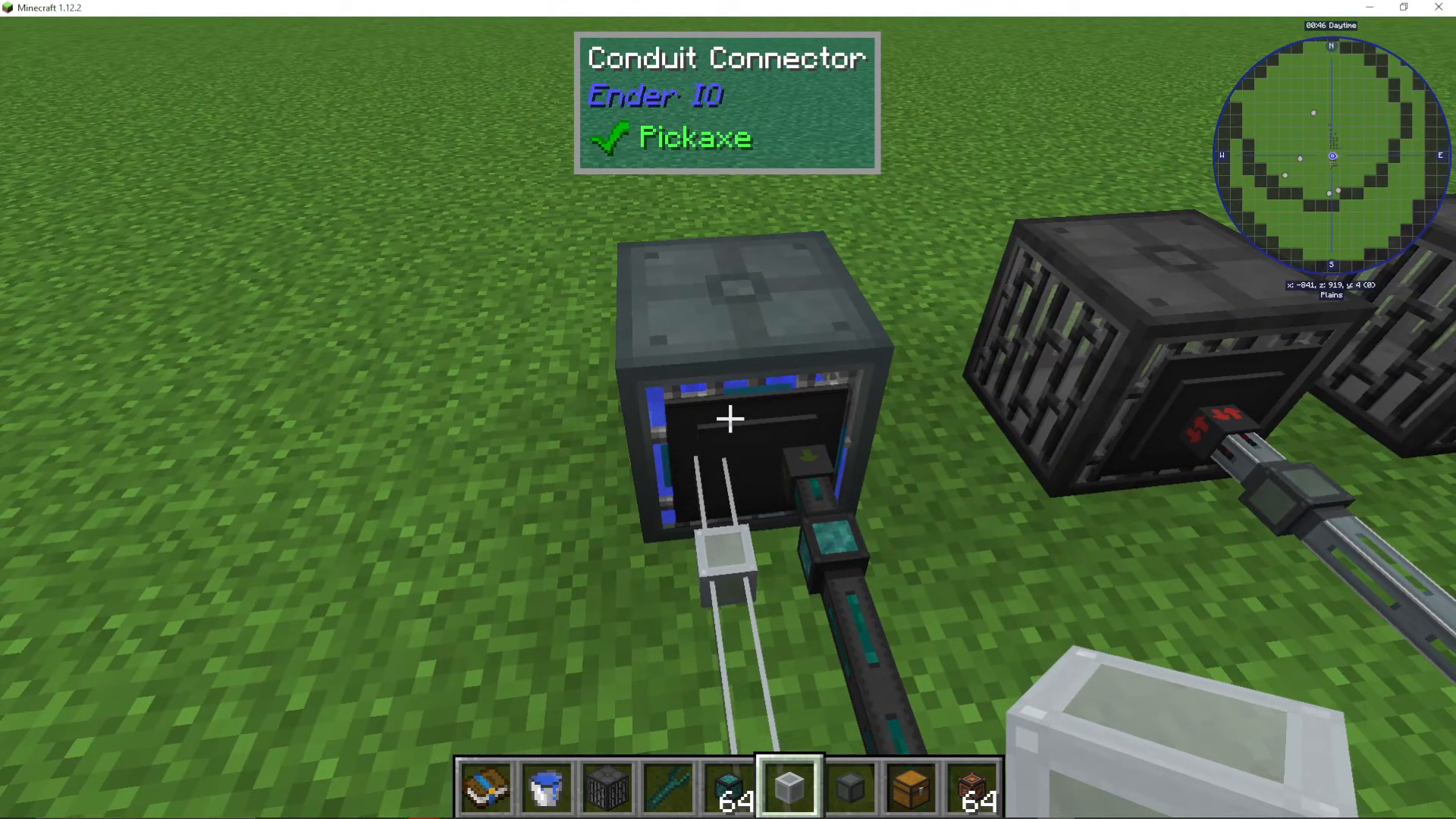
Item conduits are the primary transport method in EnderIO for moving items between connected inventories. When you place an item conduit on a block that is attached to an inventory, a small green arrow will appear, indicating that the conduit is ready to pull from that inventory.
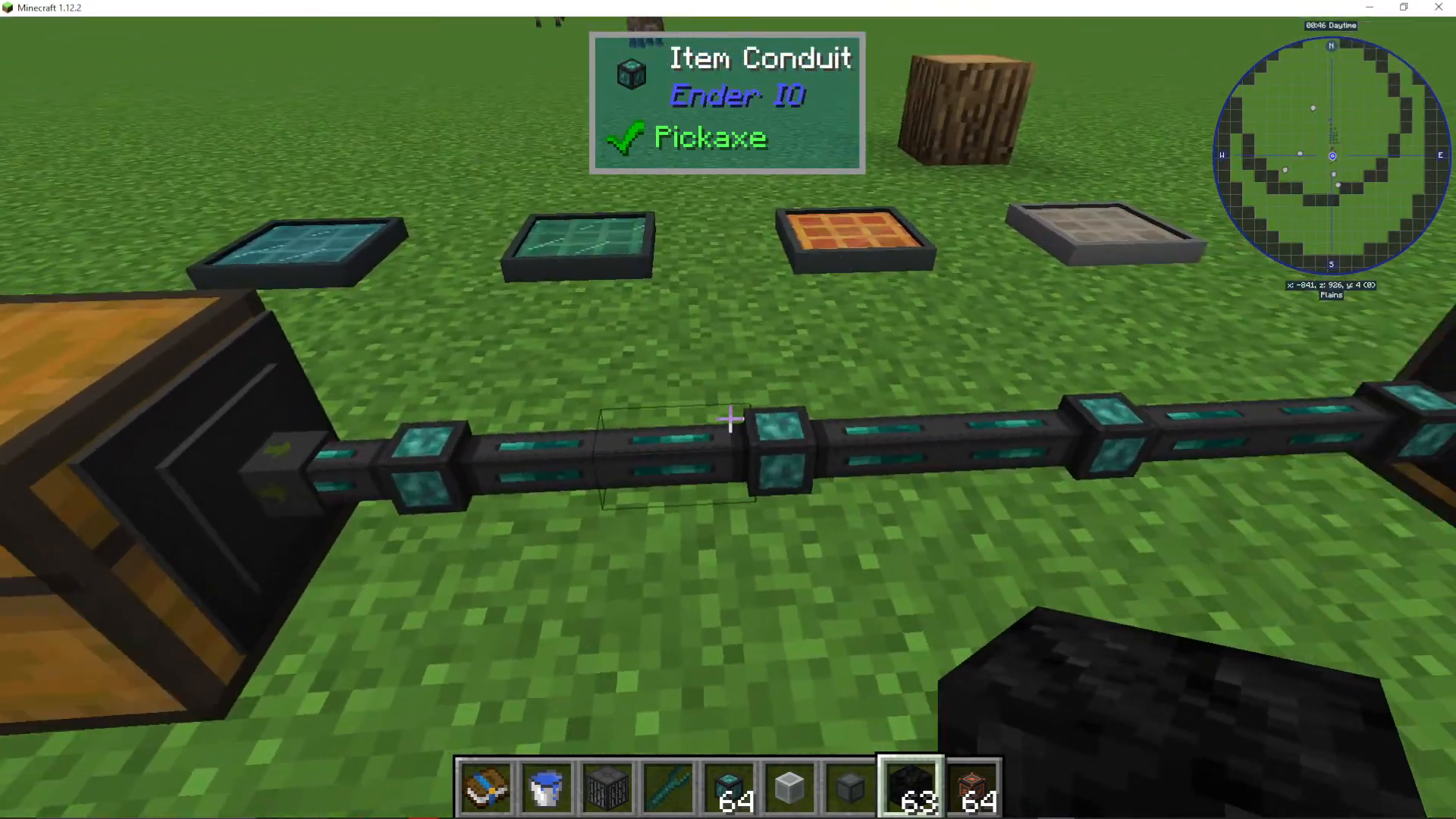
Connecting Conduits to Inventories
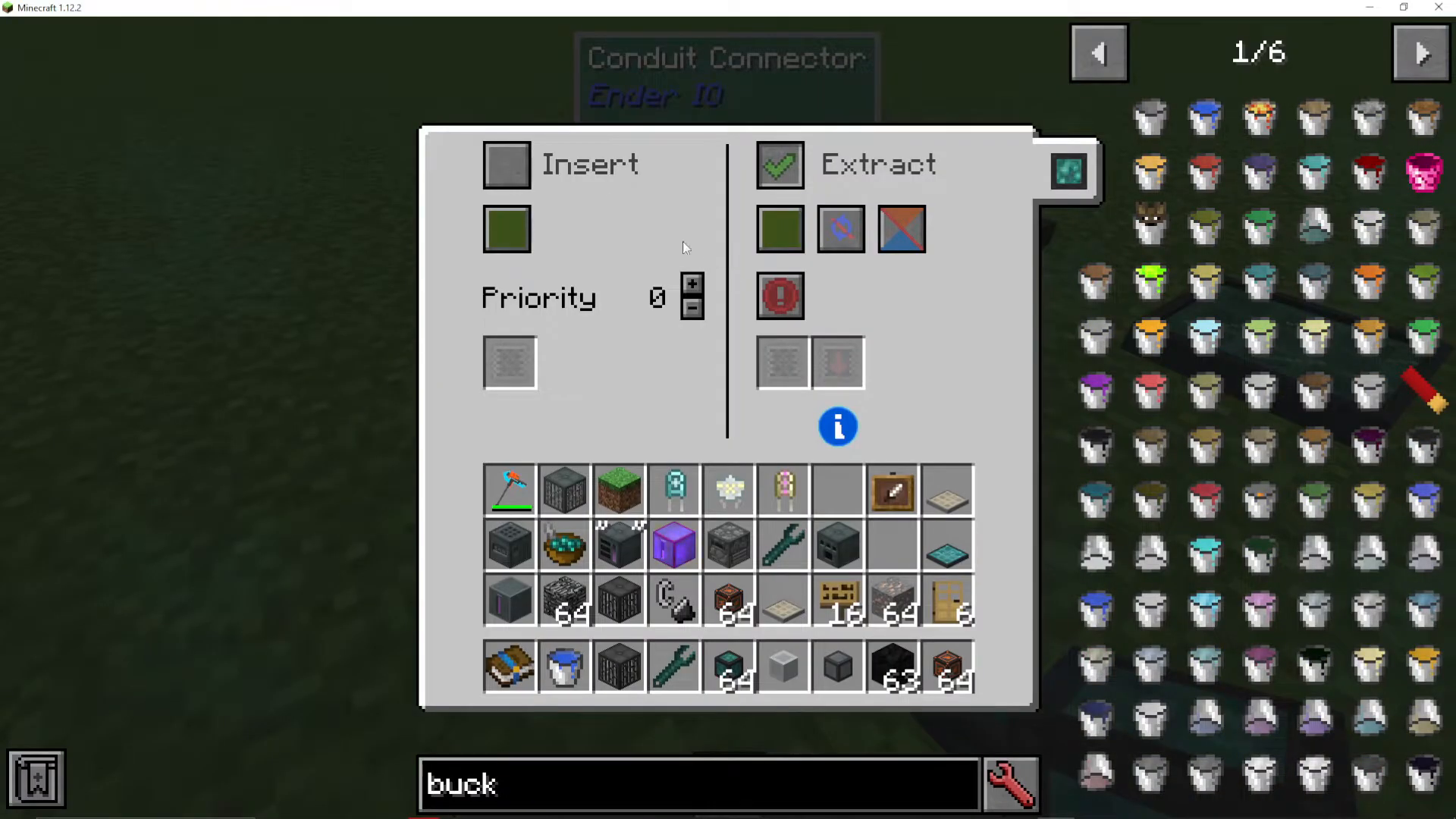
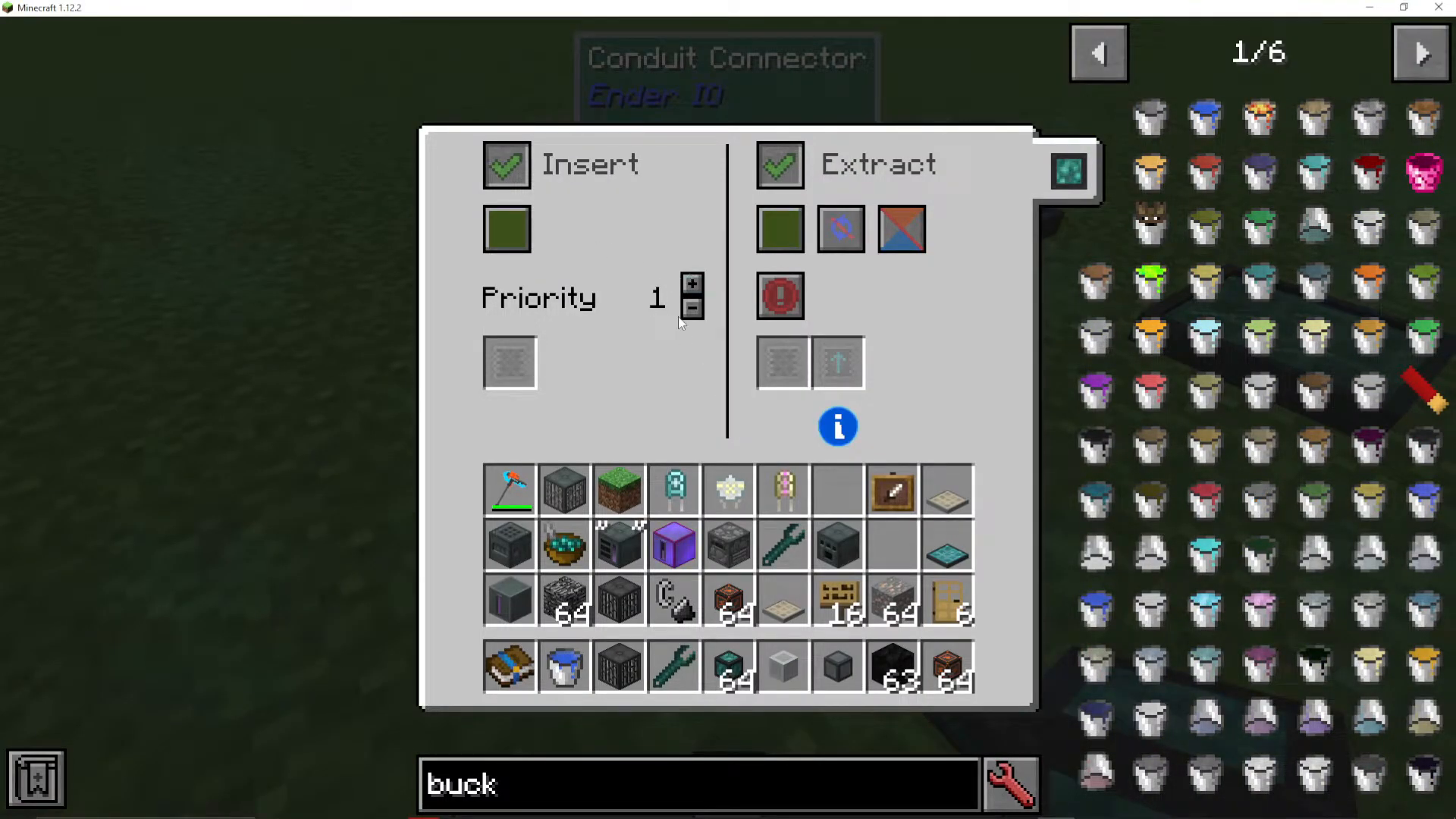
To set up item movement, right-click on the conduit cover to access its configuration menu. This will automatically apply settings to the inventory it’s connected to. You’ll see two main options: “insert” and “extract.” By ticking both options, the conduit will move items both into and out of the inventory.
Priority and Channel Systems
Setting Item Priority
One of the most powerful features of item conduits is the priority system. You can assign a priority value to each connection, determining which inventory receives items first. For example, if you’re extracting from one inventory and inserting into two different chests, you can set priority levels to control distribution. Setting one chest to priority 1 and another to priority 0 means items will fill the priority 1 chest first before moving to priority 0.
Using Channels
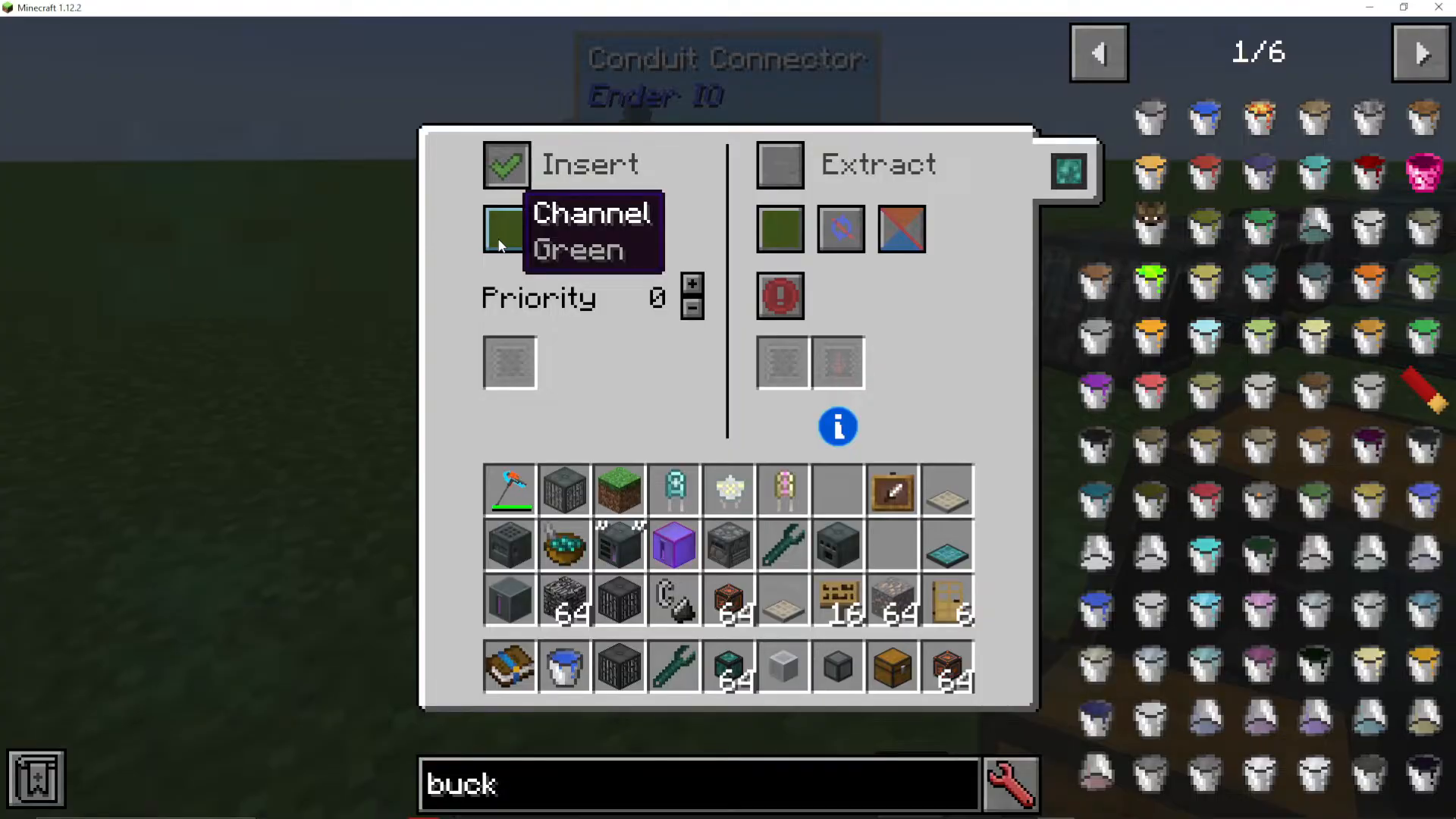
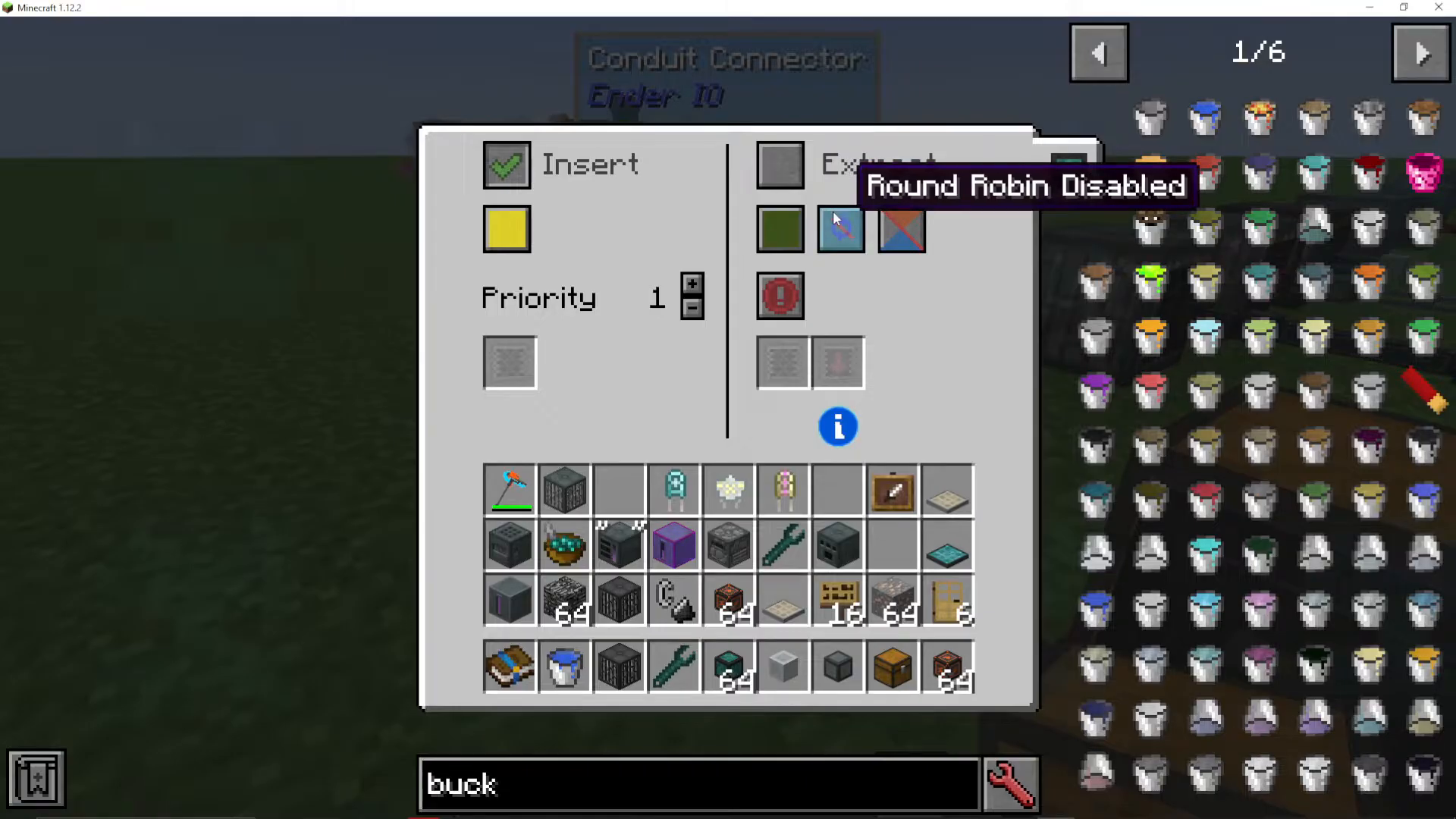
Channels allow you to separate different item routing paths on the same block. You can assign different inventories to different channels—for example, one inventory on the lime green channel and another on the yellow channel. The conduit arrows will visually change color to reflect their assigned channel, making it easy to see which items are routed where.
Advanced Conduit Features
Round Robin Mode
Round robin is a distribution method that cycles through connected inventories in sequence. When enabled, the first item extracted goes to the first inventory, the second item goes to the second inventory, and so on, continuously cycling. This is useful for evenly distributing items across multiple storage locations.
Self Feed Option
The self feed option allows items to enter and exit the same inventory. This can be useful in certain automation setups where items need to cycle through a machine or storage location multiple times.
Speed and Efficiency
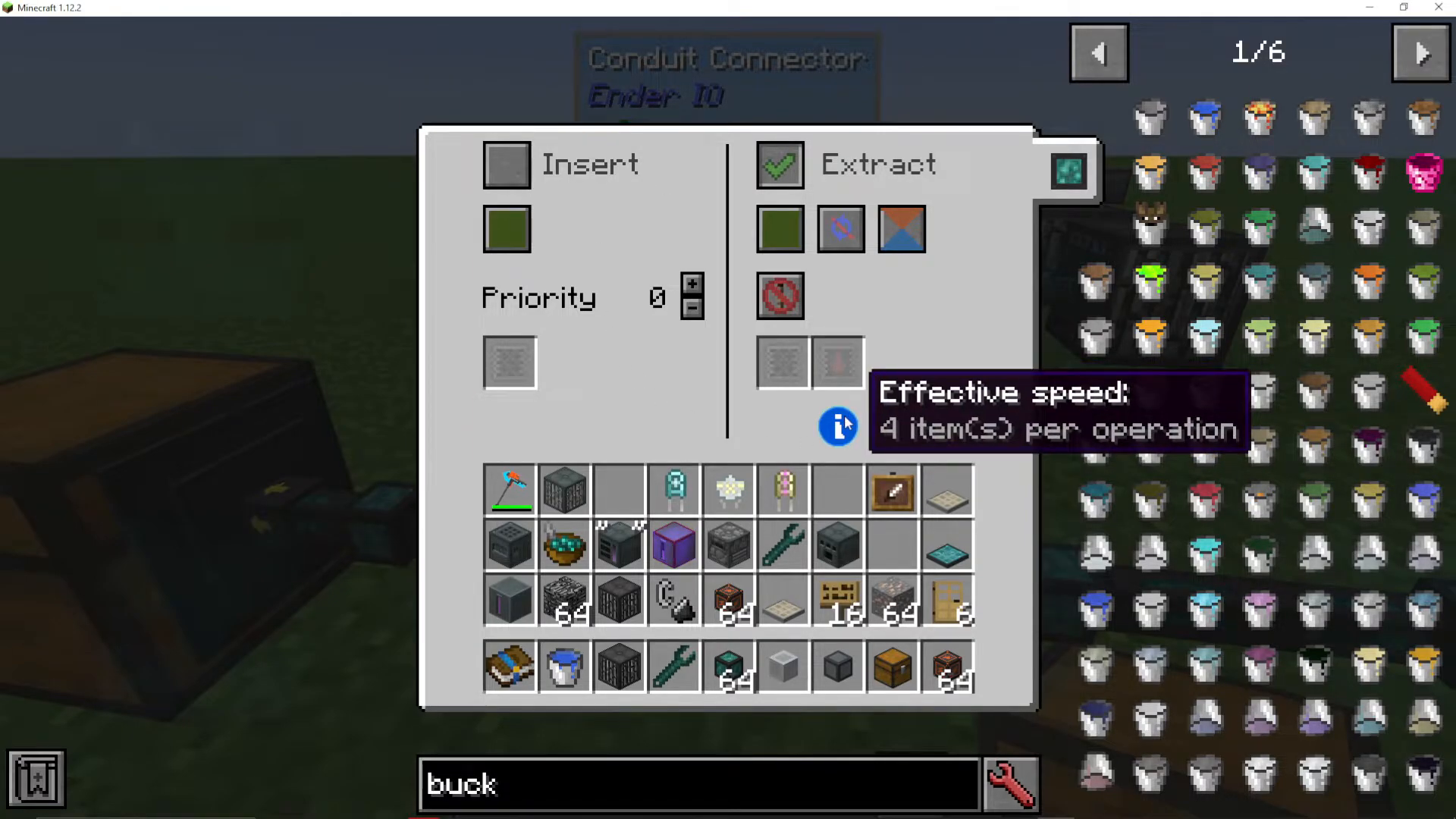
The conduit interface displays the effective speed as items per operation. By default, item conduits transfer four items per operation. This speed can be dramatically increased through extract speed upgrades, which are discussed in detail below.
Filtering Items with Item Conduits
Basic Item Filter
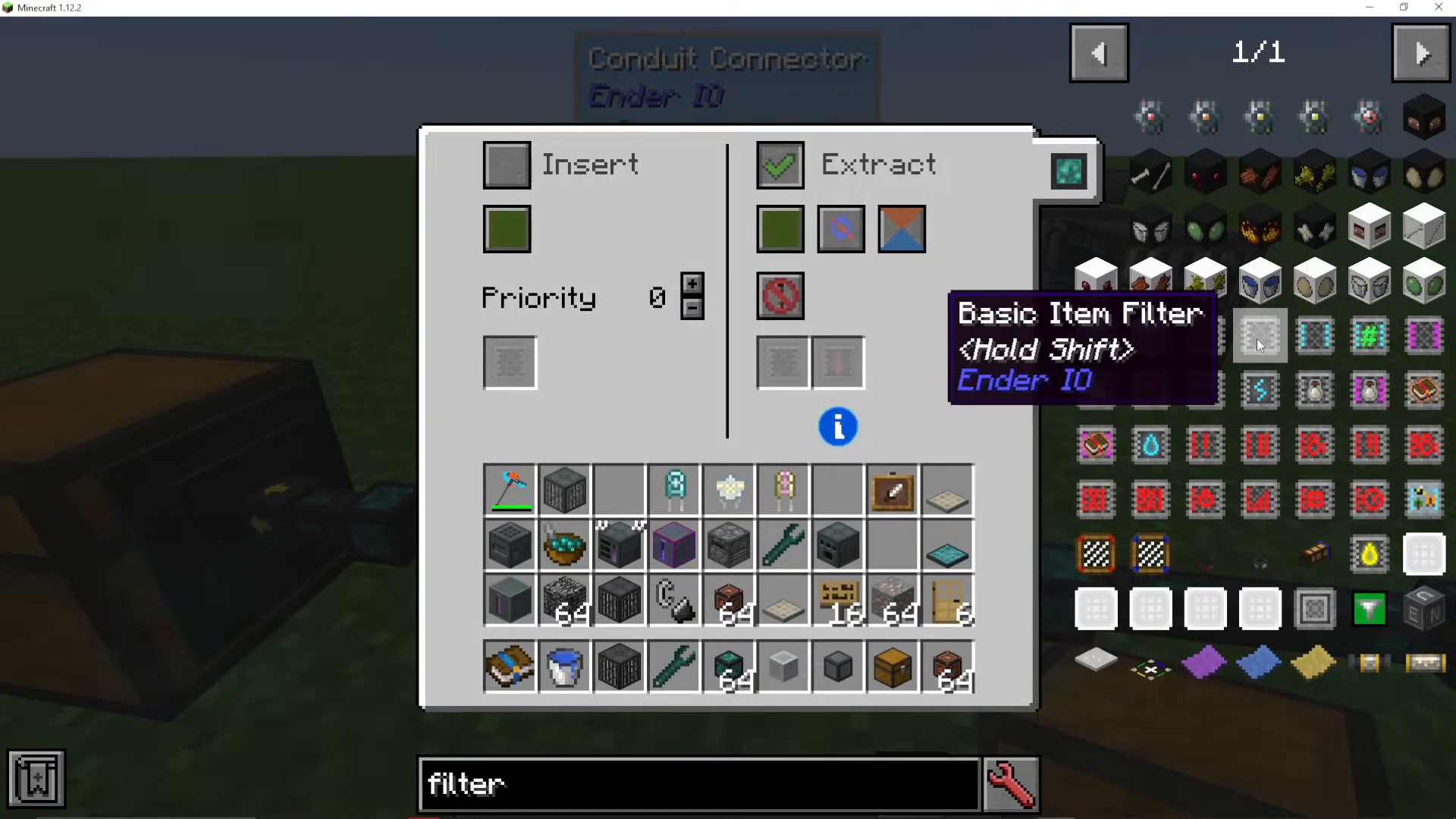
The basic item filter allows you to whitelist specific items. When you place a basic item filter onto an insert priority slot and edit its settings, you can specify which items are allowed to pass through. For example, you can whitelist iron ore so that only iron ore enters that inventory, while all other items go elsewhere. The filter also includes a “match metadata” option, which accounts for modded ore variants (such as forge:ores) and ensures precise item matching.
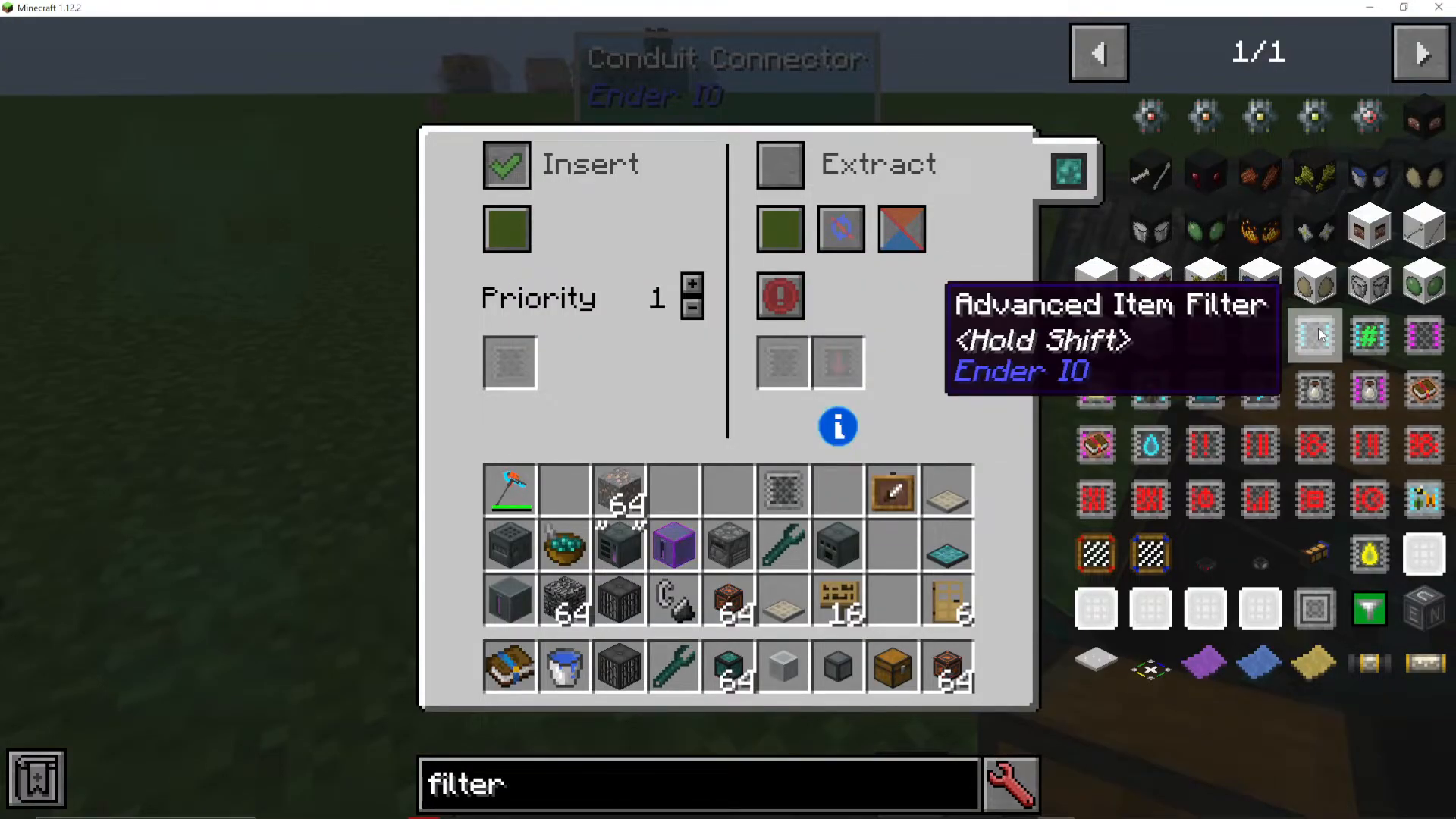
Advanced Item Filter
The advanced item filter offers significantly more control than the basic version. Key features include:
Sticky Mode: Ensures selected items are only sent to sticky outputs
Ignore Damage: Allows you to filter items based on durability ranges, accepting armor with 0-25% damage or more than 25% damage
Match NBT or Dictionary: When enabled, items from different mods with the same base type (such as iron ore from five different mods) are treated identically and routed together
Specialized Filters
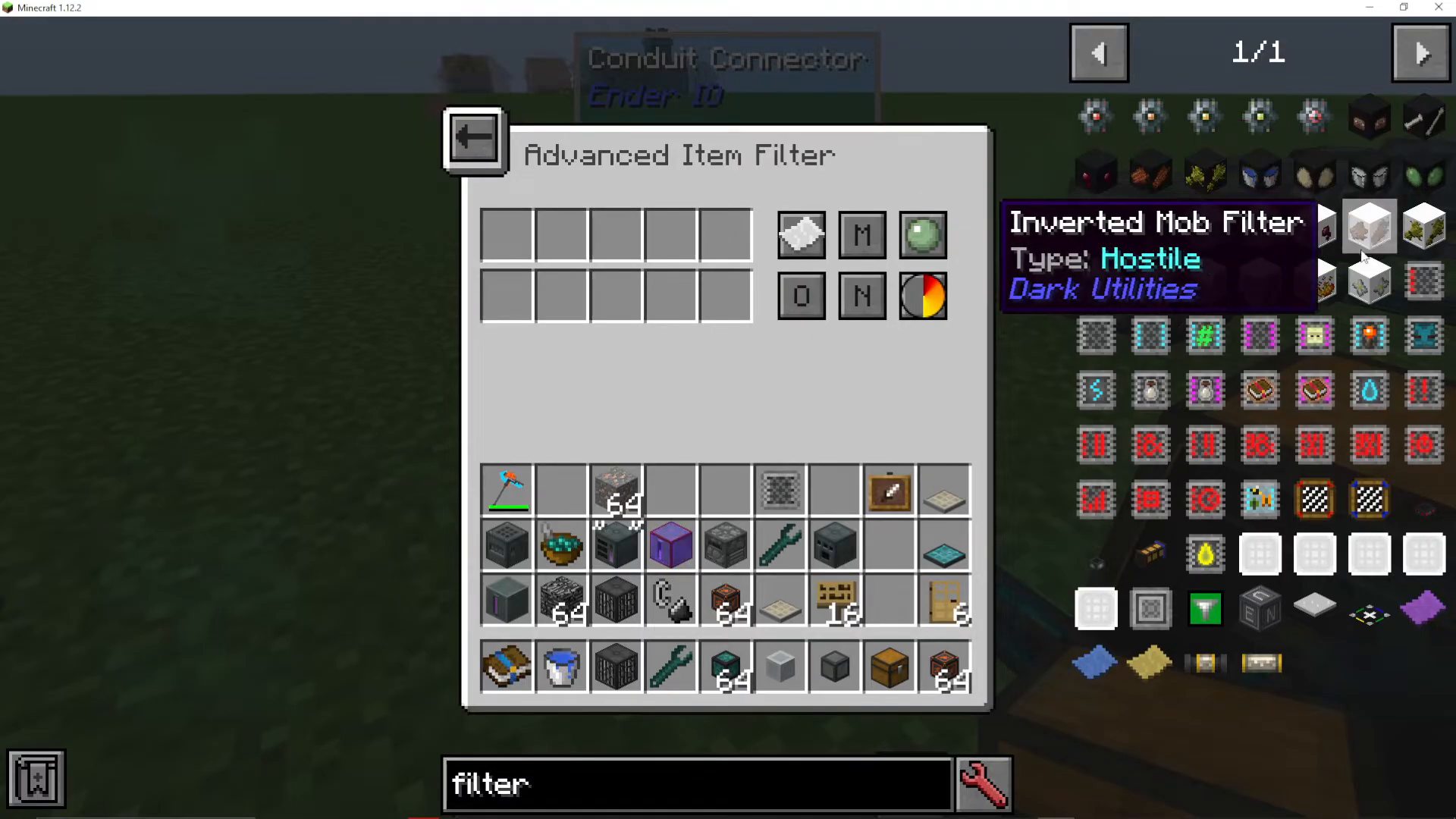
EnderIO provides numerous specialized filters for different automation needs:
Limited Item Filter: Filters items based on their stack size
Big Item Filter: Allows filtering of a much larger selection of items
Advanced Big Item Filter: Combines advanced filter features with the extensive item database
Existing Item Filter: Filters items based on a snapshot of items already in the connected inventory, allowing you to whitelist or blacklist items currently present
Mod Item Filter: Filters items by their mod of origin
Energy Cell Filter: Filters based on current energy levels (useful for energy cells)
Soul Vial Filter: Specialized for soul vials and their variants
Enchantment Filter: Filters items by enchantment type
Fluid Filter: For fluid-related routing
Redstone Filter: Redstone-based filtering logic
Species Filter: For use with Forestry mod integration
Function Upgrades for Speed
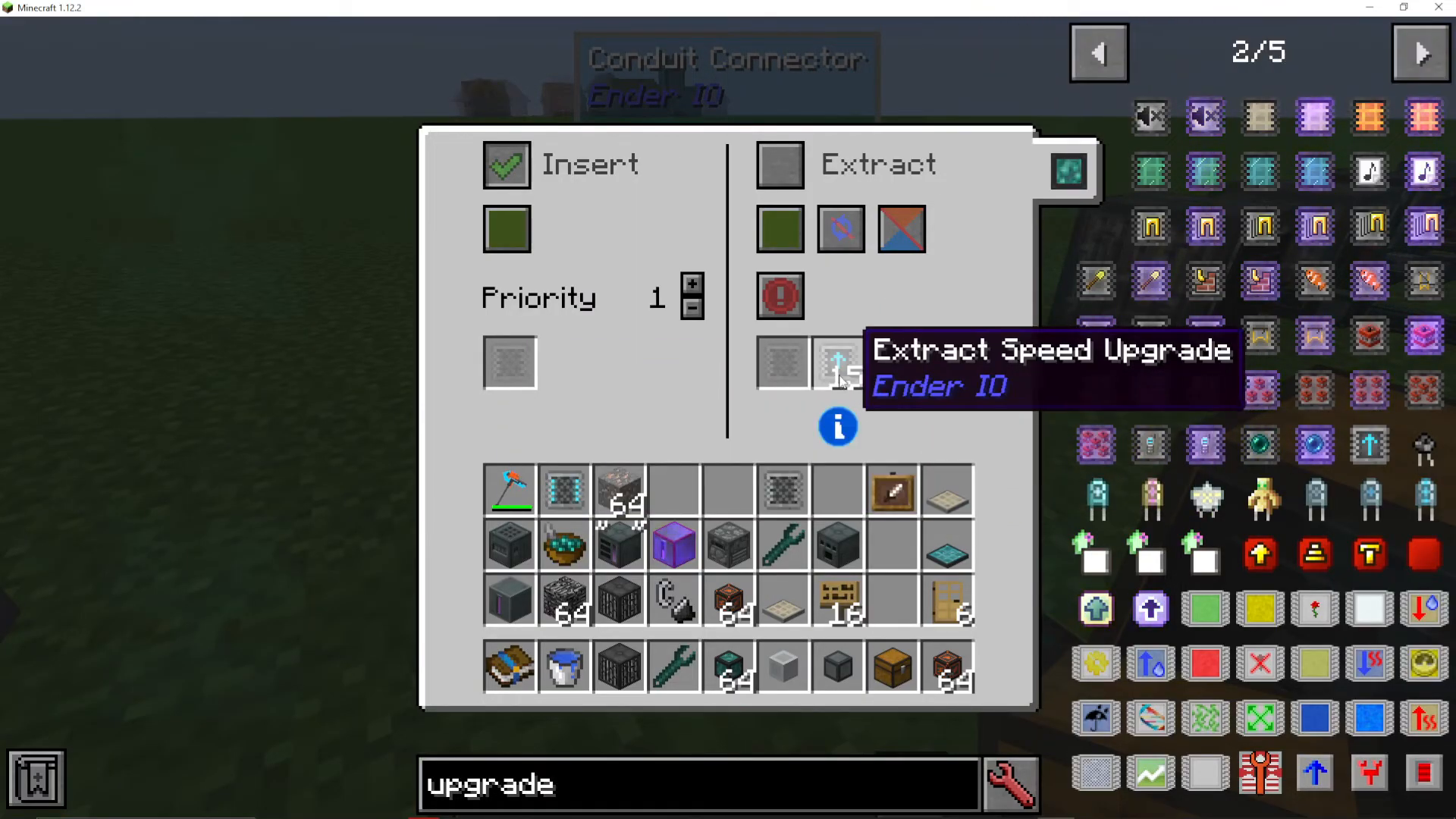
Installing Extract Speed Upgrades
You can install up to 15 function upgrades in a single conduit upgrade slot. Extract speed upgrades are among the most useful, dramatically increasing the rate at which items are removed from inventories. Without upgrades, item extraction can be relatively slow. However, installing 15 extract speed upgrades makes extraction nearly instantaneous—an entire stack of items will transfer in a fraction of a second.
Multi-Type Conduits on Single Blocks
Combining Item, Fluid, and Energy Conduits
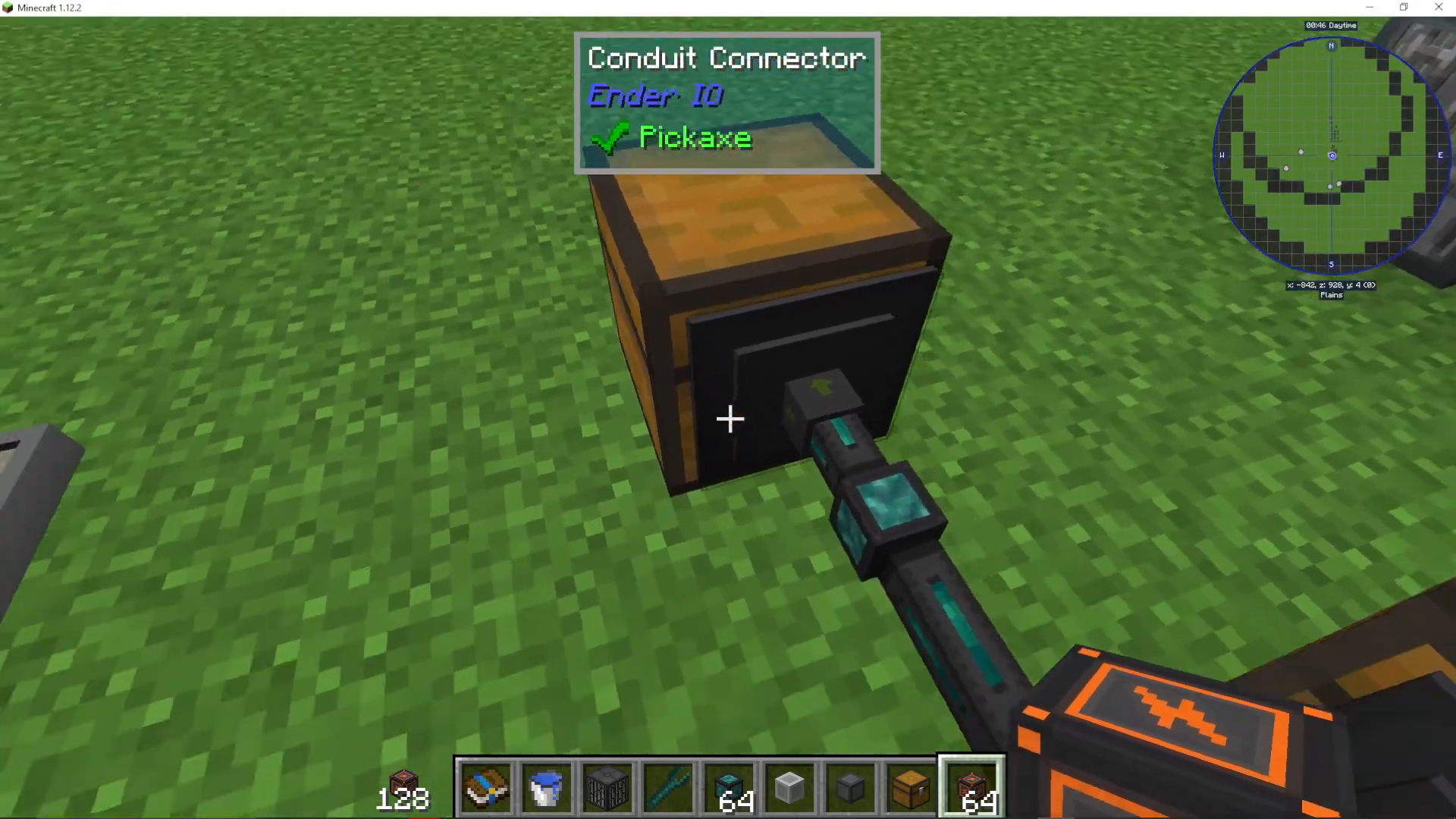
One of EnderIO’s most powerful features is the ability to attach multiple conduit types to a single block face. You can combine item conduits, fluid conduits, and energy conduits all on the same connection point. This eliminates the need to dedicate separate faces to different transport types, as you would in many other mods.
Managing Multiple Conduit Types
When multiple conduit types are attached to the same block, right-clicking on the connection reveals tabs for each conduit type. This allows you to easily switch between and configure item routing, fluid routing, and power routing without disconnecting anything. For example, you can have items moving in and out while simultaneously extracting fluids and supplying power through the same connection point.
Conclusion
Item conduits in EnderIO are incredibly flexible and powerful tools for automation. By mastering priority systems, channels, filters, and speed upgrades, you can create sophisticated item routing networks tailored to your specific needs. The ability to combine multiple conduit types on a single block makes EnderIO’s approach to automation uniquely efficient compared to other mods. Whether you’re just starting out with EnderIO or building complex industrial setups, item conduits will be essential to your success.
For more comprehensive tutorials on EnderIO and other Minecraft mods, check out the complete playlist available on screen. The channel features bite-sized tutorials for quick learning as well as in-depth guides for both beginner and advanced players. Visit the playlists tab to explore the full library of Minecraft modding tutorials covering as many mods as possible.
— Want to Support? —
If you would like to help us continue making these guides – please consider joining our patreon here – https://www.patreon.com/c/JaviHeals
Alternatively – we host a group of MC Servers you can join here – https://discord.gg/zD7Gjt6MHF



