







How To Oritech Cybernetic Augmentations – Minecraft 1.21.1
How To Use Oritech Cybernetic Augmentations – Minecraft 1.21.1
This guide covers the Cybernetic Augmentation Centre and Research Stations in the AureTech mod. AureTech is one of the most innovative tech mods available, offering players permanent character upgrades and abilities. Whether you’re looking to enhance your strength, gain new abilities like night vision, or unlock powerful augmentations, this tutorial will walk you through the entire process step by step.
Overview of AureTech Cybernetic Augmentations
AureTech is constantly adding new content, so if you discover features not covered here, feel free to comment below. This particular guide was requested by a community member and covers some of the most exciting end-game content in the mod.
Cybernetic augmentations provide a variety of benefits including increased strength, speed, retention, and new abilities like seeing in the dark or automatically keeping you fed. These are permanent upgrades to your player character and do not require any energy or resources to maintain once installed in your body.
The Cybernetic Augmentation Centre
Crafting and Placement
The Cybernetic Augmentation Centre is considered end-game content within AureTech and requires fairly advanced materials to craft. If you’re unsure how to obtain these materials, refer to the other AureTech tutorials on the channel.
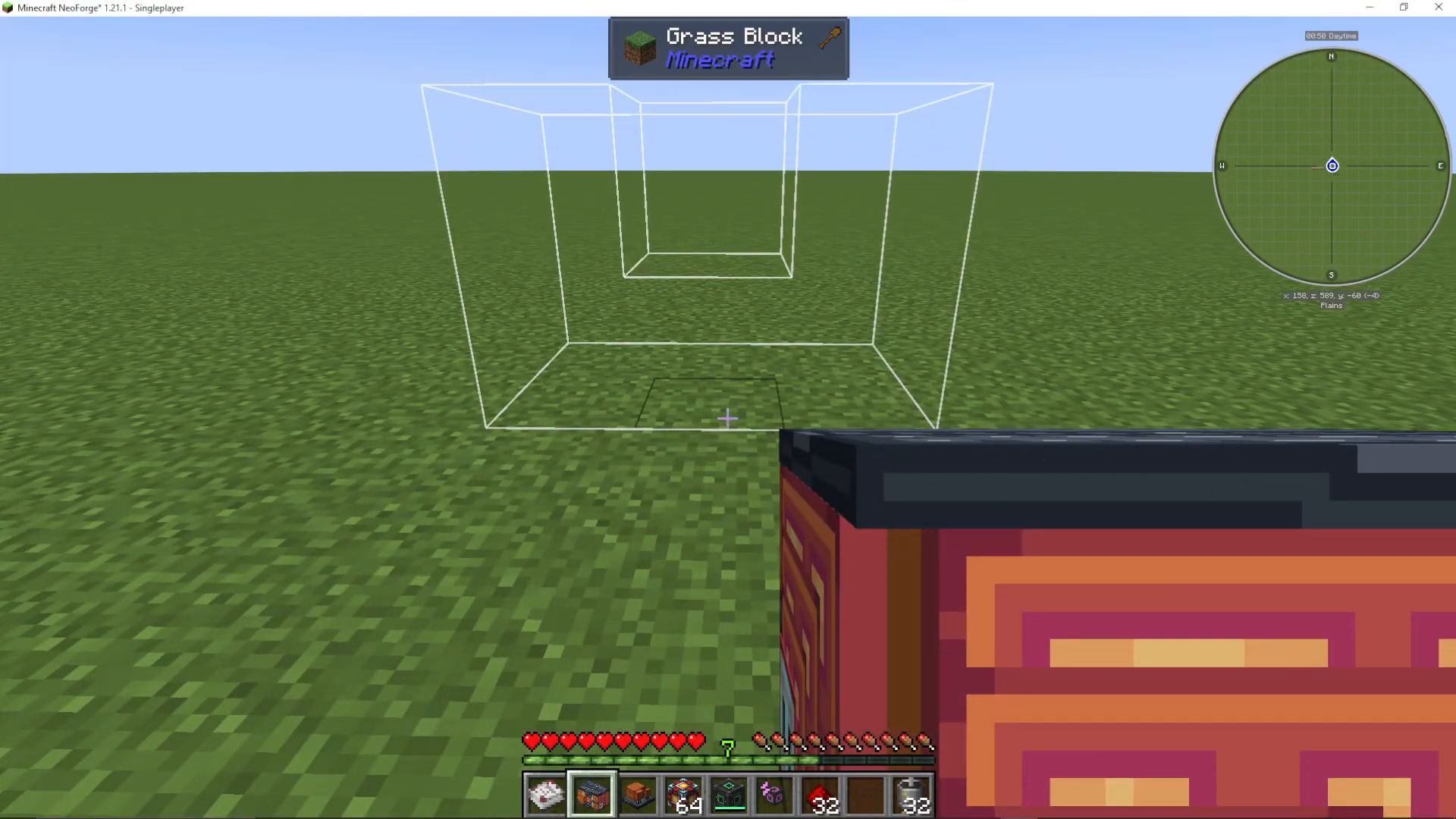
Once crafted, place the Cybernetic Augmentation Centre in your world. Like other multi-block structures in AureTech, you don’t need to add the casing manually. Simply use Ultimate Machine Casing and right-click on the main block repeatedly until the full multi-block structure forms.
Powering the Centre
The Cybernetic Augmentation Centre requires power to operate. You can supply power from any side of the structure. The machine holds 500 million Forge Energy at full capacity.
Accessing the Augmentation Menu
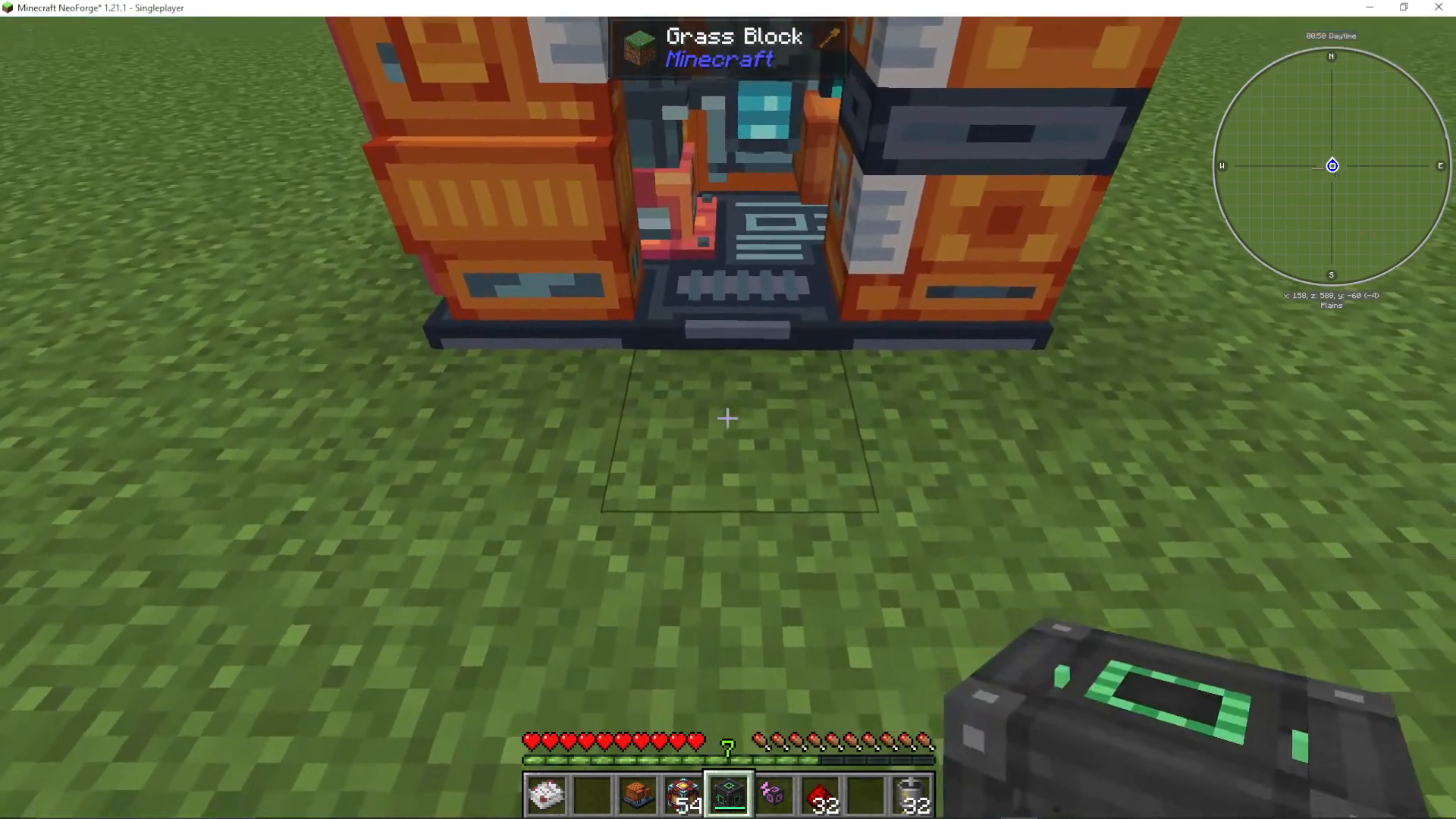
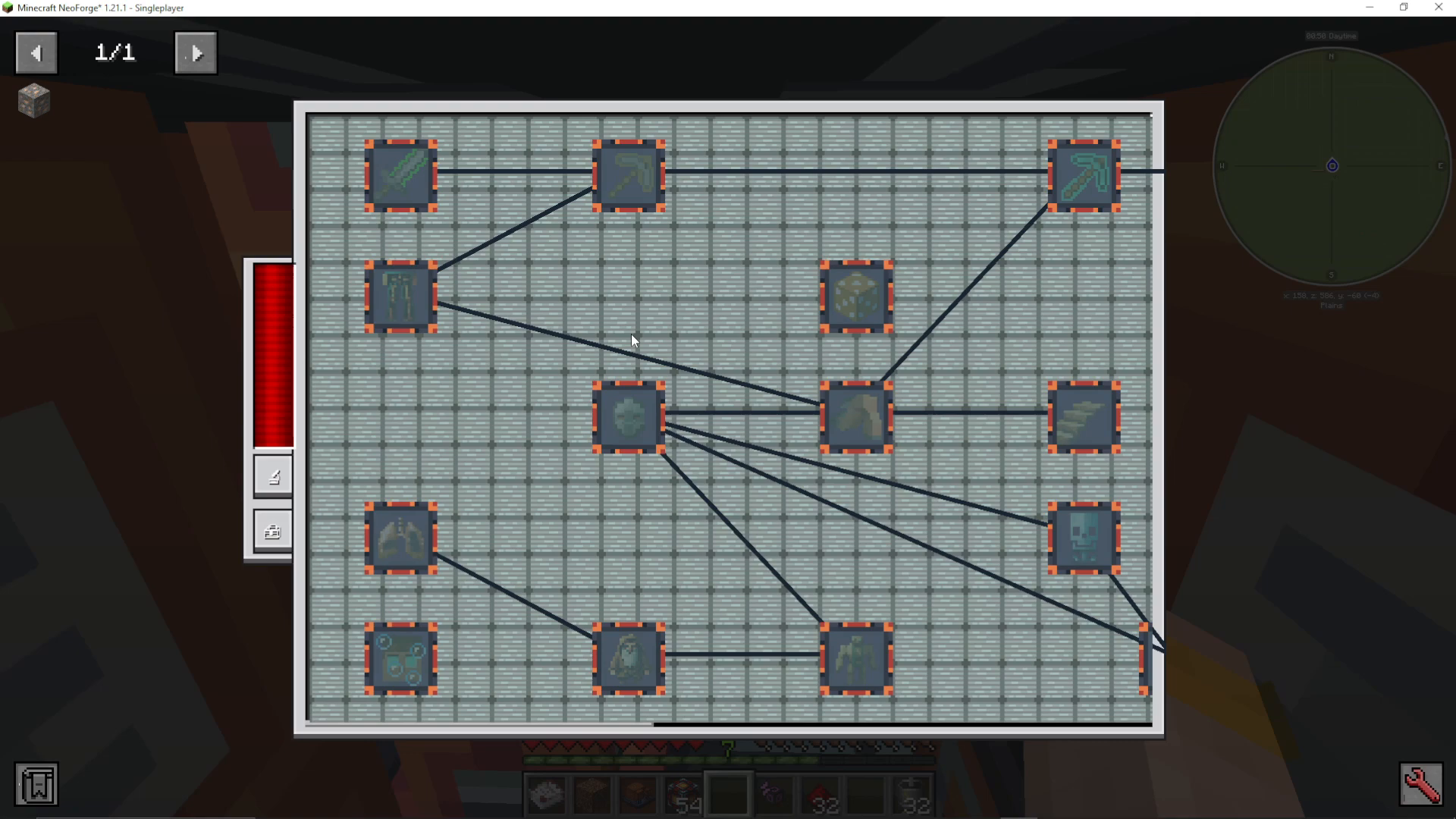
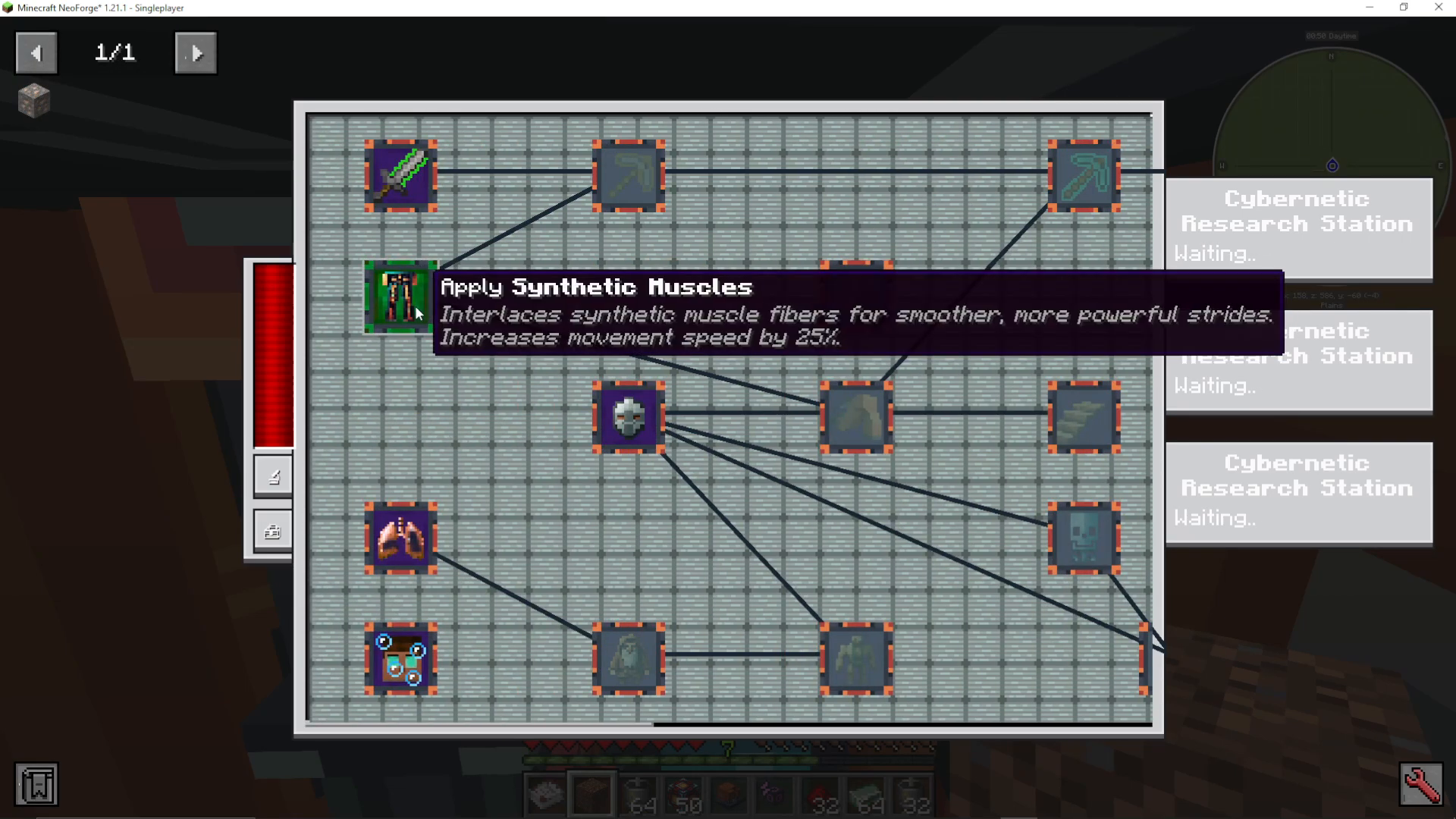
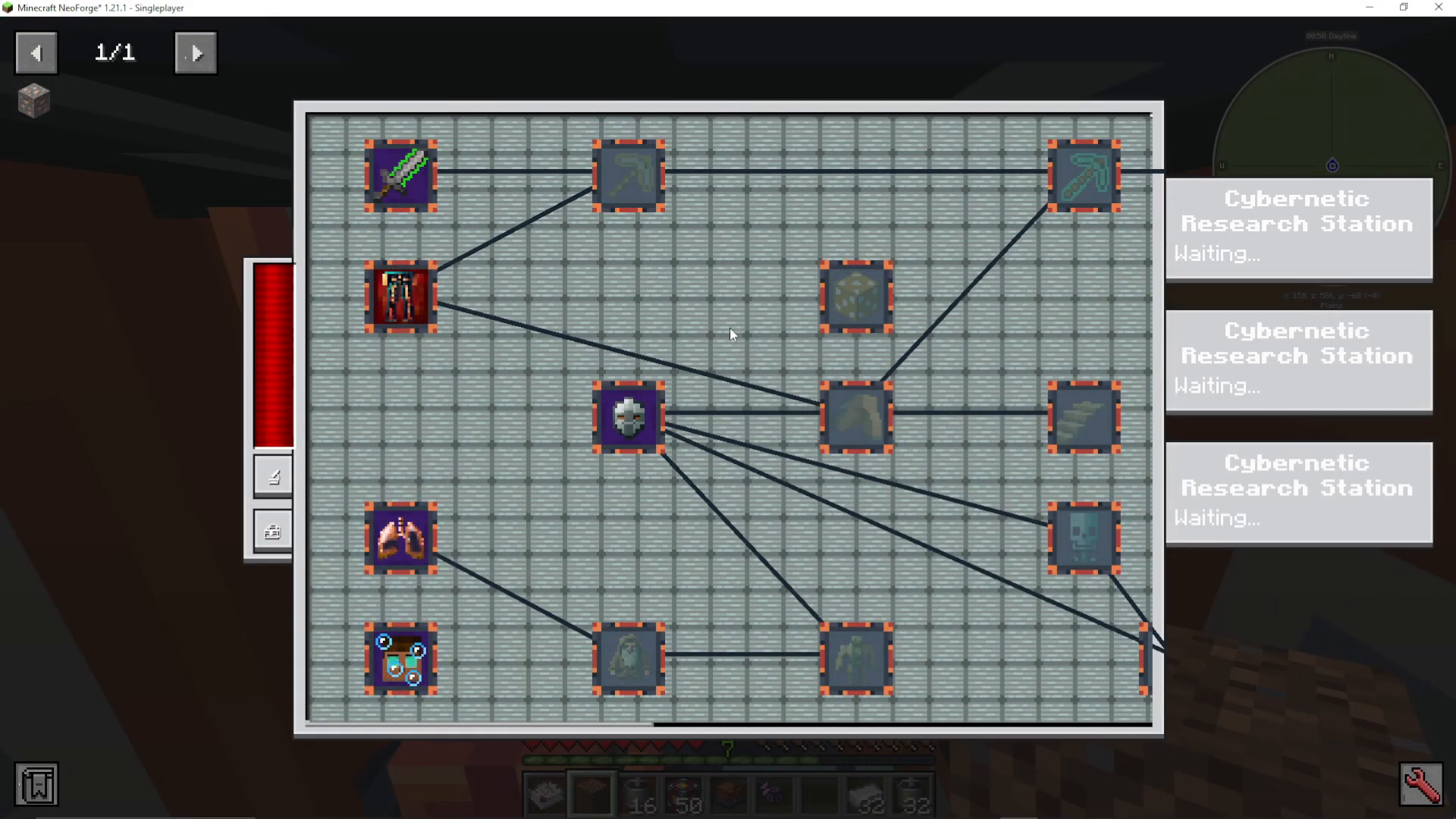
Walk into the Cybernetic Augmentation Centre through its entrance, and the GUI will open automatically. This displays all available player augments in a tree structure. You’ll need to progress through the tree from left to right, unlocking augmentations as you go.
The Cybernetic Research Station
Setup and Placement
The Cybernetic Research Station is the second essential machine for augmentation research. You can attach up to three research stations simultaneously to the Cybernetic Augmentation Centre, though using just one is also possible.
The Cybernetic Research Station has three attachment points: one on the left side, one on the back, and one on the right side. These are marked by blue plugs. You must attach the research stations to these specific plugs, or they won’t register properly.
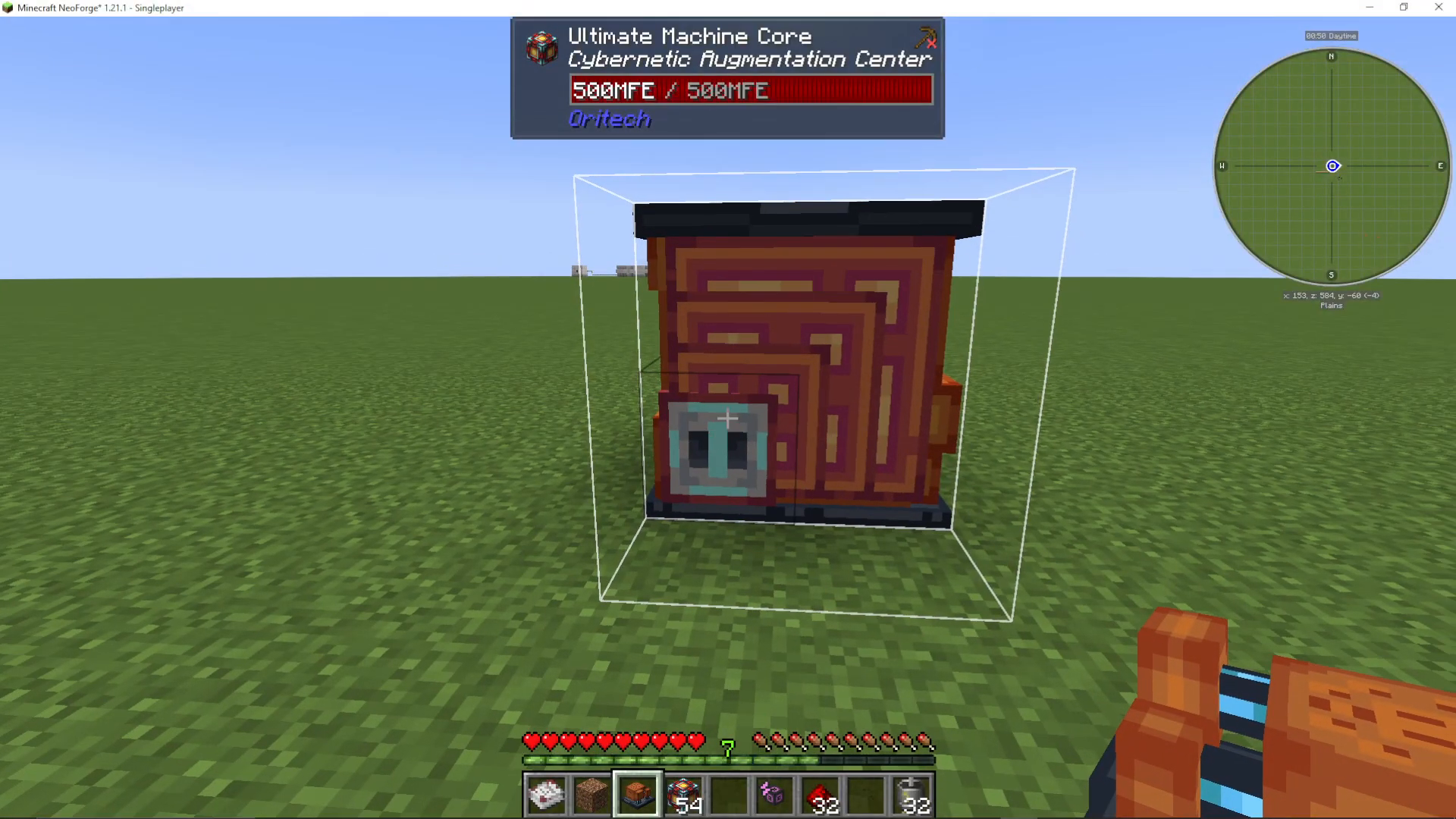
To attach a research station, use shift-click on each blue plug location. You’ll place one research station on each plug until all three are installed.
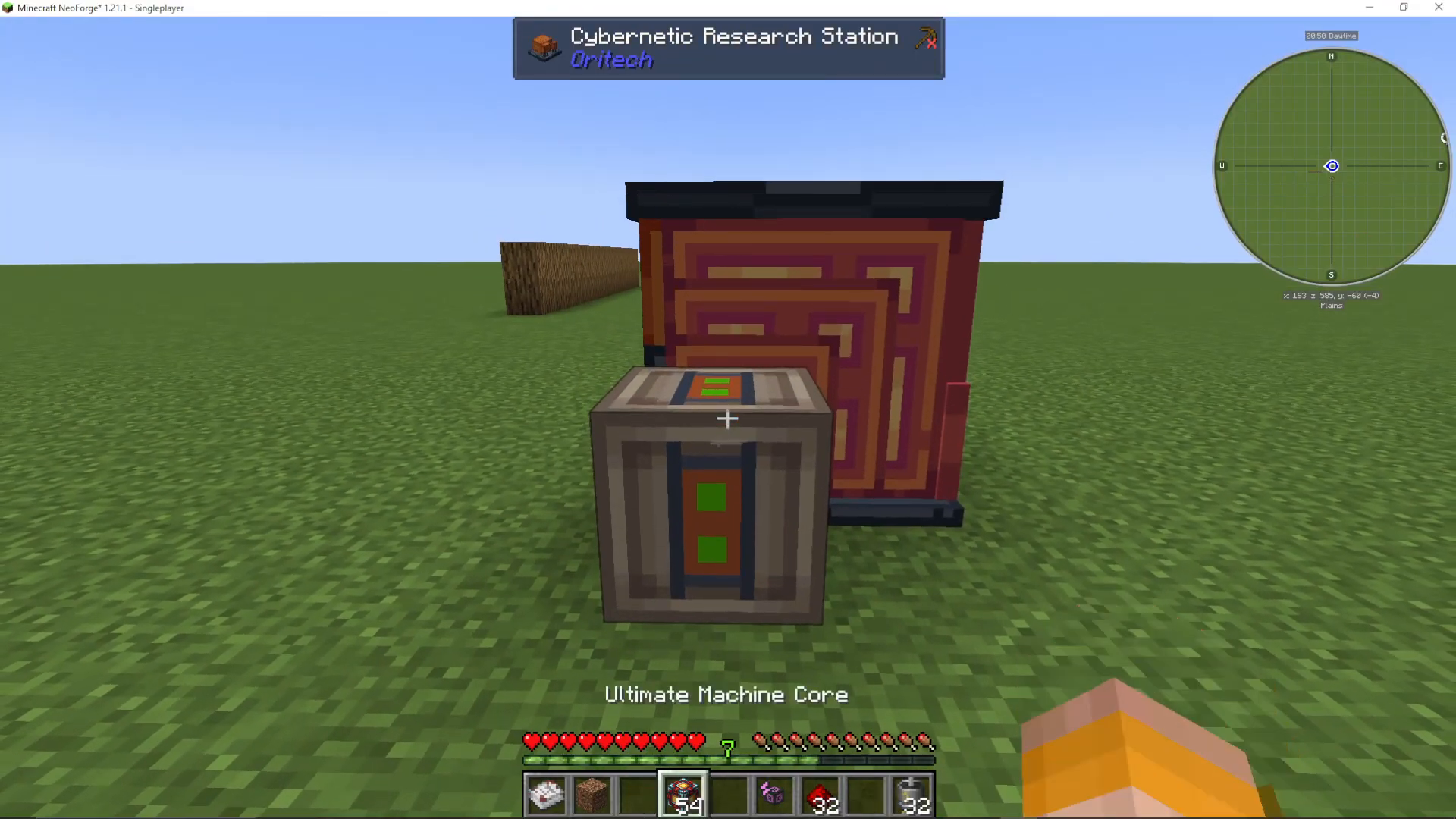
Multiple Research Stations
When you enter the Cybernetic Augmentation Centre with multiple research stations attached, you’ll see all three stations listed on the left side of the GUI. Using all three stations significantly speeds up the research process compared to using just one.
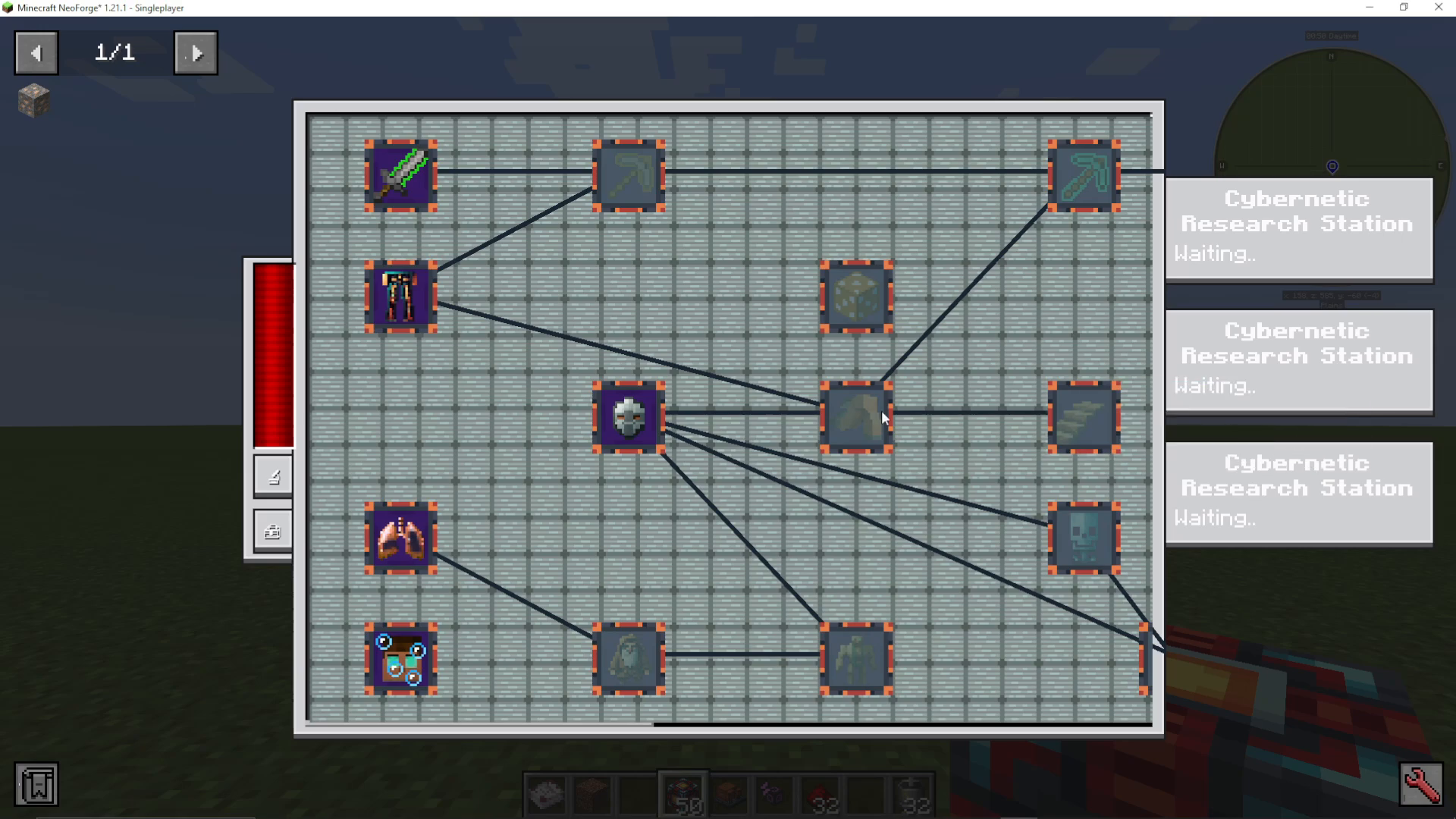
Researching Augmentations
Selecting an Augmentation
When viewing the augmentation tree, you can select any available augmentation to research, not just those in a strict left-to-right progression. Each augmentation displays its benefits, resource requirements, and research time.
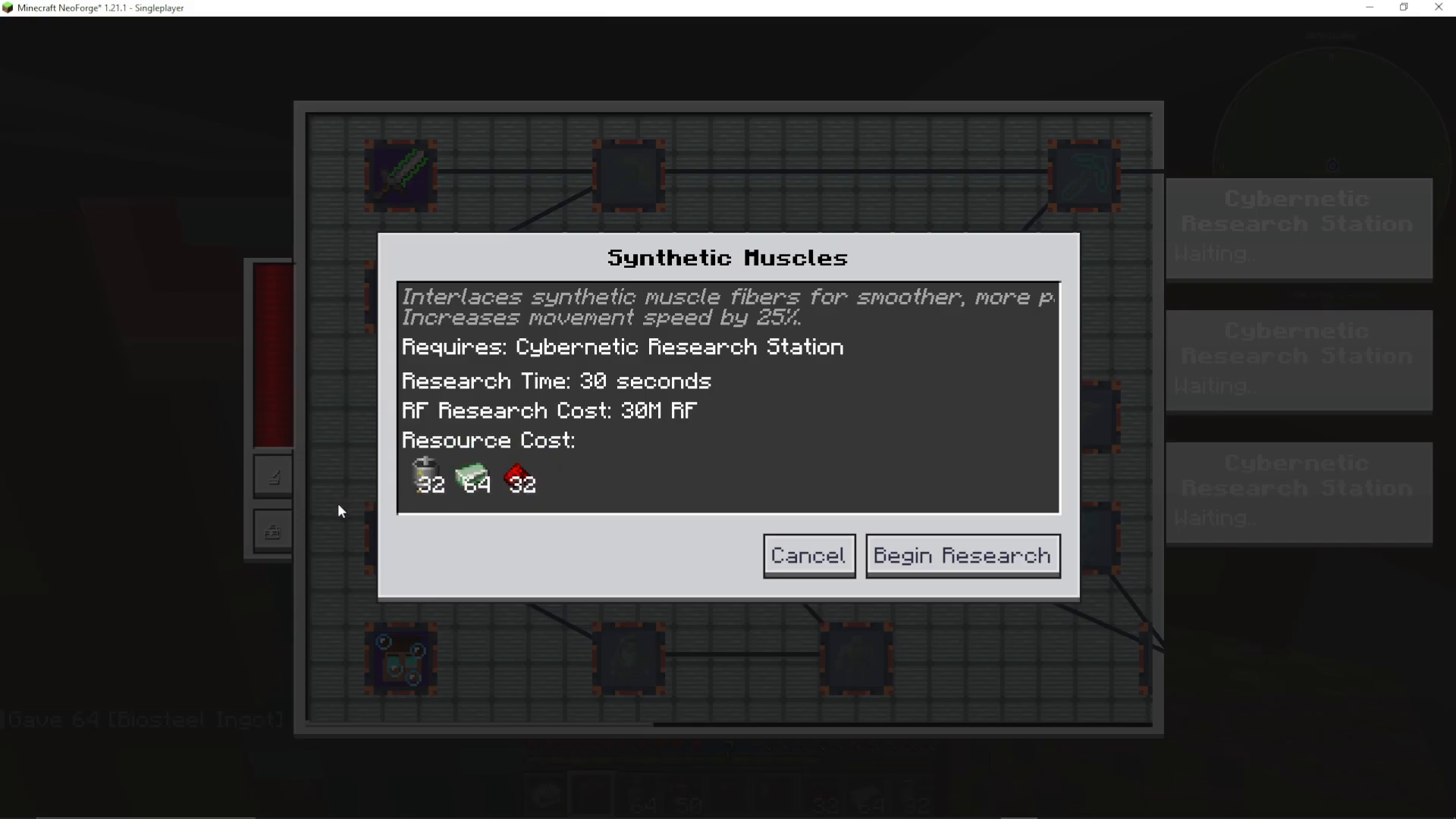
For example, Steel Fist reinforces your fists with sharpened steel, adding 4 attack damage points with an 80-second research time. Synthetic Muscles interlace synthetic muscle fibers for smoother, more powerful strides, increasing movement speed by 25%.
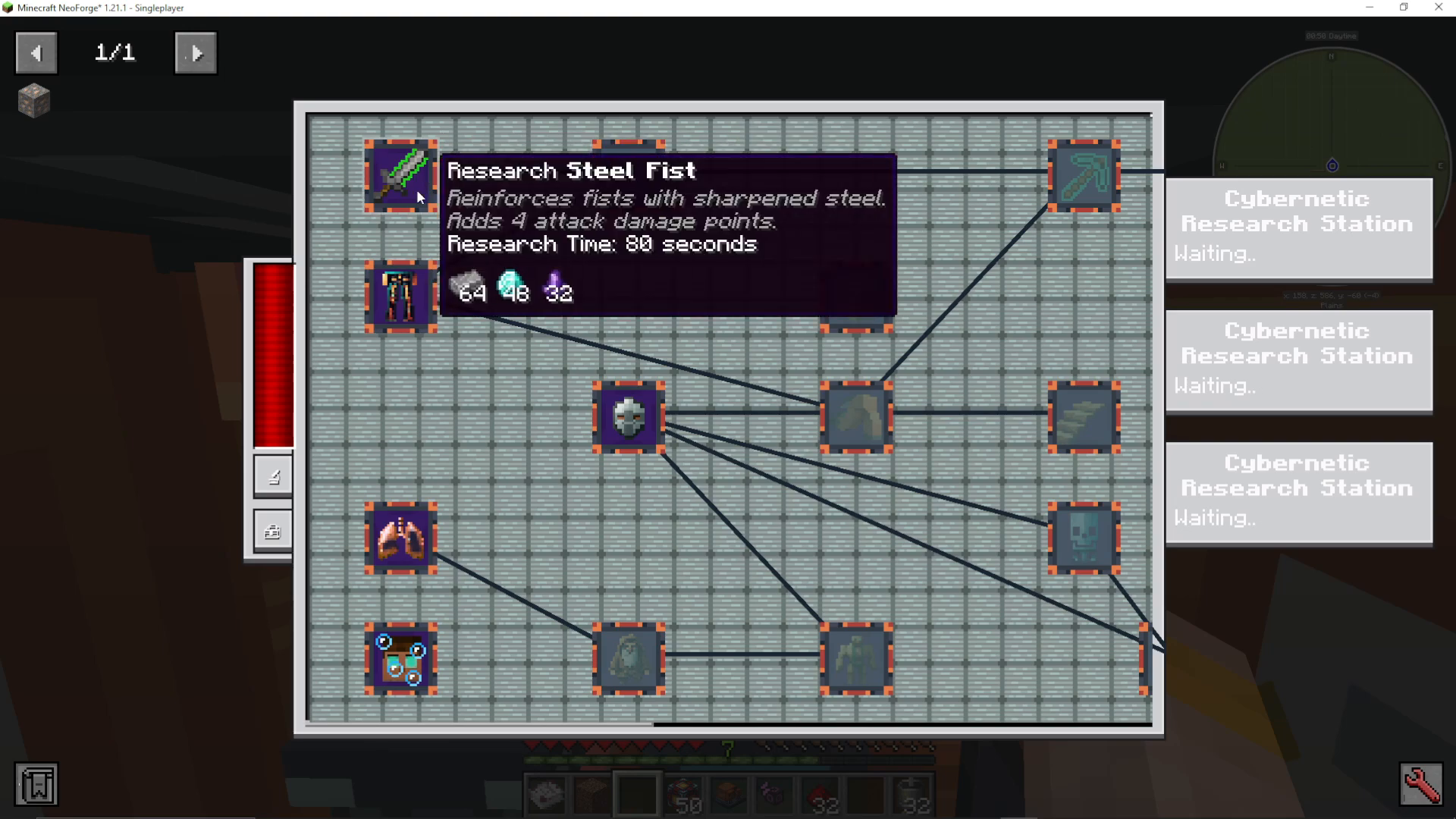
Resource Requirements
Each augmentation requires specific resources and energy to research. You can view the complete cost breakdown by clicking on an augmentation. For instance, one augmentation might require 64 steel, 48 diamonds, and 32 additional materials, plus 150 million RF (Redstone Flux) to research.
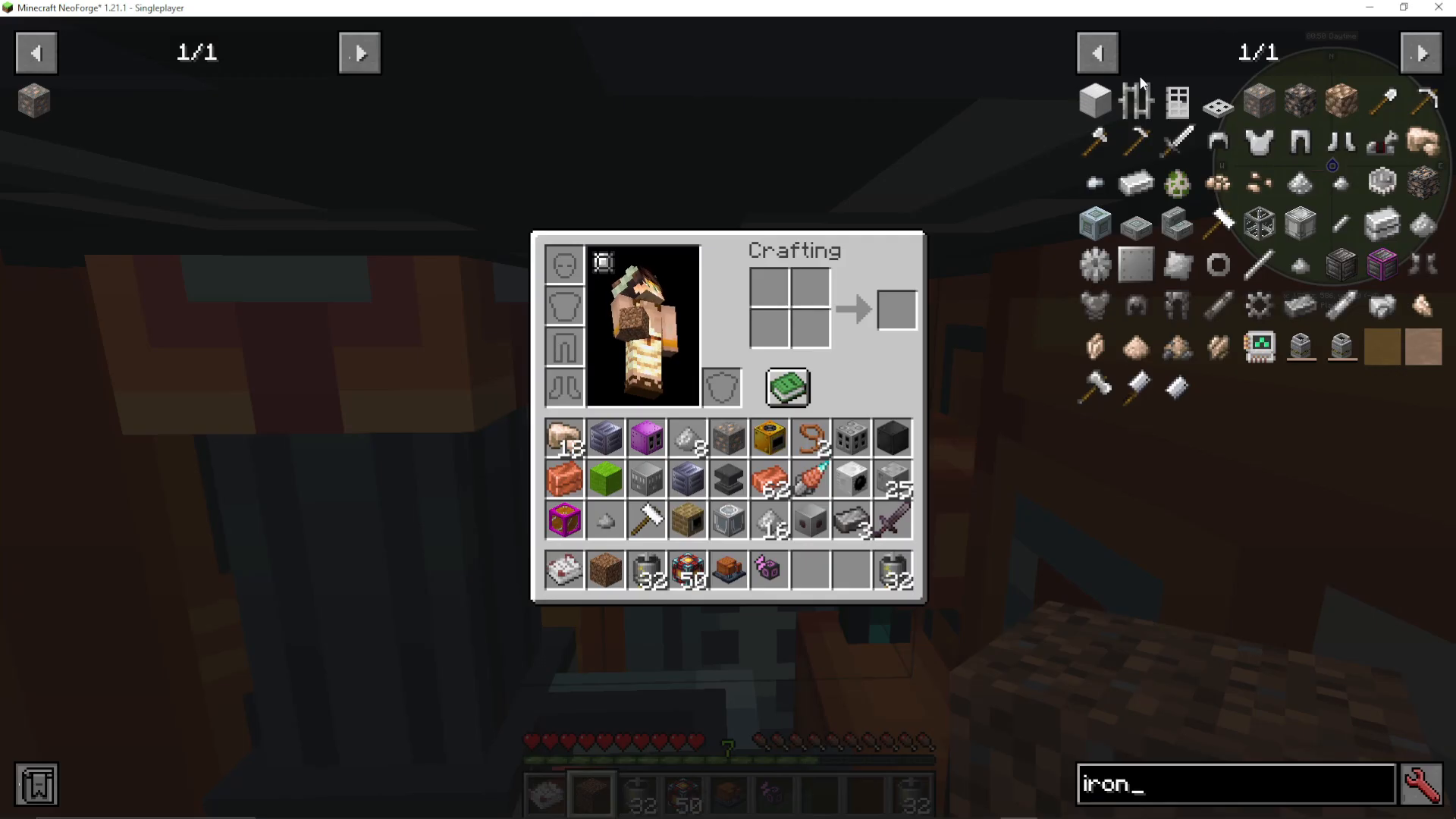
You can place required items into the “Open Enhancer Inventory” within the machine interface, or keep them in your player inventory. Both locations are accepted for research purposes.
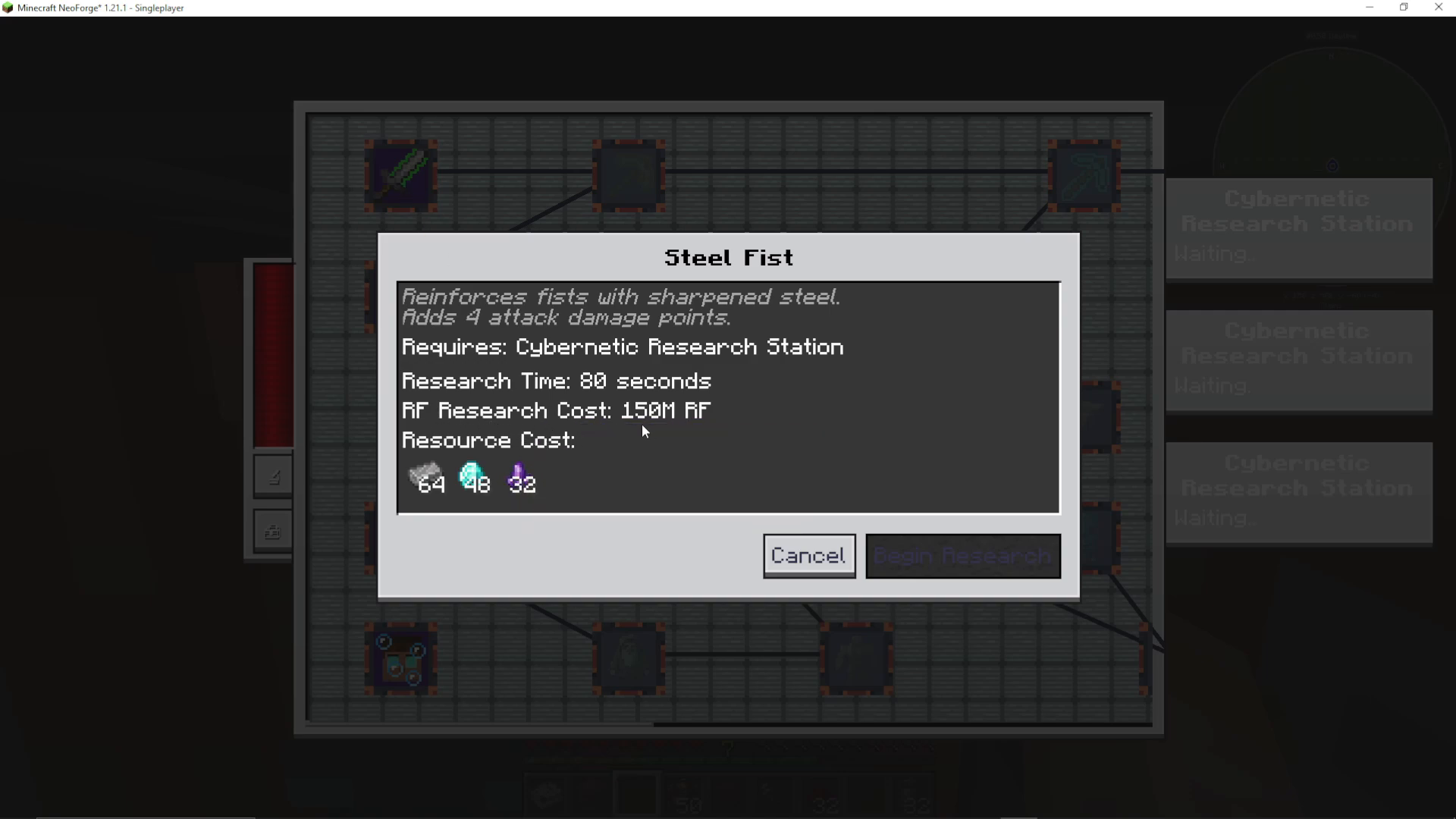
Starting Research
Once you have all required resources in your inventory or the enhancer inventory, the button will change from a locked state to “Begin Research.” Click to start the research process.
When researching with multiple research stations, you can queue different augmentations across all available stations simultaneously. Each station displays its own research ETA on the right side of the screen.
The progress indicator will change from yellow to green once research is complete.
Installing Augmentations
Installation Process
After research completes, you need to install the augmentation onto your body. This requires a second set of resources. For example, installing Steel Fist requires 32 iron ingots and 16 motors.
Click on the completed augmentation and press the “Install” button to apply it to your character.
Managing Installed Augmentations
Once installed, augmentations are permanent upgrades that don’t require power or fuel to maintain. However, you can remove any augmentation if needed by clicking on it and selecting “Remove.”
Important: While you don’t need to re-research an augmentation after removal, you will need to use the installation resources again (in the Steel Fist example, 32 iron ingots and 16 motors) to reinstall it.
Available Augmentations
The full augmentation tree includes a wide variety of enhancements:
Steel Fist – Enhanced melee attack damage
Synthetic Muscles – Increased movement speed
Mining Speed – Faster block breaking
Hardened Plating – Additional armor points
Water Breathing – Underwater respiration
Gigantism – Size modification
Flash Steps – Enhanced mobility
Luck – Increased luck stat
Hyper Mining Speed – Extreme excavation speed
Reinforced Lungs – Improved breathing capabilities
Auto Feeder – Automatic hunger management
Extended Block Reach – Longer interaction distance
Reactive Plating – Defensive enhancements
Night Vision – See in darkness
Cloaking – Invisibility ability
Flight – Aerial movement
Hyper Redundancy Matrix – Advanced system resilience
Weapon Reach – Extended combat range
Psionic Strikes – Enhanced psychic attacks
Reduced Gravity – Lower gravity effects
Living Fortress – Defensive upgrades
Summary
The Cybernetic Augmentation system in AureTech is one of the most impressive features in modern Minecraft modding. By using the Cybernetic Augmentation Centre and Research Stations, you can unlock permanent character upgrades that dramatically enhance your gameplay. Remember to use multiple research stations to speed up the process, keep required resources on hand, and explore the full augmentation tree to find the enhancements that match your playstyle.
AureTech continues to receive updates with new features. If you discover augmentations or mechanics not covered in this guide, please comment below so we can create additional tutorials.
Want to Support?
If you would like to help us continue making these guides – please consider joining our patreon here – https://www.patreon.com/c/JaviHeals
Alternatively – we host a group of MC Servers you can join here – https://discord.gg/zD7Gjt6MHF



