







Gear & Modules Tutorial – Draconic Evolution
Gear & Modules Tutorial – Draconic Evolution
To progress through the later tiers of fusion crafting and other advanced content in Draconic Evolution, you’ll need to defeat the Chaos Guardian and Chaos Guardian Strong. This requires proper gear and a solid understanding of how to use modules effectively. This guide will walk you through everything you need to know about gear modules in Draconic Evolution.
Understanding Gear Tiers
Draconic Evolution offers multiple tiers of gear that you can craft and upgrade. Taking the bow as an example, you can start with a Wyvern Bow and upgrade it to a Draconic Bow, with the potential to eventually reach a Chaotic Bow. Each tier provides enhanced capabilities and allows you to use higher-tier modules.
Module Basics
How to Install Modules
To install modules into your gear, use the default keybinding Shift + C to open the module configuration screen. This will display all available module slots for your current item.
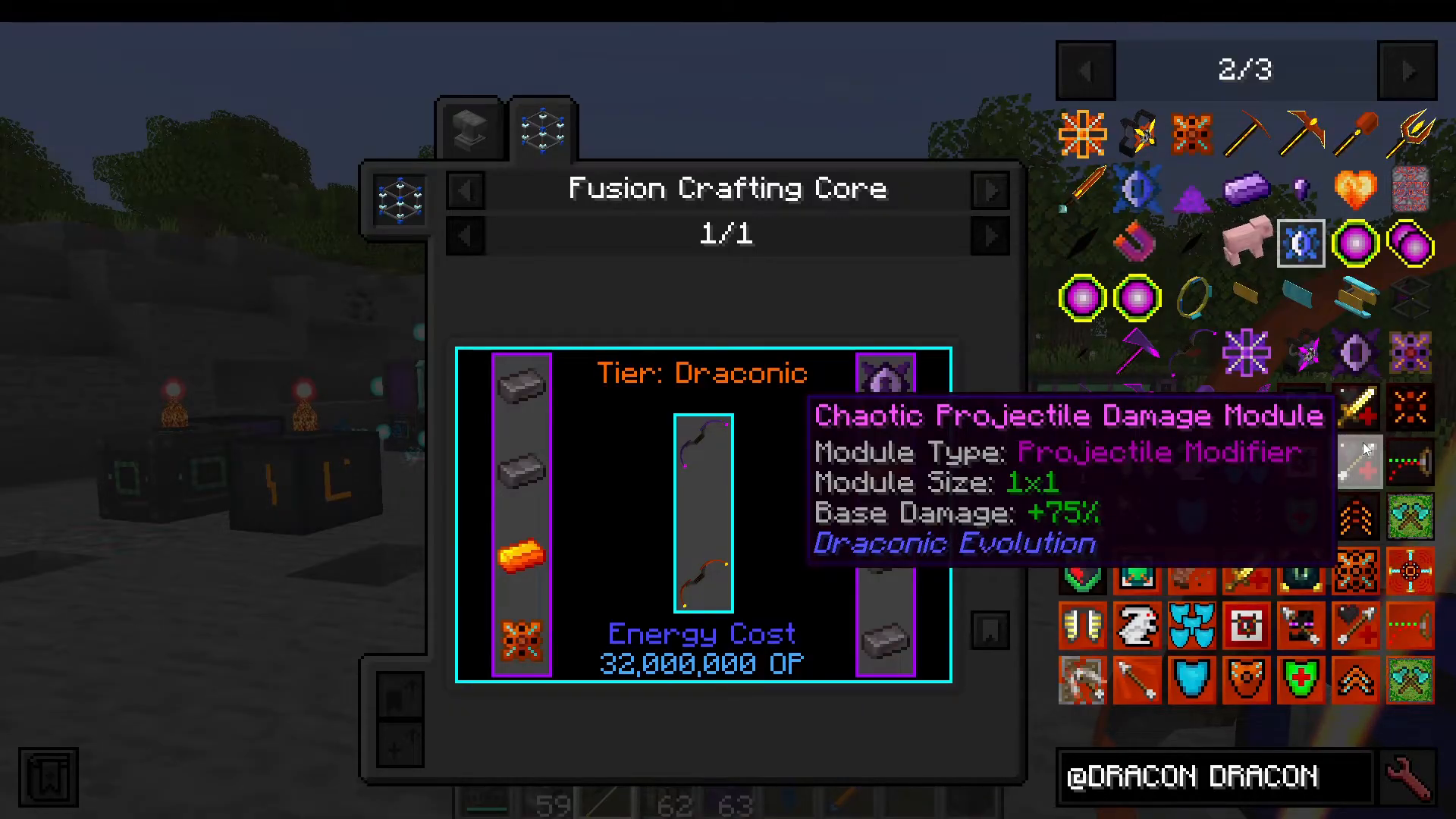
Module Stacking
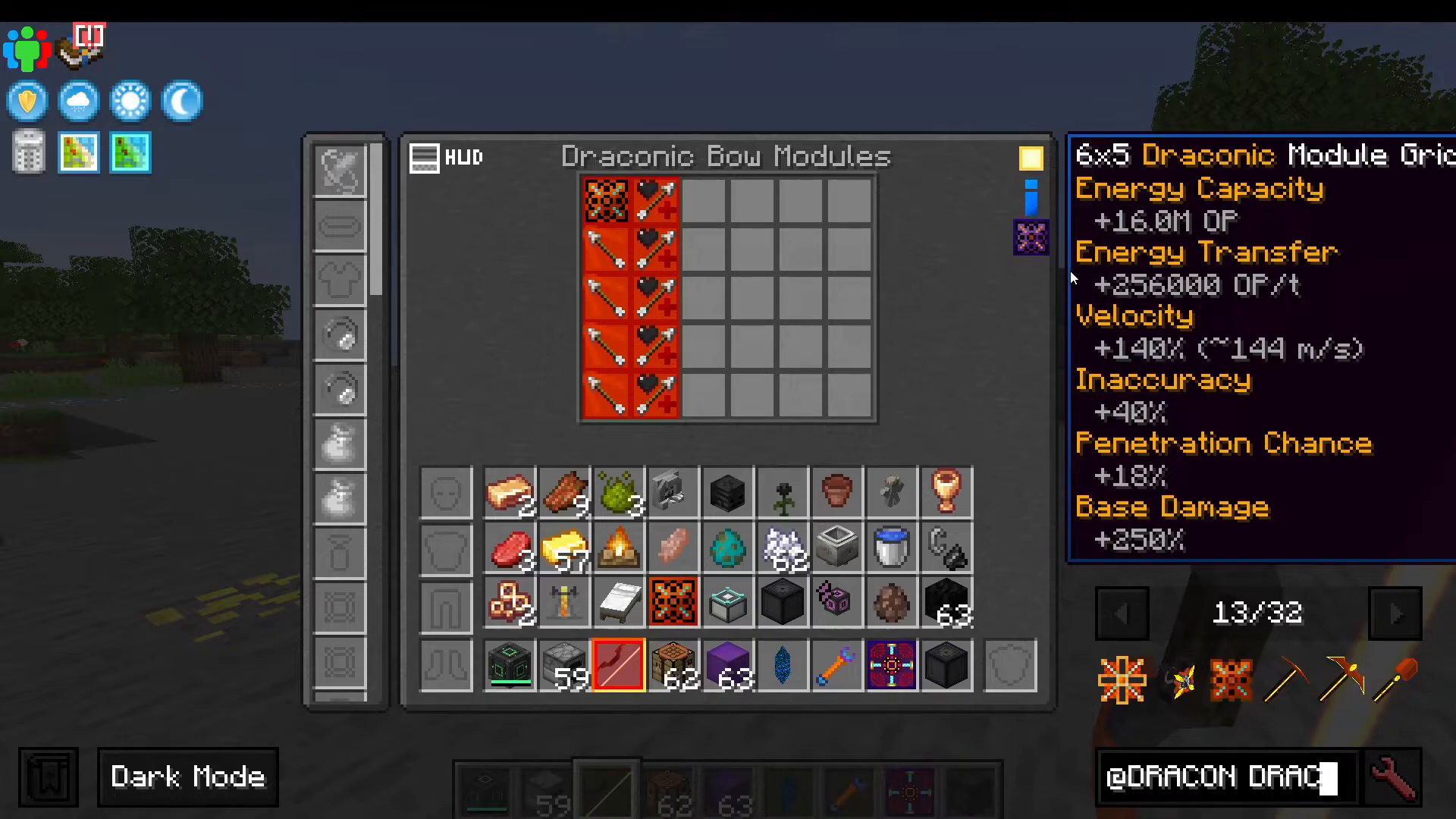
Many modules can stack, allowing you to add multiple copies of the same module to significantly enhance their effects. For example, you can place five Draconic Projectile Damage modules in your bow. The stats panel on the right side of the screen will display all current bonuses including energy capacity, energy transfer rate, velocity, inaccuracy, base damage, and more.
Be aware that adding more modules increases the energy requirements for your gear. For instance, Projectile Velocity modules will make arrows fly faster but add 40% inaccuracy—which you can reduce by installing accuracy modules.
Energy Management
Energy Modules
Every piece of Draconic Evolution gear requires an energy module to function. Higher-tier energy modules store more power. The Draconic Bow is particularly useful because it generates its own arrows, eliminating the need for arrow supplies.
Charging Your Gear
You can charge gear using several methods:
Creative Energy Cube from Mekanism (plop it into your inventory slot)
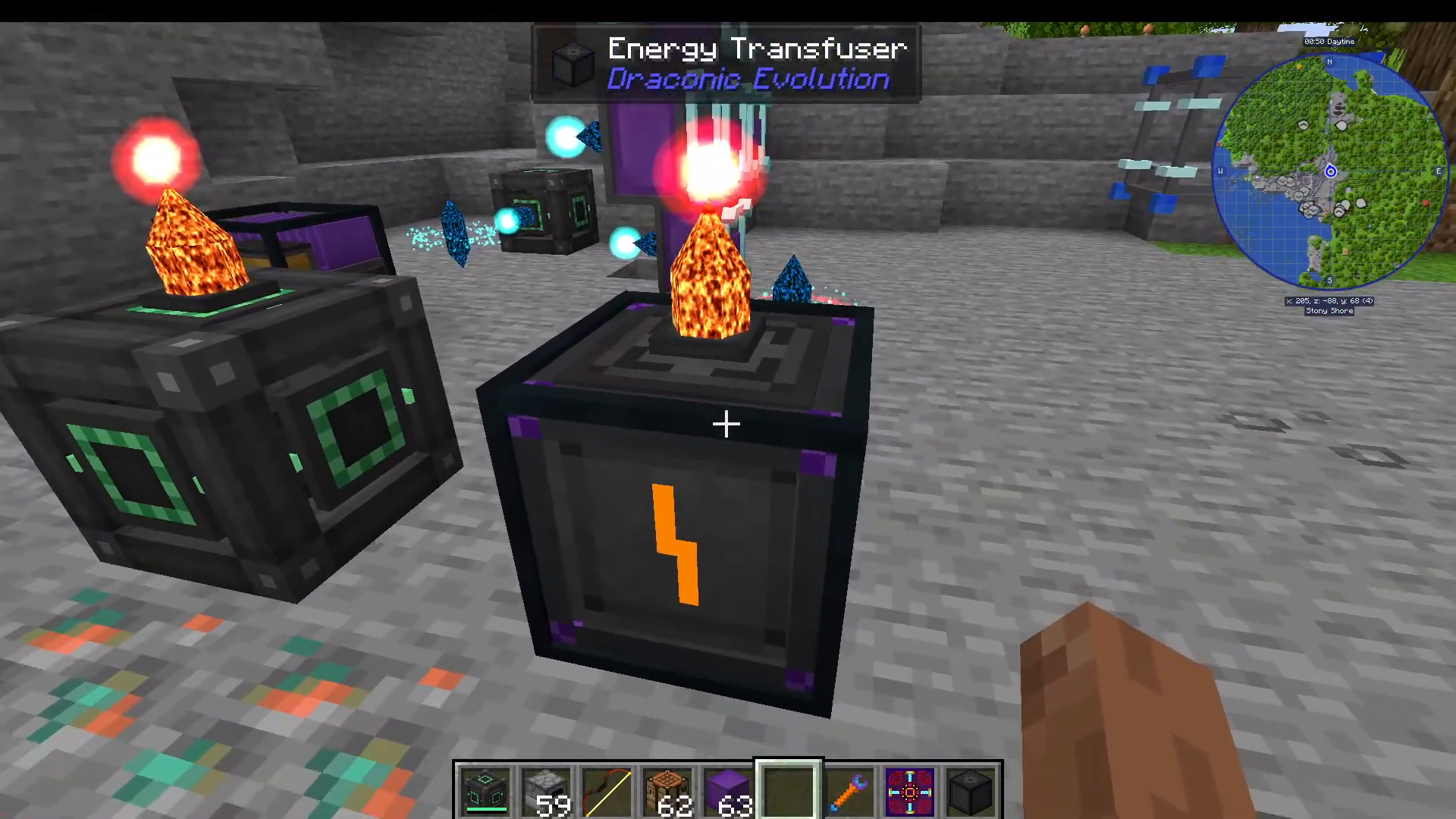
Energy Transfuser from Draconic Evolution
Energy Crystals that can be upgraded to Draconic versions
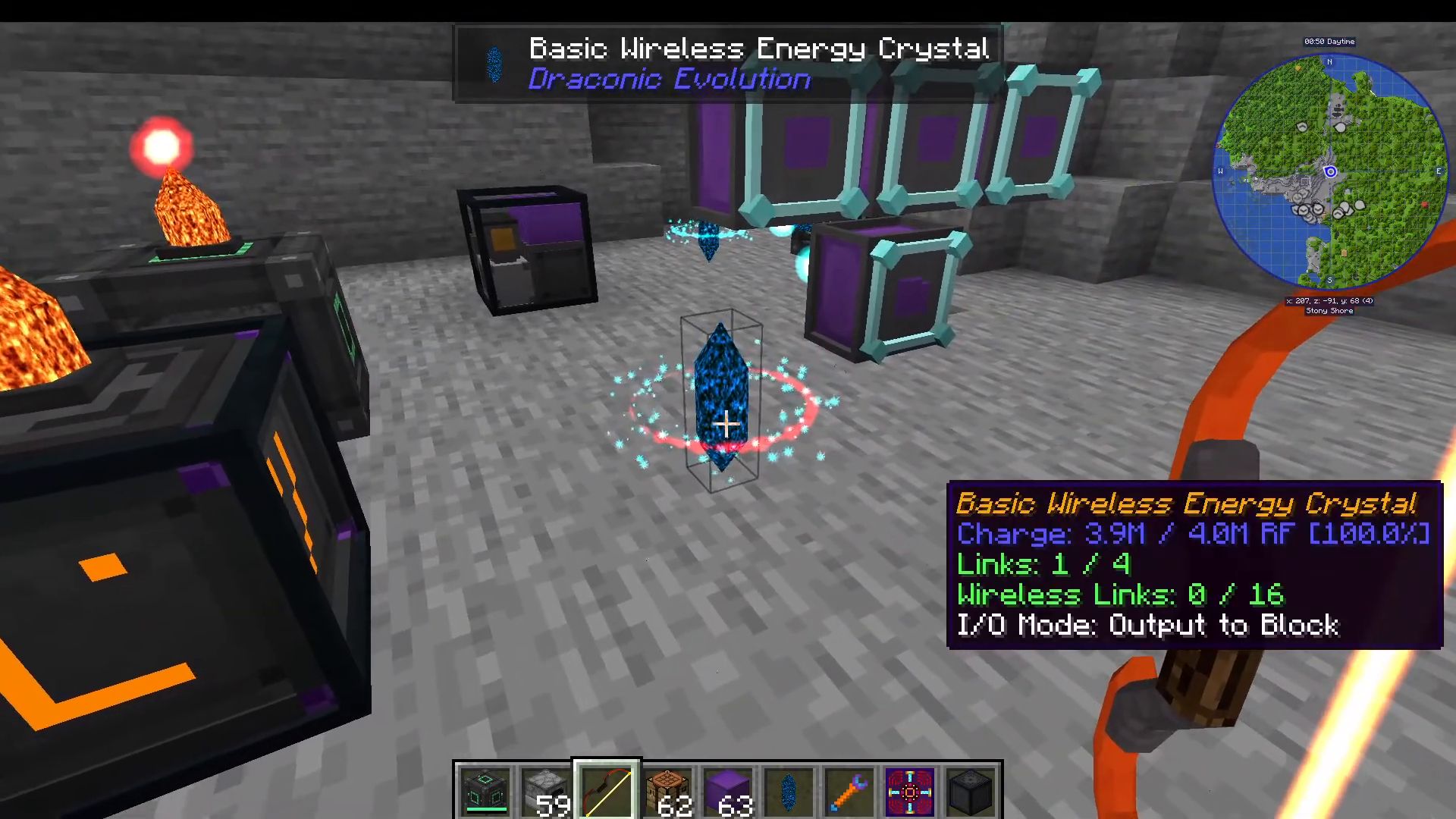
If upgrading energy crystals, use the Crystal Binder to link them together. Shift right-click one item, then right-click the other to bind them.
Using the Energy Transfuser
The Energy Transfuser has multiple input slots. To set it up properly:
Place your Draconic Bow in one slot
Use the Shift right-click command to set input/output modes on each side
Configure the charging priority with the leftmost button (the bow will receive charging priority)
You can charge multiple items simultaneously if desired
You can also input from different sides to direct energy to specific slots using the lightning bolt icon slot designation.
Armor Pieces
Unlike traditional Minecraft armor, Draconic Evolution only requires a single piece of armor: the Chestplate. This chestplate is the only piece you need—no separate helmets, leggings, or boots. It features shield modules that provide protection.
Armor tiers progress as follows:
Wyvern Chestplate (starting tier)
Draconic Chestplate (mid tier)
Chaotic Chestplate (requires Chaotic Core from defeating the Chaos Dragon)
Additionally, there is a Draconic Staff available that functions as an all-in-one paxel tool.
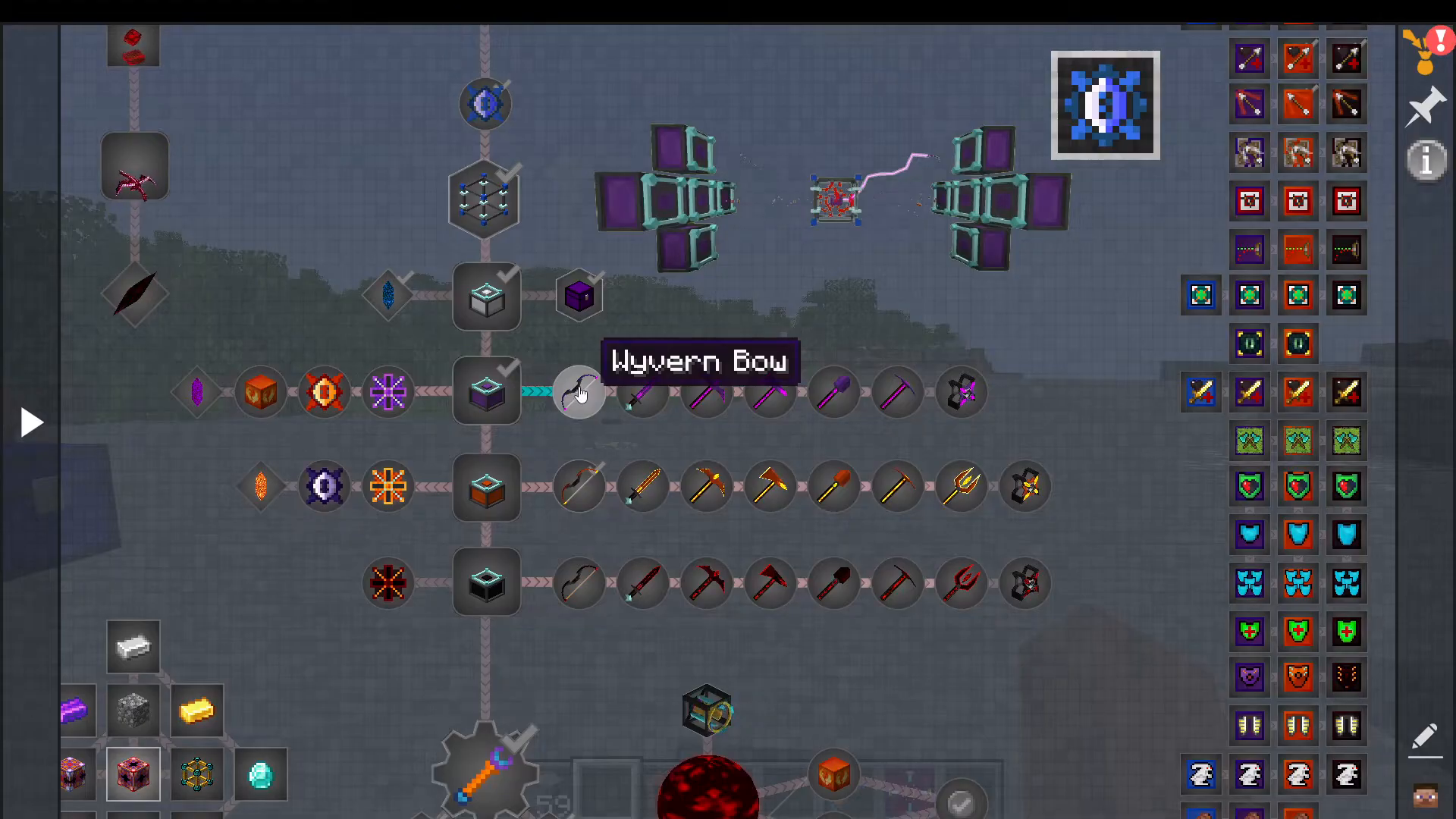
Complete Module Guide
Energy and Wireless Modules
Energy Modules – Higher tiers store more energy capacity
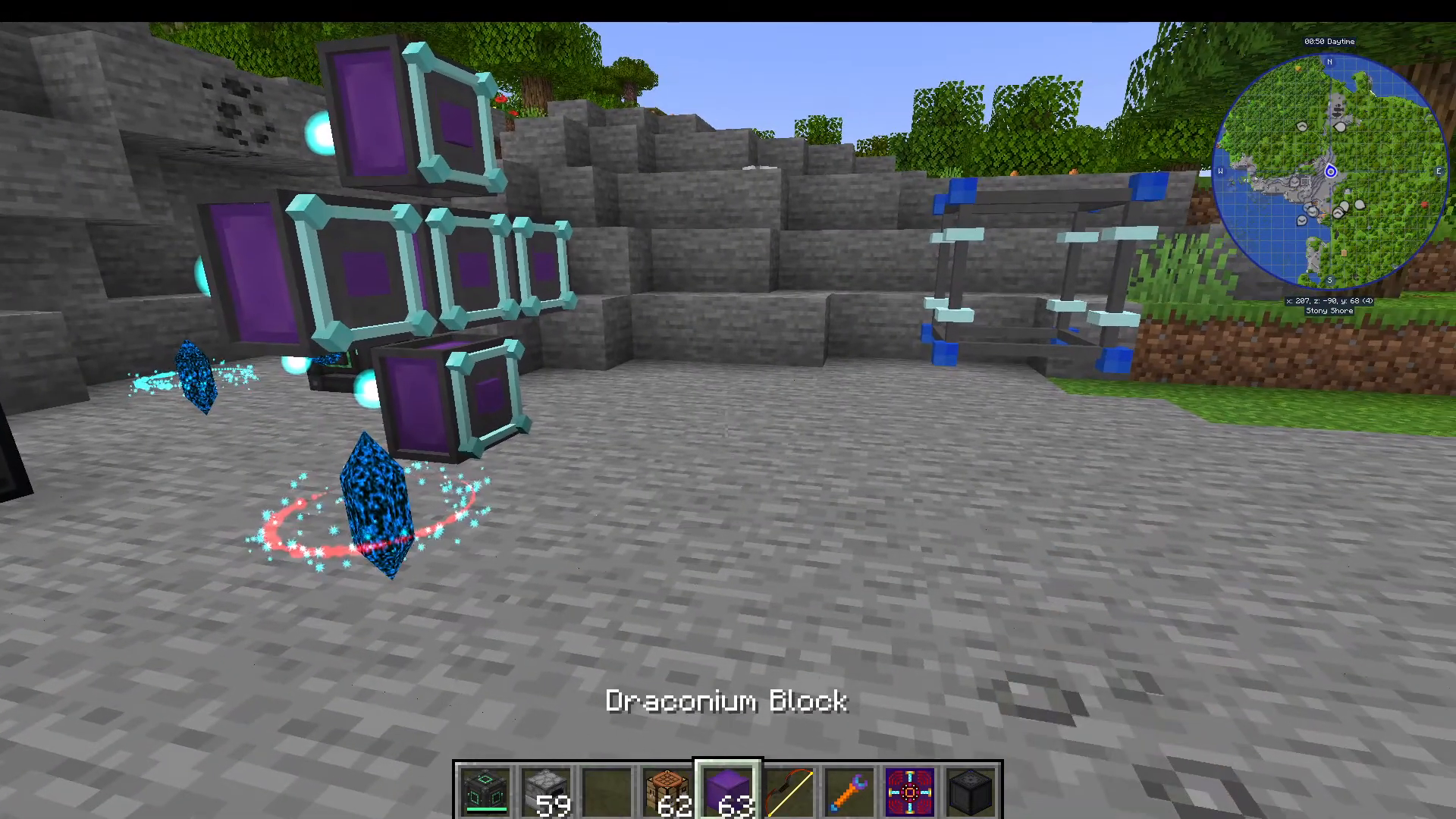
Wireless Energy Link – Available in multiple tiers; takes up significant slot space but allows wireless charging when paired with wireless energy crystals
The Wireless Energy Link is particularly powerful: shift right-click a basic wireless energy crystal to link it, then connect that crystal to your relays. Your gear will charge wirelessly through this connection.
Tool Enhancement Modules
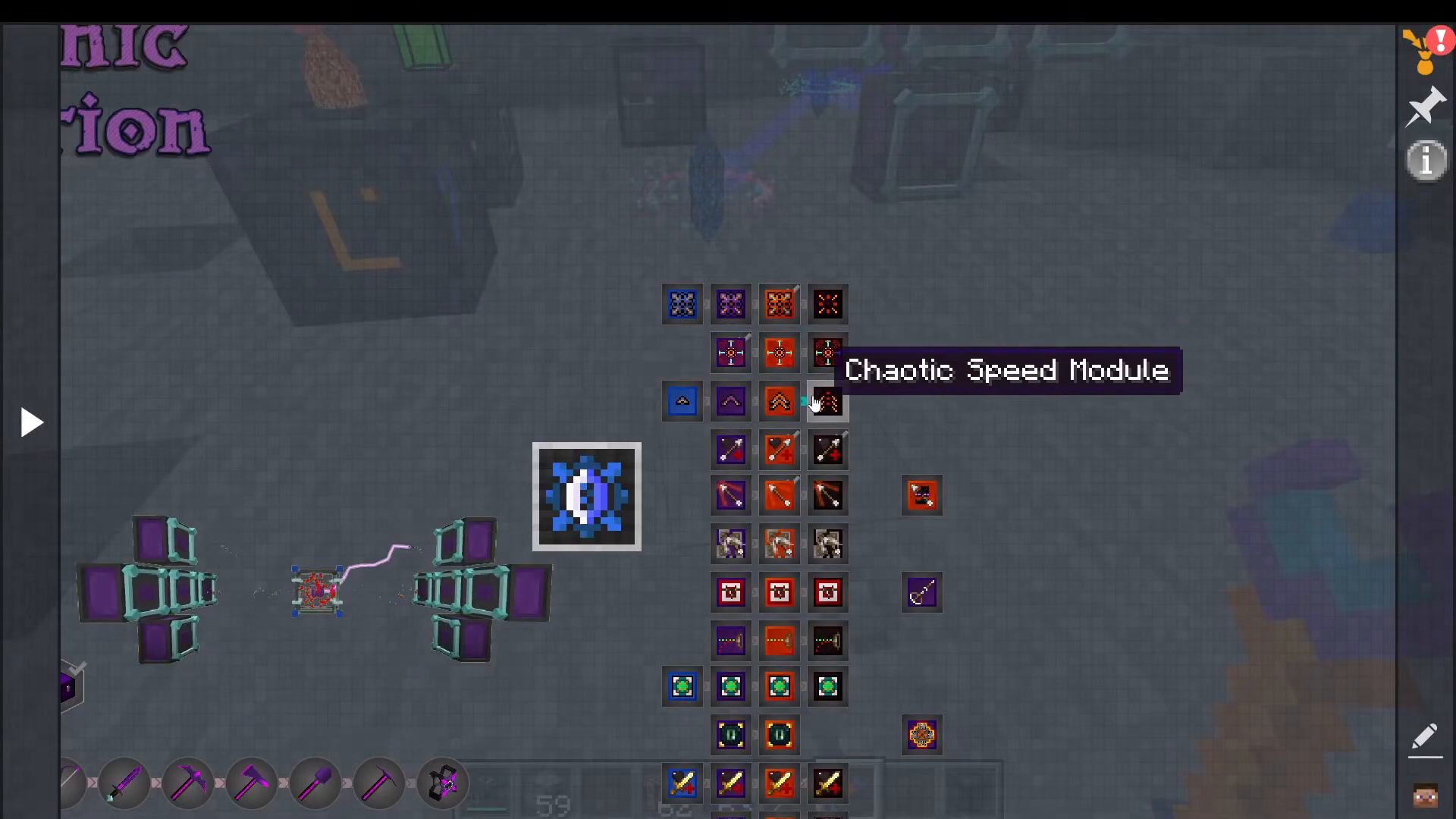
Speed Upgrades – Applies to pickaxes (mine faster), axes (chop faster), bows (shoot faster), and chestplate (move faster). Higher tiers = faster action speed
Projectile Damage – Increases arrow damage and can stack for additional damage
Projectile Velocity – Makes arrows travel faster toward targets
Projectile Penetration – Similar to the crossbow enchantment; arrows pass through multiple targets continuously dealing damage
Accuracy – Counteracts velocity-induced inaccuracy, keeping shots on target
Gravity Compensation – Reduces the bell curve of arrow trajectory, making shots travel in a straighter line for greater distance
Mining and Collection Modules
Area of Effect – Expands mining radius (3×3, 5×5, etc.) when mining with tools
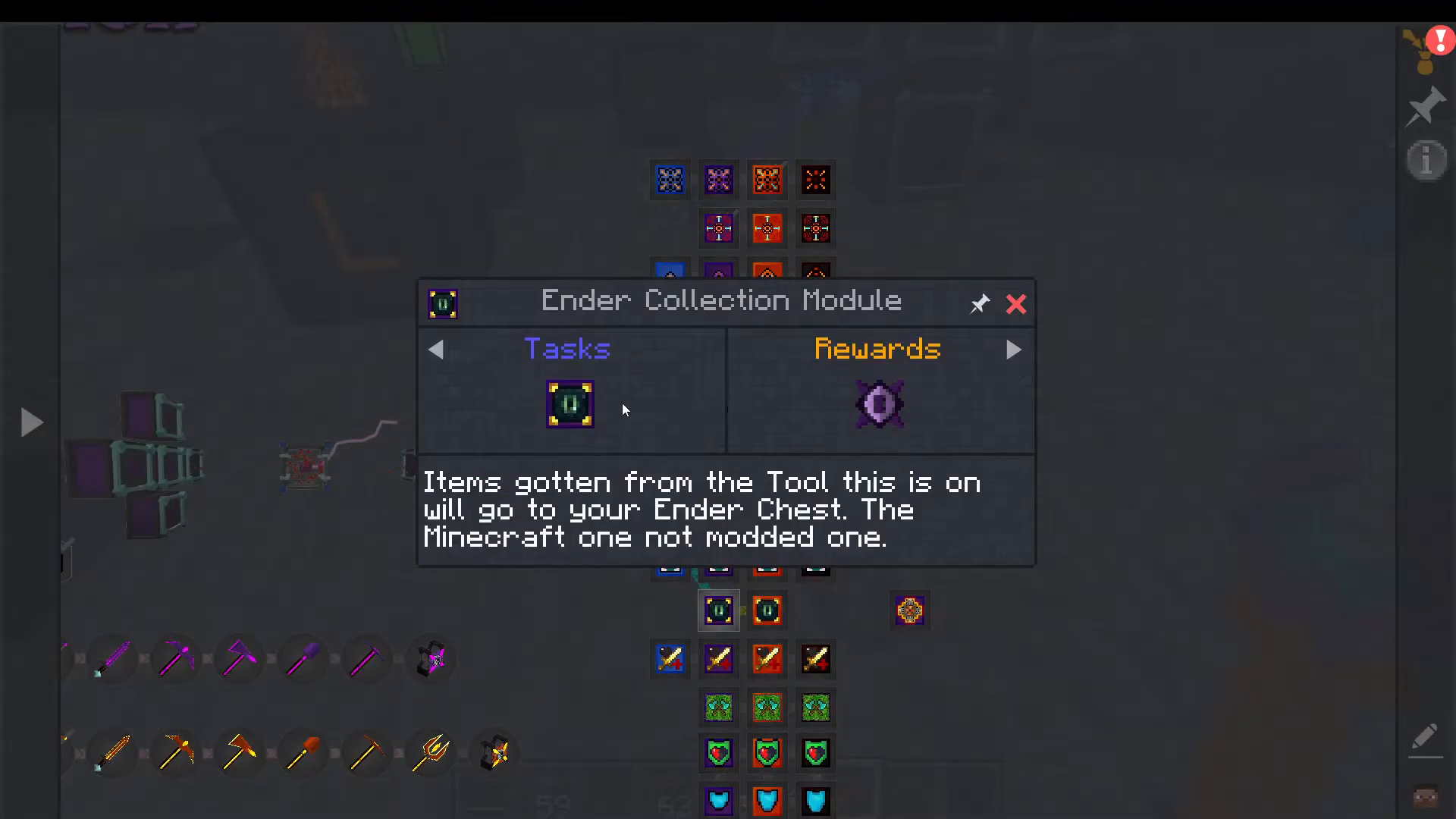
Ender Collection – Items mined with the tool automatically go to your Ender Chest instead of dropping
Basic Damage Module – Increases sword and axe damage; stacks for higher damage
Tree Harvest – Vein mining for axes; harvest entire trees in one swing
Mining Stabilizer – Normalizes mining speed during creative flight, preventing slowdown
Survival and Protection Modules
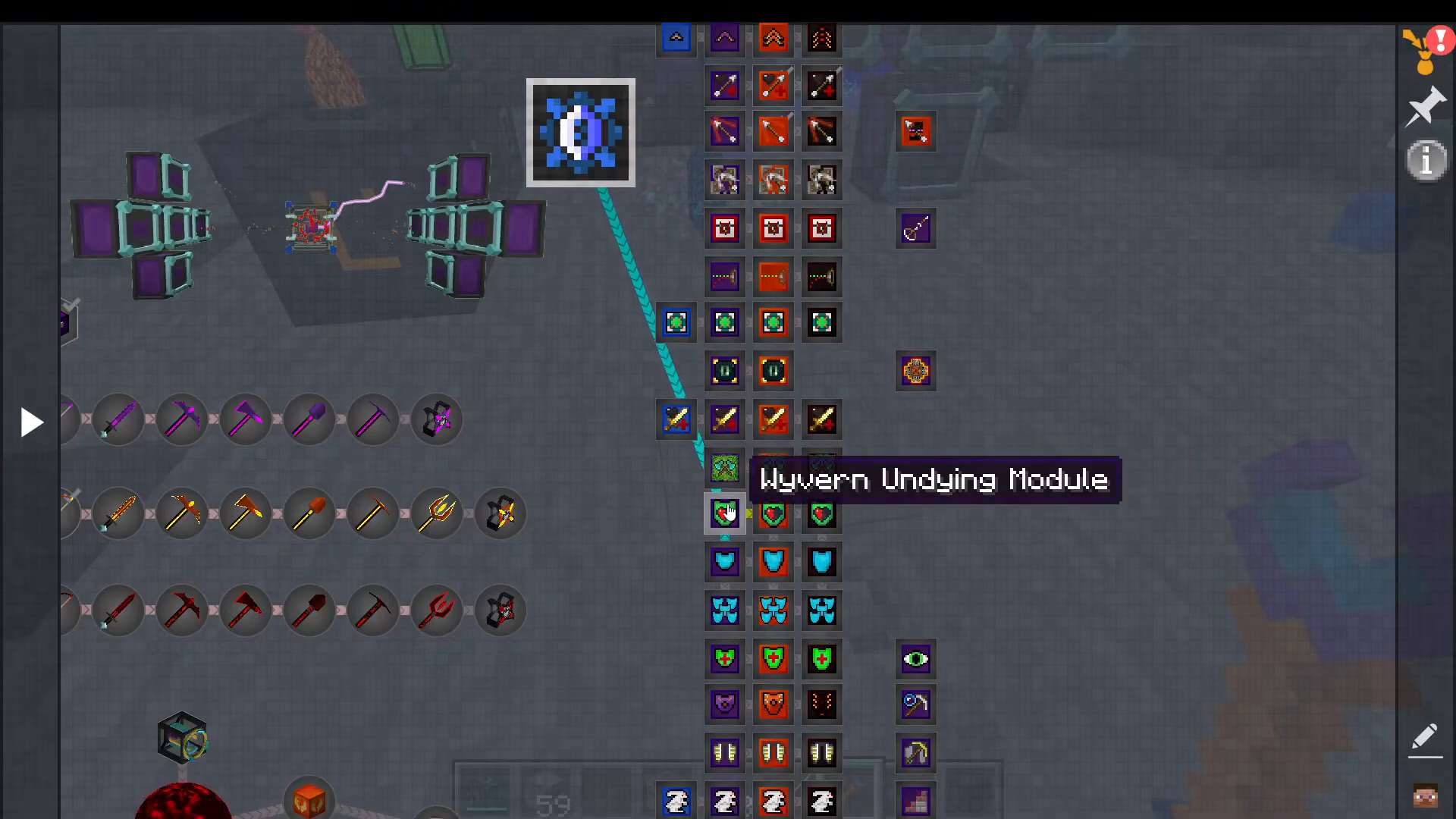
Undying Module – Works like an undying totem with a cooldown; uses significant energy. Higher tiers have reduced cooldown
Shielding Capacity – Adds to your chestplate’s total shield strength
Large Shield Capacity – Upgraded version of basic shielding for maximum protection
Shield Recovery – Regenerates your shields during combat, similar to shields in games like Halo. Use shield control modules to adjust regeneration timing
Mobility and Vision Modules
Flight Module – Enables flight capability
Jump Boost – Increases jump height significantly
Night Vision – Provides darkness illumination
Aqua Adapt – Allows mining and movement underwater at normal speeds
Special Utility Modules
Auto Feed – Automatically consumes food from your inventory to restore hunger
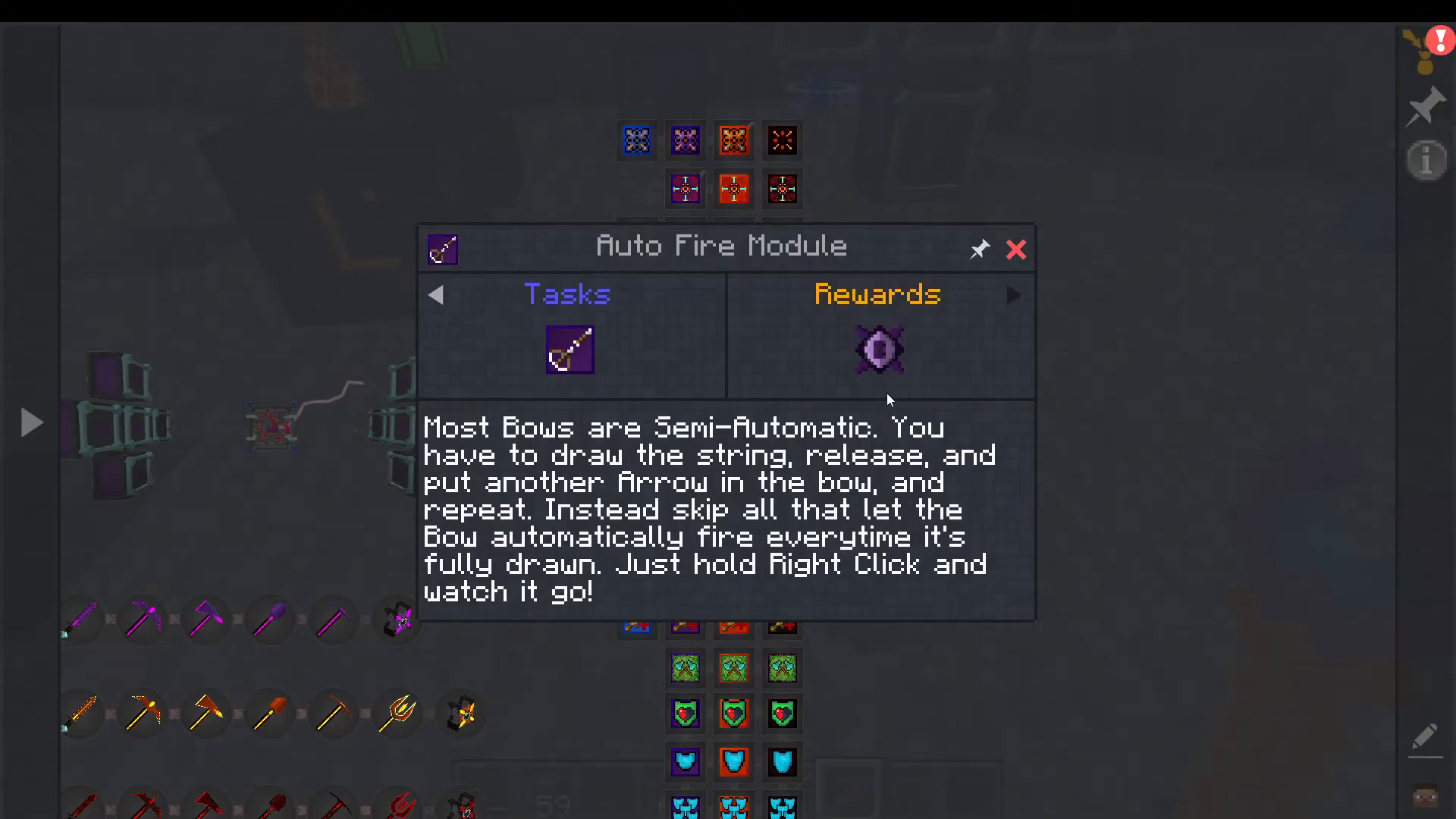
Auto Fire – Bows automatically fire when fully drawn instead of requiring manual release
Selective Incineration – Filters and automatically incinerates specific items from containers and chests
Projectile Momentum Cancellation – Prevents arrows from slowing down when piercing targets. Based on Newton’s third law, this module negates the backward force mobs apply to arrows, allowing them to maintain full speed through multiple targets
Crafting Modules
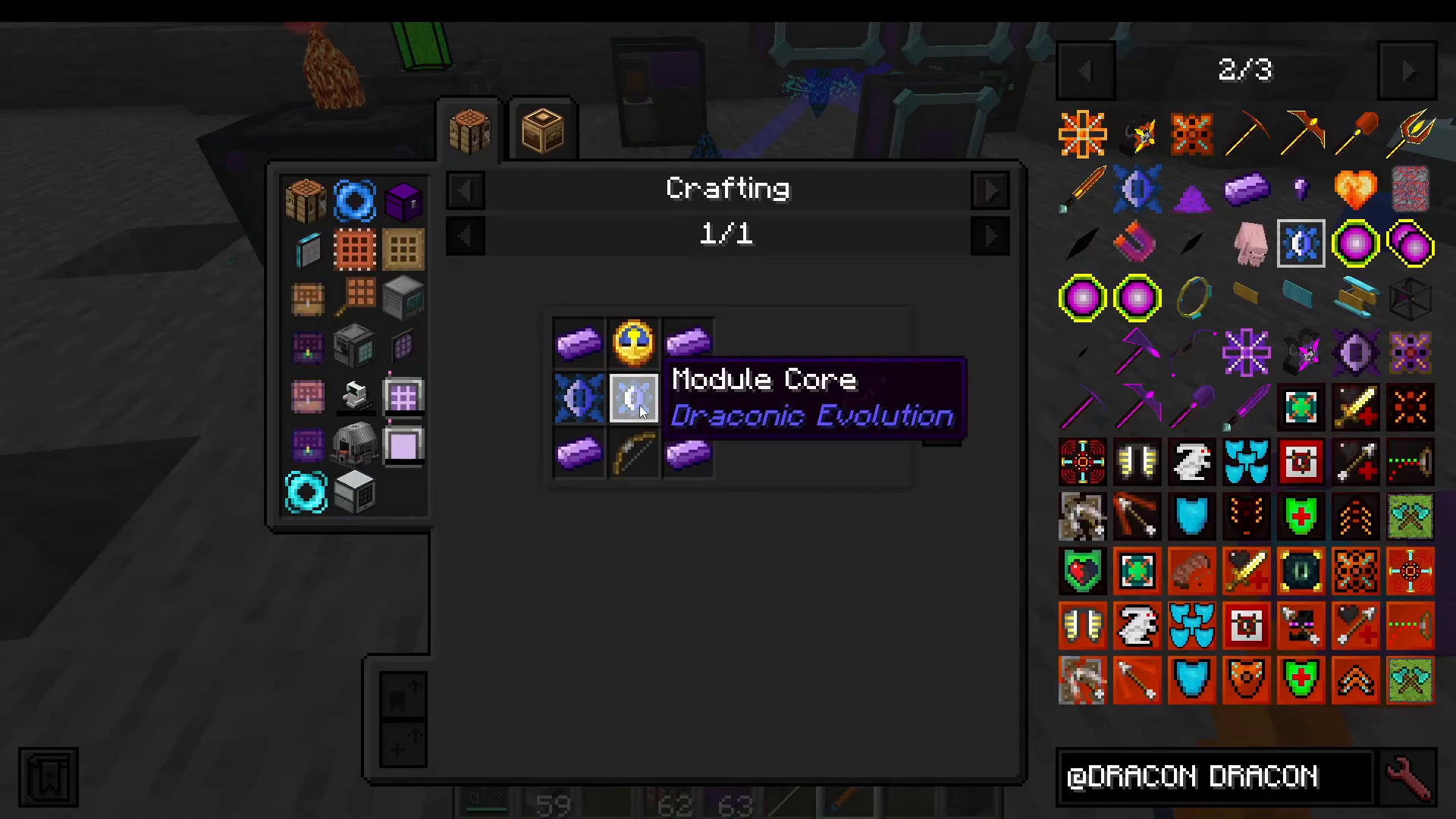
To craft modules, you’ll need Module Cores. Craft these according to the specific module recipe you’re making. Each module has its own crafting recipe that you can check in your crafting table or JEI (Just Enough Items).
Checking Supported Modules
Each piece of gear displays which modules it supports. If you’re ever unsure whether a module is compatible with an item, open the gear’s module screen—it will list all supported module types for that specific item.
Summary
Draconic Evolution’s module system provides incredible customization for your gear. By combining multiple module tiers and types, you can create specialized tools and armor for any situation—whether that’s raw damage output, survival, or utility. Remember to manage your energy carefully, use the Wireless Energy Link for convenient charging, and always check supported modules for each item. With the right module setup, you’ll be well-prepared to take on the Chaos Guardian and progress through Draconic Evolution’s endgame content.
— Want to Support? —
If you would like to help us continue making these guides – please consider joining our patreon here – https://www.patreon.com/c/JaviHeals
Alternatively – we host a group of MC Servers you can join here – https://discord.gg/zD7Gjt6MHF



