
The Ultimate Guide to FTB Ranks
The Ultimate Guide to FTB Ranks in Minecraft
If you want to add a fully customisable rank system to your Minecraft server, the FTB Ranks mod (Feed the Beast Ranks) is one of the best tools available. Whether you’re rewarding loyal players, separating staff from members, or integrating permissions with other FTB mods, this guide covers everything you need to get started — from finding the configuration file to setting up complex rank conditions.
What Is FTB Ranks and What Do You Need?
FTB Ranks is a mod developed by the Feed the Beast team that lets you create and manage player ranks on your Minecraft server. It requires the Feed the Beast Library mod to be installed alongside it. If you install FTB Ranks through CurseForge, the library mod will be installed automatically.
Most of the configuration is handled in the backend through a file — though you can also use in-game commands. This guide will focus primarily on the file-based approach, as it offers a clearer overview of your entire rank setup.
Finding the FTB Ranks Configuration File
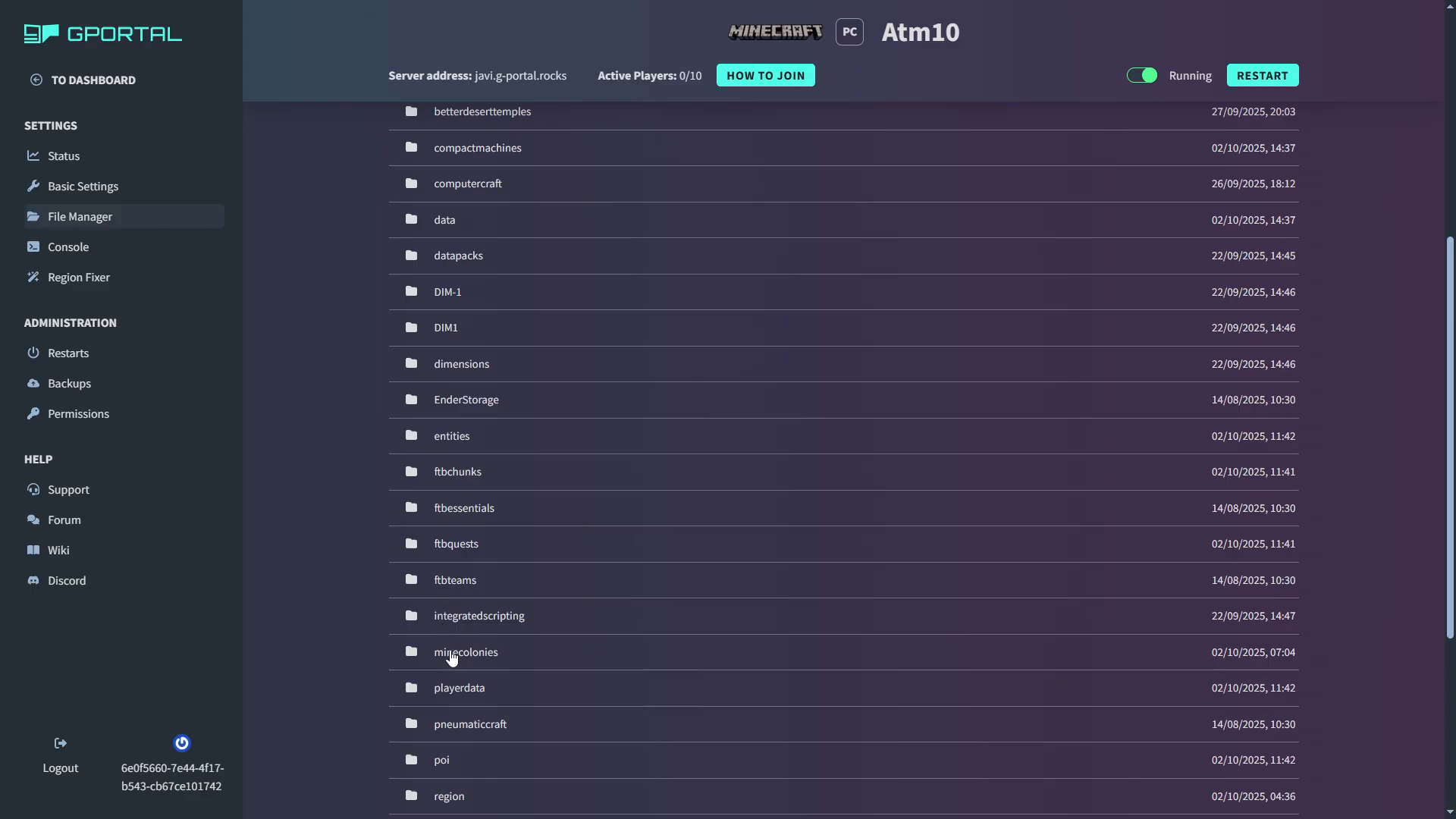
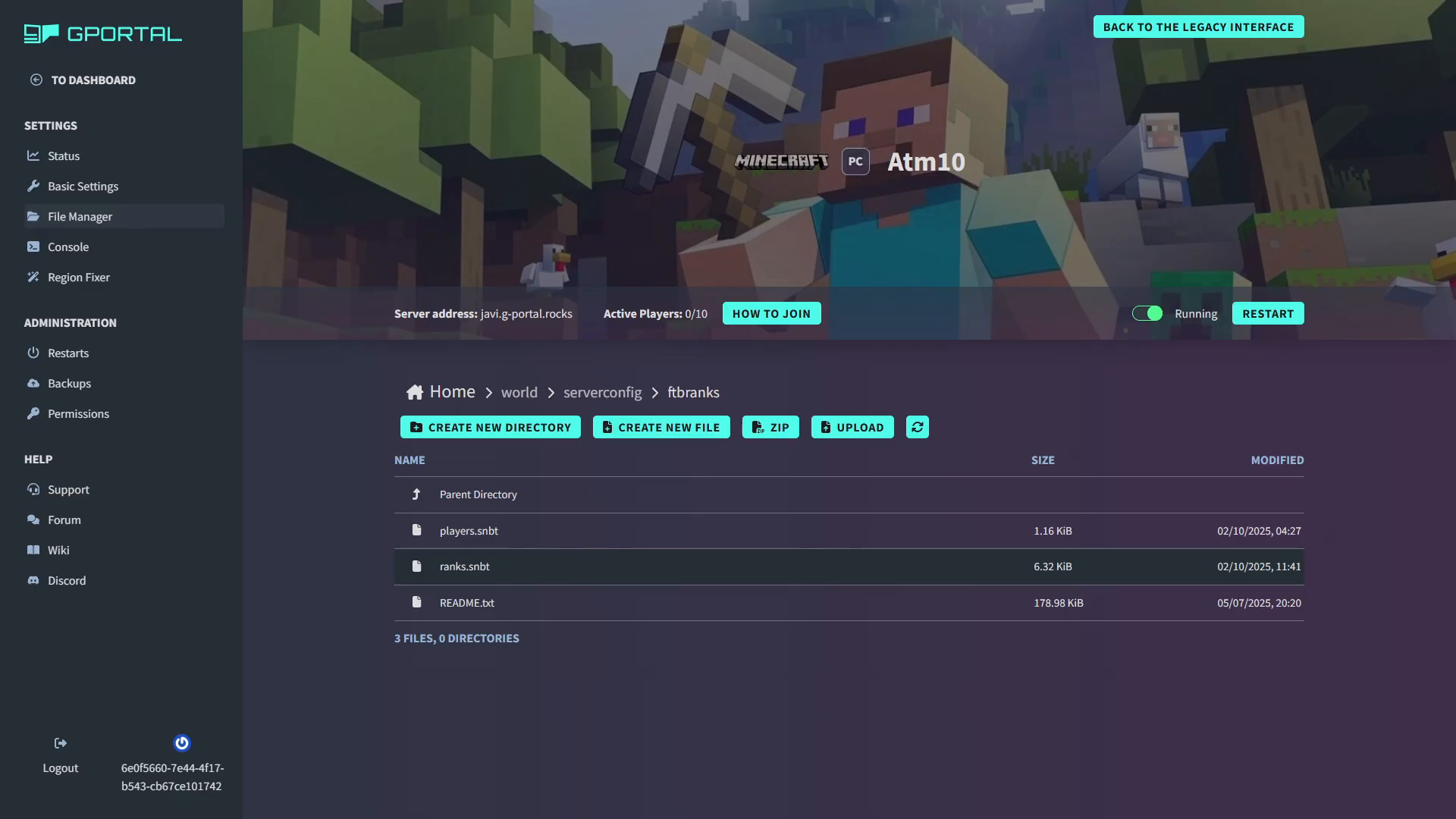
The ranks configuration file is located in your server’s file directory. Navigate to world → server config → feedthebeast → ranks. Inside that folder you will find two files: ranks.snbt and readme.txt.
Double-click ranks.snbt to open it. Note that the file uses the .snbt format, which some server hosting control panels may not support for direct editing. If that is the case on your host, download the file, edit it in a plain text editor, and re-upload it — making sure to keep the .snbt file extension intact.
Understanding the Ranks File Structure
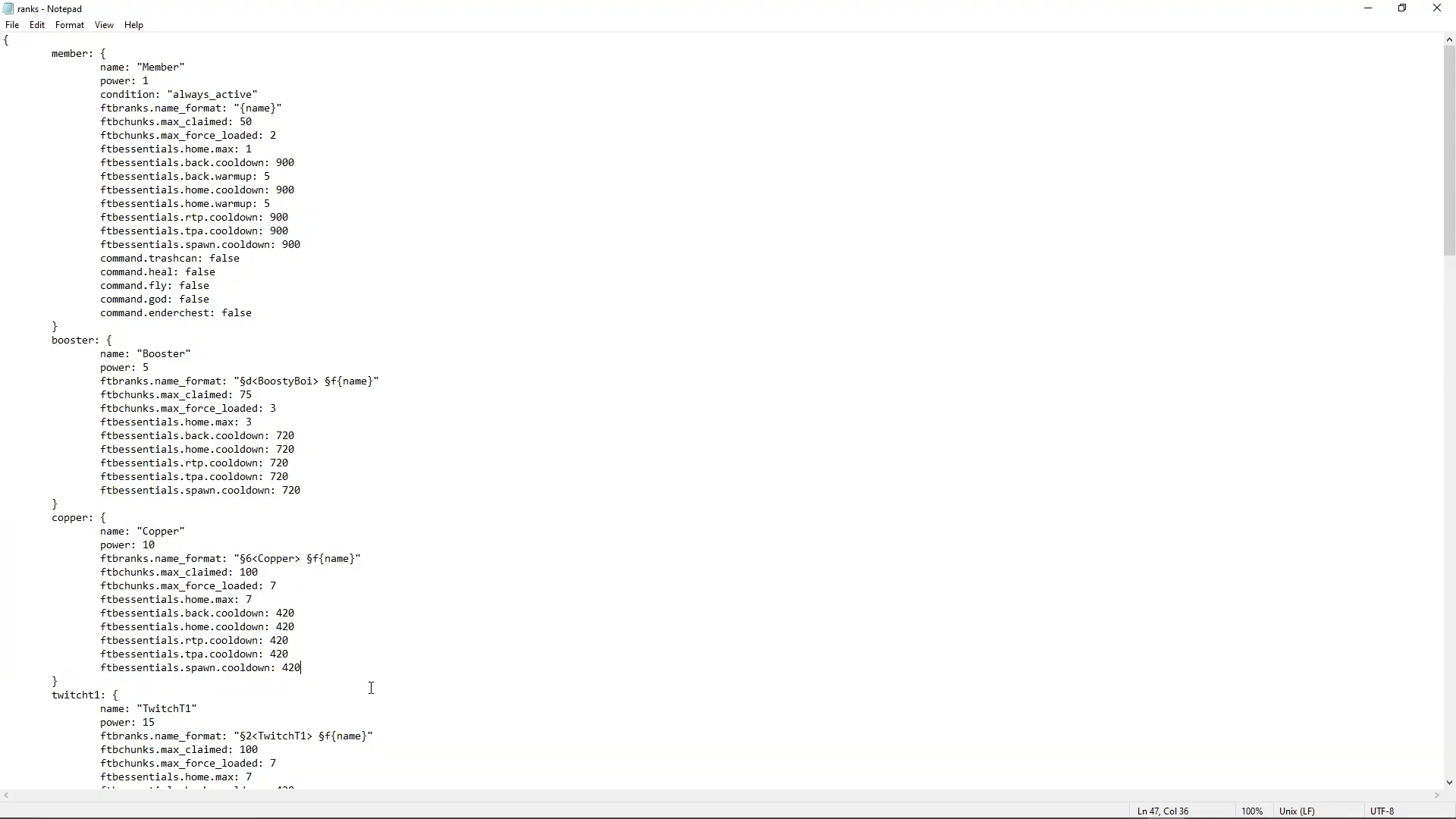
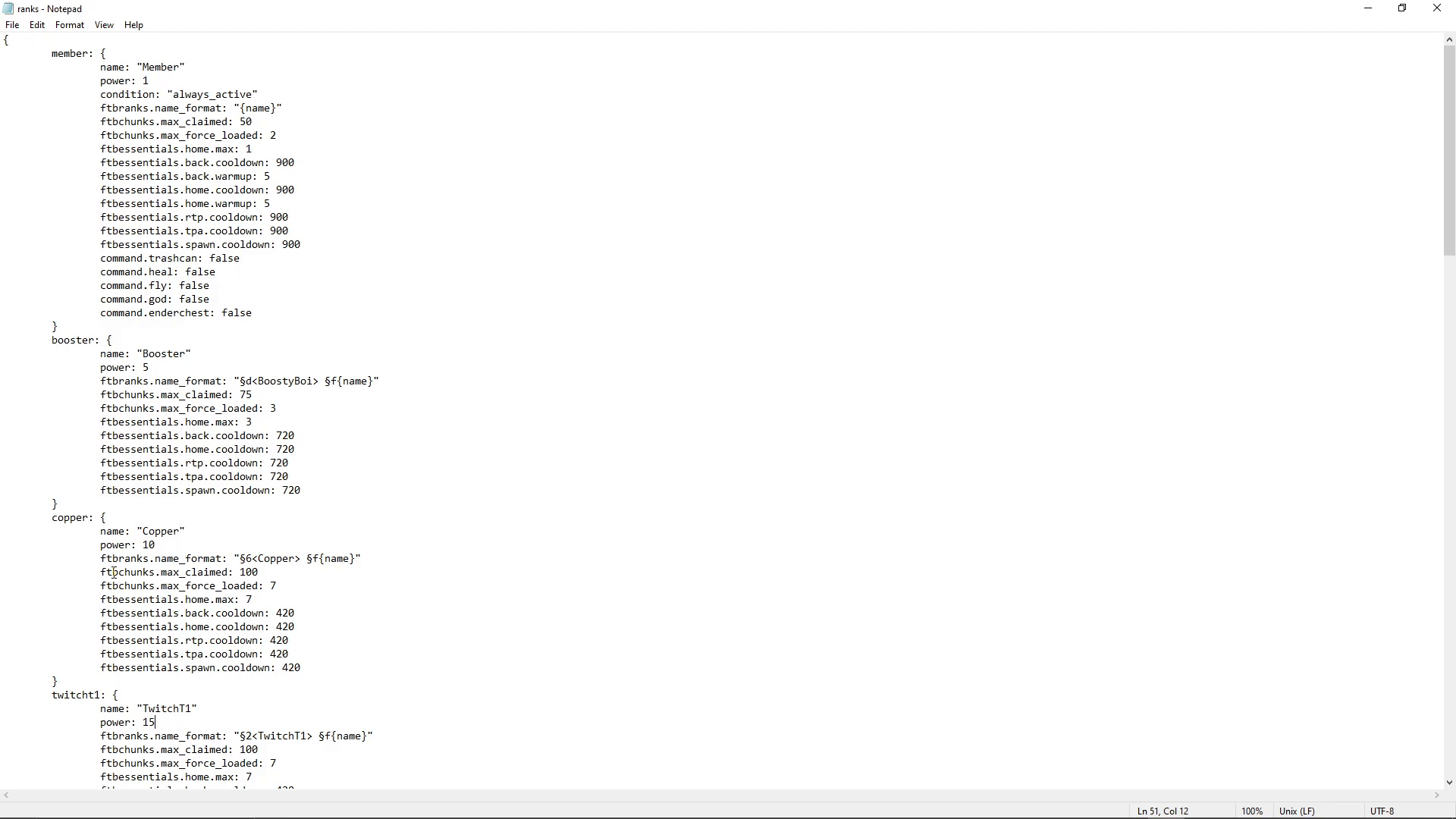
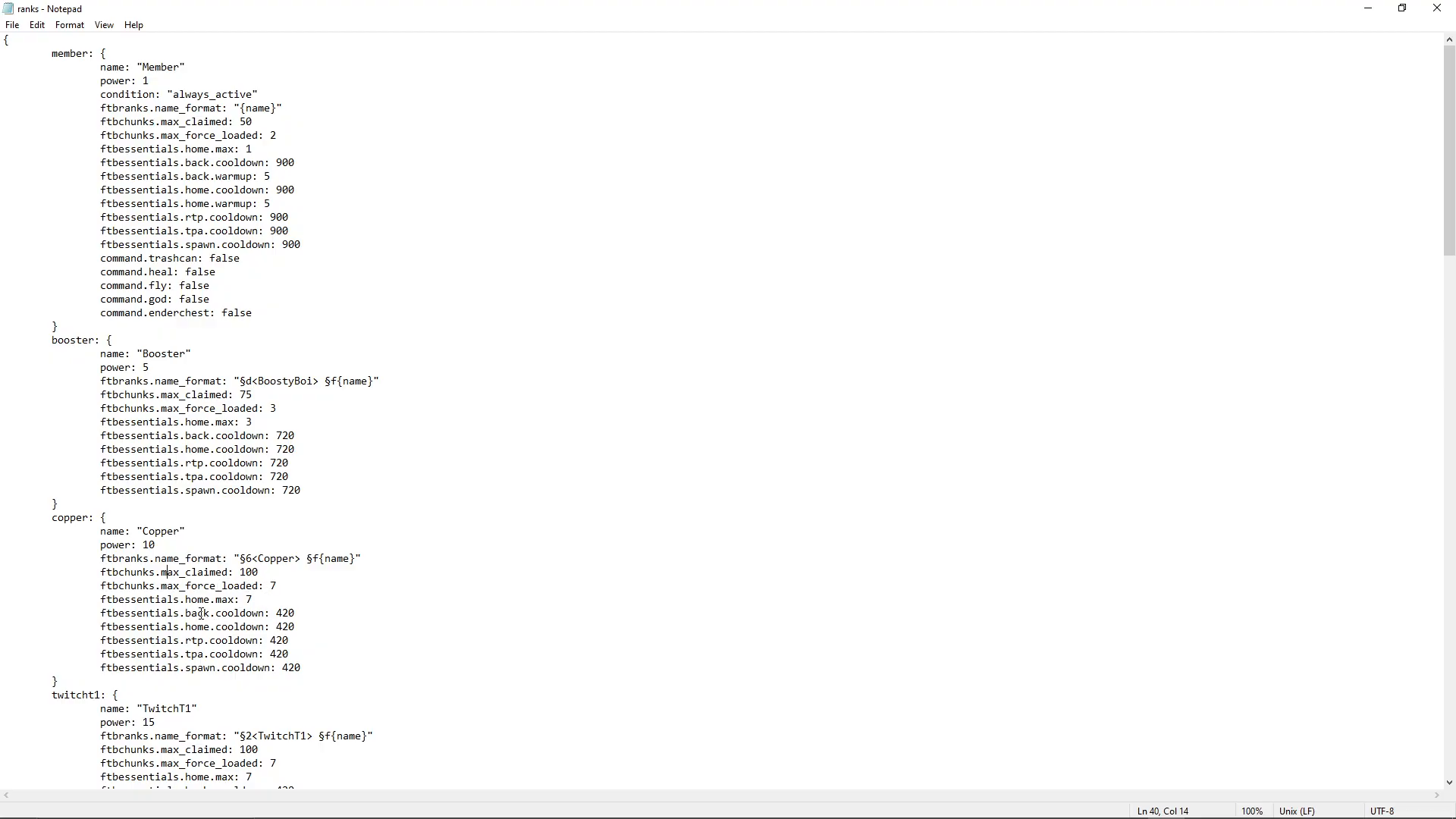
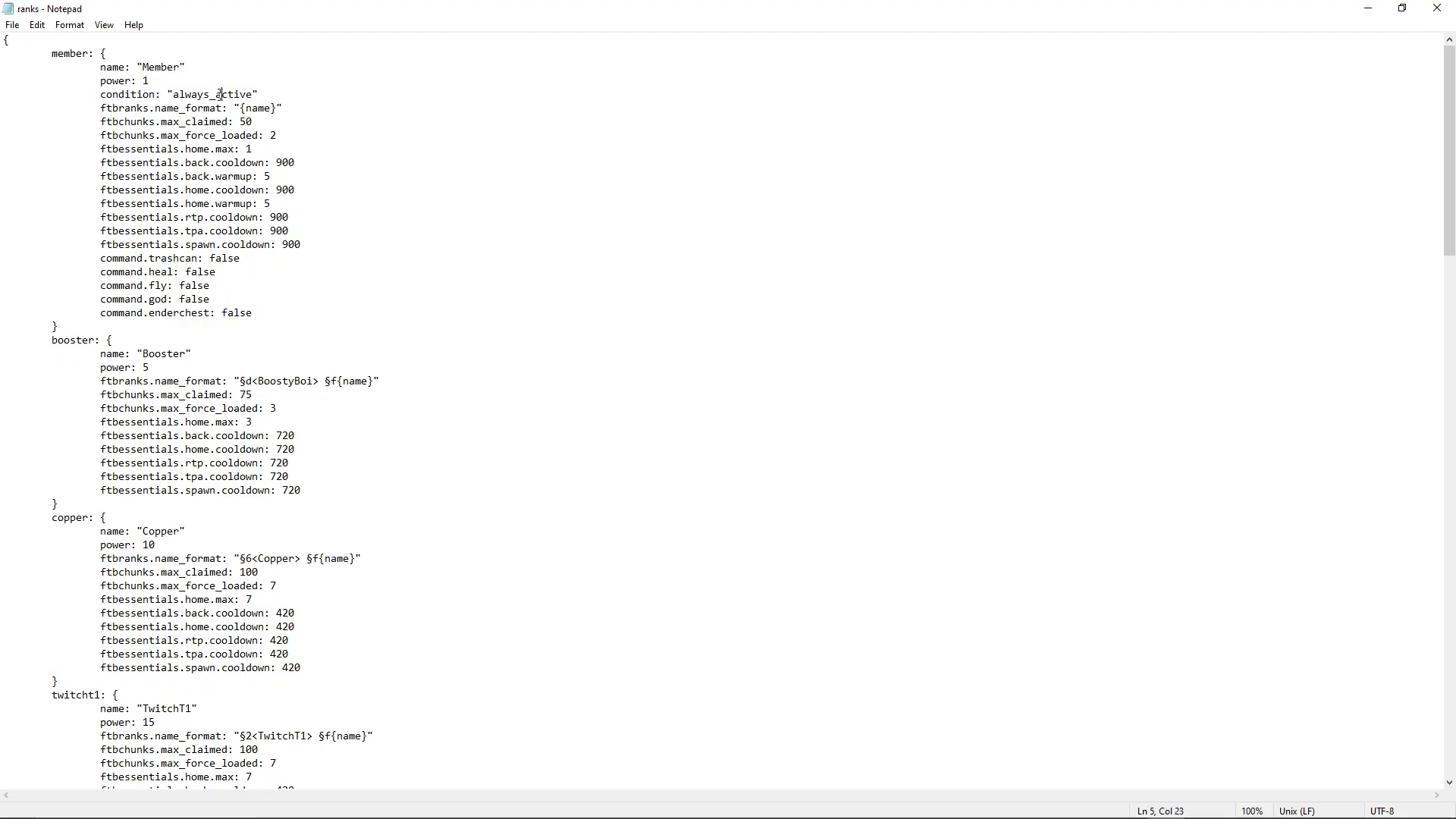
When you open ranks.snbt, you will see each rank defined inside its own set of curly brackets. Below is a breakdown of the key fields using a real-world example — the Copper rank.
The Name Field
The name field defines the internal identifier for the rank, for example copper.
The Power Field
The power field is a numerical value that determines rank hierarchy. A higher number means a higher-ranking tier. For example:
Copper — power: 10
Twitch Tier One — power: 15 (higher than Copper)
When a player holds multiple ranks, Minecraft will automatically apply the permissions from their highest-power rank.
The FTB Name Field (Display Name)
The ftbName field controls how the rank appears in-game. It supports Minecraft color codes using the & symbol. For example:
&6 — applies an orange color (the color for Copper)
&f — white color, used for the player’s username
[name] — a placeholder that is automatically replaced with the player’s Minecraft username in-game
You can look up all available Minecraft color codes by searching for “Minecraft color codes” online. The &6 code, for instance, produces an orange tone fitting for a Copper rank.
Integrating FTB Ranks With Other FTB Mods
One of the most powerful features of FTB Ranks is its ability to set permissions and limits that tie directly into other FTB mods. Here are two examples using real rank configuration values:
FTB Chunks Integration
Inside a rank entry, you can define chunk-claiming limits for the FTB Chunks mod. For example, the Copper rank might include:
ftbchunks:max_claimed — 100
ftbchunks:max_force_load — 7
FTB Essentials Integration
You can also control command cooldowns from the FTB Essentials mod on a per-rank basis, giving higher-ranked players shorter cooldowns as a reward.
Using the Readme File to Find Available Commands
The readme.txt file is your reference sheet. It lists every command that can be added to or removed from the ranks file, sourced from all compatible installed mods.
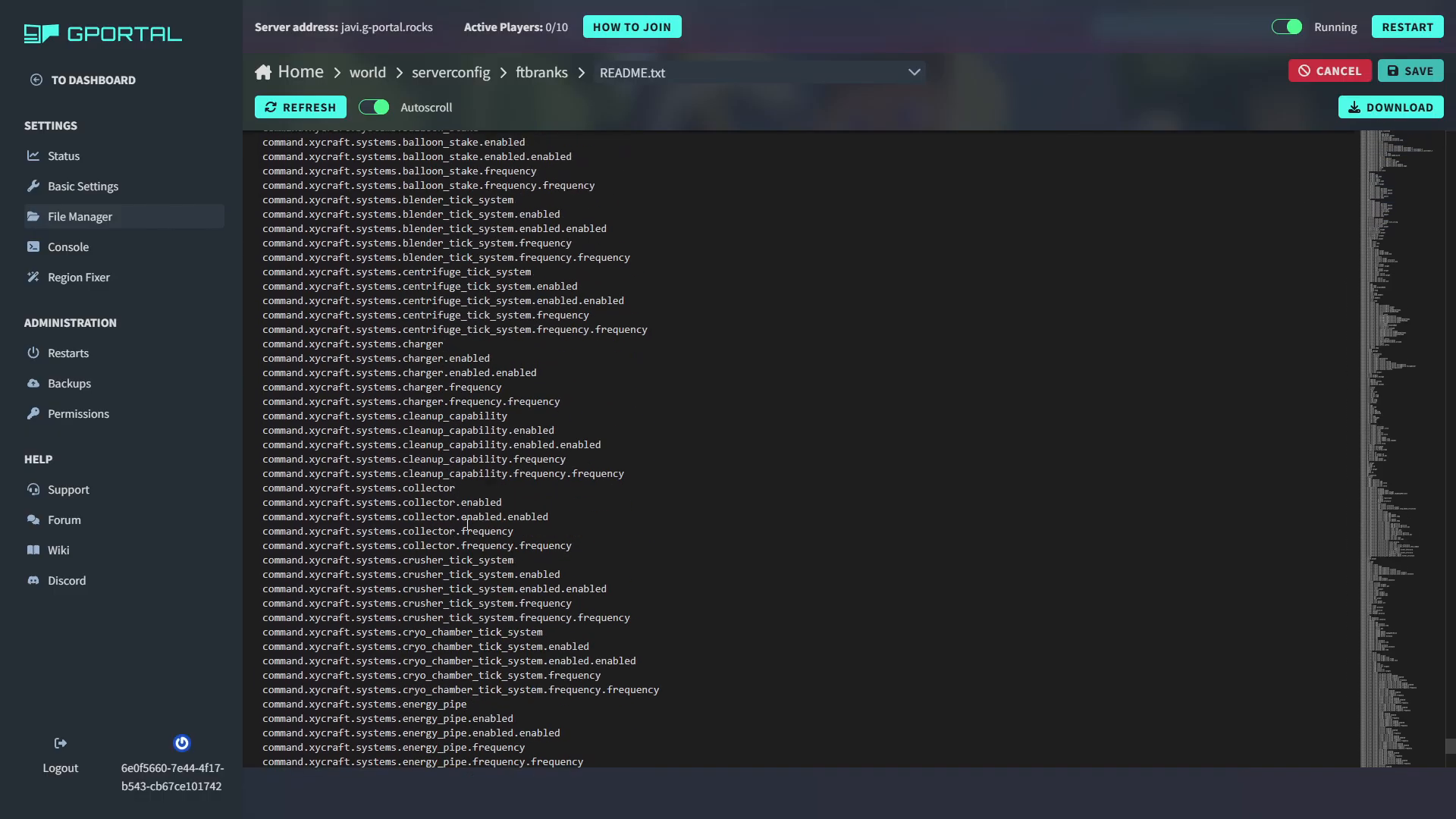
For each command, you can set the value to true or false to grant or deny access for players in that rank. For example:
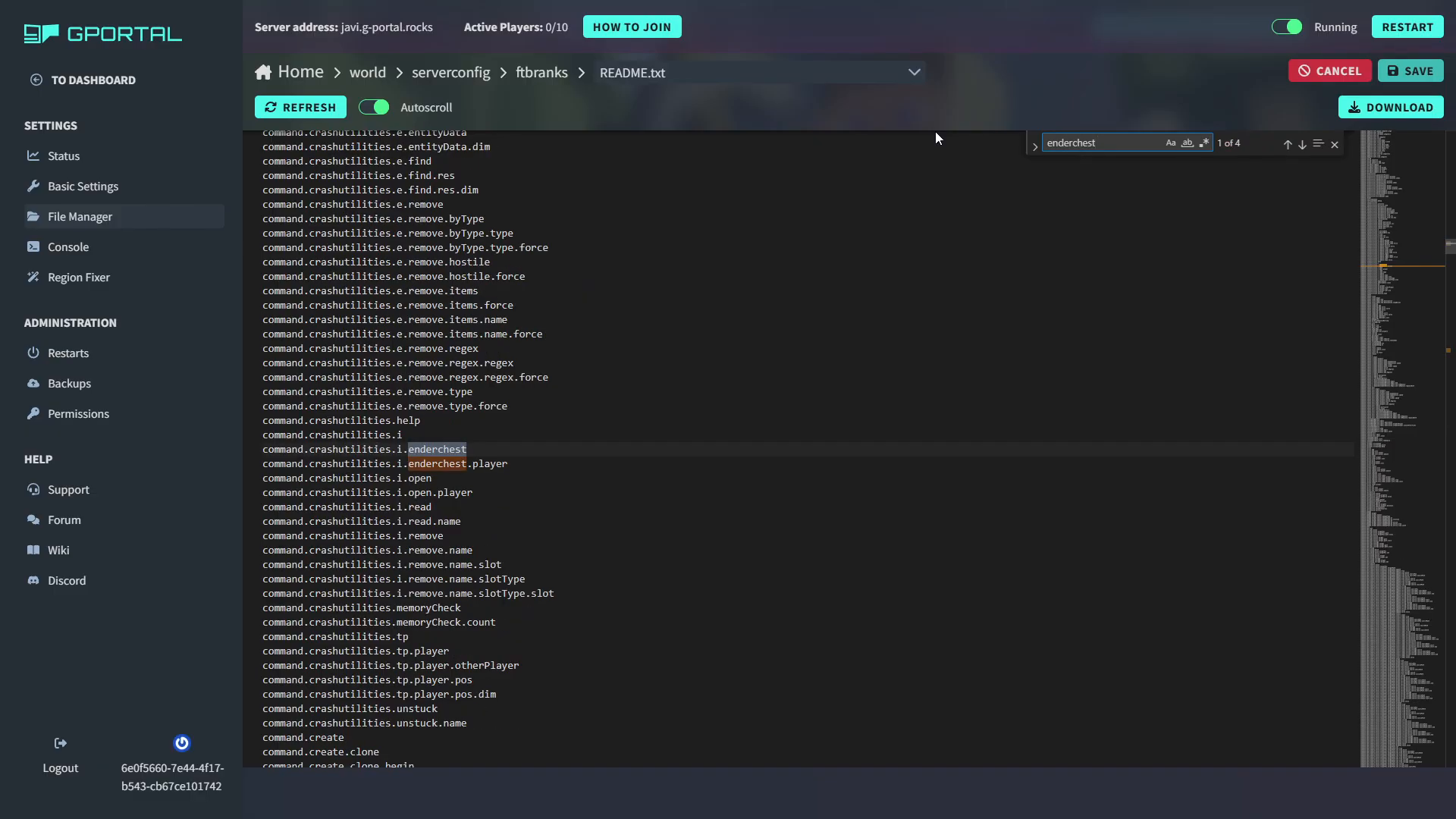
command.ender_chest: false — the Member rank cannot open the Ender Chest GUI via command
command.ender_chest: true — a higher rank such as Copper can access it
To search for a specific command in the readme file, use Ctrl + F to open the search bar and type a keyword — for example, type ender chest to locate the command.ender_chest entry instantly.
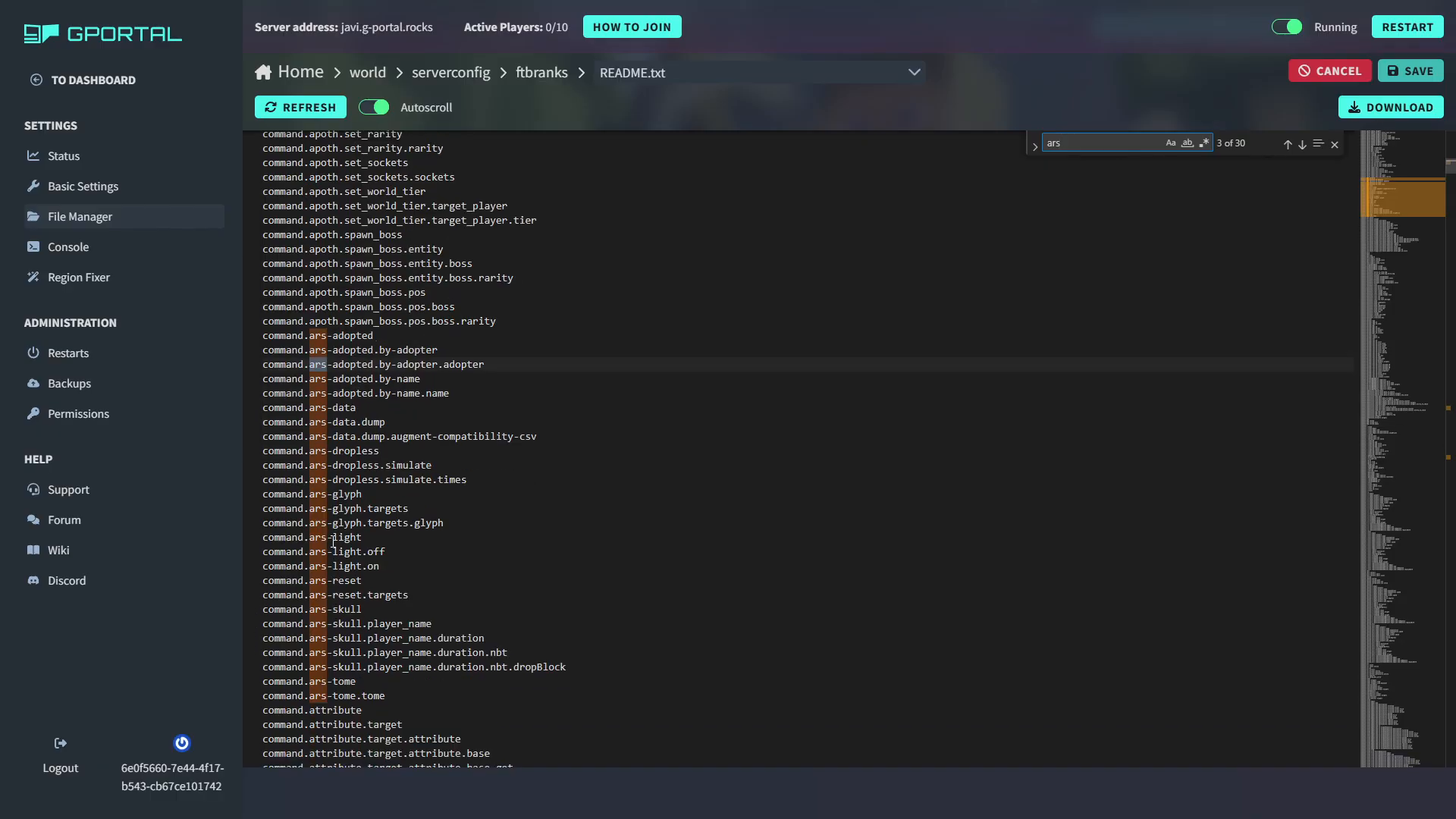
This also works for finding commands added by third-party mods. For example, searching for Ars Nouveau-related commands in the readme will show all the entries that mod contributes to the ranks system.
Managing Ranks With In-Game Commands
If you prefer not to edit the file directly, you can manage ranks from inside the game. You must be a server operator (OP) to use these commands. Here are the core commands available:
/ftbranks add — assigns a rank to a player
/ftbranks remove — removes a rank from a player
/ftbranks ranks — lists all ranks held by a specific player
/ftbranks list — lists all available ranks
/ftbranks condition — lets you view or manage rank conditions
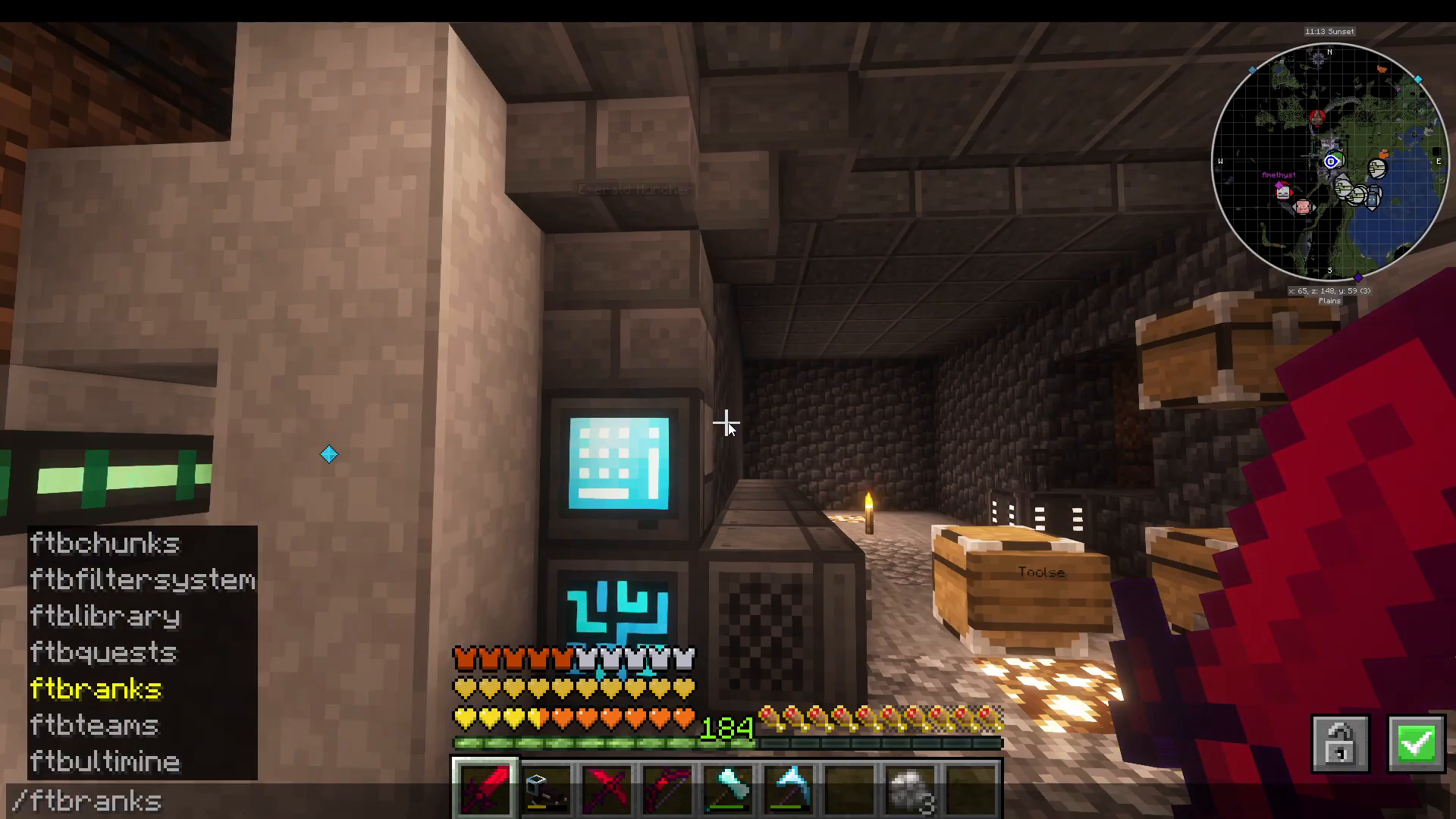
For example, after assigning the Staff rank to a player, you will see their rank tag appear next to their name in-game. You can also verify the rank is working correctly by checking in-game features — for instance, confirming that the Staff rank grants the player their configured chunk allowance from FTB Chunks (e.g. 5,000 available chunks).
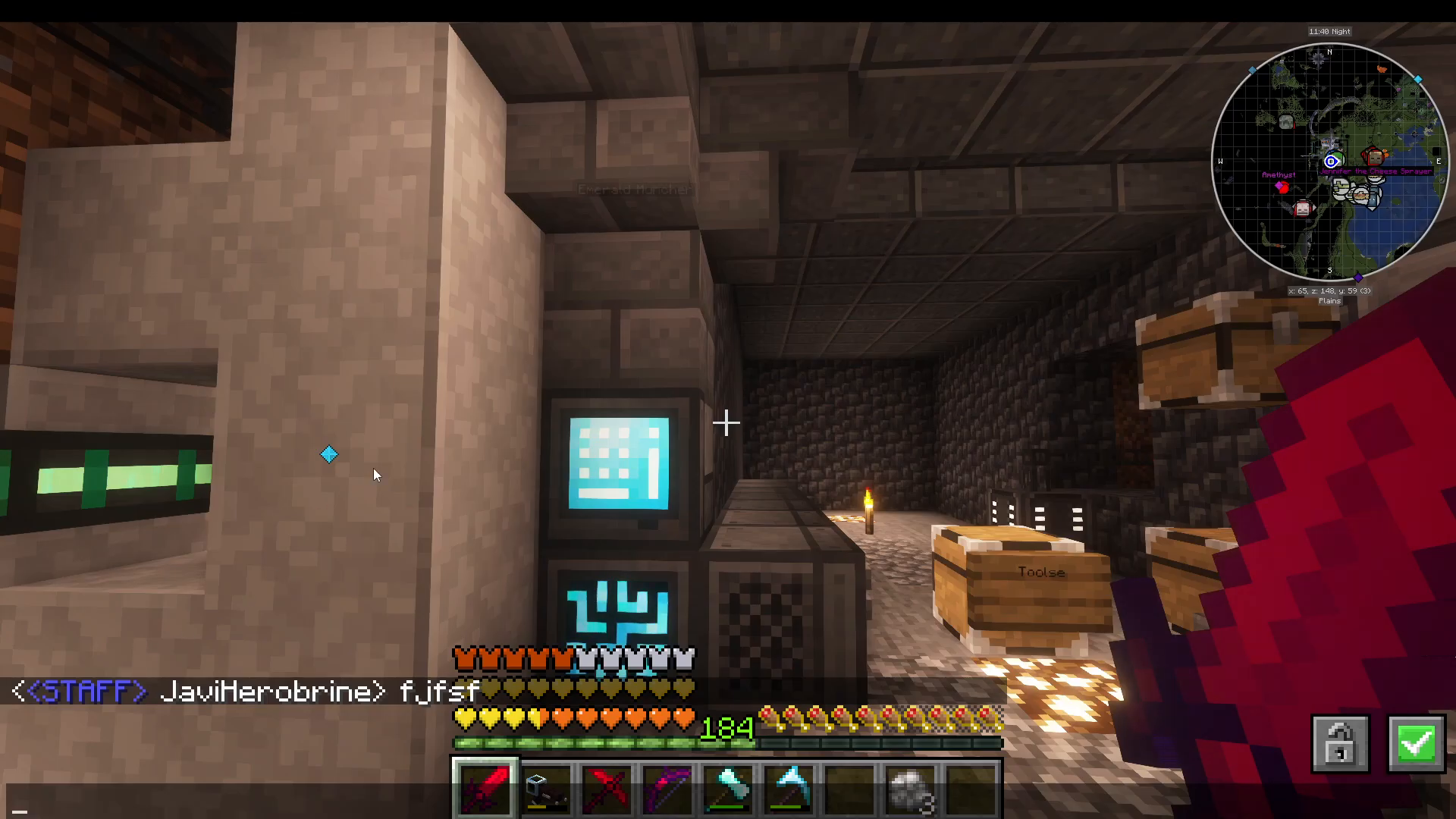
Understanding the Always Active Condition
The always_active condition is used to designate a default rank — one that every player automatically receives regardless of any other criteria. This is typically used for the Member rank, ensuring that all players on the server have a baseline set of permissions from the moment they join.
Rank Conditions: Automatically Assigning Ranks
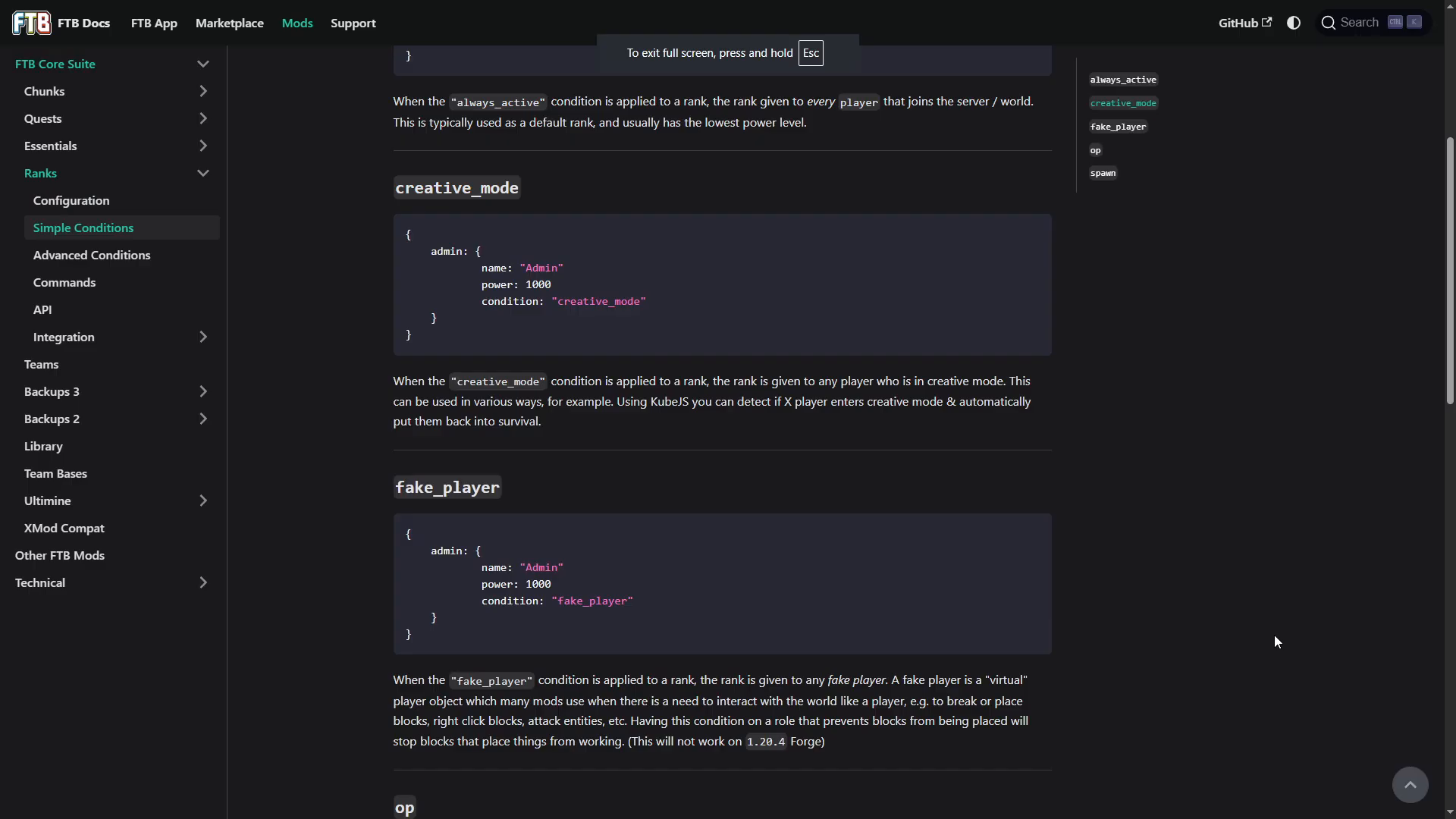
Conditions are rules that determine when a rank is automatically granted to a player. This is where FTB Ranks becomes especially powerful. All available conditions are documented on the CurseForge mod page wiki. Below is a summary of the most useful ones:
Simple Conditions
always_active — the rank is always given to every player (default rank)
op — the rank is given to any player with server operator status
creative — the rank is given to any player currently in Creative Mode
fake_player — the rank is applied to virtual player objects used by automation mods (e.g. auto-placers and breakers)
spawn — the rank is given to any player within the protected spawn chunk range (useful for granting spawn-specific perks like flight)
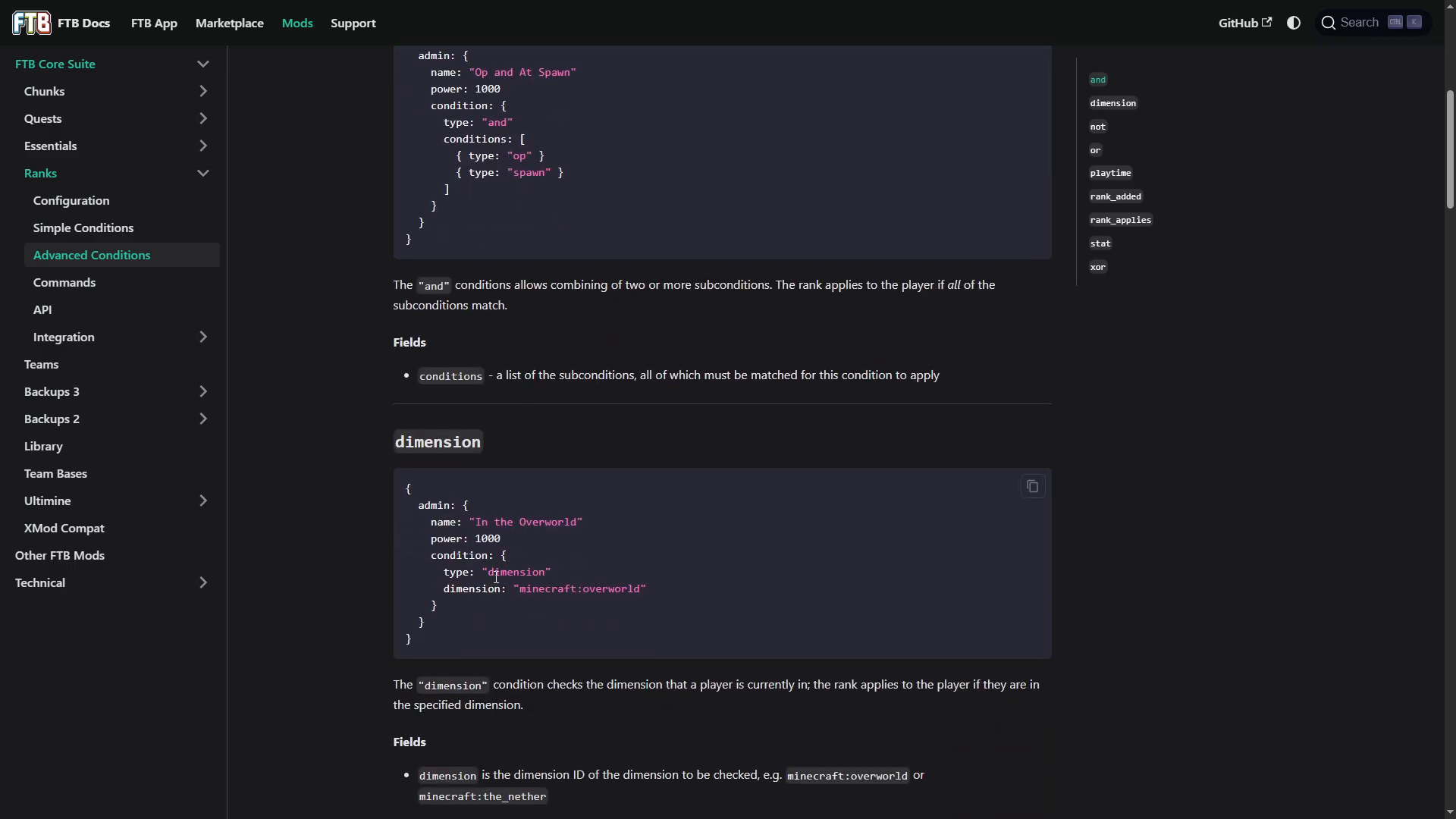
dimension — the rank is given to players in a specific dimension, such as the Nether or The End
playtime — the rank is granted once a player reaches a set amount of time played; supports ticks, seconds, minutes, hours, days, and weeks
rank_added — matches any player who has been explicitly given a rank via the /ftbranks add command
stat — grants a rank based on a game statistic, for example walking at least 5,000 blocks in-game
Compound Conditions
You can combine multiple conditions using compound condition types. These allow for much more specific rank logic:
and — all listed sub-conditions must be true simultaneously. For example, a player must be both op and in the spawn zone to receive the rank.
or — any one of the listed sub-conditions being true is sufficient to grant the rank.
not — the opposite of a condition. For example, not: nether grants the rank to any player who is not in the Nether.
xor — (exclusive or) the rank is granted only if exactly one of the sub-conditions is true, but not both. For example, a player must be either op or have one week of playtime — but not both at the same time.
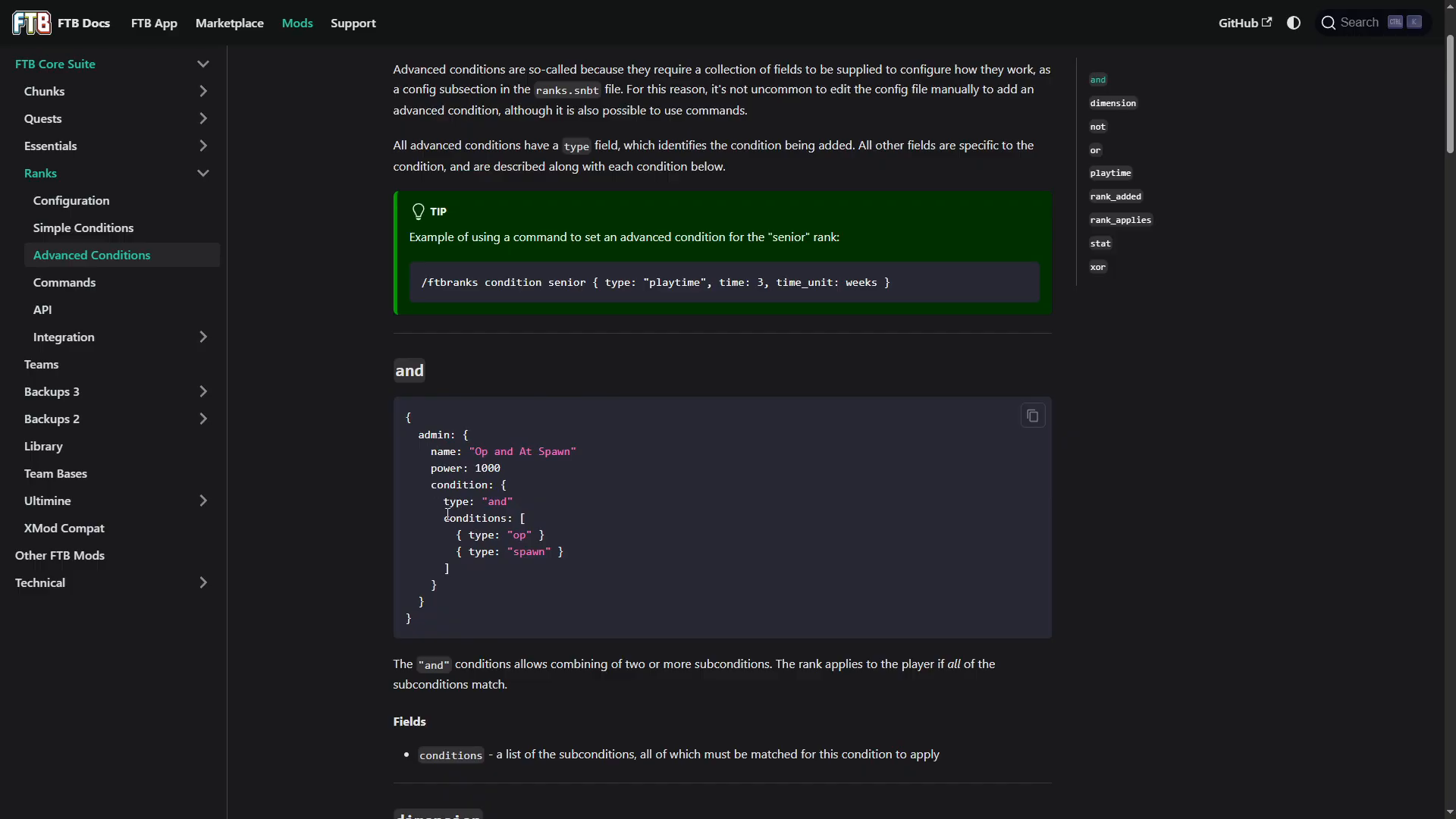
When writing compound conditions in your ranks.snbt file, you define the condition_type as and, or, not, or xor, and then list your sub-conditions beneath it. You can copy condition syntax examples directly from the CurseForge wiki using the built-in copy button.
Summary and Next Steps
FTB Ranks is a flexible and well-documented mod that gives server owners full control over player permissions and rank progression. Here is a quick recap of the key points covered in this guide:
FTB Ranks requires the FTB Library mod to function
The main configuration file is ranks.snbt, found under world → server config → feedthebeast → ranks
Use the power field to set rank hierarchy — higher numbers mean higher priority
Use & color codes in ftbName to style rank display names
Integrate with mods like FTB Chunks and FTB Essentials to attach mod-specific permissions to each rank
Consult readme.txt to discover every command available for your installed mod set
Use conditions — simple or compound — to automate rank assignment based on player behaviour, location, status, or playtime
Once you are comfortable with the basics, explore the full conditions list on the CurseForge wiki page for FTB Ranks to unlock more advanced rank logic for your server.
“`