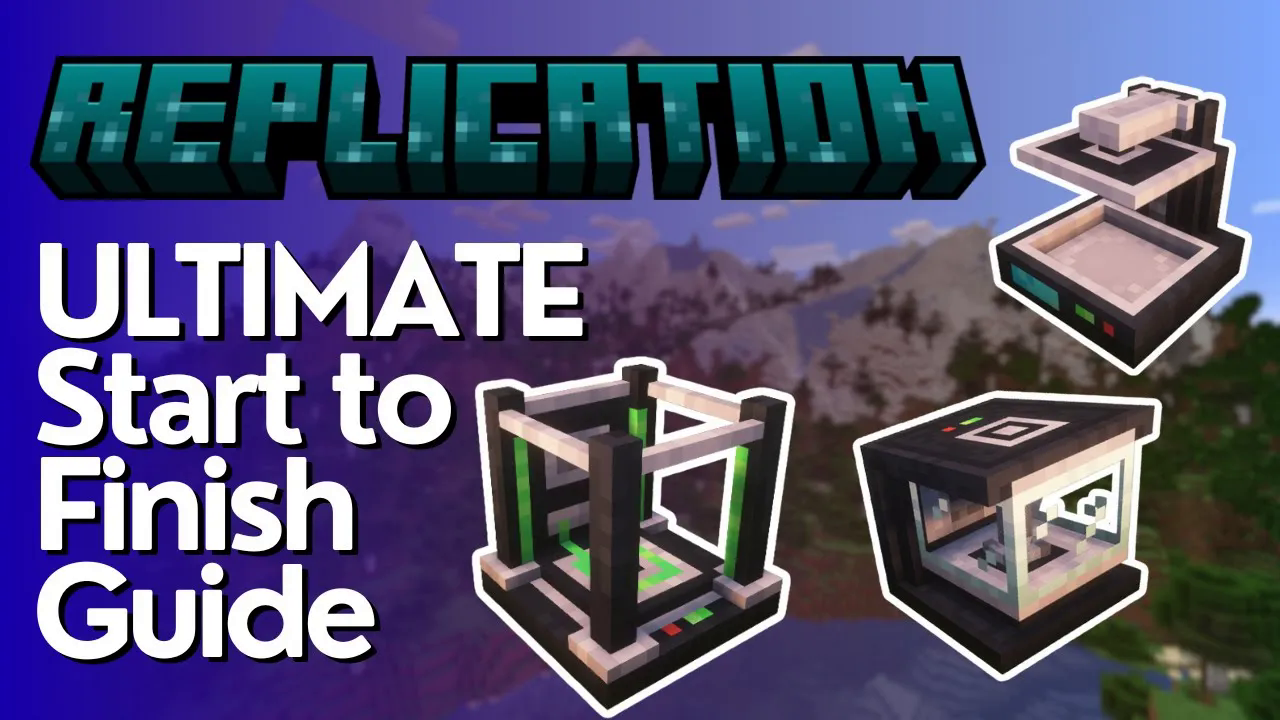
Replication Mod Full Tutorial
Replication Mod Full Tutorial: How to Duplicate Items in Minecraft
The Replication mod lets you duplicate items in Minecraft using a substance called matter. The catch? You can only replicate items that are reasonably similar in value — as the mod developer puts it, you cannot turn dirt into diamonds, but you can turn dirt into stone. However, something like redstone can be turned into diamonds. This guide walks you through every machine, every setting, and every step you need to get your replication system up and running.
What You Need to Get Started
Before you can replicate anything, you need to gather the right materials and build a specific set of machines. Here is the full list of machines you will need to construct:
1× Disintegrator
1× Identification Chamber
1× Chip Storage
1× Replication Terminal
1× Replicator (you can build more to speed things up)
8× Tanks (one for each matter type)
Matter Network Pipes (to connect everything)
Set all of these up in the order listed above. You will also need a separate power generation mod, as the Replication mod does not include its own power source. For example, Mekanism works well — a Creative Energy Cube from Mekanism can power your machines directly, or you can pipe power through the Matter Network Pipes themselves, which conveniently transfer both matter and energy.
Step 1: Using the Disintegrator to Create Matter
The Disintegrator is your starting point. It breaks down items into their raw matter components. Every item in the mod has a matter value — for example, a single dirt block is worth 1 earth matter, and a grass block is worth 4 earth matter. You can hold Shift while hovering over any item to check its matter value.
Not every item carries matter. For instance, redstone dust, deep slate redstone ore, and similar items show no matter value on their own. However, a block of redstone is worth 18 earth matter and 18 precious matter. Place redstone into the Disintegrator and it will break it down automatically. If you insert a full stack, it will continuously process and output the resulting matter.
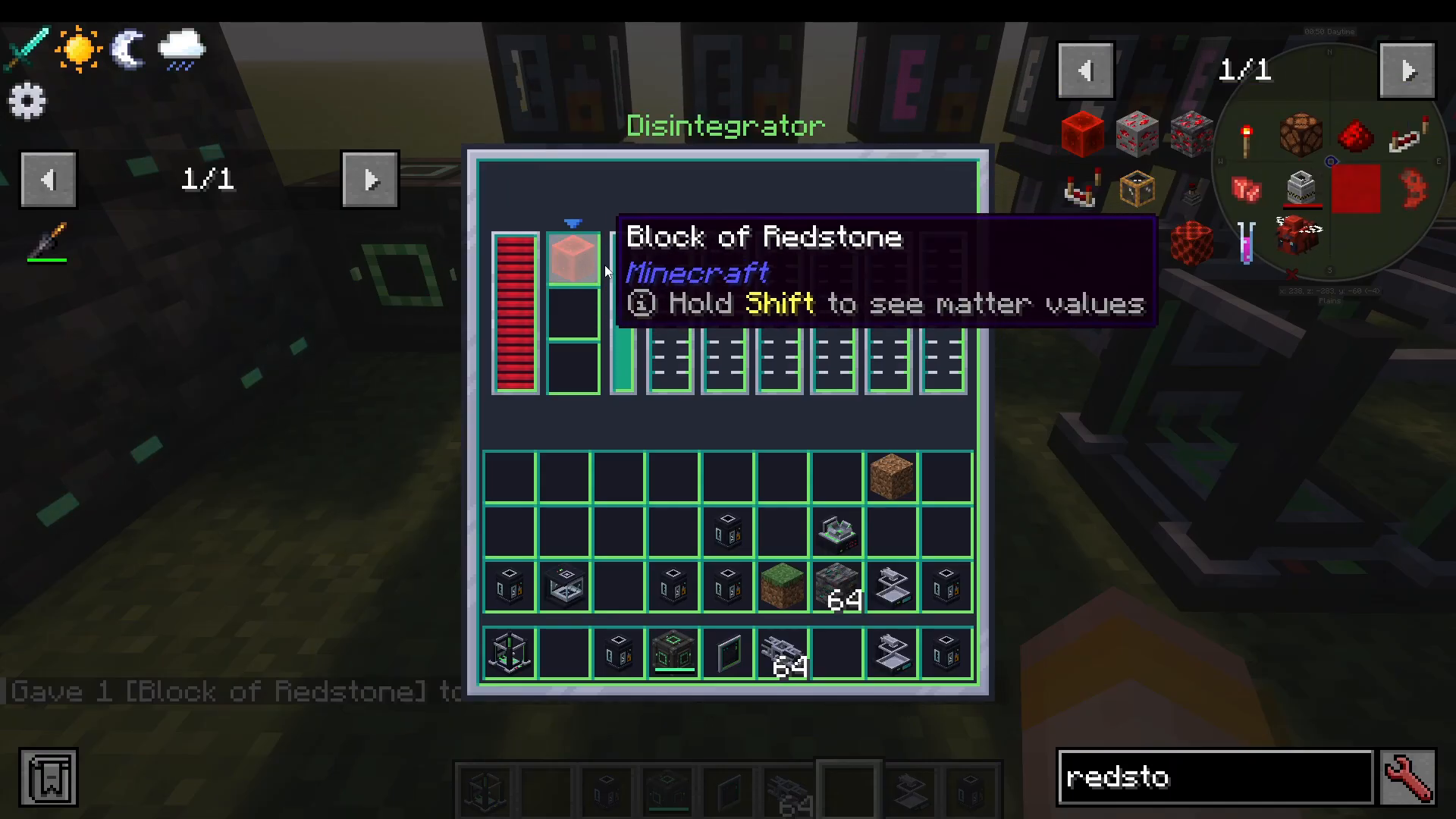
Connect Matter Network Pipes to your Disintegrator to carry the matter output into your tanks. The matter will automatically route into the correct tank type as it is produced.
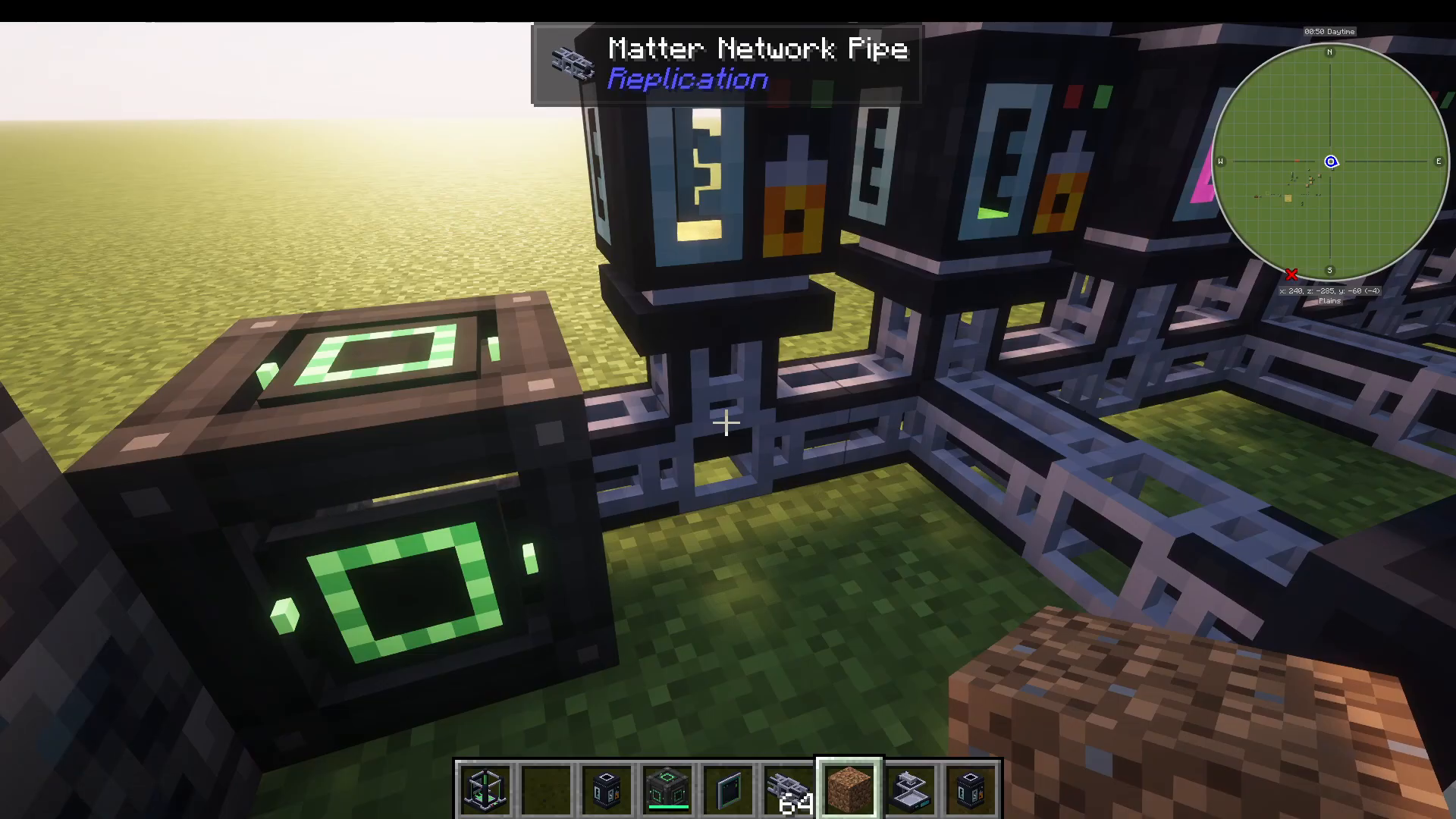
Setting Up Your Tanks
You need 8 tanks in total — one for each type of matter. The matter types in the mod include:
Earth
Precious
Living
Metallic
Quantum
Nether
Organic
End
Craft empty tanks and place them in your network. They will fill automatically with the appropriate matter type as you disintegrate items. You do not need to configure them manually.
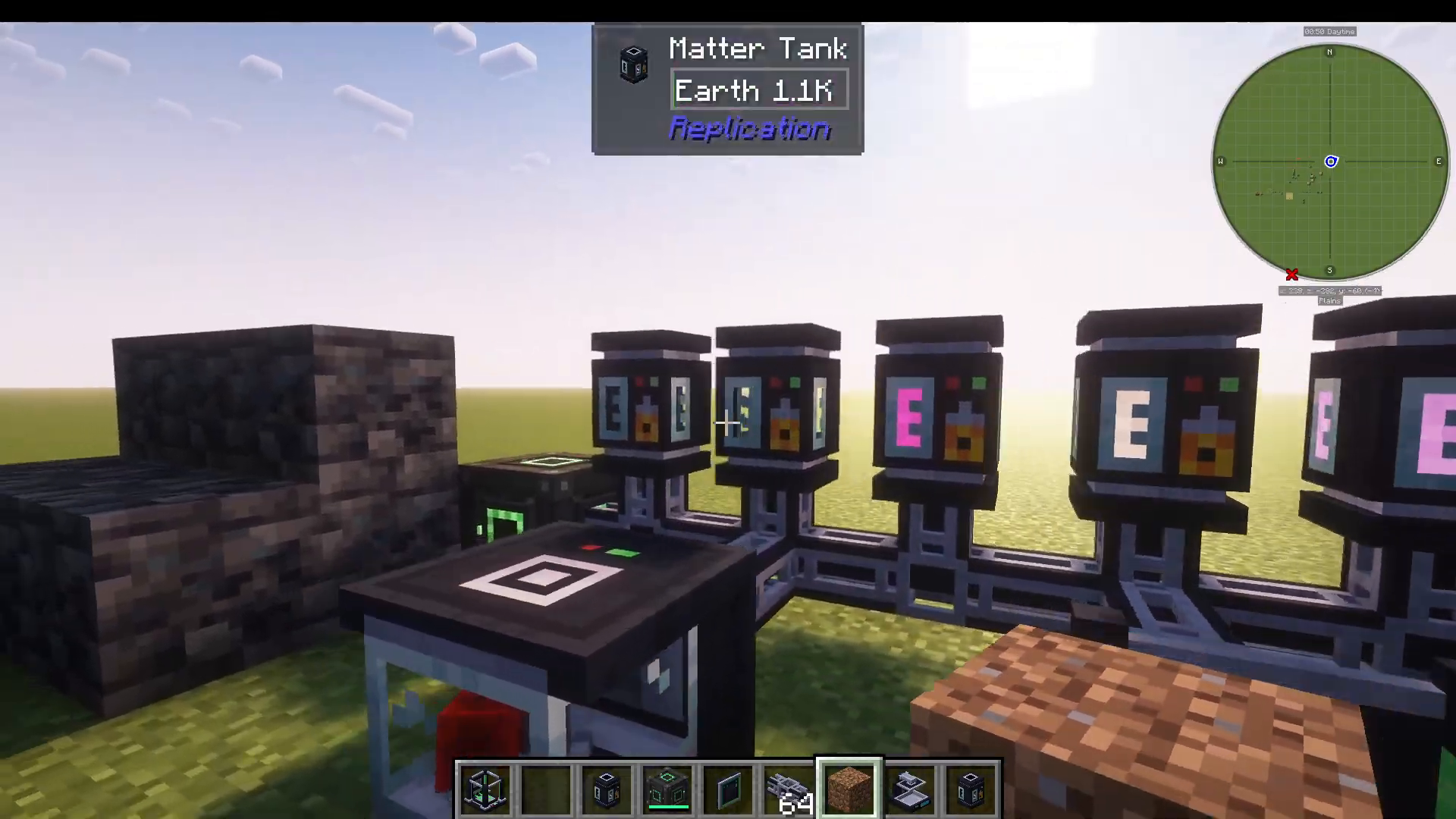
Step 2: Identifying Items with the Identification Chamber
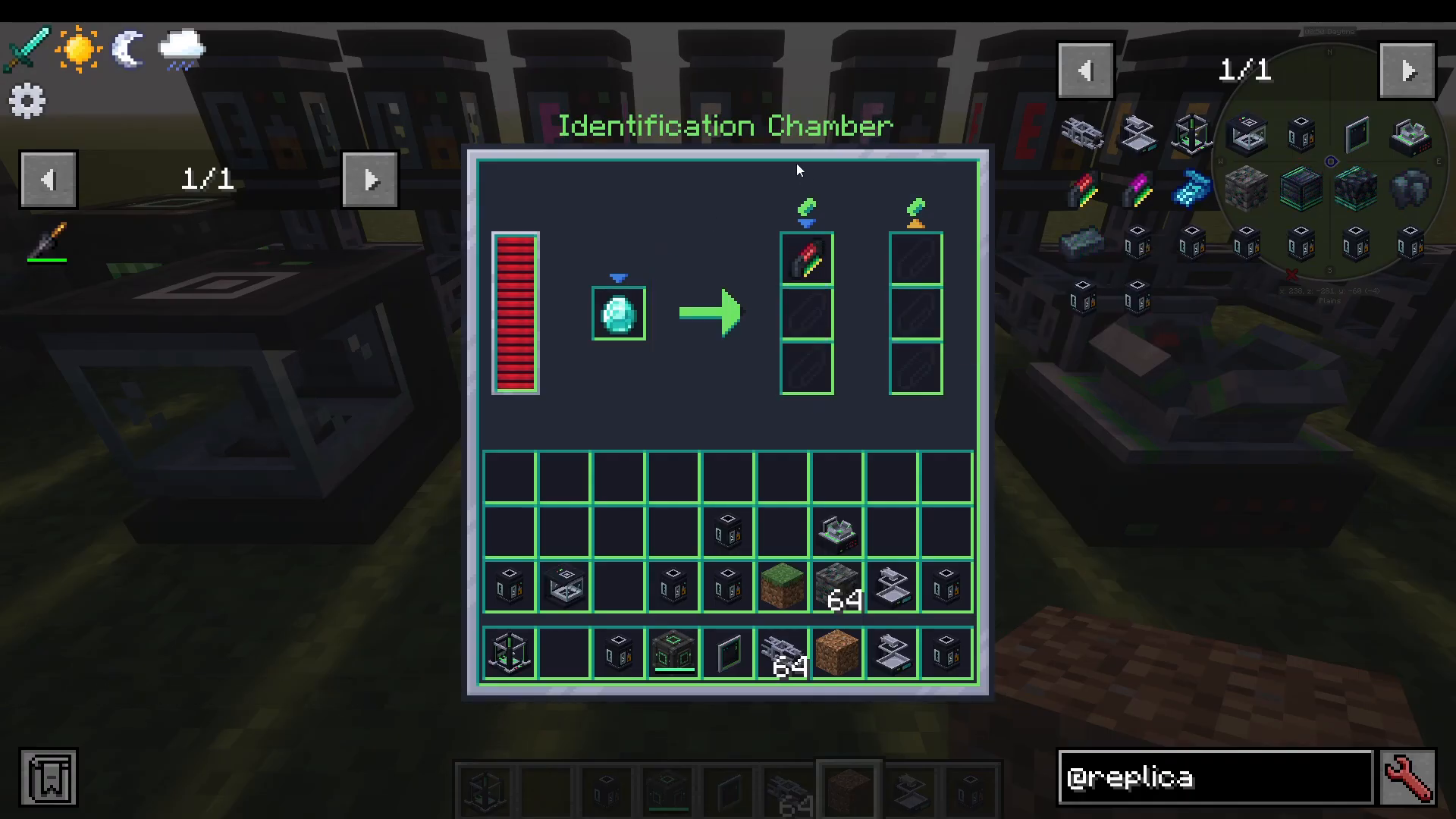
Even if you know an item’s matter value — for example, one diamond is worth 36 precious matter — the system cannot replicate it until that item has been formally identified and added to your database. This is where the Identification Chamber comes in.
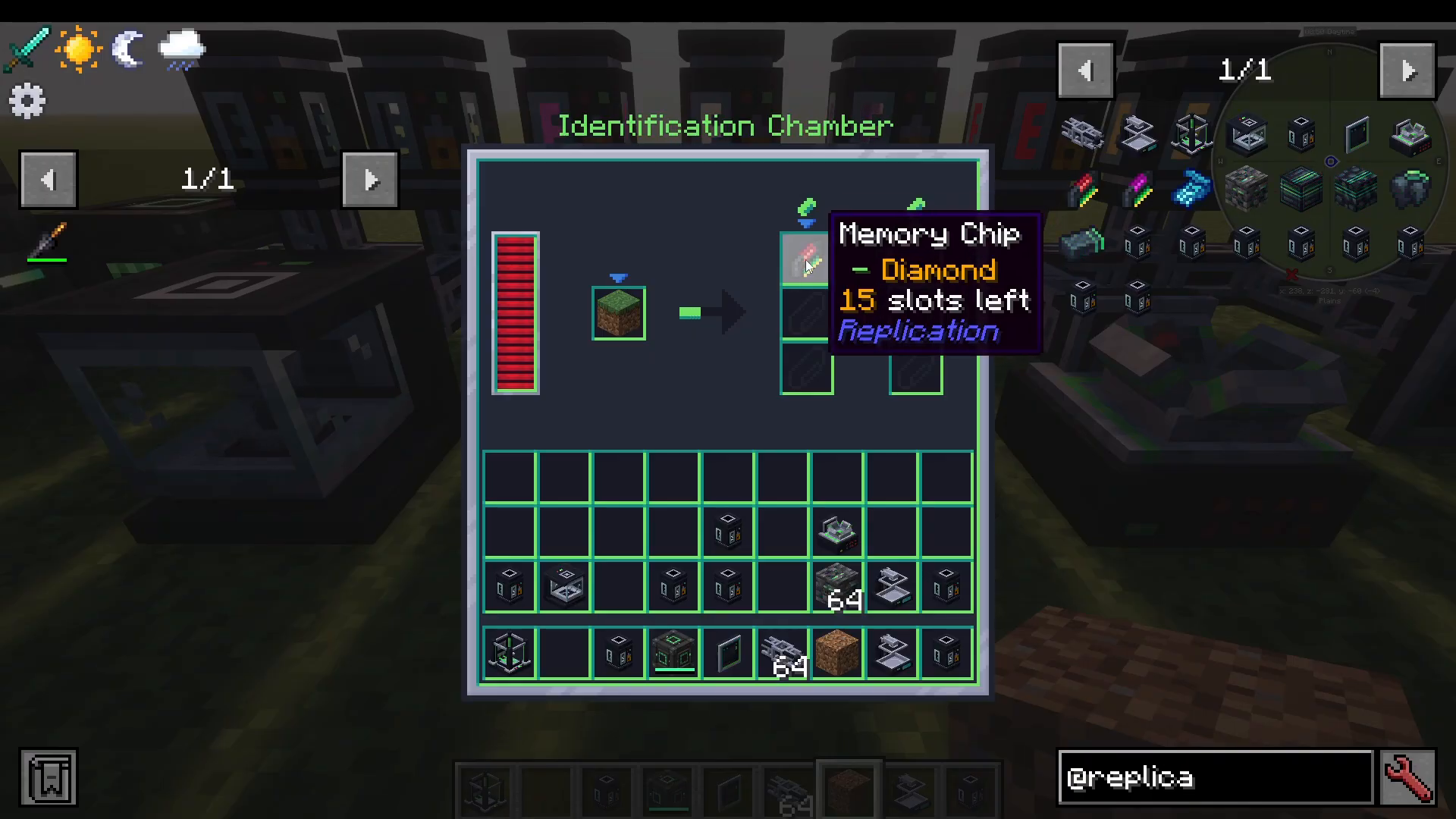
To identify an item, first craft a Memory Chip, which holds up to 16 item identifications. Place the item you want to identify (for example, a diamond) into the Identification Chamber, then insert the Memory Chip. The chamber will analyze the item — you will see a progress indicator as it works. Once complete, the Memory Chip will record the item and show one fewer slot remaining.
You can continue adding more items to the same Memory Chip until all 16 slots are filled. Each additional item identified reduces the available slot count by one.
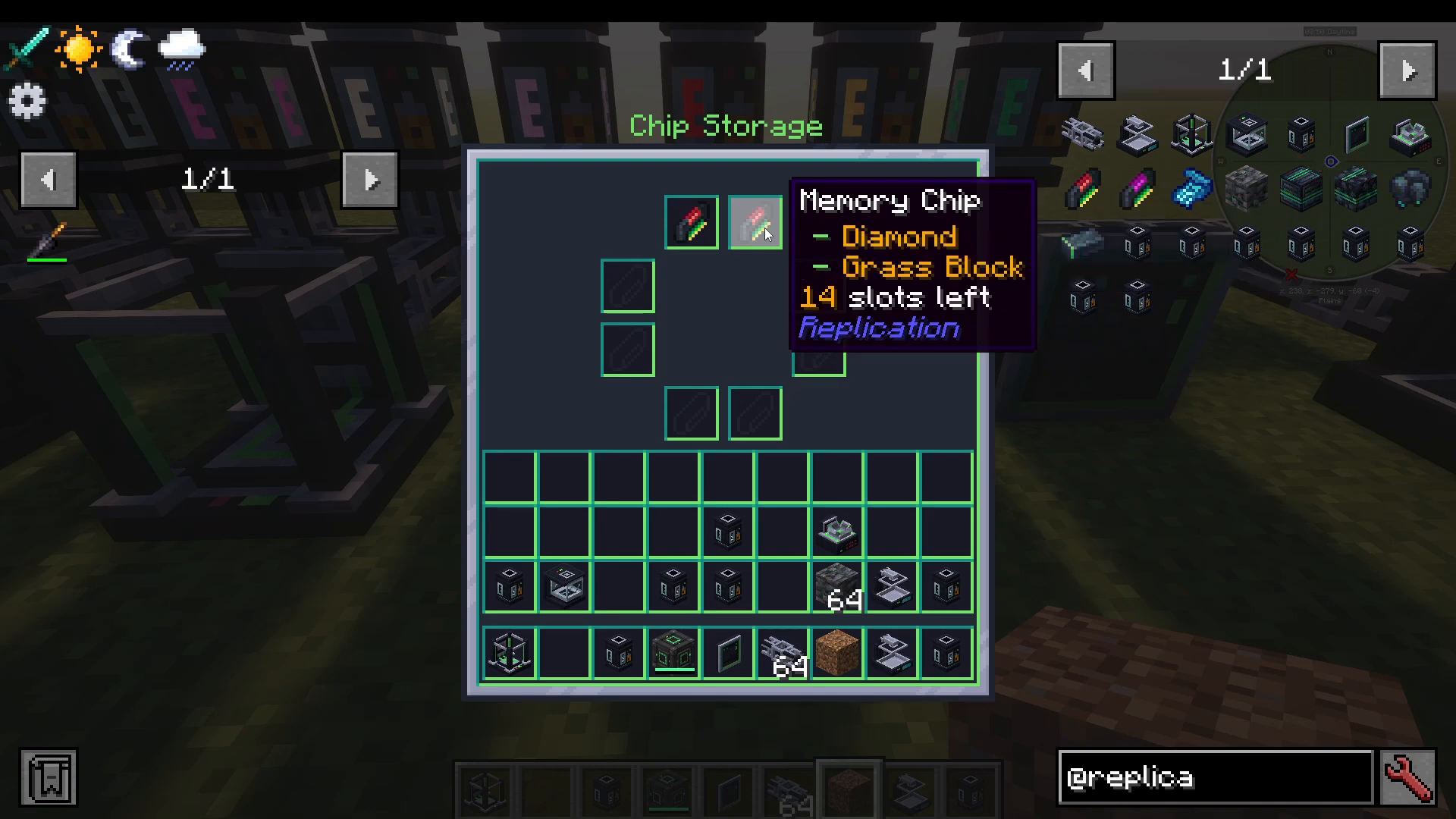
Step 3: Loading Memory Chips into Chip Storage
Once your Memory Chips contain identified items, place them into the Chip Storage machine. This makes all identified items available across your entire replication network. You can add multiple Chip Storage units if you need to store more chips and expand your database of replicable items.
Step 4: Using the Replication Terminal
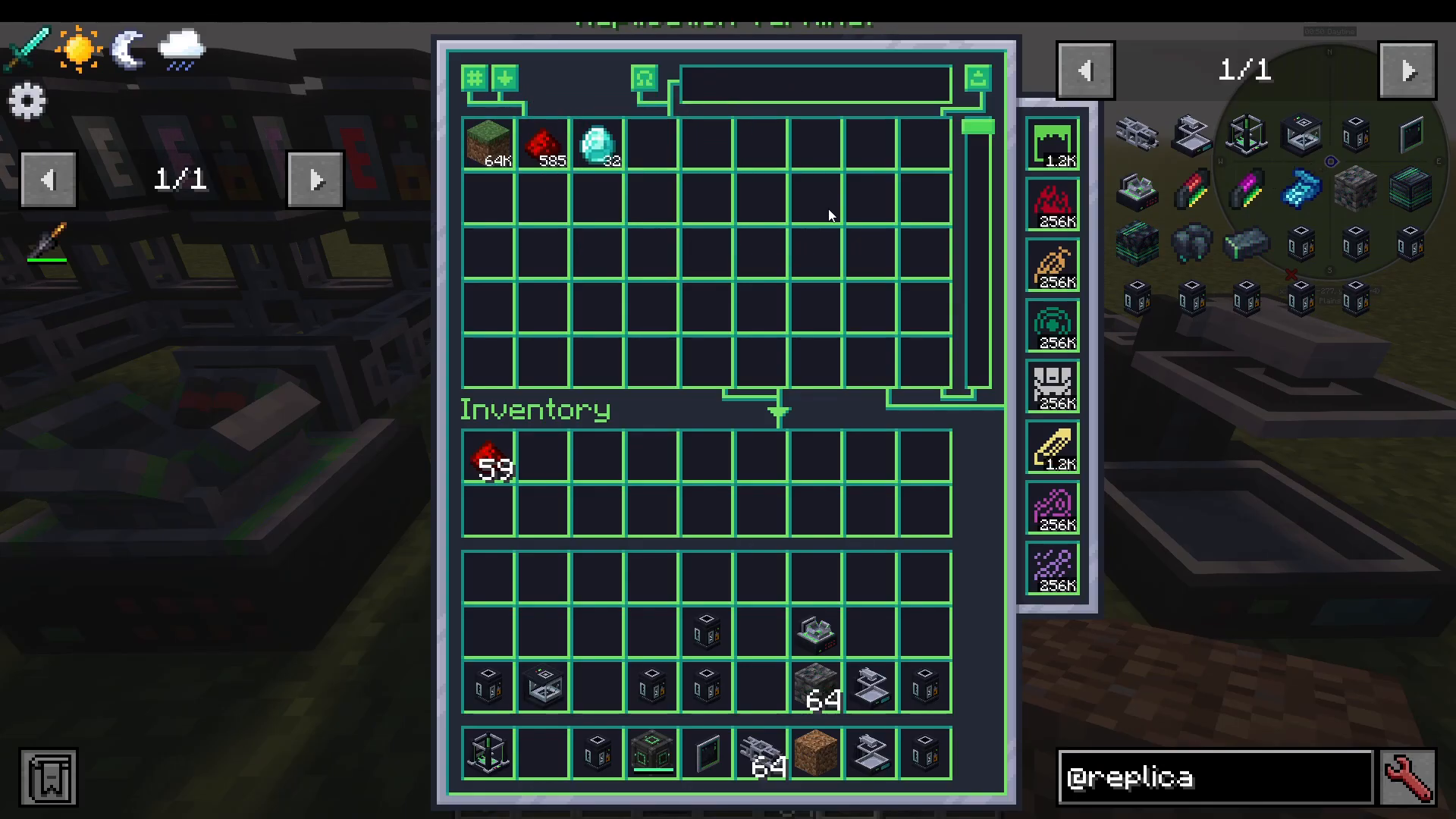
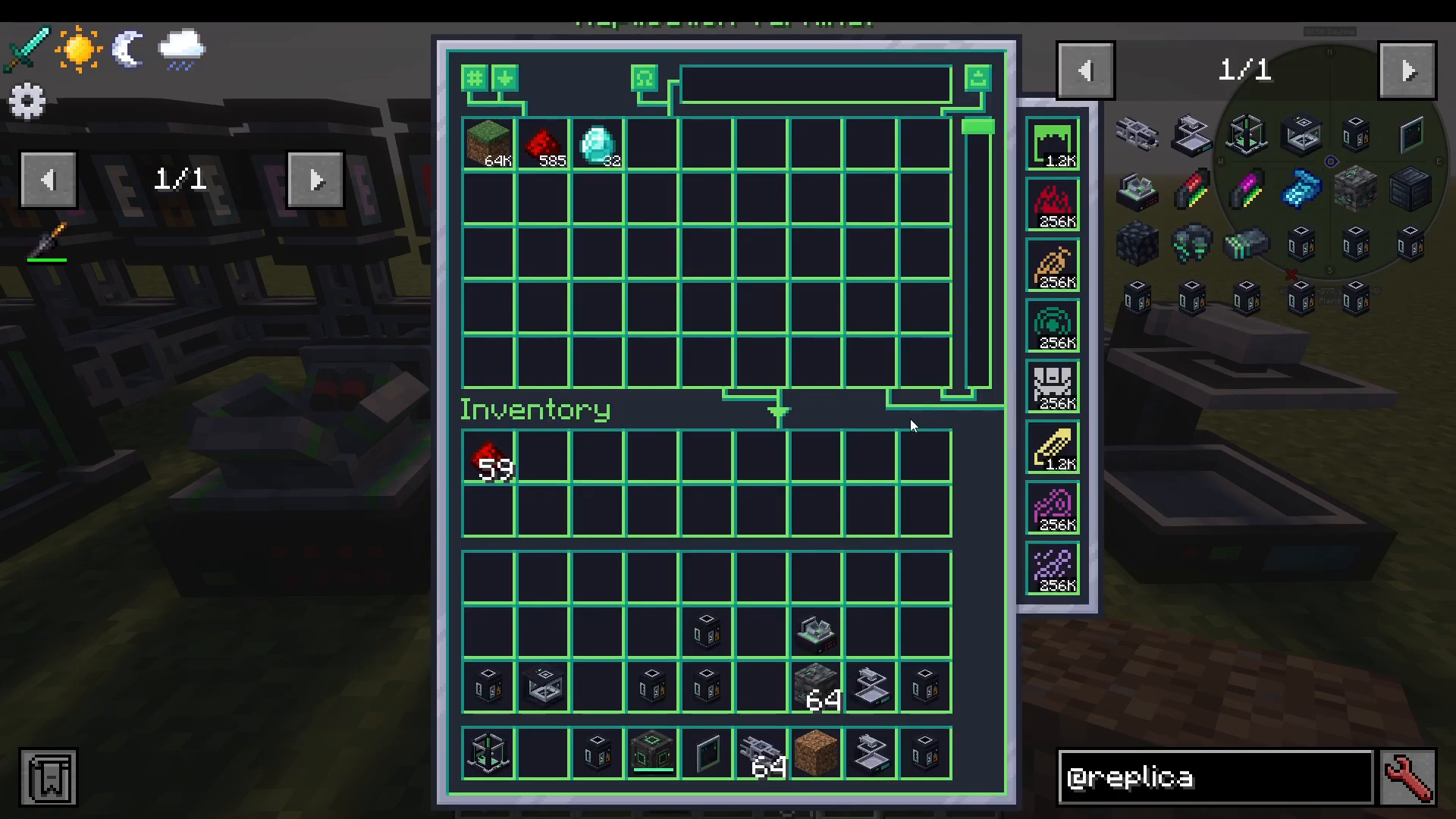
The Replication Terminal is your control hub. It displays every item your system has identified, along with how many of each item you currently have enough matter to produce. For example, if your tanks are well stocked, you might see figures like 32 diamonds, 585 redstone dust, or 64,000 grass blocks available to replicate.
On the right-hand side of the terminal, you can see a live readout of your current matter reserves across all types — for instance, 256K living matter or a smaller amount like 1,200 earth matter.
Sorting and Filtering Your Database
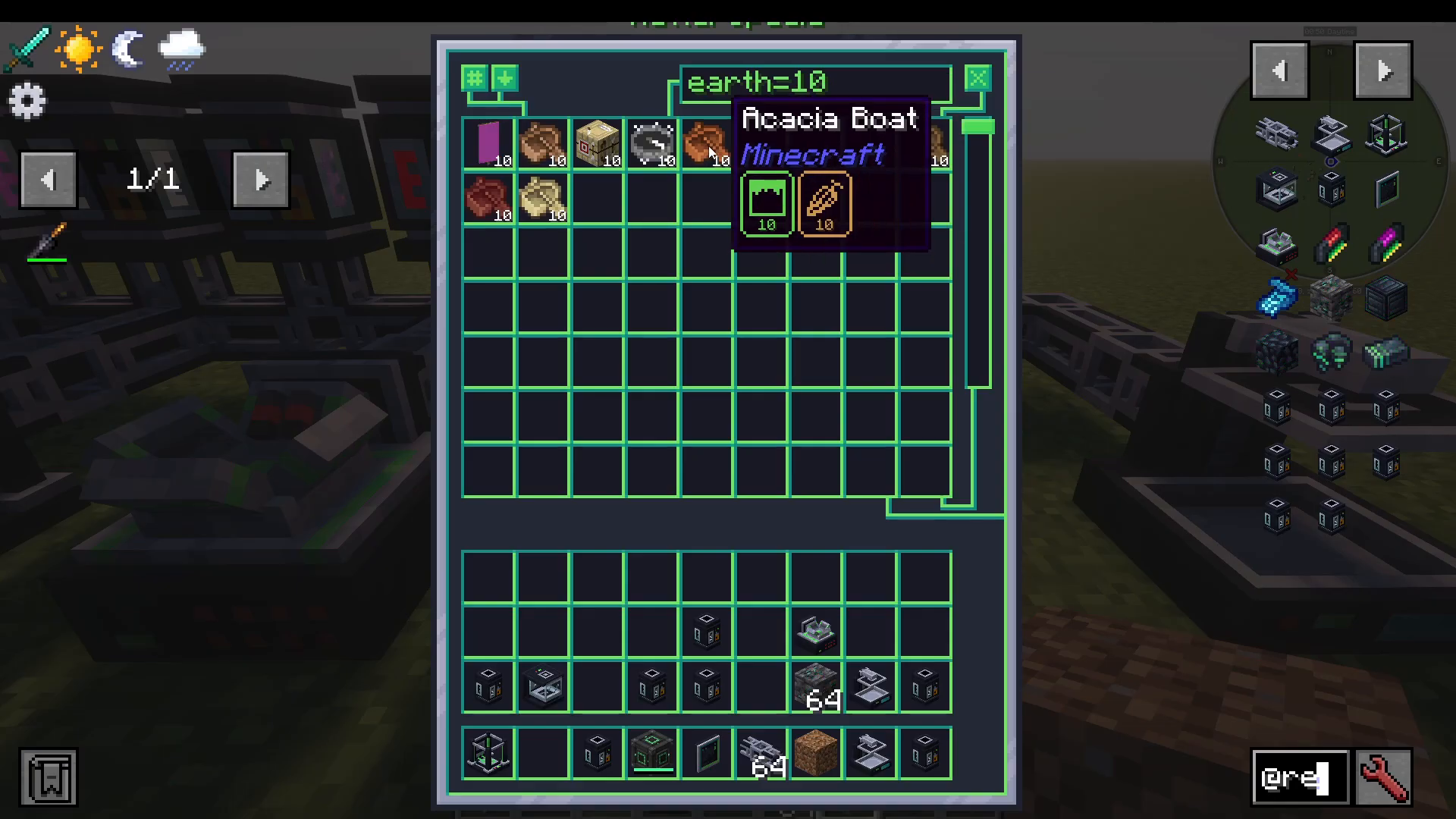
The terminal includes a powerful search and filter system called the Matteropedia. Here is a breakdown of the filter syntax you can use:
earth — shows all items that contain earth matter (may also contain other types)
earth >100 — shows items with more than 100 earth matter
earth <100 — shows items with fewer than 100 earth matter
earth =10 — shows items with exactly 10 earth matter
!earth — shows items that do not contain earth matter
earth — shows items that have only* earth matter and no other types
For example, searching earth >100 reveals that blue ice has 324 earth matter. You can also sort the list by descending order or by the amount you are currently able to replicate.
Placing a Replication Order
To replicate an item, simply select it in the terminal, enter the quantity you want — for example, 10 diamonds — and press Replicate. The order is sent to your Replicator machine. You can monitor active jobs by clicking the Replication Tasks button in the terminal, which shows progress such as “2 out of 10 — 1 worker” if you have a single Replicator running.
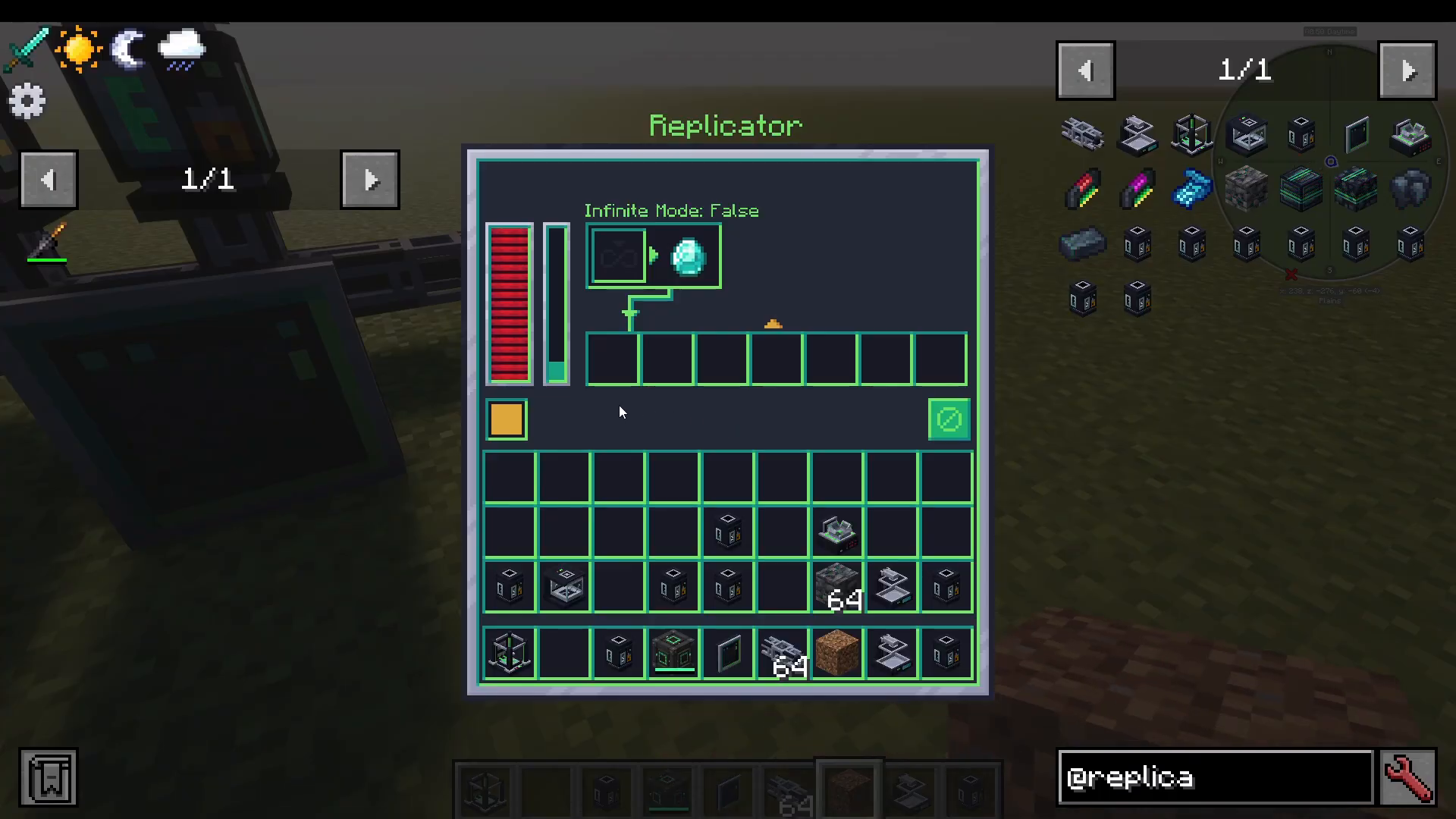
Step 5: The Replicator Machine
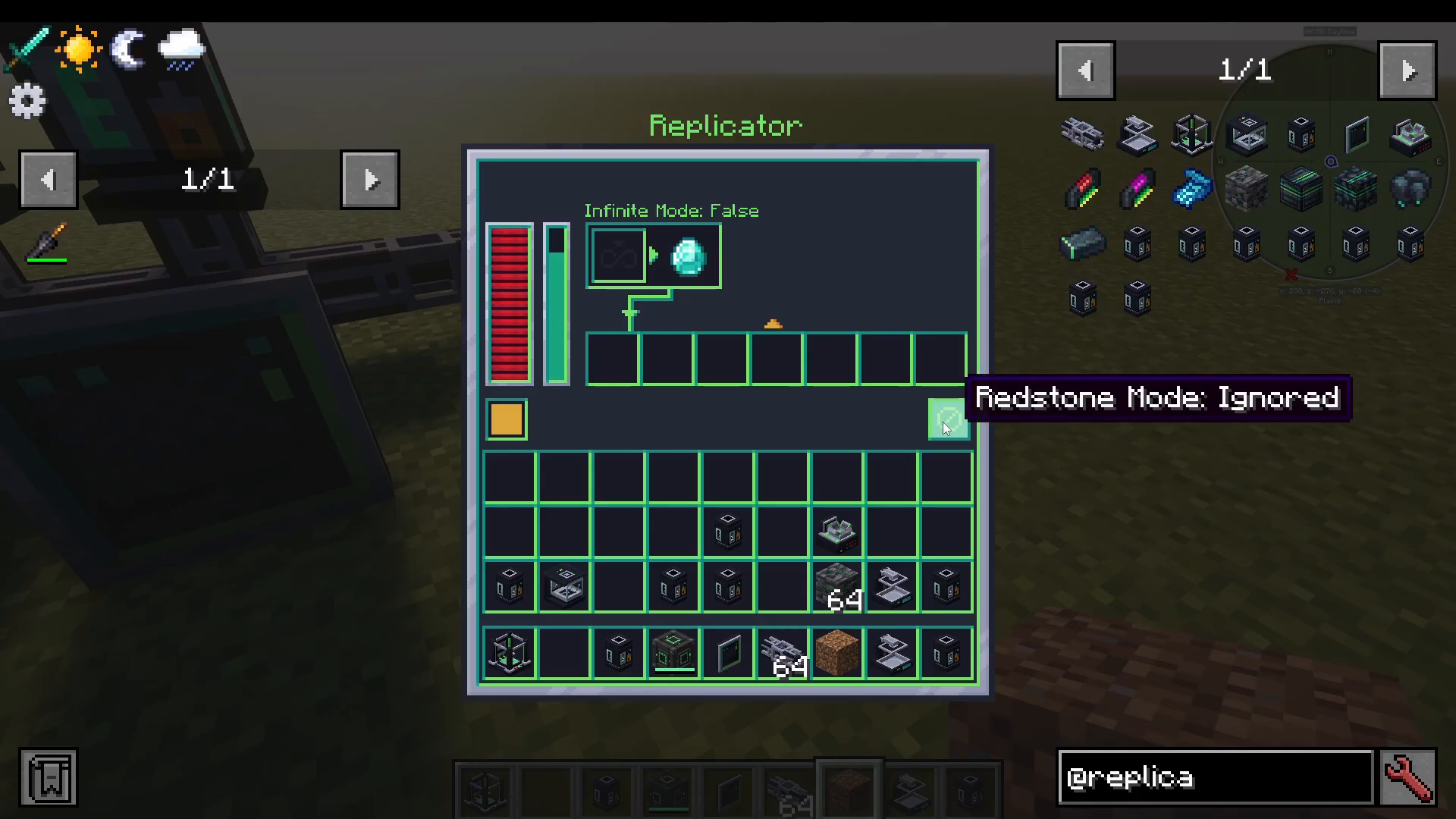
The Replicator is the machine that physically produces your requested items. Completed items are sent to the Replication Terminal’s inventory, where you can retrieve them. You can configure the Replicator’s output direction — for instance, set it to output to the back so items flow directly into the terminal. You can also set its Redstone mode to control when it operates.
Building multiple Replicators and connecting them all to the same network will increase your production speed, allowing more items to be crafted simultaneously.
Advanced Features: Replicator Enclosure and Replicator Motor
Please note: The following features are listed on the mod’s CurseForge page but may not yet be available in all versions of the mod at the time of writing. They are included here so you are prepared when they are added.
Replicator Enclosure
You can add a Replicator Enclosure to your Replicator by Shift + right-clicking the machine. This provides a passive 20% speed acceleration but increases power consumption.
Replicator Motor
You can also add a Replicator Motor by sneaking and right-clicking the Replicator. This allows you to configure a speed multiplier, where 100% is the default speed and 200% is the maximum. The faster the Replicator runs, the higher the chance of a print failure. If a print fails, the Replicator simply tries again — no additional matter is consumed on a failed attempt.
To use the Replicator Motor, you will need to craft a Matter Blueprint and load it into the Chip Storage before you can replicate it. This recipe currently has no crafting formula in the mod, suggesting the feature is still in development.
Summary
The Replication mod is a powerful and satisfying system once you have it set up. Here is a quick recap of the full workflow:
Build all required machines and connect them with Matter Network Pipes.
Use the Disintegrator to break down items into matter, which fills your tanks automatically.
Use the Identification Chamber and Memory Chips to add items to your database.
Load Memory Chips into Chip Storage to make items available for replication.
Use the Replication Terminal to browse your database, check matter levels, and place orders.
The Replicator fulfills your orders and sends completed items to the terminal inventory.
Add more Replicators or use advanced upgrades (when available) to increase production speed.
With enough matter in your tanks and items identified in your system, the Replication mod gives you a near-limitless supply of almost any item in your modpack. Happy replicating!
“`