Allomancy Mod Tutorial
— SEO METADATA — TITLE TAG: Allomancy Mod for Minecraft: Complete Guide (2024) META DESCRIPTION: Learn how to use every metal in the Allomancy mod for Minecraft. This beginner-friendly guide covers all 16 powers, crafting, and key binds. FOCUS KEYWORD: Allomancy mod Minecraft SECONDARY KEYWORDS: Minecraft magic mods, Allomancy metals guide, Minecraft mod tutorial, lerasium nugget Minecraft, Minecraft allomantic vial SLUG: allomancy-mod-minecraft-complete-guide — END METADATA — “`html
Allomancy Mod for Minecraft: Complete Beginner’s Guide
The Allomancy mod is one of Minecraft’s most unique magic mods, introducing 16 powerful metals inspired by Brandon Sanderson’s Mistborn series. Each metal grants a distinct ability, from night vision and speed boosts to pushing yourself through the air or manipulating mob emotions. This guide walks you through everything you need to know — from your very first metal flake to mastering all 16 allomantic powers.
Getting Started: Your First Metal Flake
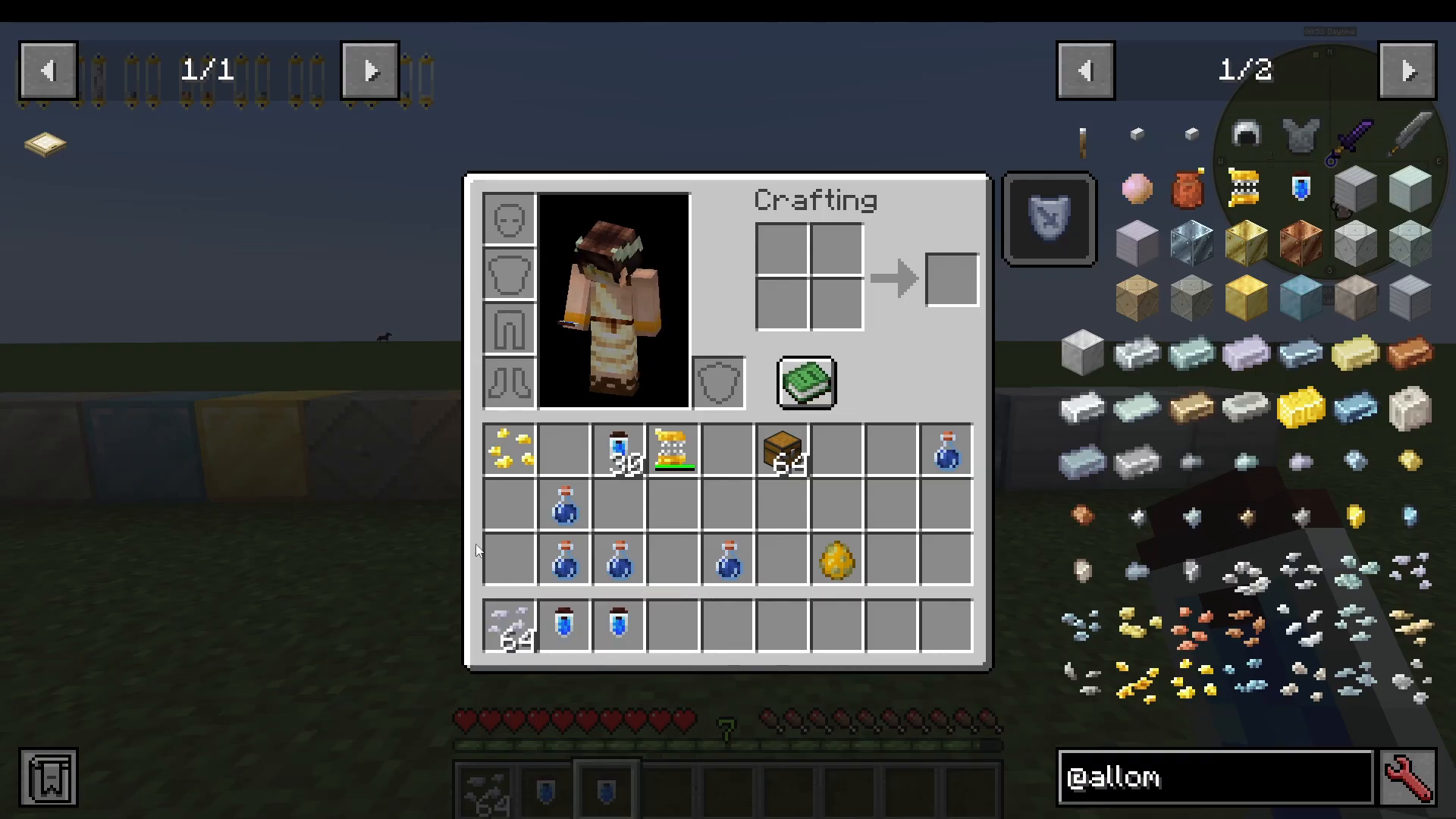
When you first spawn into a world with the Allomancy mod installed, you will automatically receive one metal flake. The metal you receive appears to be random — for example, you might spawn with pewter flakes. This starting flake is the only metal you are allowed to use until you unlock the rest.
Unlocking All 16 Metals with a Lerasium Nugget
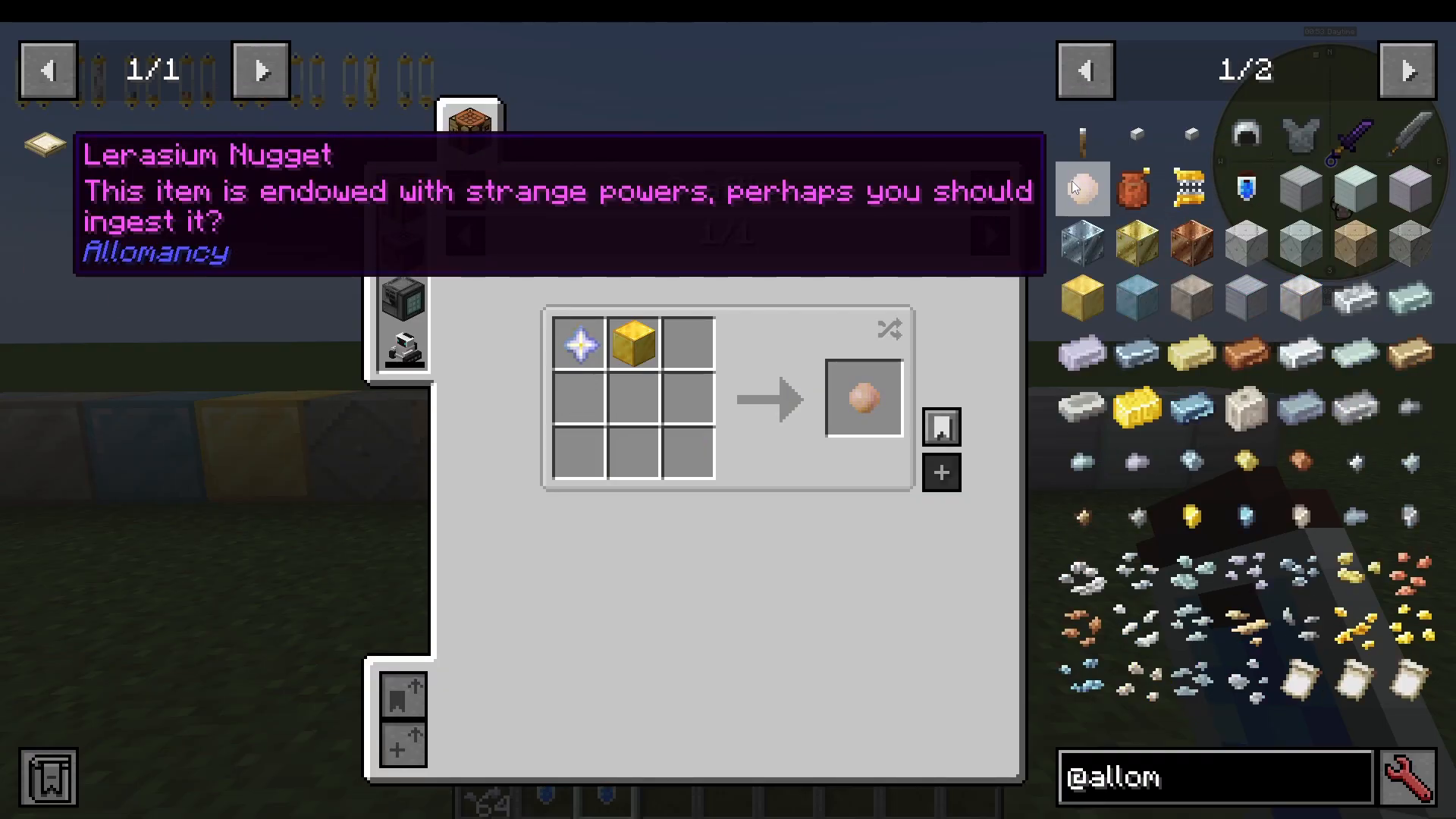
To gain access to all 16 metals, you need to find and eat a Lerasium nugget. You can find these in dungeon chests, or you can craft one yourself using a Nether Star and a Block of Gold. Once you eat it, nothing dramatic happens visually, but you will now be able to ingest and burn all 16 metals in the mod.
The Metal HUD: Reading Your Bars
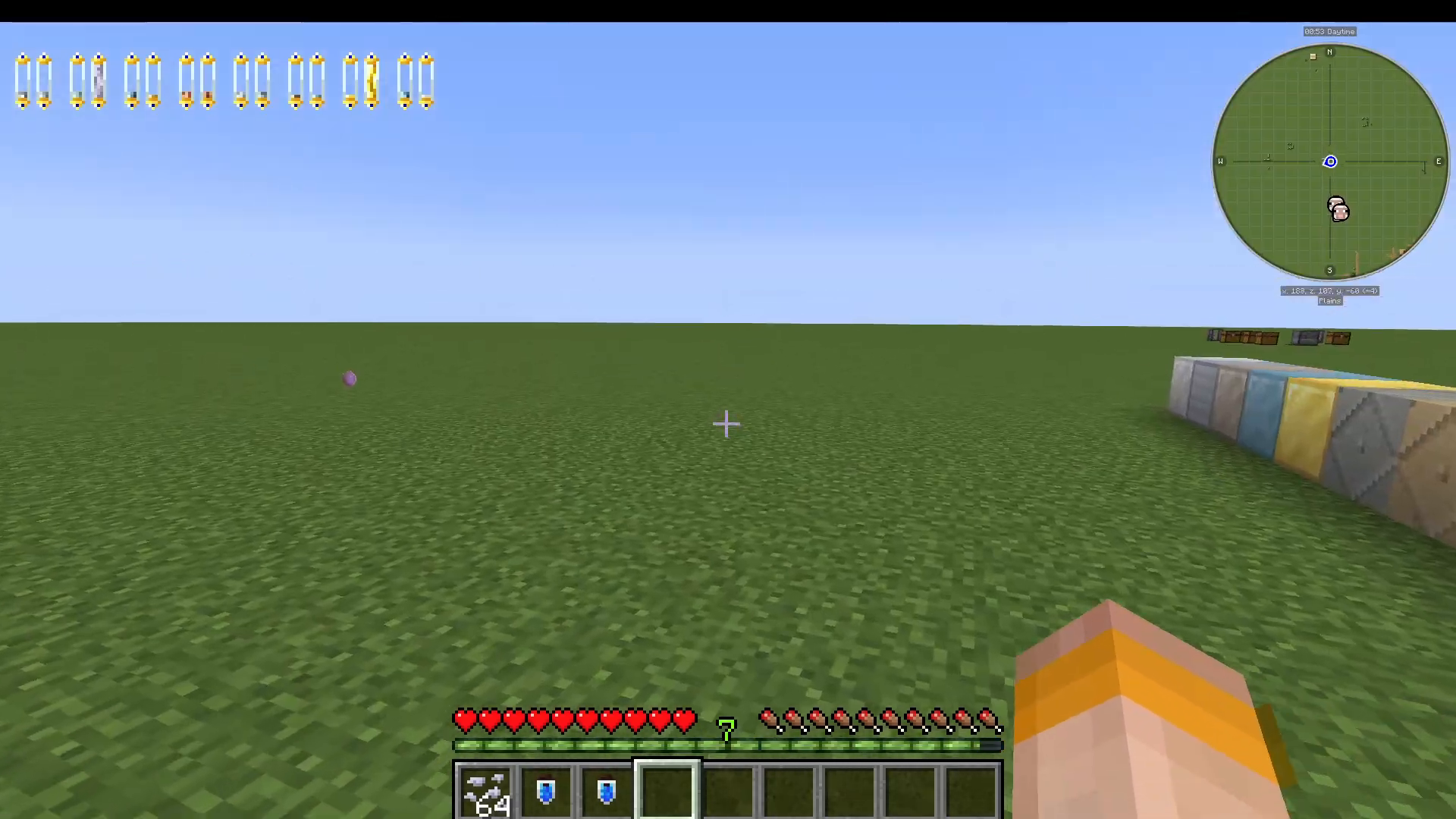
After eating the Lerasium nugget, look at the top left of your screen. You will see a series of small bars — one for each metal. Bars that are filled represent metals you have currently ingested and have a supply of. Empty bars are metals you have not yet consumed. Managing these bars is central to how the mod works.
How to Ingest Metals: Grinders and Allomantic Vials
To ingest a metal, you need to craft two key items: a Hand Grinder and some Allomantic Vials. The Allomancy mod adds ores for all of its new metals, so you will be mining these as you progress through the game.
Step 1 — Grind Your Metal into Flakes
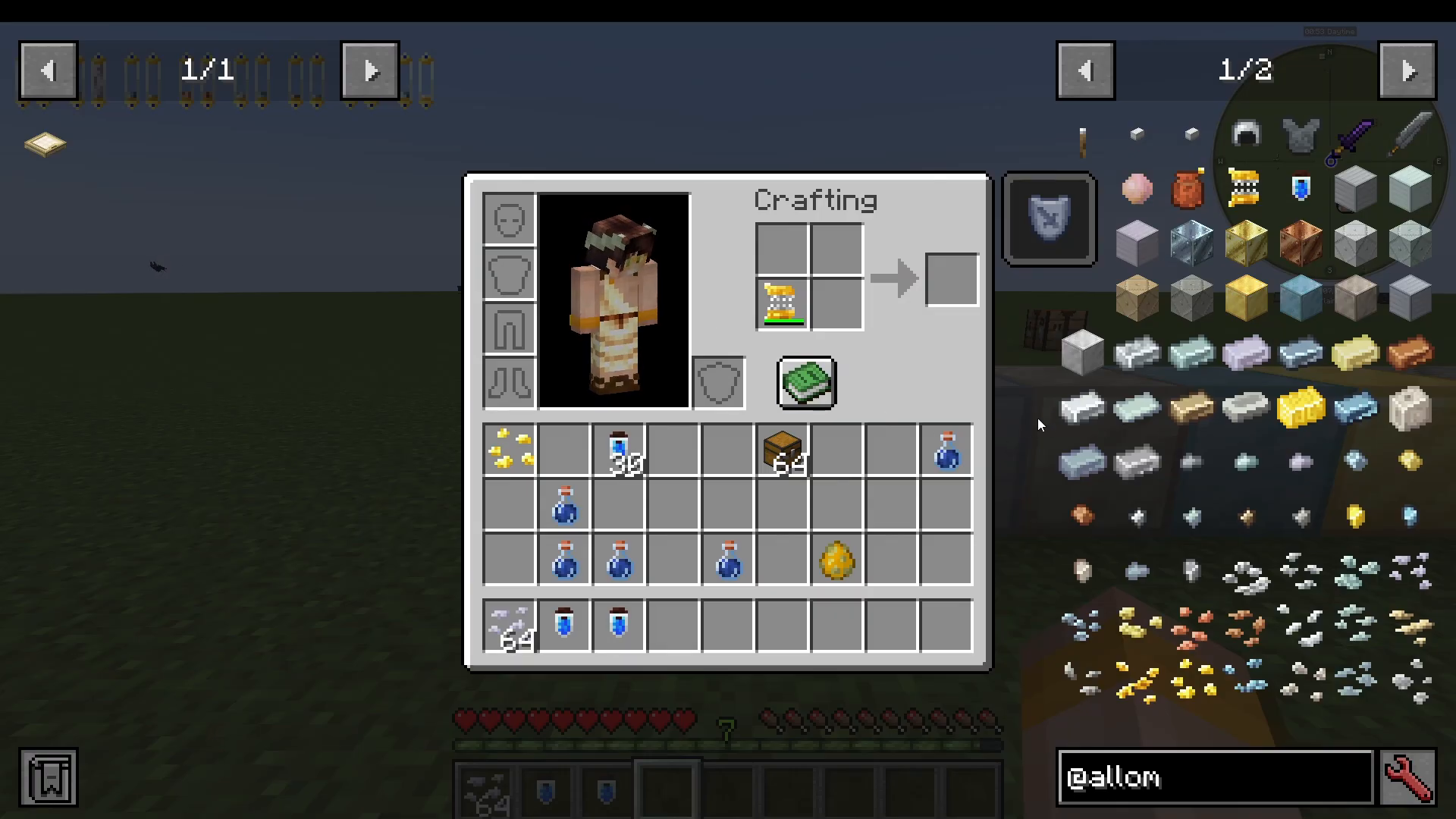
Place the Hand Grinder in your inventory. Then place a metal ingot — for example, an Aluminum ingot — into the grinder alongside it. This produces metal flakes.
Step 2 — Fill an Allomantic Vial
Take your Allomantic Vial and place it in the crafting grid together with your metal flakes. The result will be a vial labelled, for example, “Allomantic Vial — Contains 1 Metal: Aluminum.” You can add as many different metal flakes as you like to a single vial. If you have eaten the Lerasium nugget, you can load a vial with all 16 metals at once. If you have not eaten it yet, you can only use the single metal you were assigned at spawn.
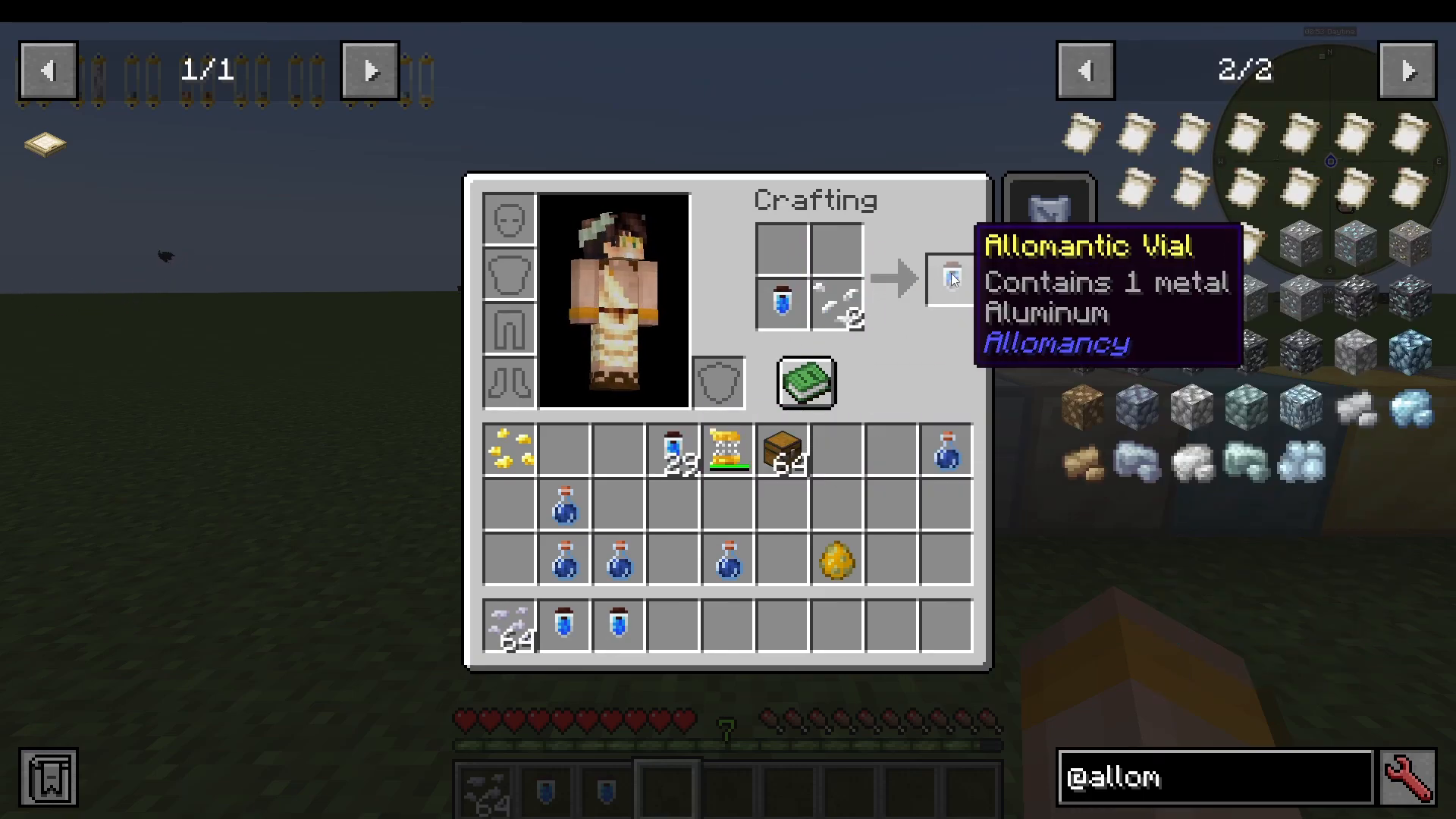
Step 3 — Drink the Vial
Once your vial is filled, simply right-click to drink it. This will fill up the corresponding bars at the top left of your screen for whichever metals were inside the vial.
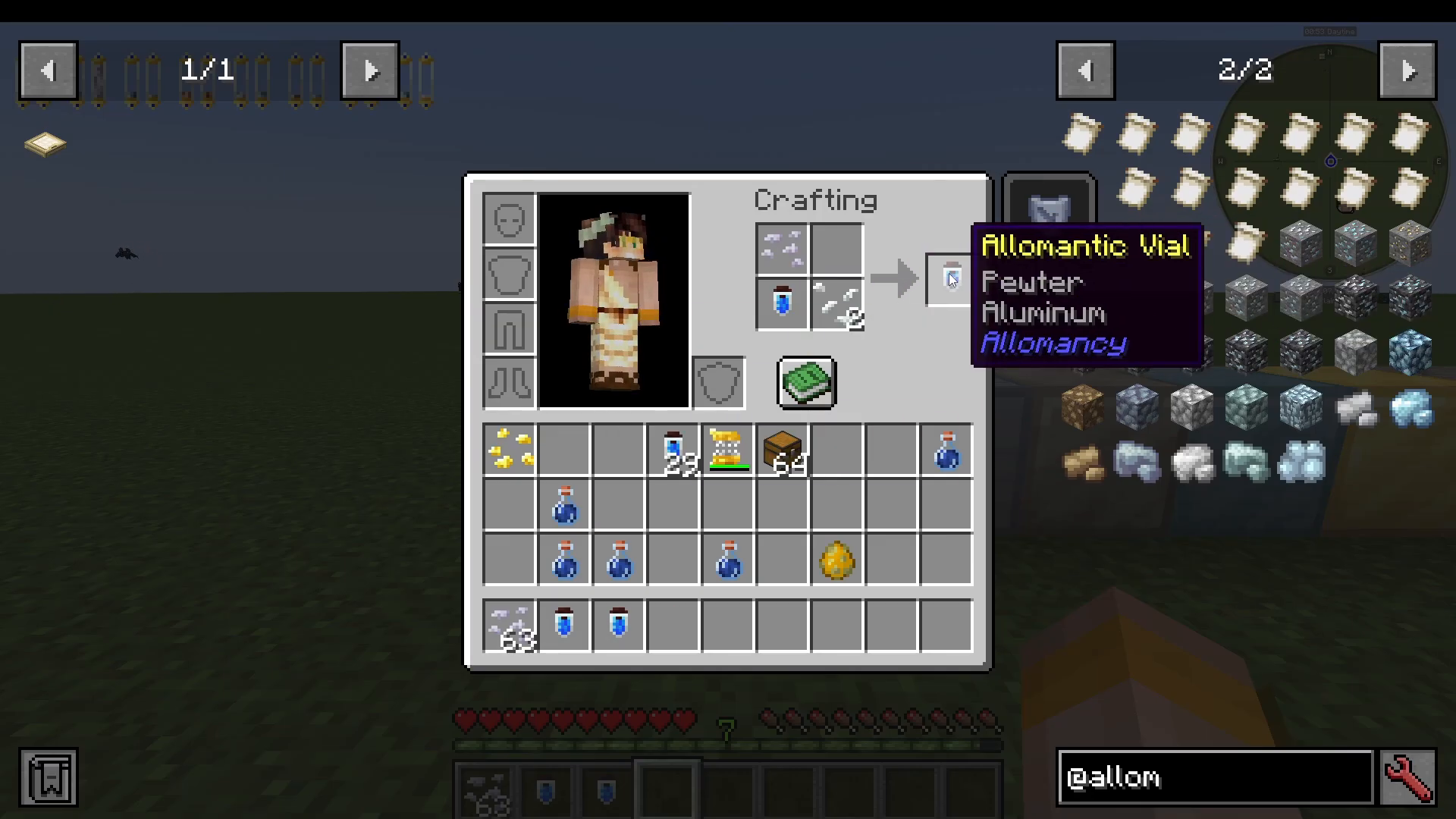
Key Binds: Burning Metals and the Vial HUD
To use your metals, you need to set up your key binds. Navigate to Options → Controls → Key Binds and scroll to the Allomantic section. You will see two essential binds:
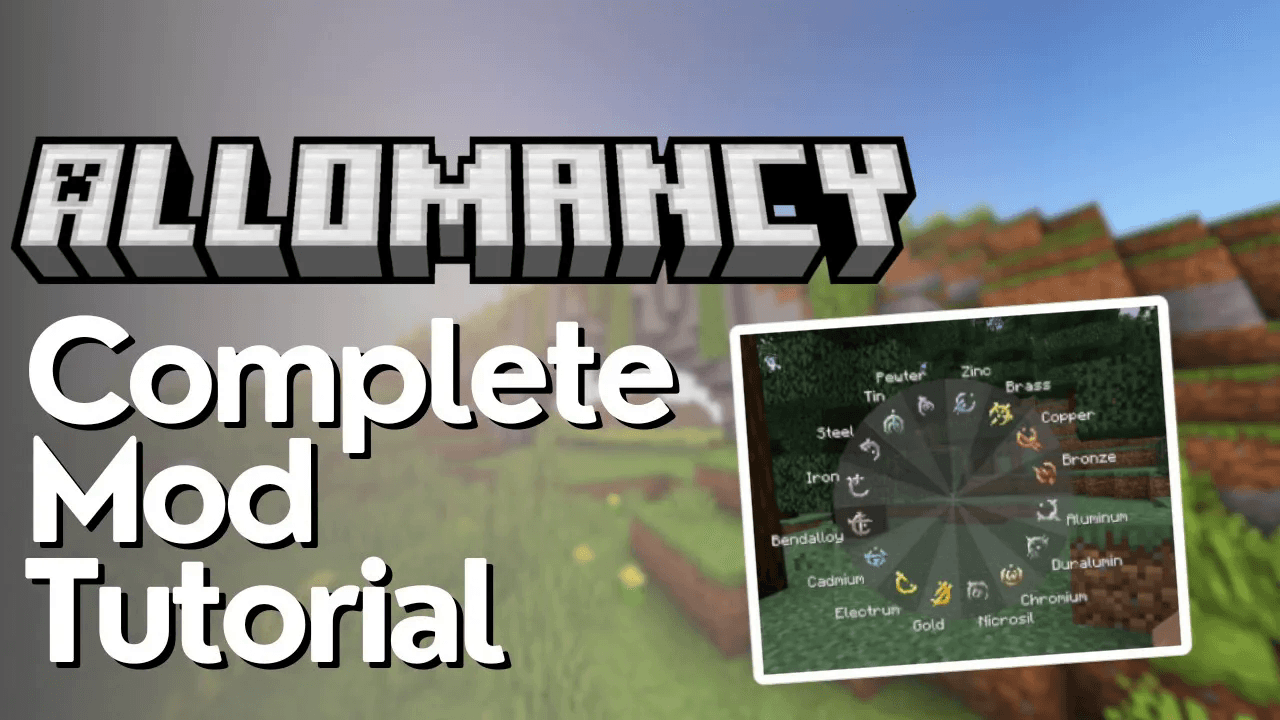
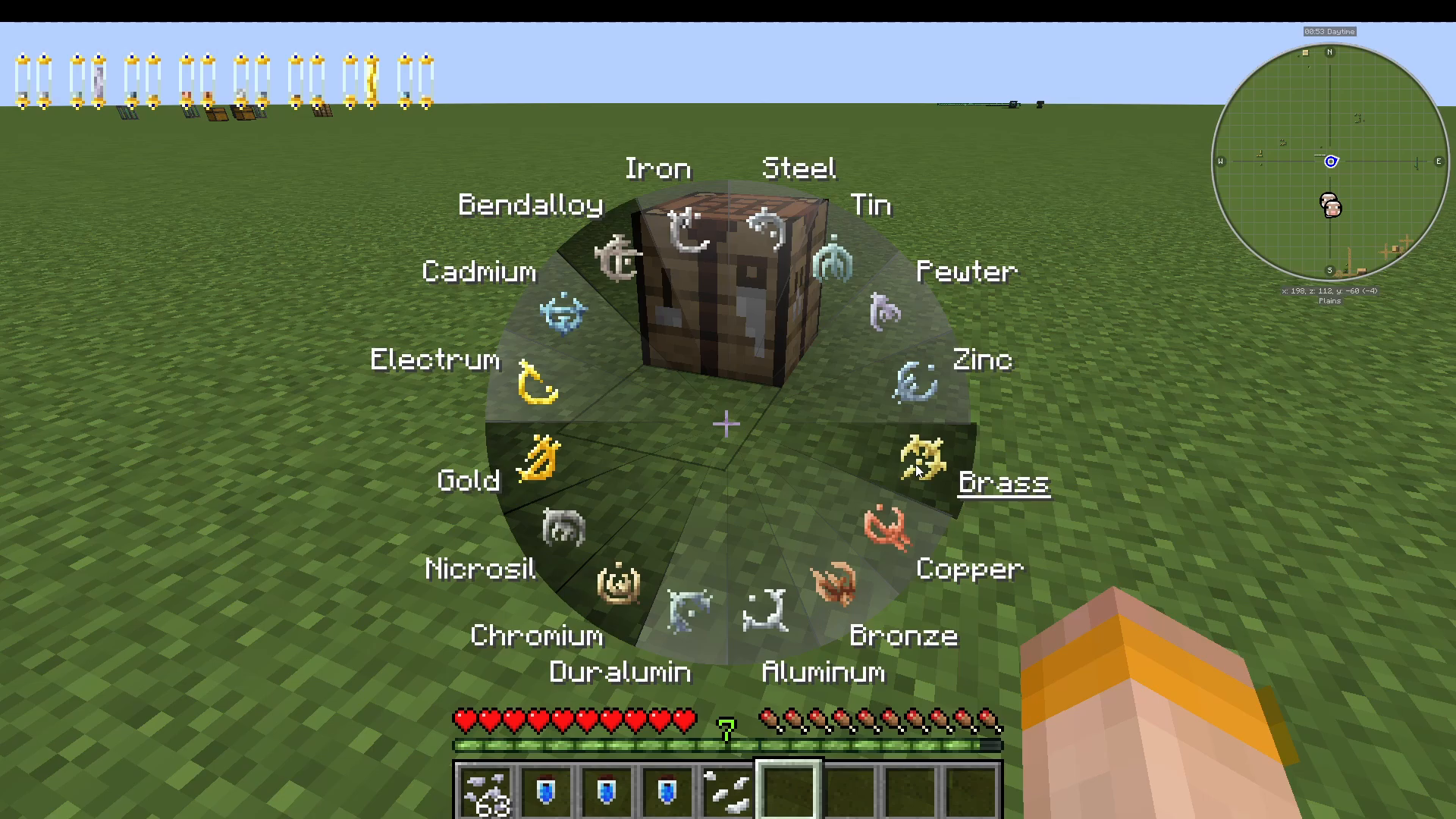
Burn Metals — Opens a circular selection wheel showing all your ingested metals.
Show Vial HUD — Toggles the metal bars on the top left of your screen on and off.
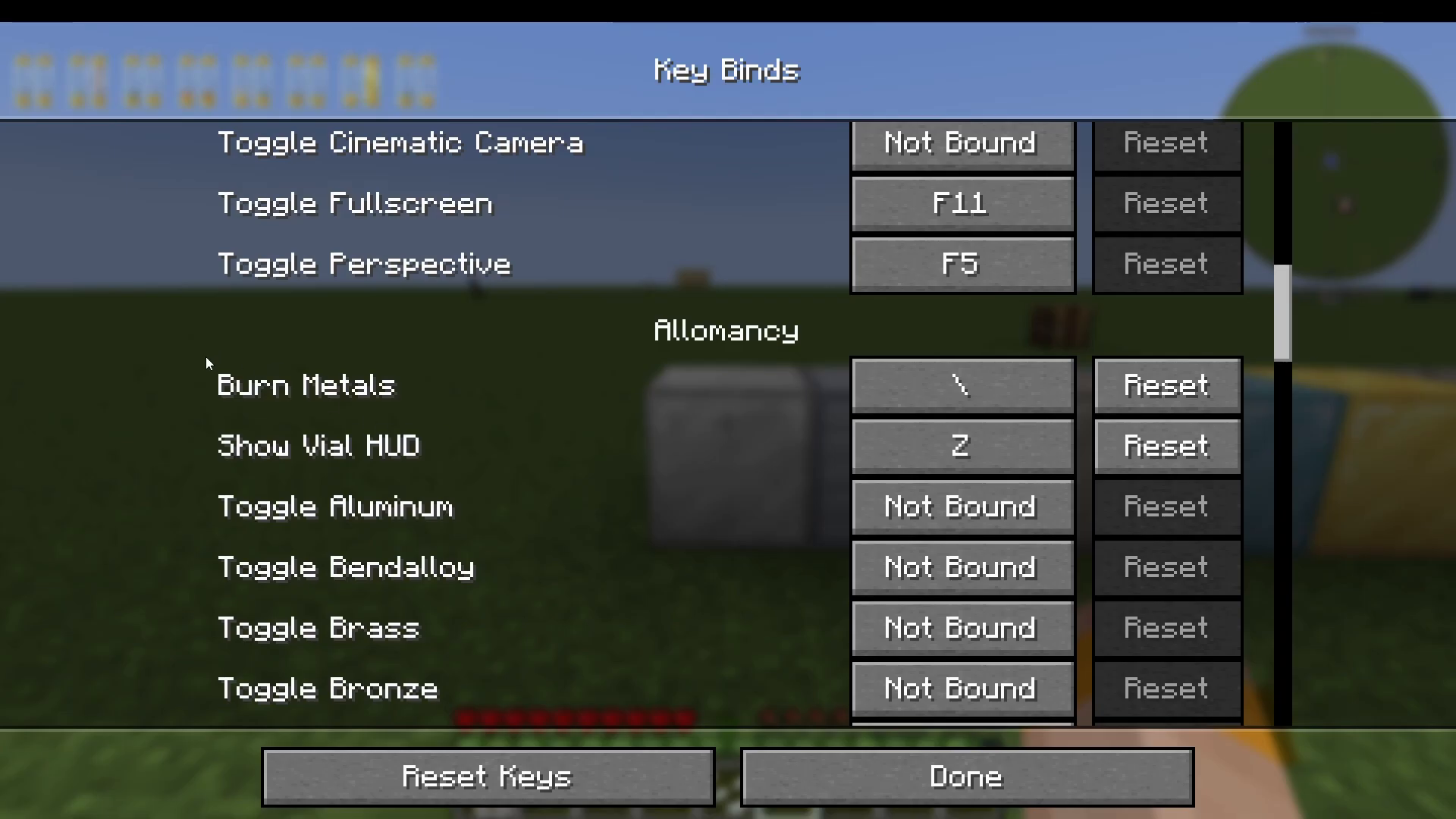
Pressing the Show Vial HUD bind simply hides or reveals the bar display in the top left corner. Pressing the Burn Metals bind brings up the circular wheel. Metals that appear grayed out are ones you have not yet ingested. Metals shown in black are available and can be clicked to toggle their effect on or off. While a metal is actively burning, you will see a small flame visual on the HUD for that metal, and its stock will gradually deplete.
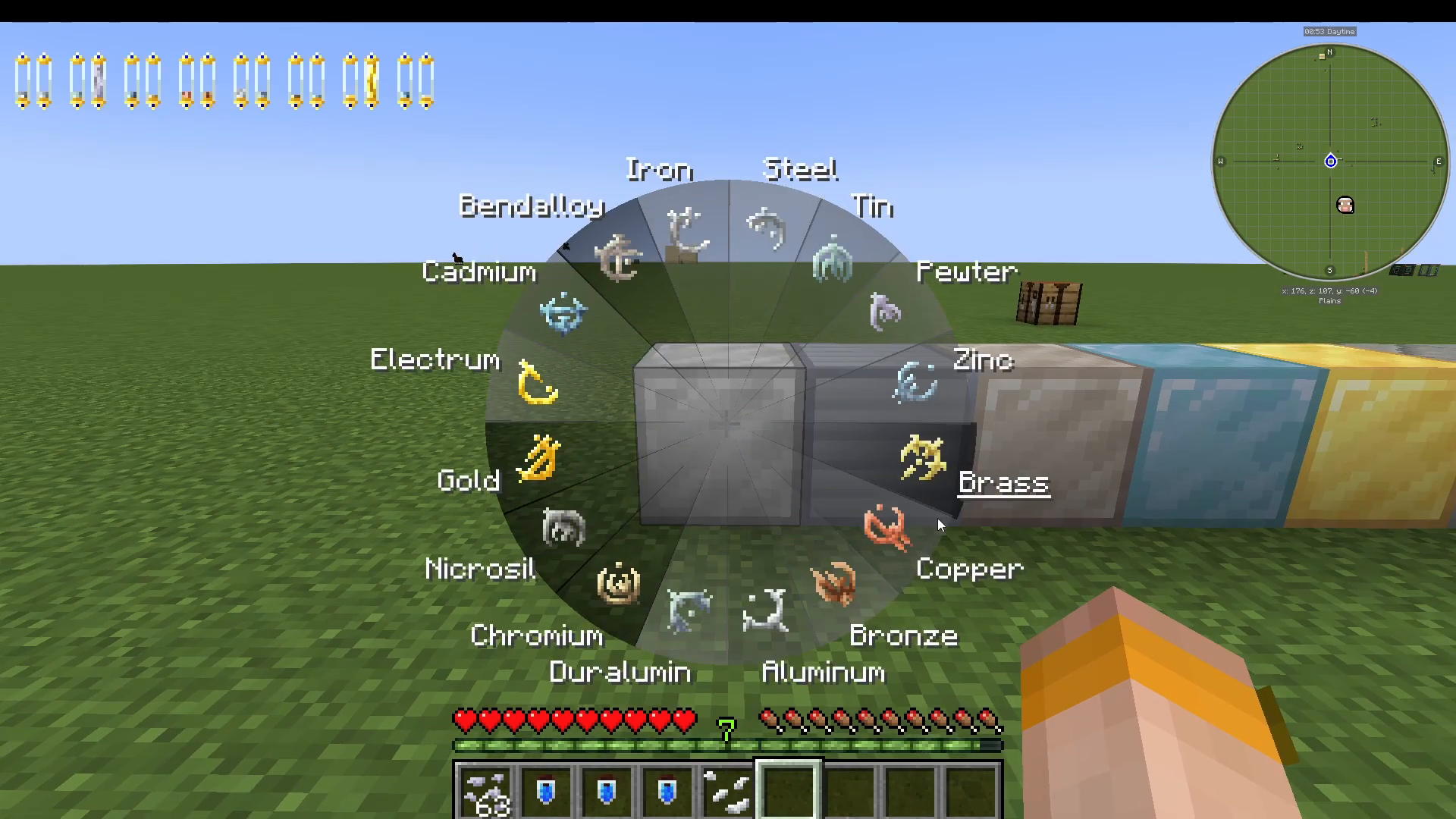
All 16 Metals and Their Powers
The Allomancy mod’s metals come in pairs — each pair is roughly the opposite or complement of the other. Here is a full breakdown of every metal and what it does.
Iron
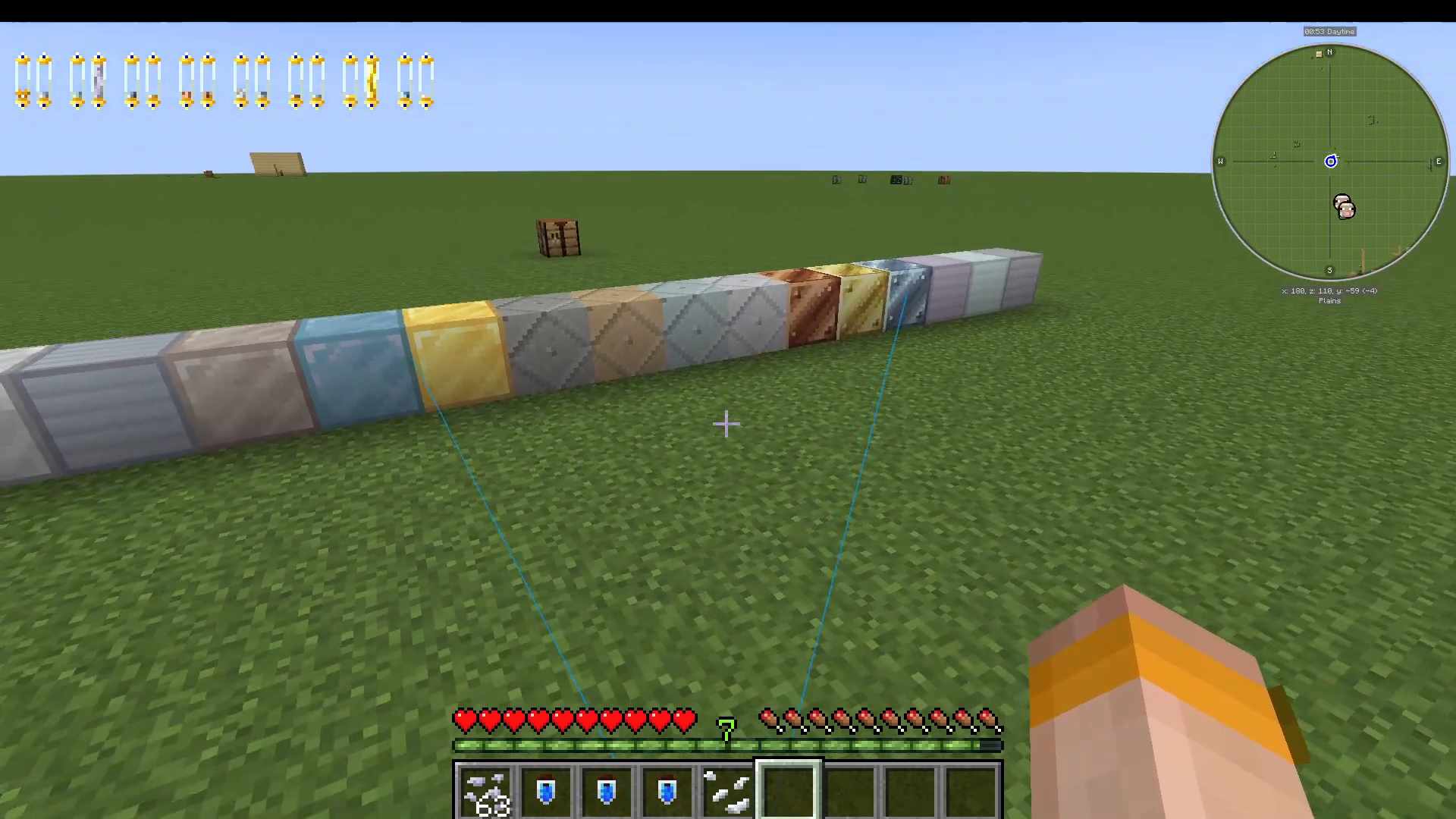
Burning Iron gives you a passive blue line pointing toward nearby metal objects and blocks, acting as a metal detector in your environment.
Steel
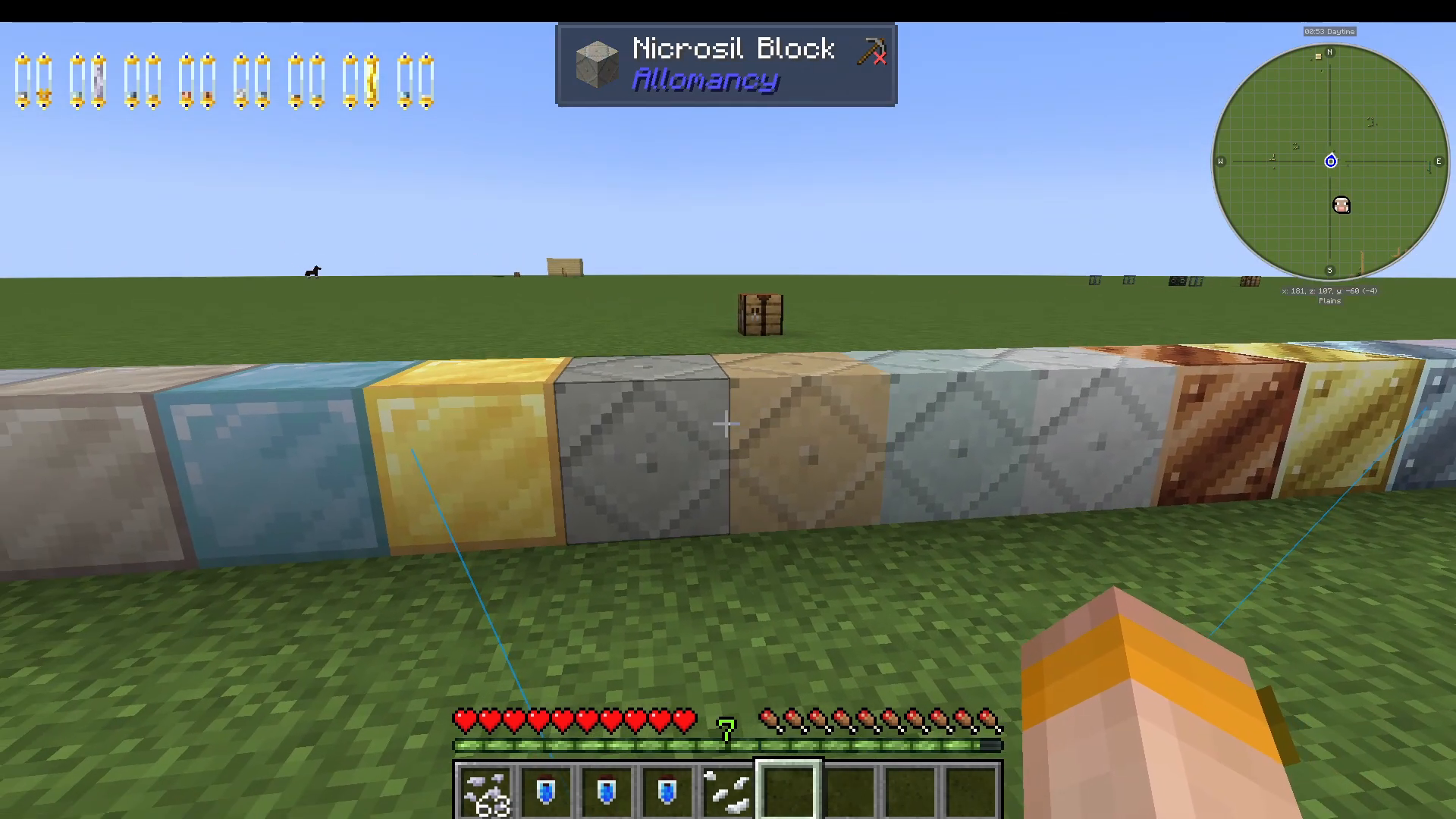
Steel allows you to push yourself off nearby metal blocks by right-clicking on them. This creates a makeshift form of flight — jump and then activate Steel to launch yourself away from the block. Steel also enables you to use the Coin Bag. While burning Steel, right-click with the Coin Bag to fling Gold Nuggets at enemies as a ranged weapon, similar to the old Beta bow. You can also use Iron Nuggets instead, which deal more damage but are far less accurate.
Tin
Burning Tin grants you Night Vision, letting you see clearly in dark environments without needing potions.
Pewter
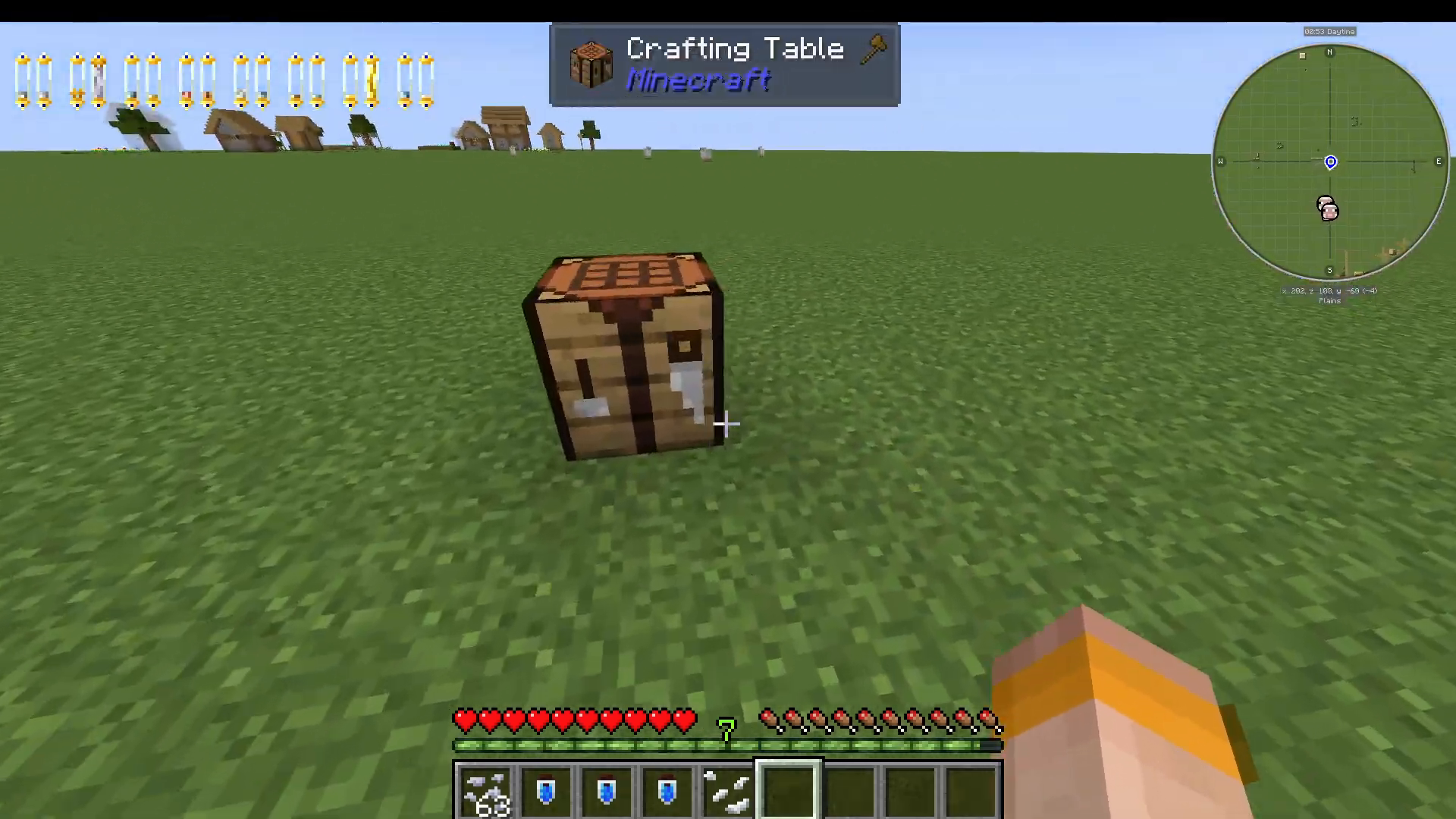
Pewter is one of the strongest utility metals in the mod. Burning it gives you Resistance, Haste, Jump Boost, and Speed simultaneously. Several items in the mod are marked as “too heavy for the average wearer” — you must be actively burning Pewter to equip and use them. These include:
The Koloss Blade
An Obsidian Dagger
A Mist Cloak (crafted from gray wool, grants 25% speed)
An Aluminum Helmet
An Inverted Iron Button, Iron Button, and Iron Lever
Zinc
Burning Zinc riots the emotions of nearby mobs, turning them hostile. Mobs in the area will begin attacking each other — including passive animals — making this metal useful for causing chaos among enemies.
Brass
Brass is the opposite of Zinc. It soothes the emotions of mobs, making them passive. Even Creepers will not explode near you while you are burning Brass — they will simply leave you alone.
Aluminum
Burning Aluminum removes all of your currently ingested metals from your HUD bars and clears any active potion effects from your character. While this sounds like a drawback, it is extremely useful when you are poisoned or suffering from a harmful potion effect — you can burn Aluminum to instantly cleanse yourself. You will need to consume new vials afterward to restore your metal supply.
Duralumin
Duralumin enhances the effect of whatever other metal you are currently burning. For example, when burning Steel alongside Duralumin, you will be launched much further off metal blocks than usual. Be careful — Duralumin burns through its supply very quickly, and if it runs out, it will also drain the stock of all other metals you are currently burning.
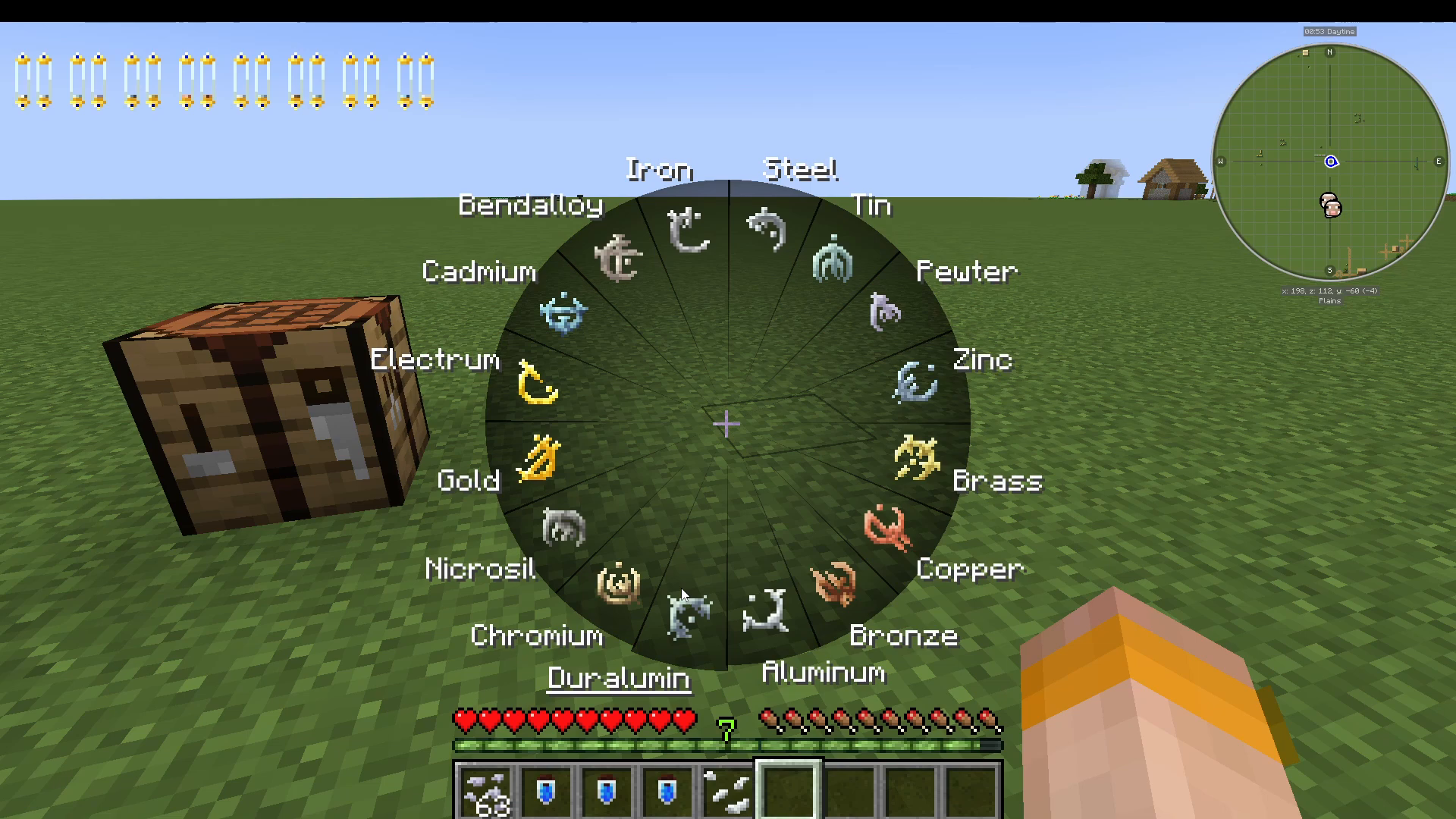
Chromium
Chromium is a PvP-oriented metal. Clicking on another player while burning Chromium will remove all metals from their stock and strip all potion effects from them, leaving them powerless.
Nicrosil
Nicrosil works similarly to Duralumin but targets other players rather than yourself. It enhances whatever metal another player is burning. However, when you stop burning Nicrosil, the targeted player will lose their stock of the metal that was being enhanced — making it a double-edged tool in PvP situations.
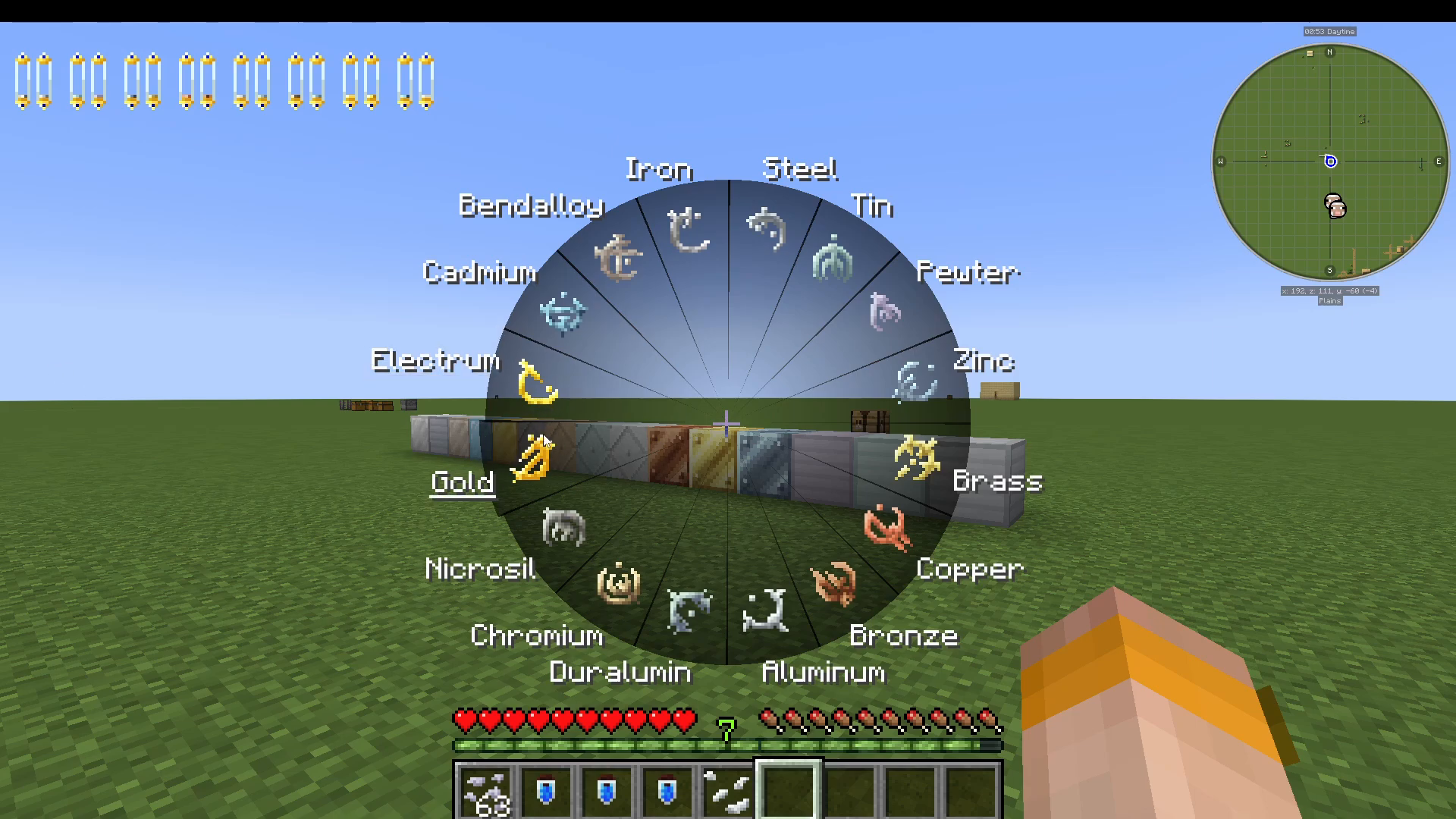
Gold
Burning Gold allows you to see into your past by showing you the location where you most recently died in the current dimension.
Electrum
Electrum does the opposite — it sees the future by showing you the location of your current spawn point.
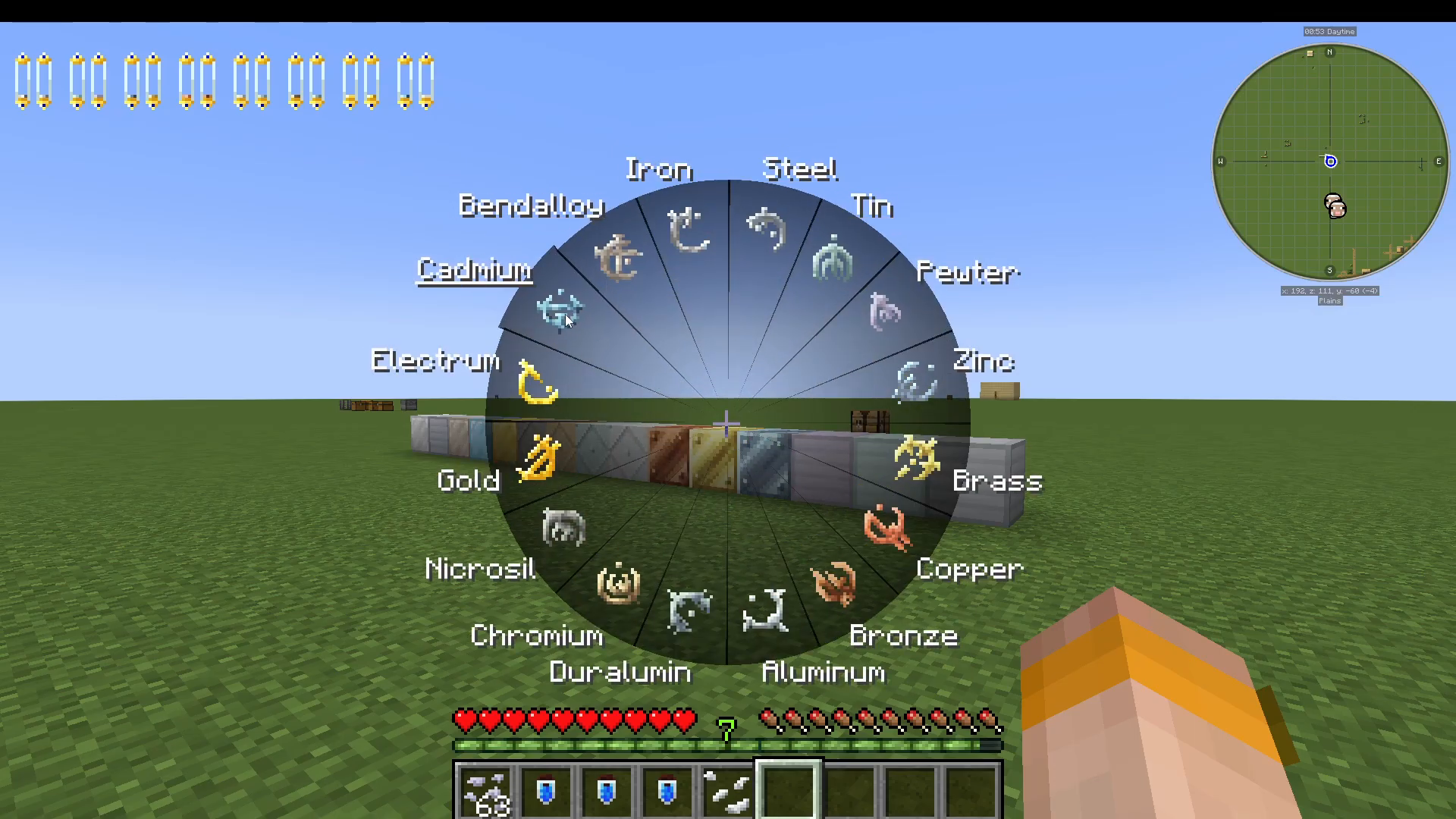
Cadmium
Cadmium slows down all mobs in the area around you, making it a strong defensive or crowd-control metal in tough combat situations.
Bendalloy
Bendalloy is the opposite of Cadmium. It creates a speed bubble around you that speeds up mobs, furnaces, and crops in the surrounding area — useful for both combat and farming acceleration.
Quick Recap: How to Use the Allomancy Mod
Spawn in and receive your starting metal flake.
Find or craft a Lerasium Nugget (Nether Star + Block of Gold) and eat it to unlock all 16 metals.
Craft a Hand Grinder and Allomantic Vials.
Grind metal ingots into flakes using the Hand Grinder.
Combine flakes with a vial in the crafting grid to fill it, then right-click to drink.
Set your key binds for Burn Metals and Show Vial HUD under Controls.
Use the Burn Metals key to open the wheel, click a metal to toggle it on, and enjoy its effects.
Conclusion
The Allomancy mod is a deep and rewarding magic system that rewards exploration, crafting, and smart metal management. With 16 distinct metals covering everything from combat and mobility to time-bending vision and mob control, there is a playstyle here for every type of Minecraft player. Start with your assigned flake, hunt down a Lerasium Nugget as soon as possible, and work your way through all 16 metals to discover your favourites. Don’t forget the Coin Bag if you want a ranged Steel-powered weapon — it’s one of the mod’s most satisfying items to use.
“`