
How to Use The Environmental Accumulator in Evilcraft
How to Use the Environmental Accumulator in Evilcraft (Minecraft Modding Guide)
The Environmental Accumulator is one of the most interesting blocks in the Evilcraft mod for Minecraft. It lets you capture weather and biome data into bottles — and then use those bottles to literally reshape the world around you. In this guide, we’ll walk you through exactly how to find it, what you can craft with it, and how to unlock its more advanced upgrade. Whether you’re brand new to Evilcraft or just need a clear breakdown, this guide has you covered.
Finding the Environmental Accumulator
The Environmental Accumulator is not something you craft from scratch — you have to find it. It spawns naturally inside dark temples, which generate in the world as part of the Evilcraft mod. Once you locate a dark temple and head inside, you’ll find the Environmental Accumulator waiting for you there.
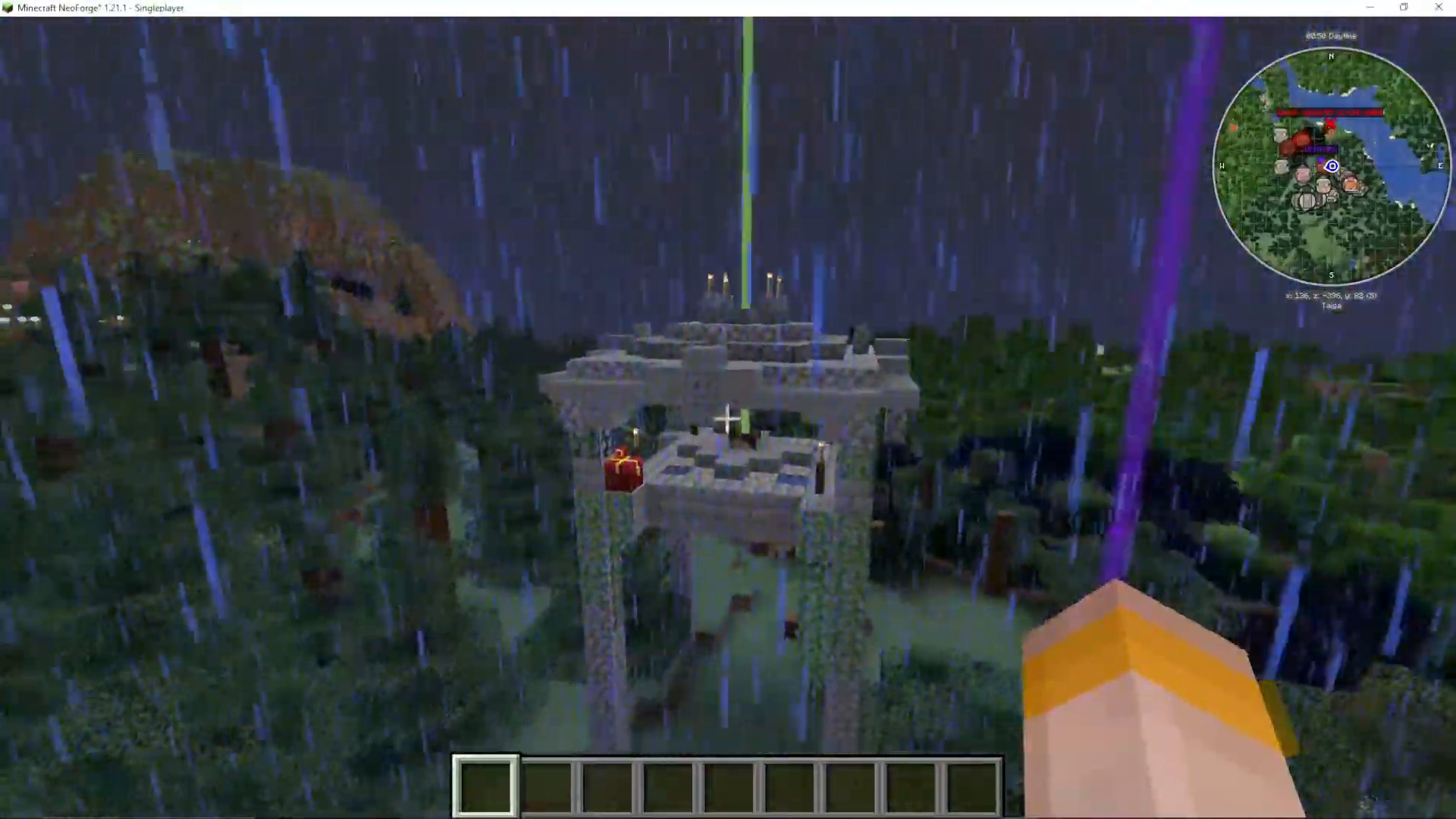
What Does the Environmental Accumulator Do?
The Environmental Accumulator is used to charge special bottles by absorbing environmental conditions around it — specifically the current weather and the surrounding biome. You place (throw) a compatible bottle near the accumulator, and it slowly fills the bottle with whatever environmental data it detects.
Capturing Weather with a Weather Container
What You Need
To capture weather, you’ll need to craft a Weather Container. The recipe requires:
A Dark Gem (mined underground, found at Redstone level)
A Glass Bottle
Some Sugar
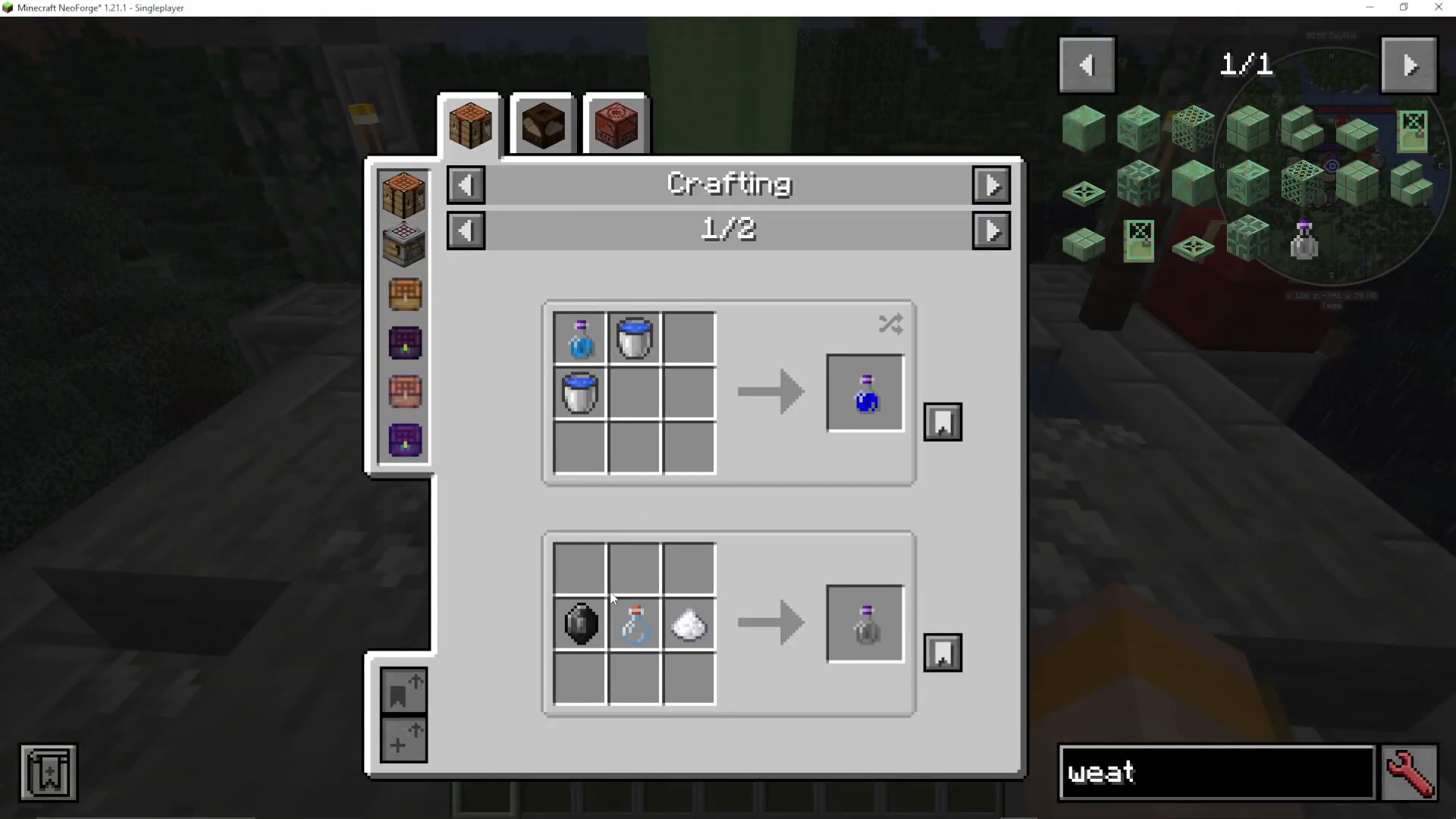
How to Use the Weather Container
When it is currently raining in your world, bring your Weather Container to the Environmental Accumulator. Instead of right-clicking, you need to throw the bottle (using the drop key, Q by default) directly at the accumulator. You’ll see a charge bar begin to fill up. Once it’s fully charged, the bottle will store the rain inside it, and you can pick it up.
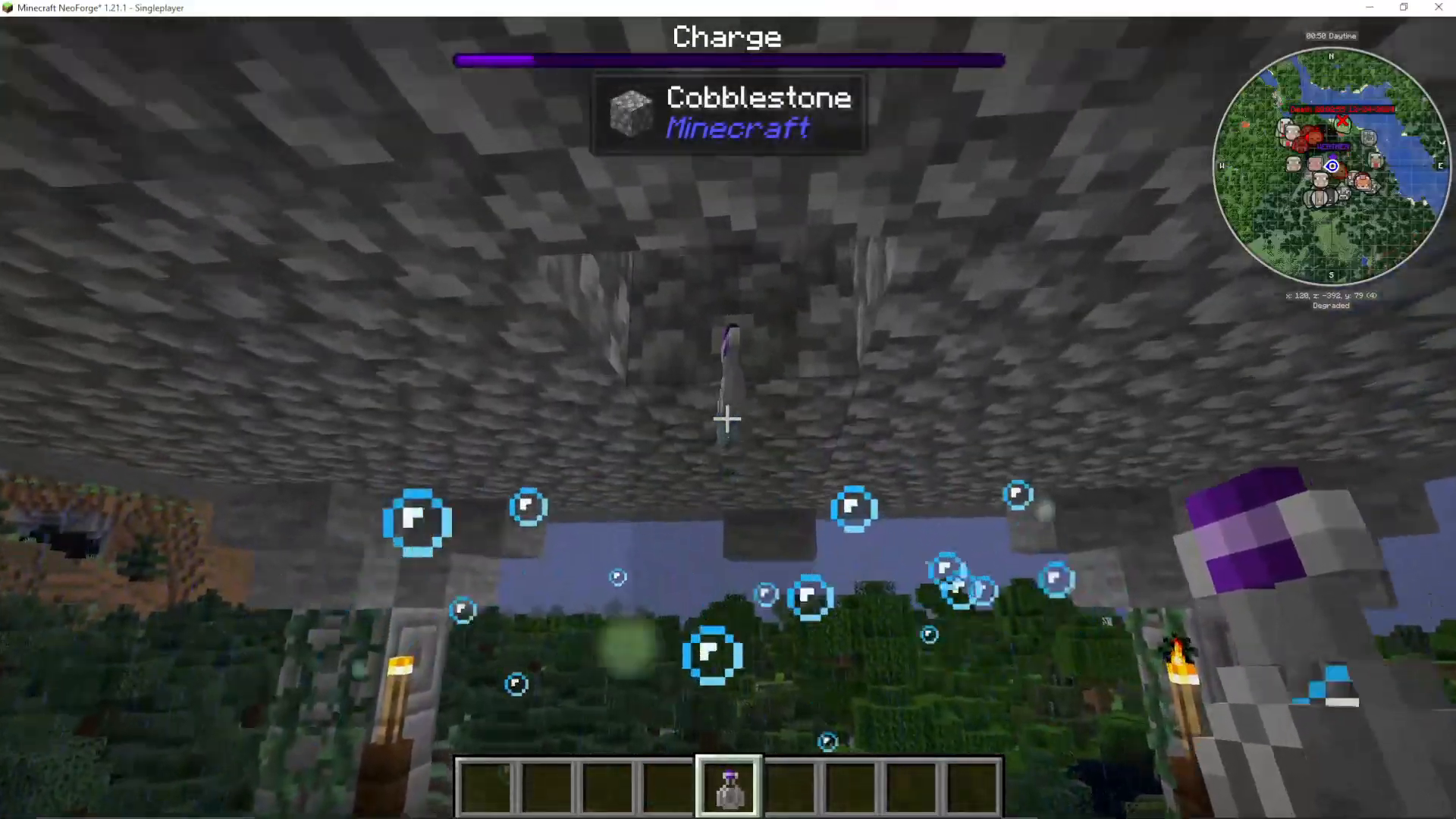
Using a Charged Weather Container
Once you have a rain-filled Weather Container, you can throw it down anywhere in the world to trigger rain in that location. This means you can effectively control the weather wherever you go using these bottles. Be aware though — overusing the accumulator can cause some negative side effects in the surrounding area.

Capturing Biomes with a Biome Extract Bottle
What You Need
The second major use of the Environmental Accumulator is creating a Biome Extract Bottle. For this, you’ll need:
Crushed Dark Gem — obtained by mining Dark Gems with a pickaxe enchanted with Fortune. Dark Gems themselves are found at Redstone depth underground.
A compatible bottle base (crafted alongside the crushed dark gem)
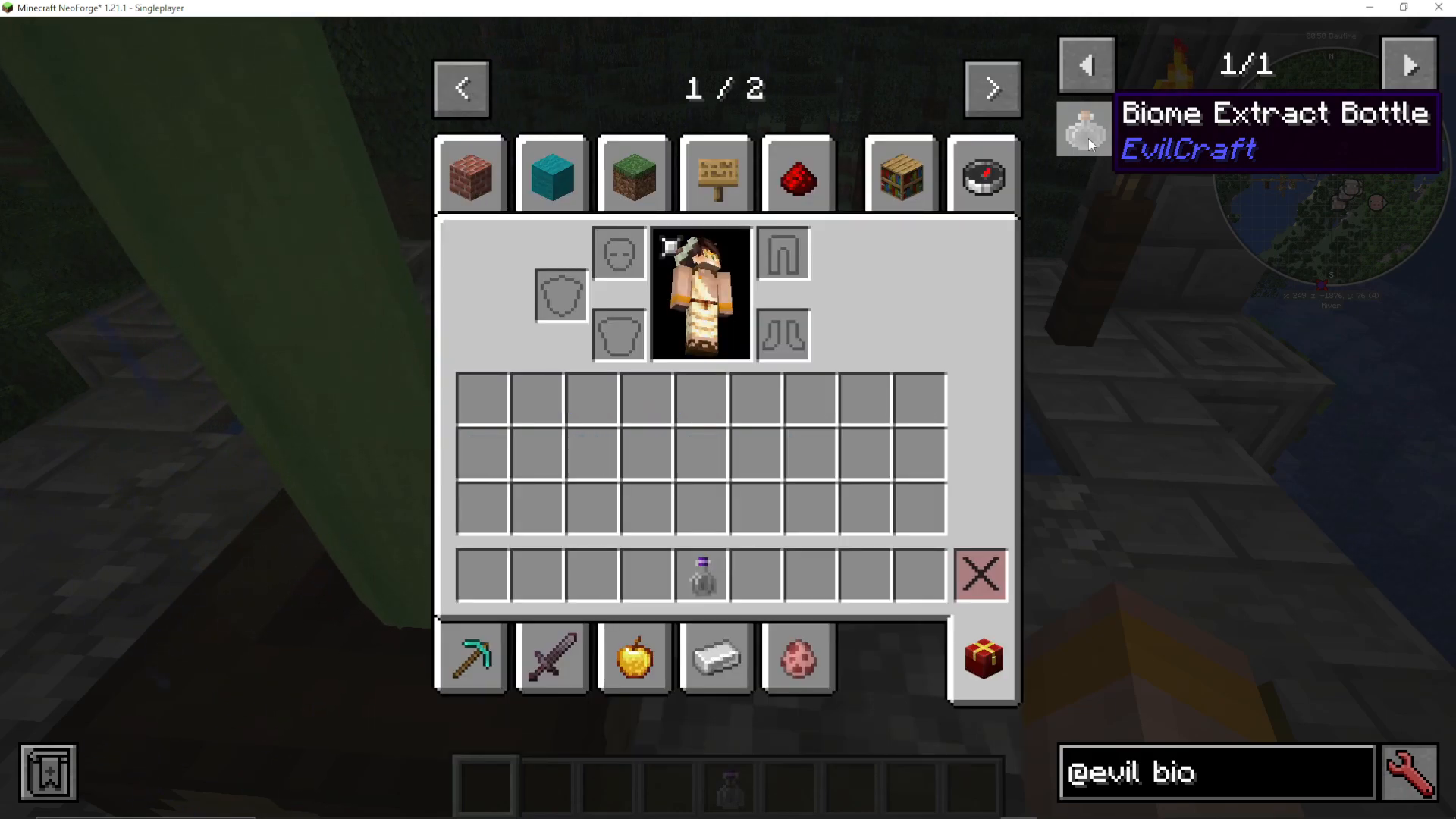
How to Use the Biome Extract Bottle
Just like with the Weather Container, you throw the Biome Extract Bottle at the Environmental Accumulator. The charging process takes significantly longer than it does for weather — you’ll notice the charge bar fills much more slowly. While it charges, you can even see small particle effects in the air around the accumulator as it draws in the biome data from the environment.
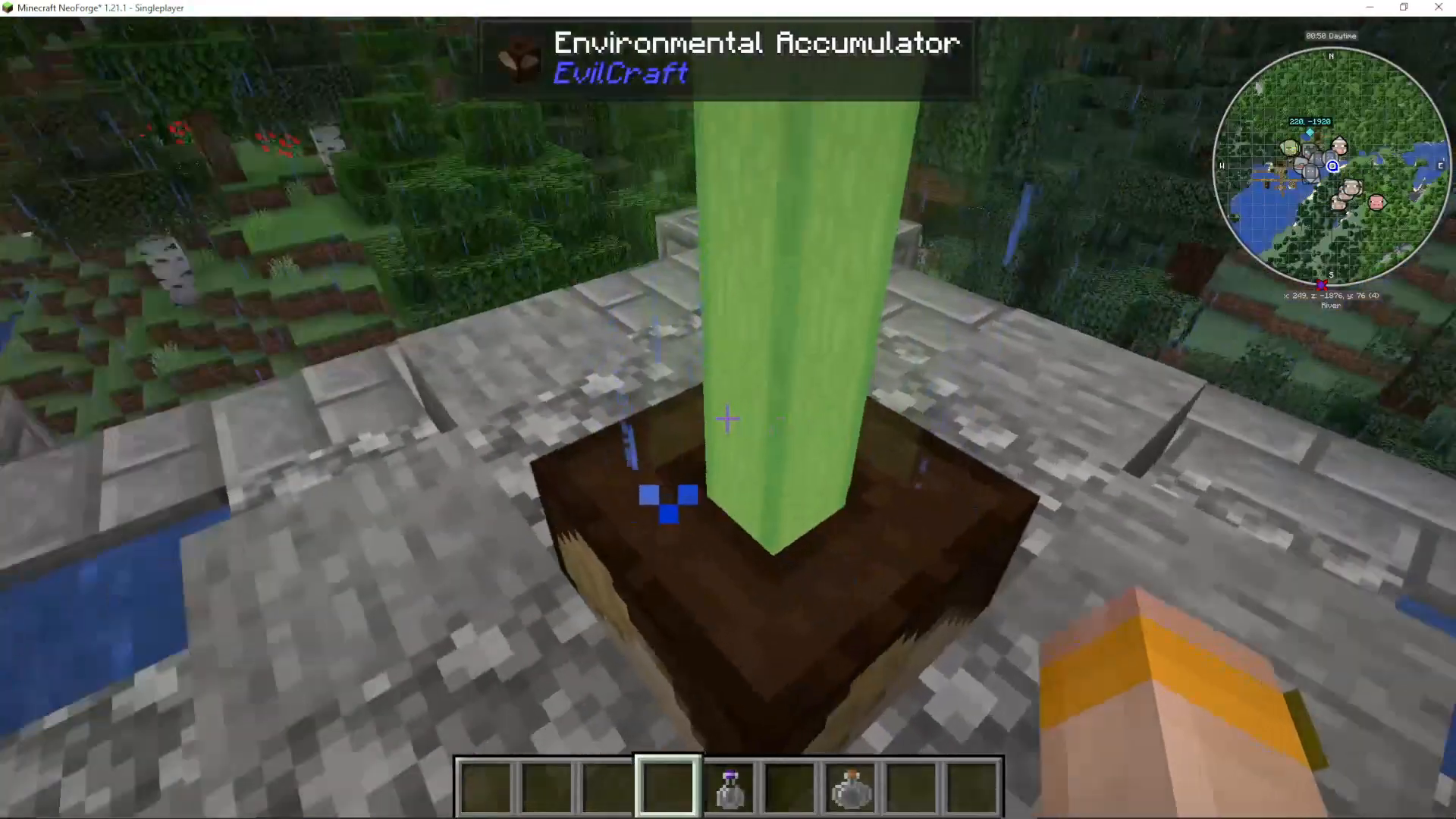
Using a Charged Biome Extract Bottle
Once fully charged, the bottle will be labelled with the biome it captured — for example, River. When you throw this bottle down in the world, it will change the biome of the surrounding area to match the one stored inside. The visual effect is most obvious when switching between very different biomes — for instance, throwing a Desert biome extract into a forest will visibly alter the colours of the trees and terrain around you.

Pro tip: If you want a specific biome extract — such as a Desert biome — you need to find a dark temple that has generated inside that biome. Use the accumulator there, and it will capture that specific biome into your bottle.

The Sanguinary Environmental Accumulator (Late Game Upgrade)
For players further into Evilcraft, there is a more advanced version called the Sanguinary Environmental Accumulator. This is a portable, upgradeable version you can carry with you. To craft it, you’ll need:
Garmon Bosia
A Blood-Infused Core
An Environmental Accumulation Core
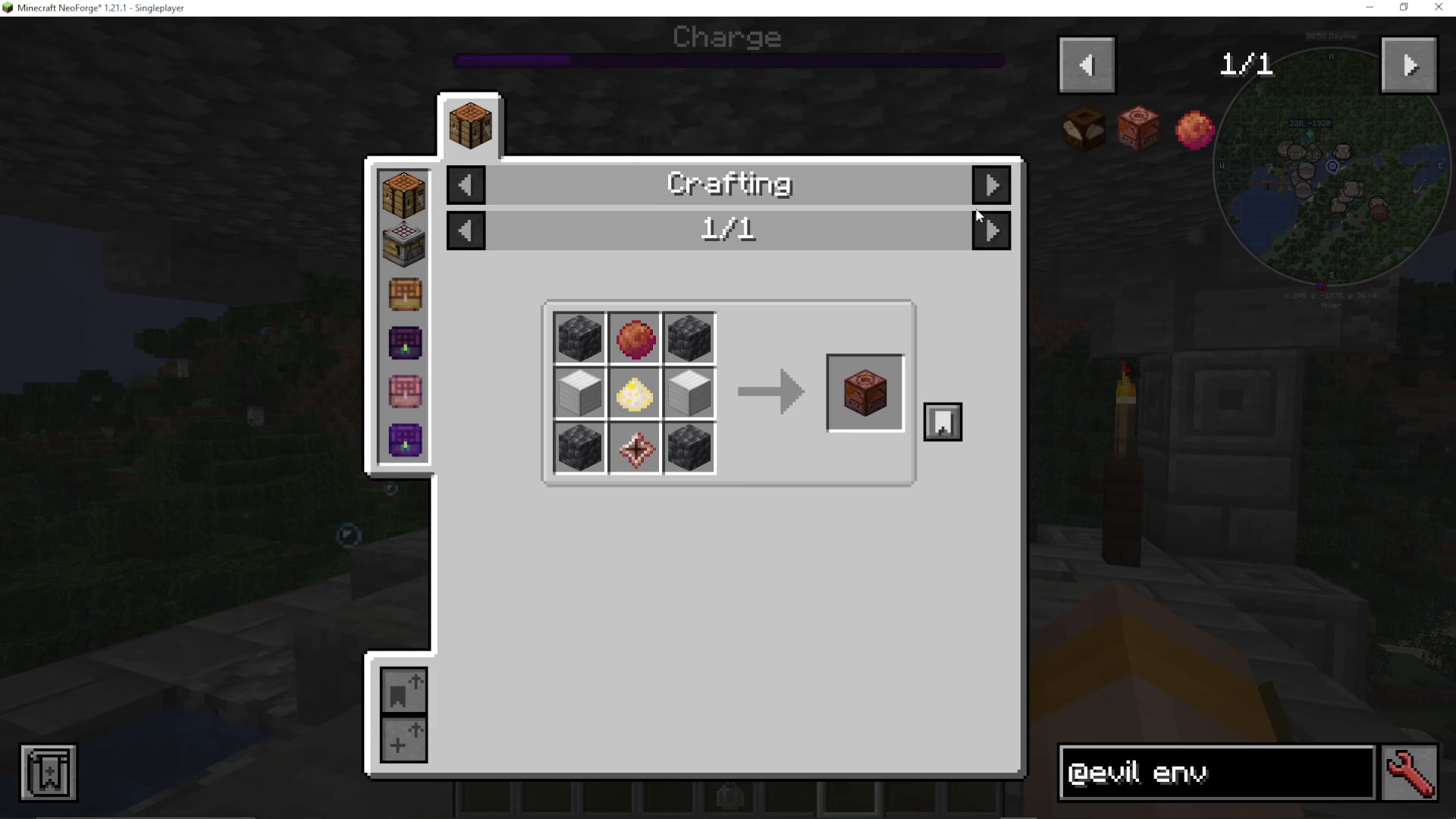
The Environmental Accumulation Core is obtained by breaking the Environmental Accumulator block found in the dark temple. So before you destroy that block, make sure you’re ready to use it — because that core is exactly what you need to craft the Sanguinary version. This upgrade is a late-game item, but it’s worth planning for from the start.
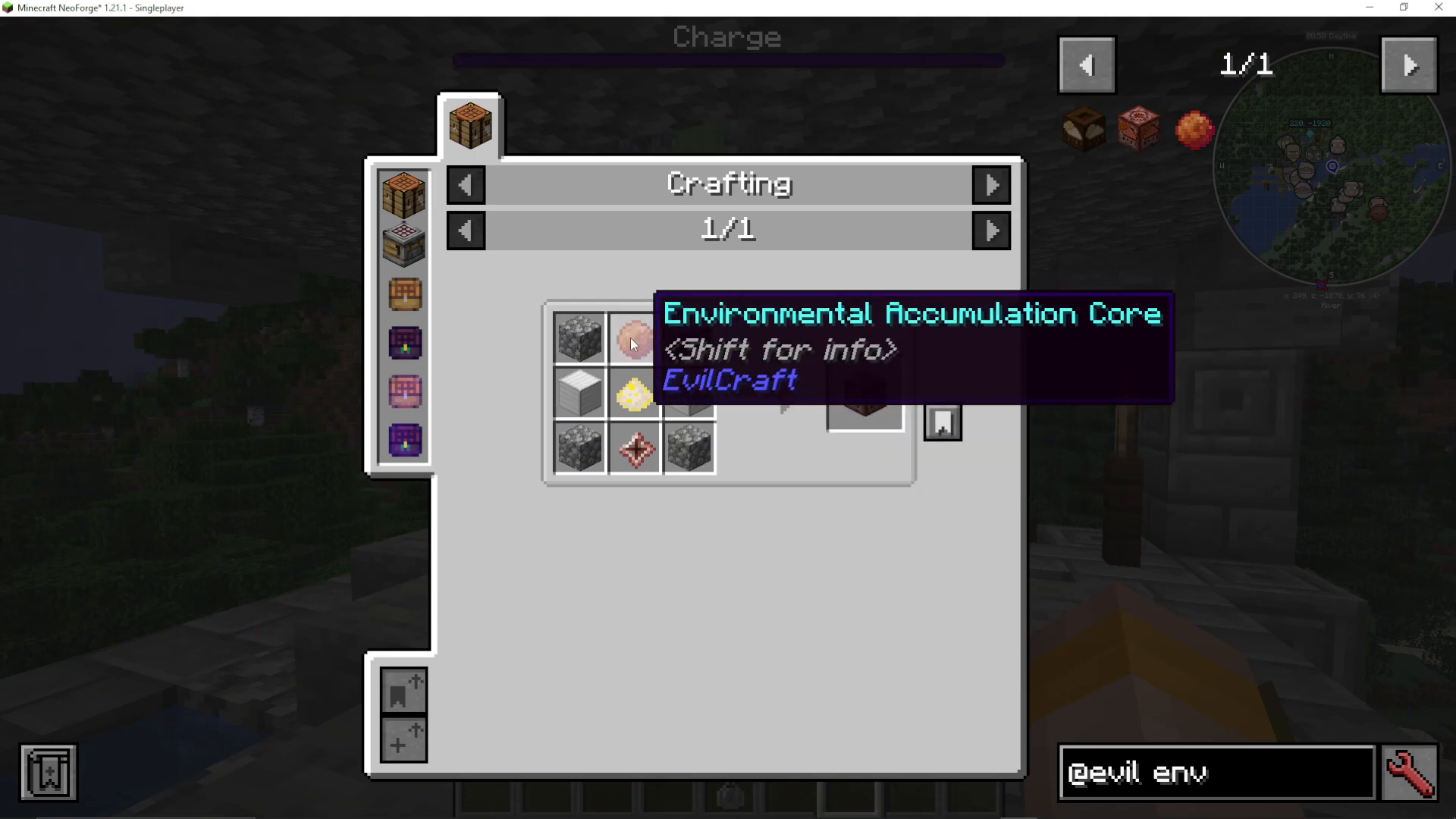
Summary
The Environmental Accumulator in Evilcraft is a powerful tool that lets you capture and deploy weather and biome conditions using special bottles. Find it in dark temples, craft Weather Containers to control rain, and use Biome Extract Bottles to transform the biomes around you. Remember to use a Fortune-enchanted pickaxe when mining Dark Gems to get the Crushed variant you’ll need. And when you’re ready for the late game, break down the accumulator itself to get the core needed for the portable Sanguinary version.
Want to Support?
If you would like to help us continue making these guides – please consider joining our patreon here – https://www.patreon.com/c/JaviHeals
Alternatively – we host a group of MC Servers you can join here – https://discord.gg/zD7Gjt6MHF