How To Research Theories in Thaumcraft 6
How To Research Theories in Thaumcraft 6 – Complete Beginner’s Guide
If you’re just getting started with Thaumcraft 6, the research system can feel overwhelming at first. In this guide, we’ll walk you through exactly how to craft the Research Table and Scribing Tools, and then break down every step of the theory research mini-game — so you can start building your knowledge in the Thaumonomicon without the confusion.
Crafting the Research Table
The Research Table is surprisingly simple to make. Start by grabbing some wooden planks and slabs. Place two wooden planks side by side in a crafting table, then add three slabs across the top row. This gives you a basic Wooden Table.
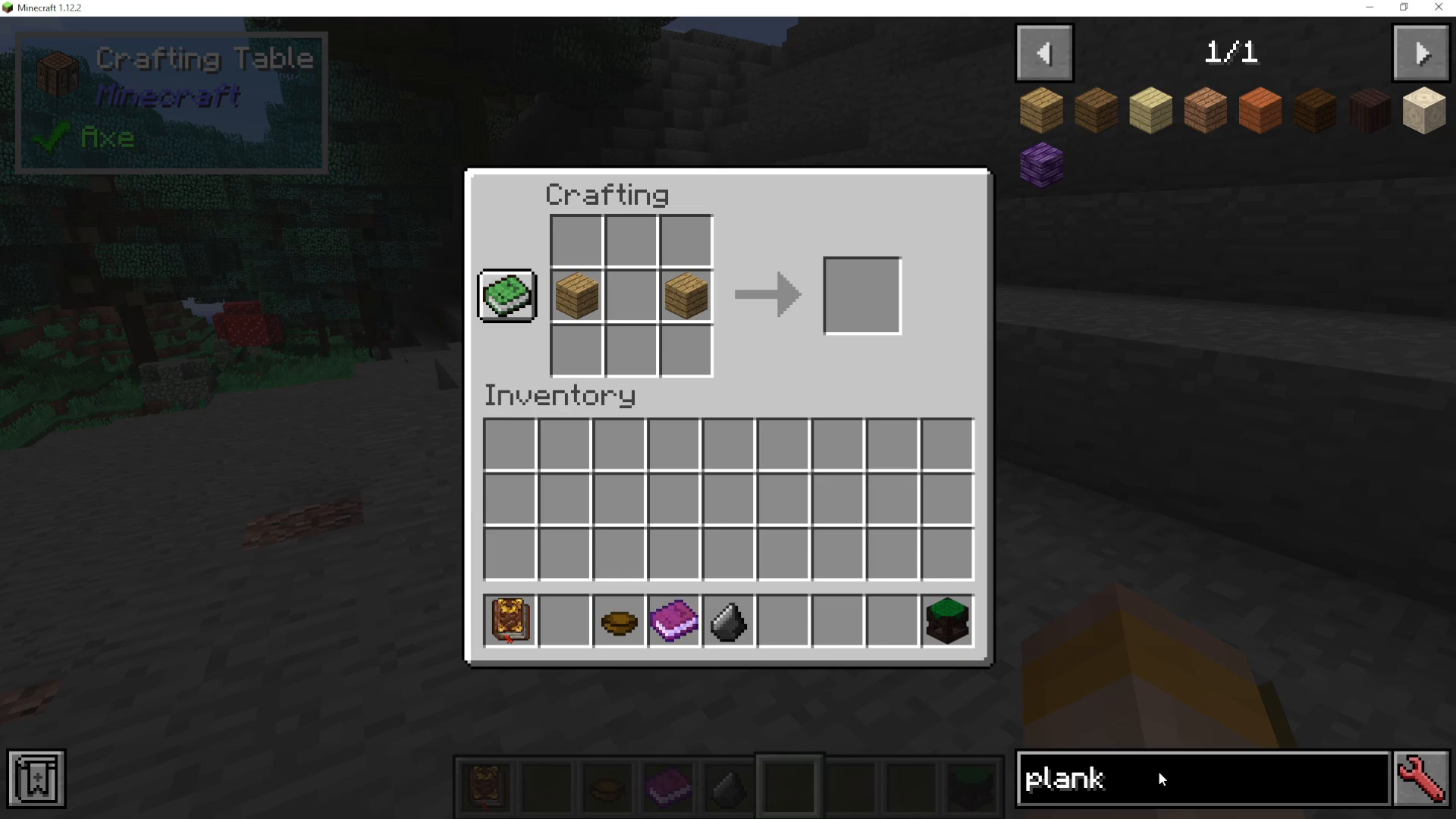
On its own, the Wooden Table isn’t a Research Table yet — you’ll need to combine it with Scribing Tools first.
Crafting the Scribing Tools
To craft Scribing Tools, you’ll need three items: a feather, a glass bottle (or glass vial), and an ink sack. Simply place these in your crafting table to produce the Scribing Tools.
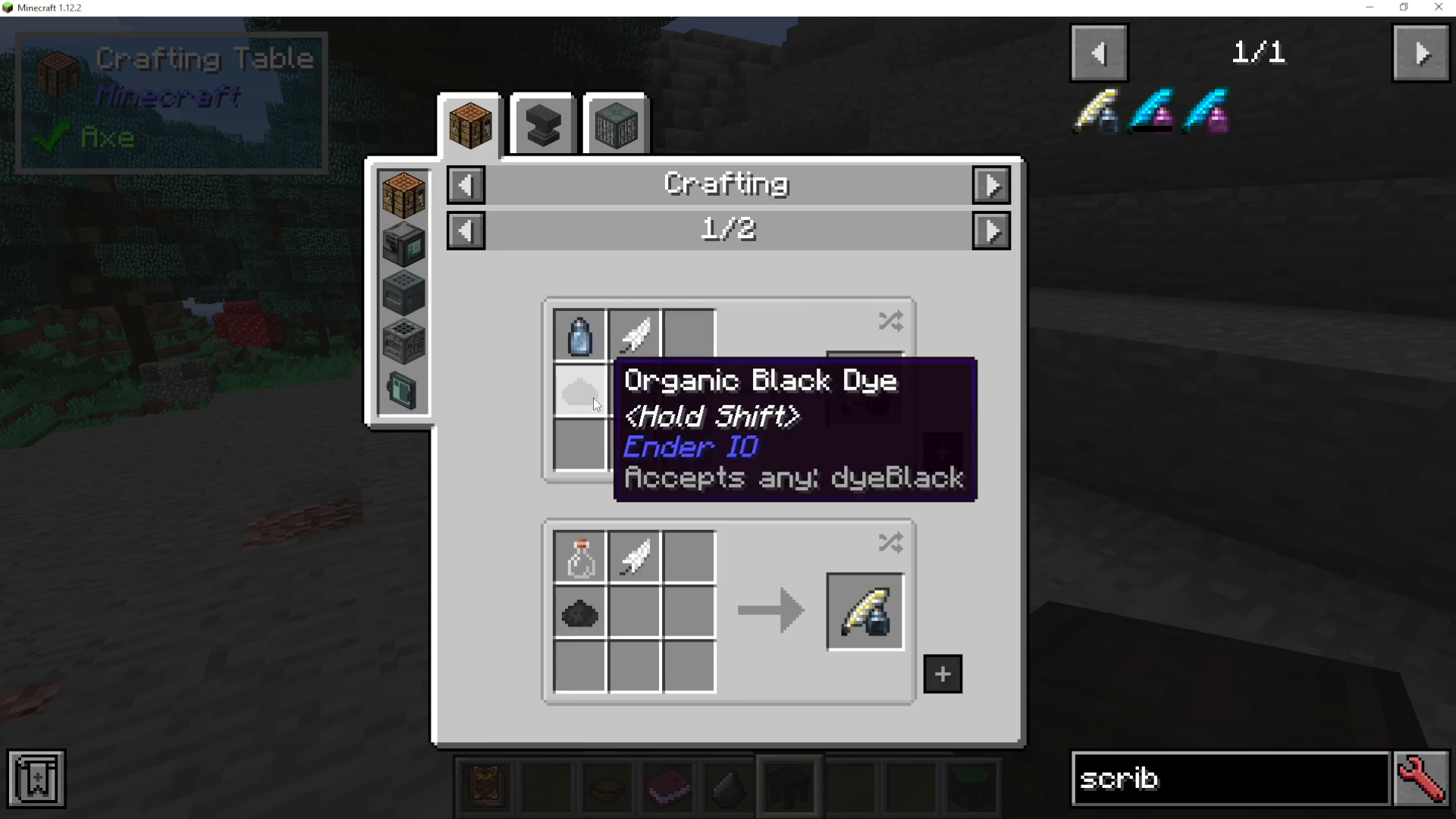
Setting Up the Research Table
Place your Wooden Table down in the world. Then, with your Scribing Tools in hand, right-click them onto the Wooden Table. This automatically converts it into a fully functional Research Table.
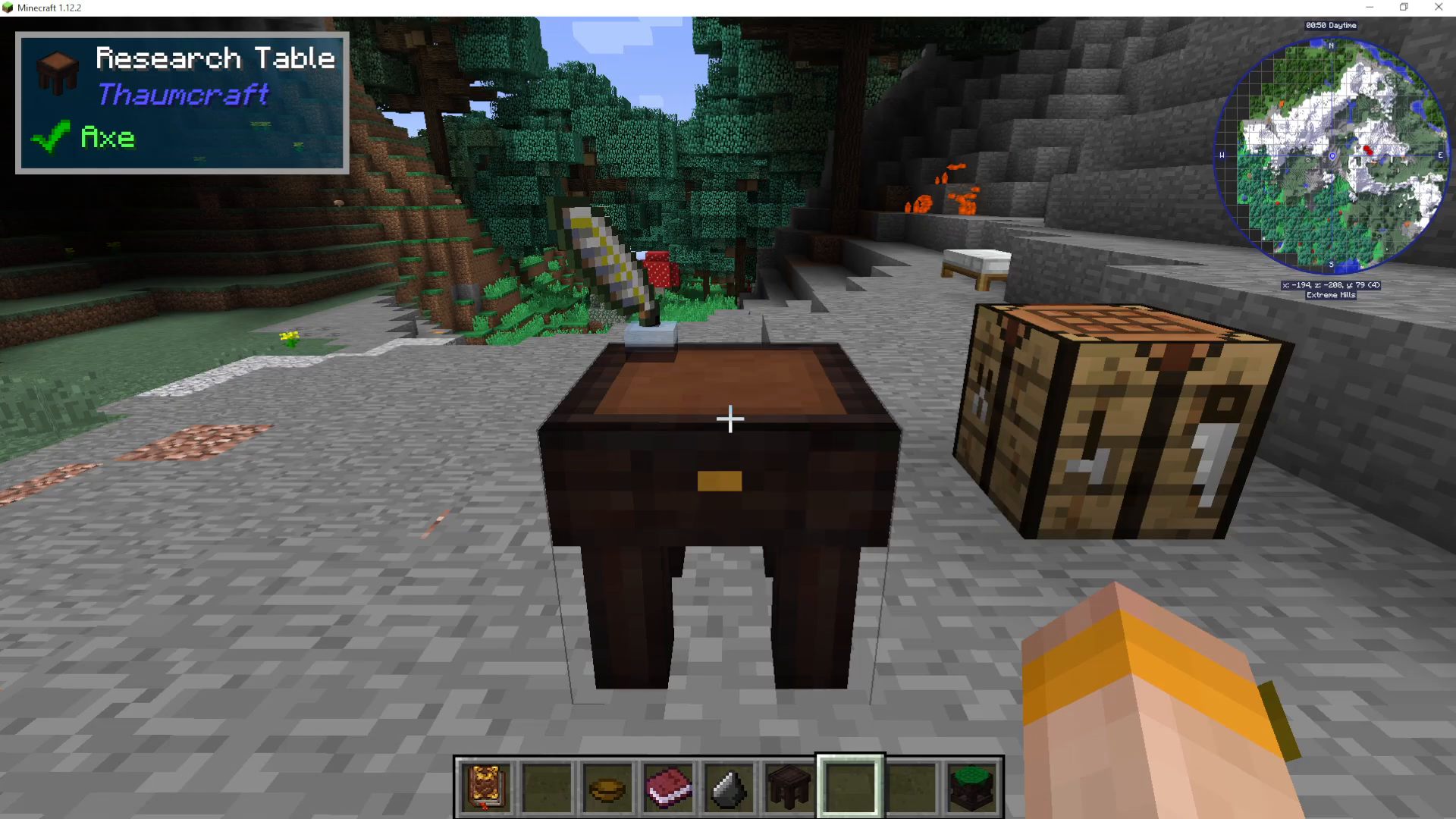
Right-click the Research Table to open its interface. In the top-left slot you’ll find your Scribing Tools — keep an eye on these, as they will run out of ink over time and will need to be replaced. In the top-right slot, you need to insert paper. This paper is what you’ll use to conduct your research.
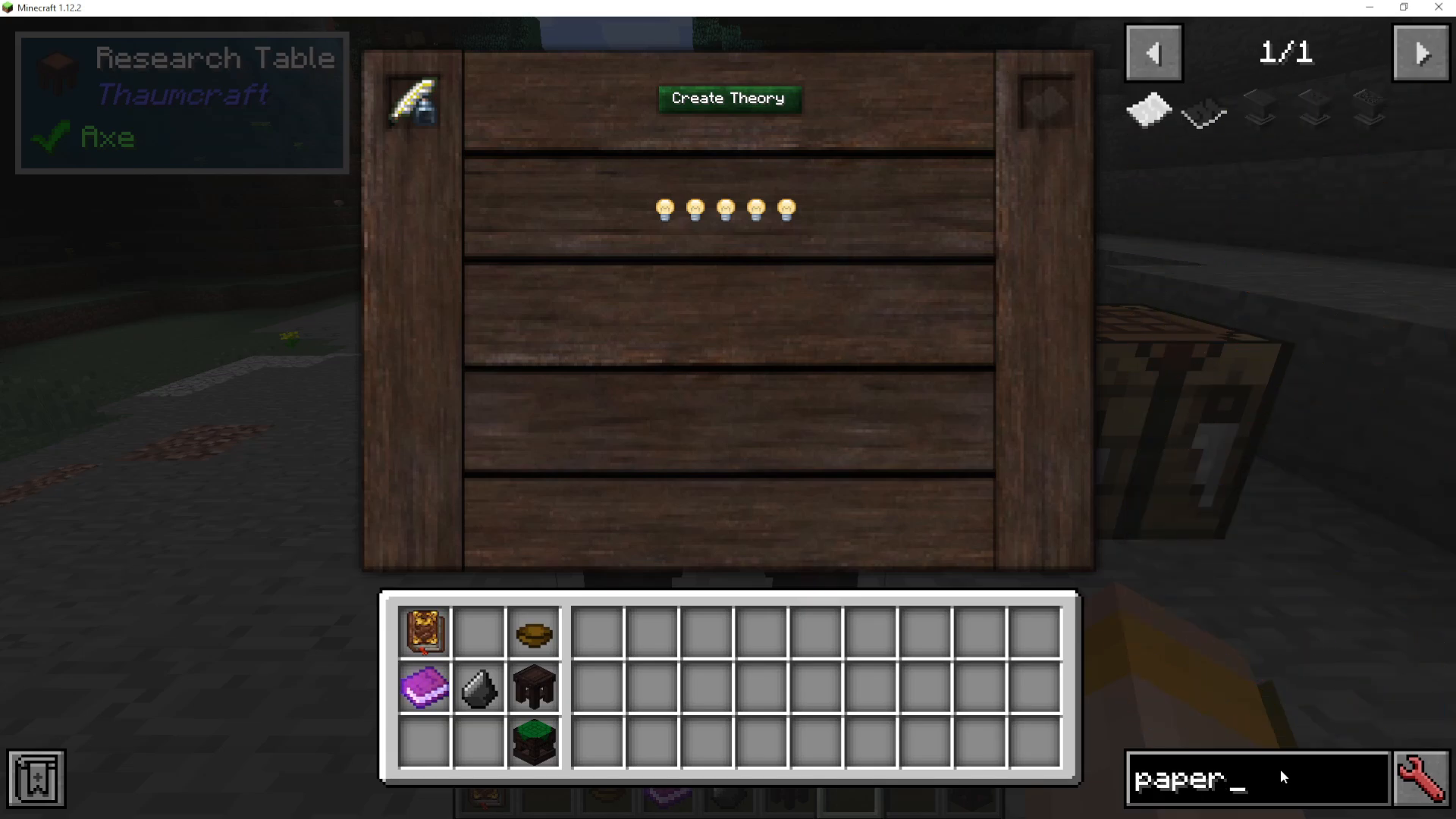
Conducting Research – The Theory Mini-Game
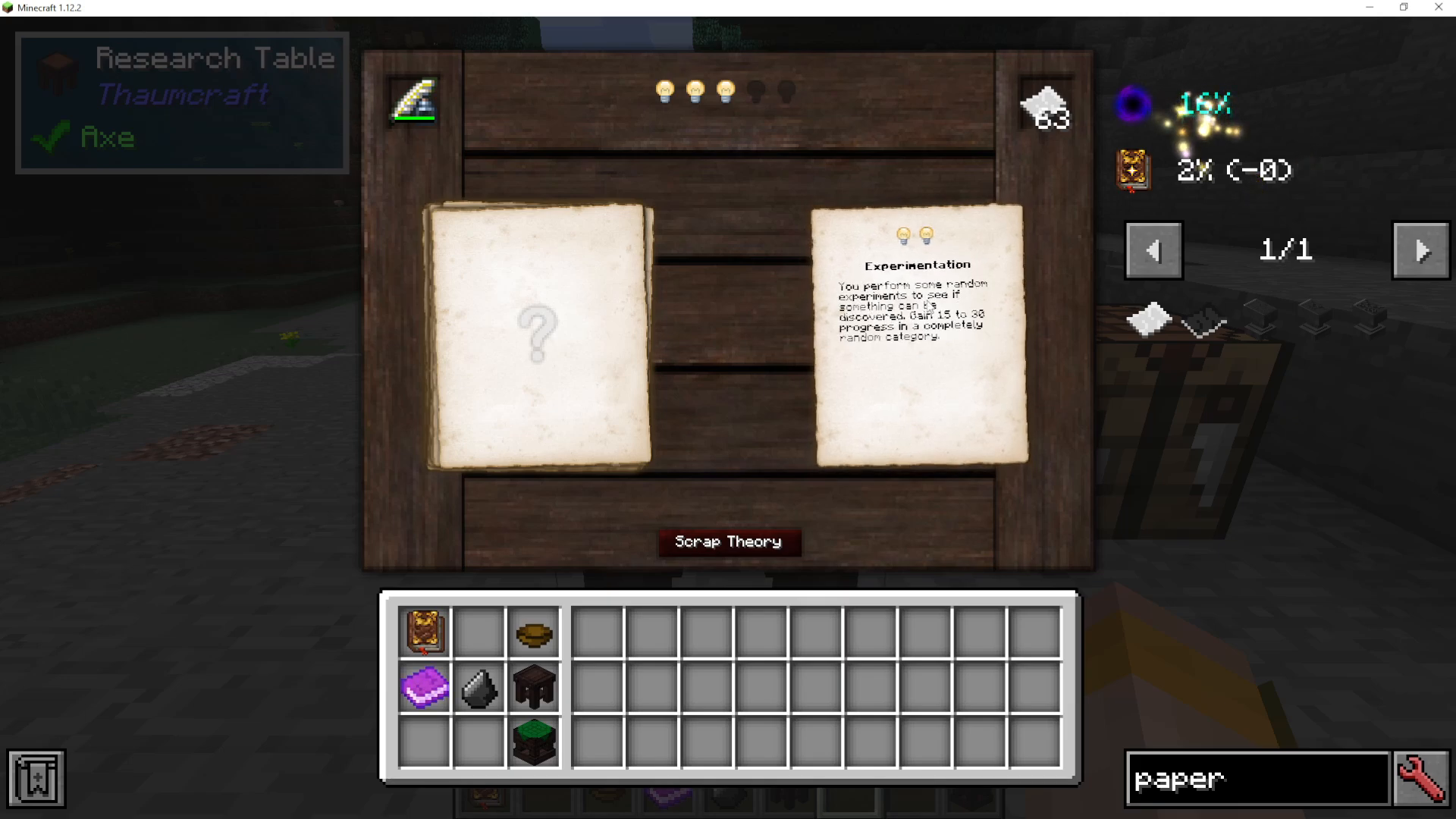
Once you’ve placed paper in the Research Table, you’ll notice some light bulb icons — these represent your Inspiration. Click Create Theory to begin a new stack of research papers, then click the question mark to enter the research mini-game.
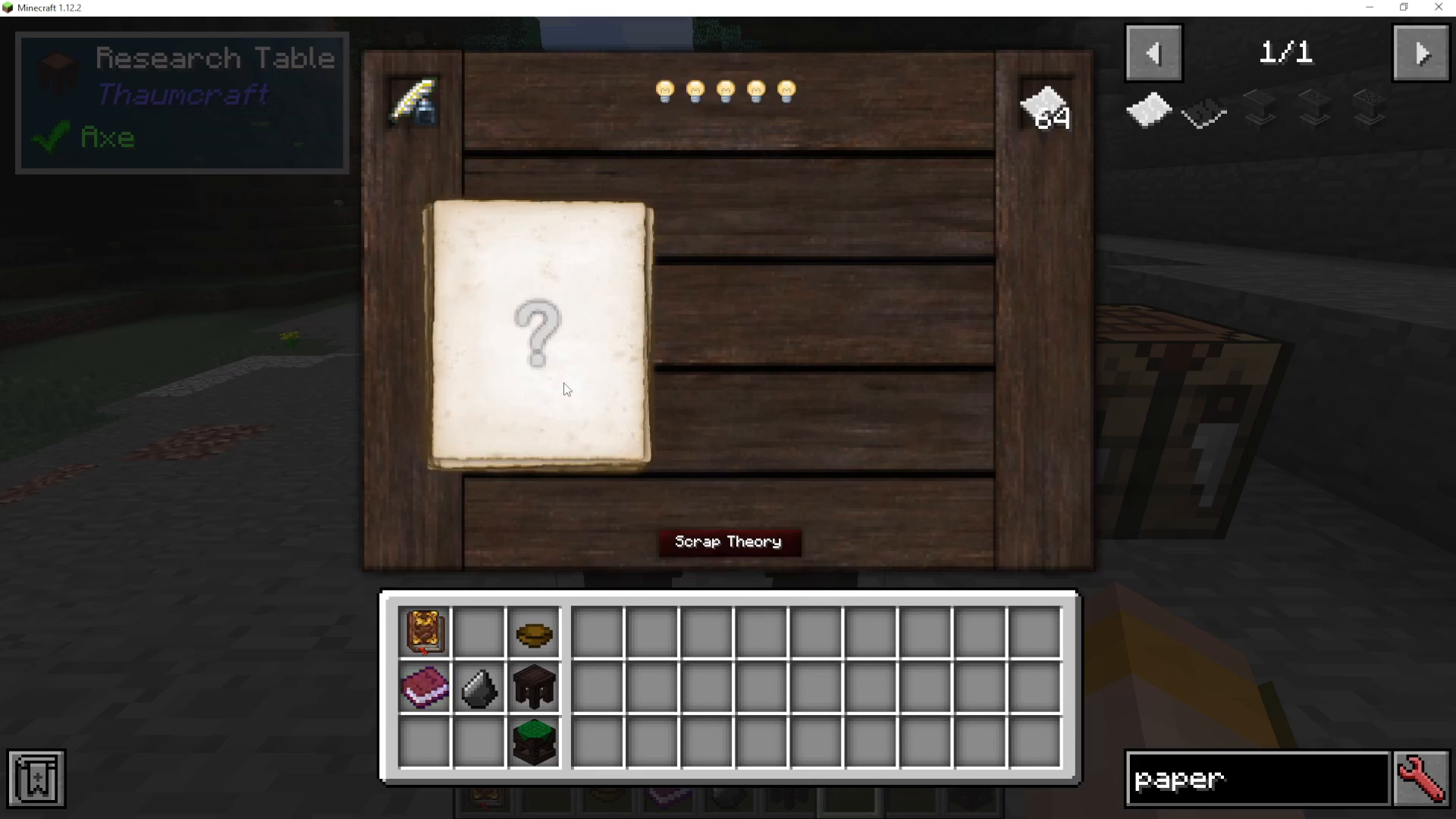
Understanding Your Options
Inside the mini-game, you’ll have several actions to choose from. Here’s what each one does:
Experimentation – Perform random experiments to discover something new. Grants 15 to 30 progress in a completely random knowledge category.
Pondering – Gain 25 progress divided across all current active categories. Costs two Inspiration (light bulbs).
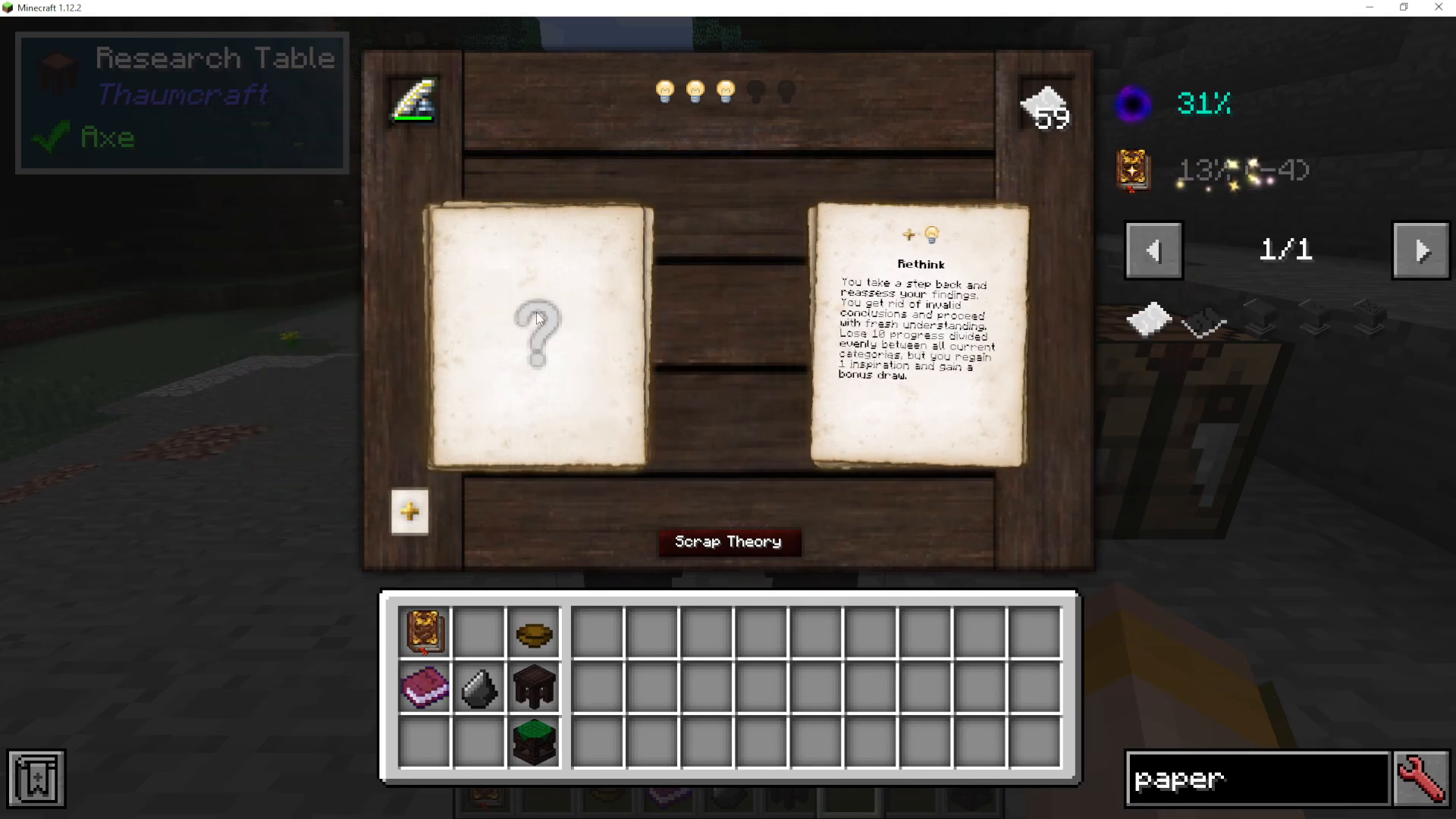
Rethink – Take a step back. You lose 10 progress spread across all categories, but you regain one Inspiration light bulb.
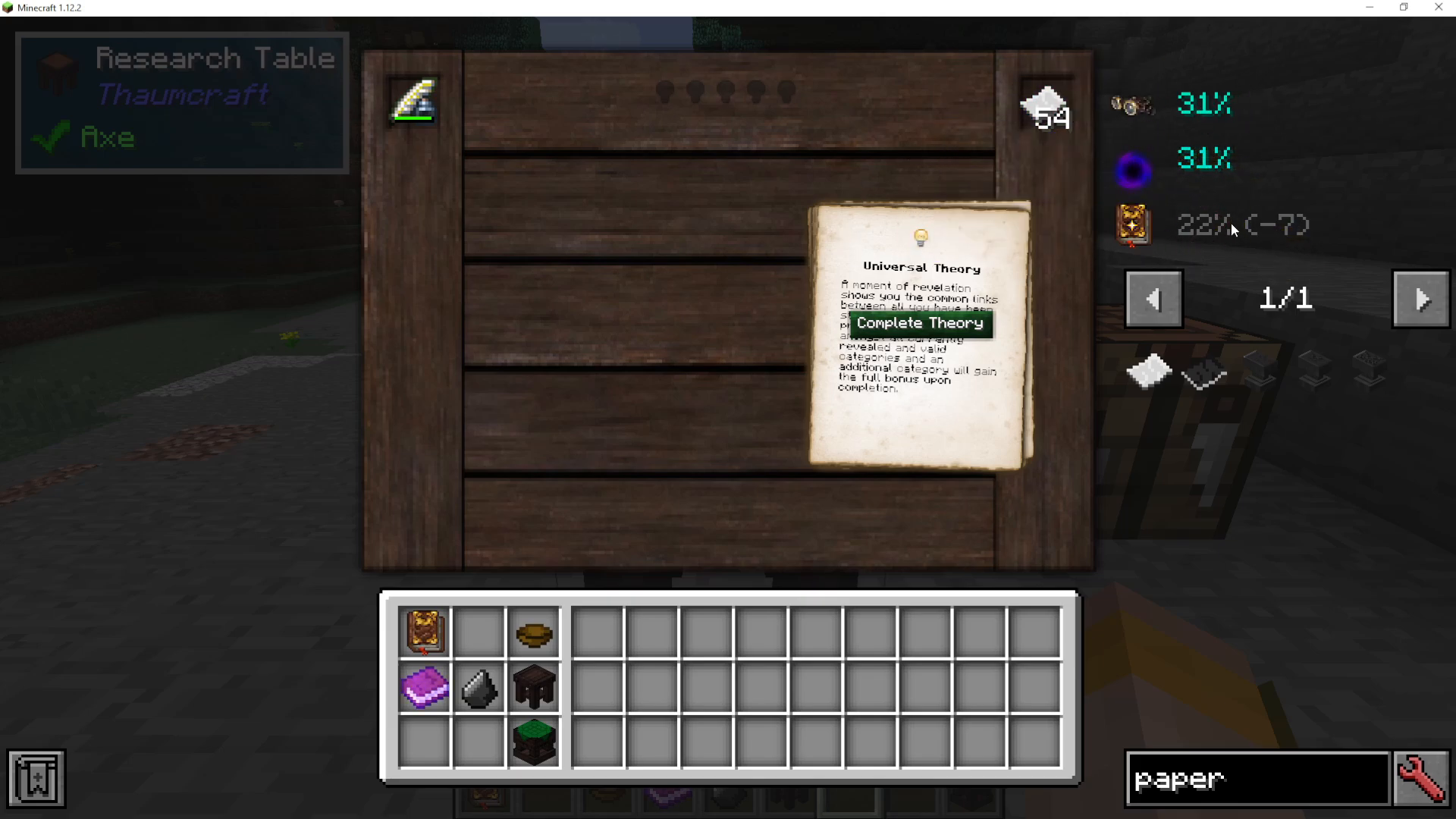
Universal Theory – A moment of revelation. Your total progress is split evenly among all currently revealed and valid categories, with one additional category receiving the full bonus on completion.
Managing Your Inspiration
Inspiration (the light bulbs) is your most important resource in this mini-game. A smart strategy is to use Rethink as often as possible to keep your light bulbs topped up. You only lose 10 progress each time you Rethink, but Pondering gives you 25 progress — meaning if you Rethink twice and lose 20 progress, one round of Experimentation (which gives 15 to 30 progress) can more than make up for it.
Rejecting Categories
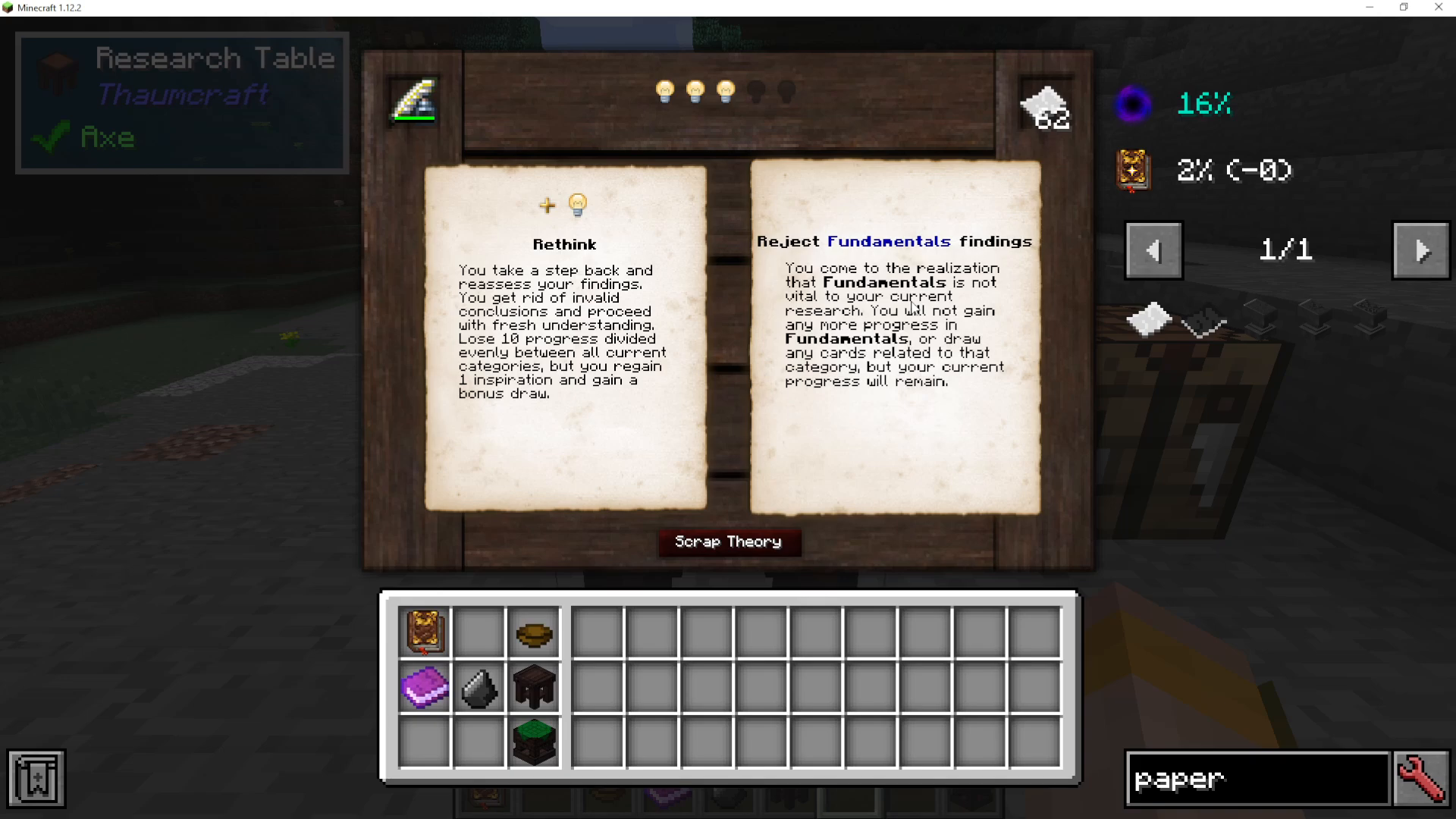
During your research, you may see categories you don’t want to invest progress into. You can click on a category to Reject it, which greys it out and stops any further progress being applied to it. You can click it again to re-enable it if you change your mind.
Completing a Theory and Checking Your Progress
You do not need to reach 100% in a category before completing a theory. When you click Complete Theory, whatever progress you’ve accumulated — even if it’s only 30% or 10% — gets stored and saved. You can then run additional theories later to continue building on that progress.
To check your accumulated knowledge, open your Thaumonomicon and navigate to First Steps → Knowledge Totals. This section tracks how far along you are in each knowledge category — including both Observations and Theories.
Using Knowledge in the Thaumonomicon
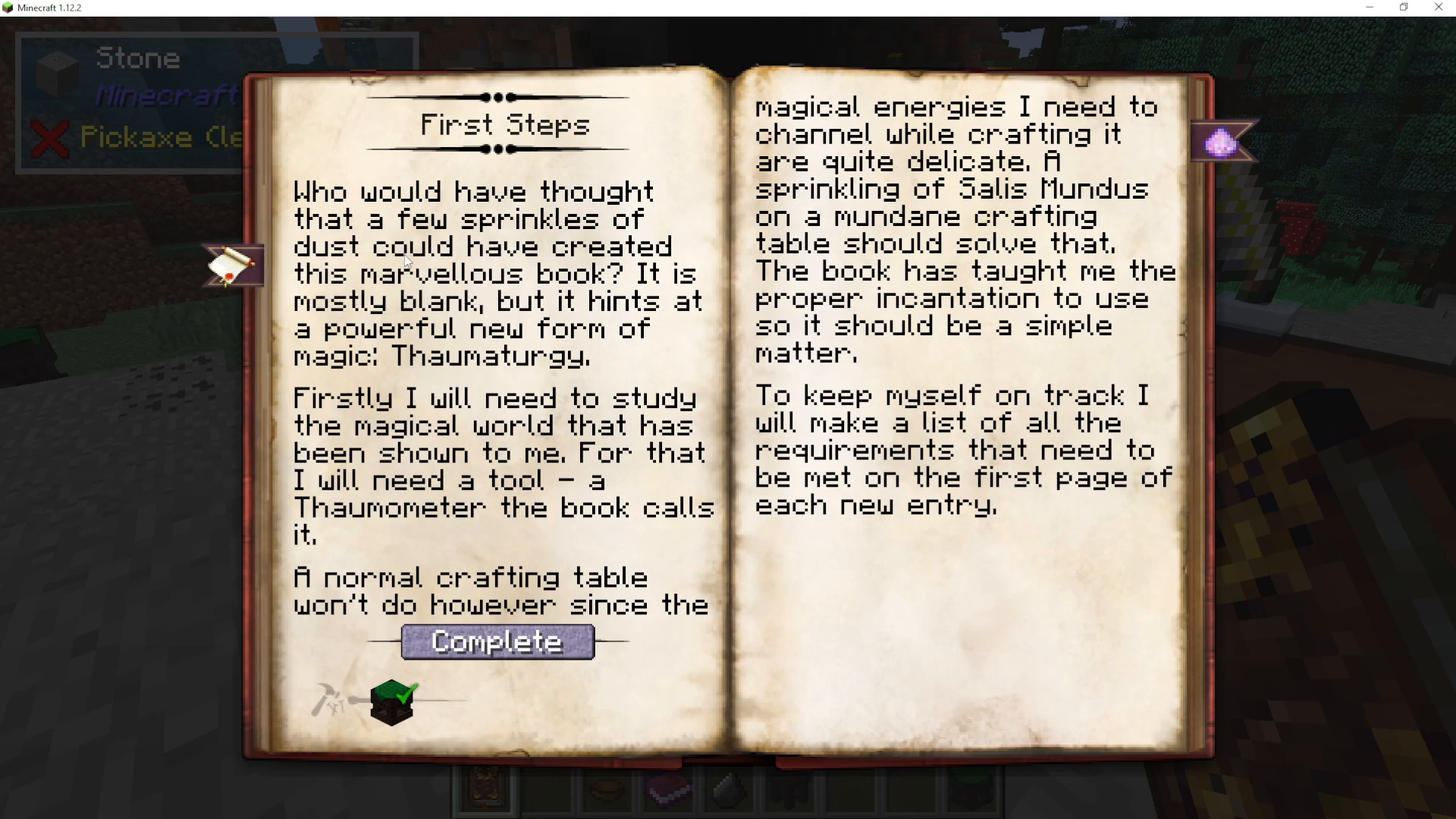
Inside many sections of the Thaumonomicon — including First Steps — you’ll find entries marked as Observations or Theories that must be completed to unlock further progression. For example, some entries require you to reach 100% in a specific knowledge category such as Fundamentals before you can advance. Keep running theories in your Research Table until that category is fully complete.
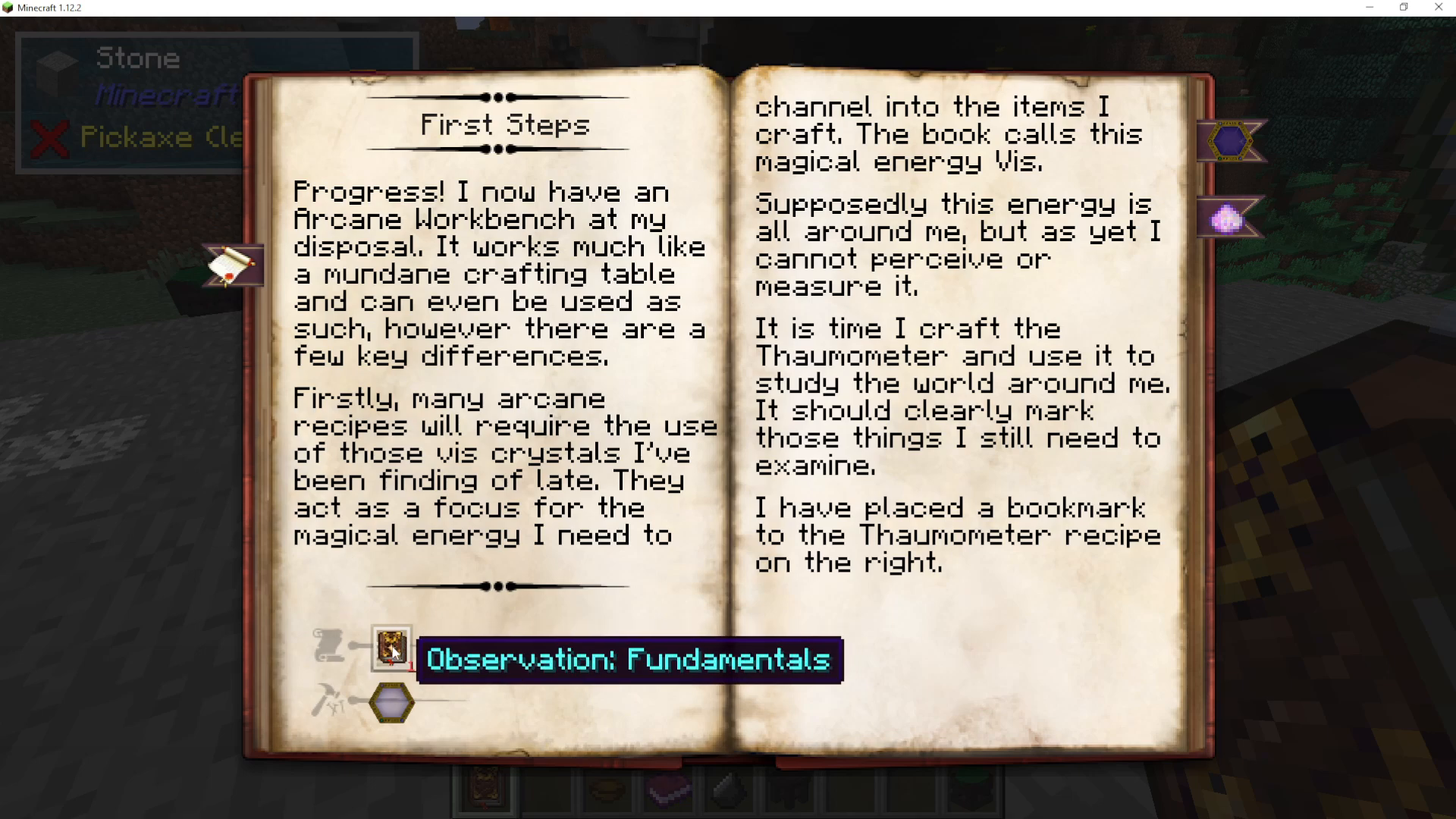
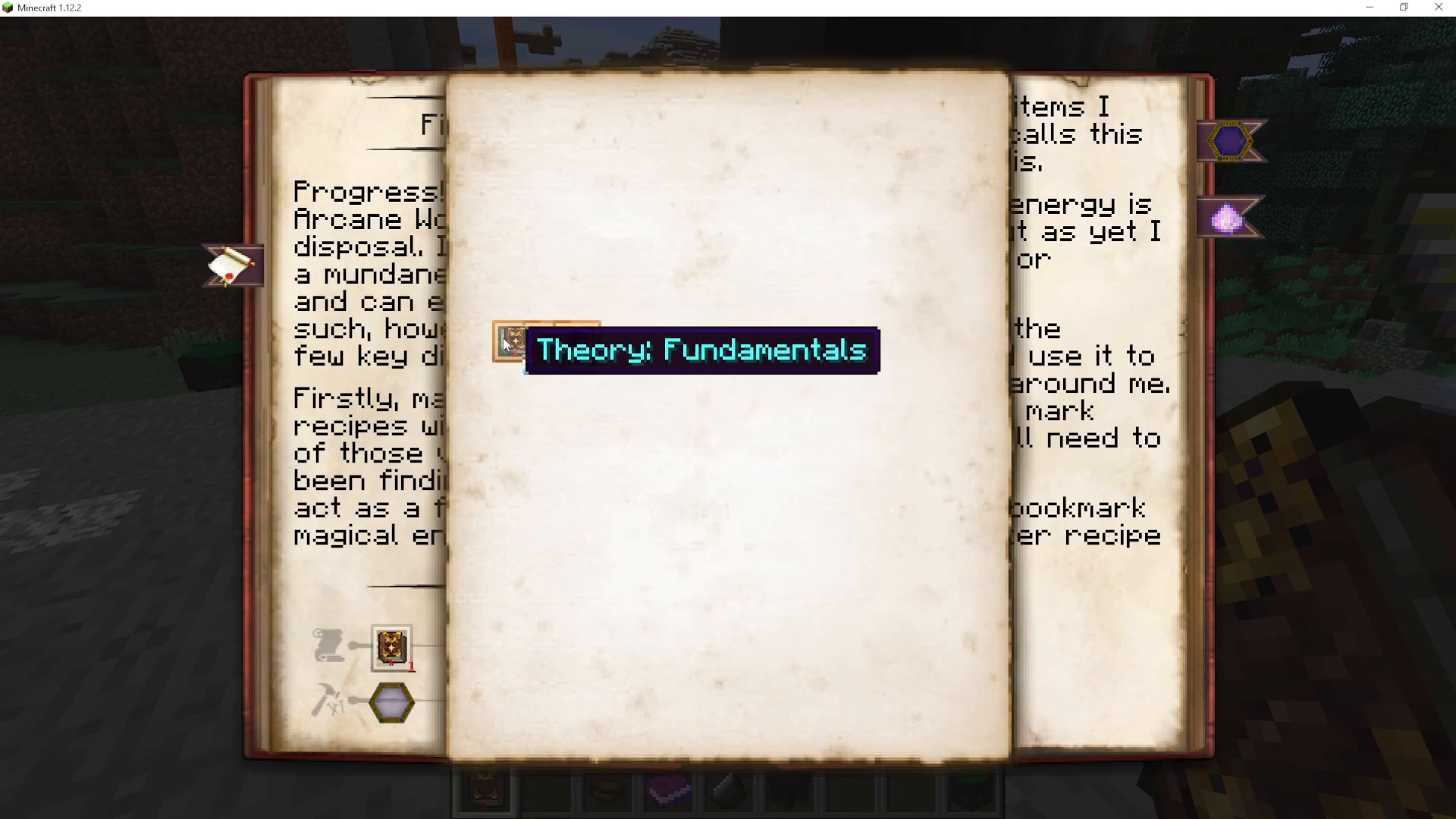
It’s worth noting that the Thaumonomicon sometimes refers to progress as Knowledge and other times as Theory — these are slightly different things tied to the Thaumometer and the Research Table respectively. Check the Knowledge Totals page to see exactly which type you’ve earned and how many points you currently have in each category.
Summary
To recap: craft a Wooden Table from planks and slabs, create Scribing Tools from a feather, ink sack, and glass bottle, then right-click the Scribing Tools onto the table to create your Research Table. From there, load it with paper and Scribing Tools, hit Create Theory, and work through the mini-game using Experimentation, Pondering, Universal Theory, and Rethink to build up progress in your chosen knowledge categories. Completed theories feed directly into your Thaumonomicon, unlocking new research and crafting possibilities. It’s repetitive — but it’s the core of how Thaumcraft 6 works!
Want to Support?
If you would like to help us continue making these guides – please consider joining our patreon here – https://www.patreon.com/c/JaviHeals
Alternatively – we host a group of MC Servers you can join here – https://discord.gg/zD7Gjt6MHF